
1. Увод
This manual provides detailed instructions for the setup, operation, and maintenance of your Zmodo Mini WiFi 720p HD Wireless Indoor Home Video Security Camera. Please read this manual thoroughly before using the device to ensure proper functionality and safety. This camera is designed for indoor surveillance, offering 720p HD video, two-way audio, and remote access capabilities.
2. Производ је готовview
Familiarize yourself with the components of your Zmodo Mini WiFi Camera.

Слика 2.1: Zmodo Mini WiFi Camera mounted on a wall, showing its compact design and lens. This image illustrates the camera's appearance and typical indoor placement.

Слика 2.2: Zmodo Mini WiFi Camera held in a person's hand, demonstrating its small and portable size. This helps visualize the camera's dimensions.
Слика 2.3: Zmodo Mini WiFi Camera displayed with its power adapter and a quick guide. This shows the main items included in the product package.
2.1 Садржај пакета
- Zmodo Mini WiFi Camera
- Повер Адаптер
- Водич за брзи почетак
3. Упутства за подешавање
3.1 Преузимање апликације
За контролу и view your camera, download the MeShare app. Тражи "MeShare" in the Apple App Store (for iOS 6 and up) or Google Play Store (for Android 2.3 and up).
3.2 Укључивање
- Прикључите адаптер за напајање на улазни порт за напајање камере.
- Укључите адаптер за напајање у стандардну електричну утичницу.
- Wait for the camera's indicator light to show a specific status (refer to the app for light status meanings during setup).
3.3 Network Connection (SmartLink)
The camera uses 2.4GHz Wi-Fi for connectivity. It is not compatible with 5GHz networks.
- Open the MeShare app and create an account or log in.
- Пратите упутства у апликацији да бисте додали нови уређај.
- Select the SmartLink setup option. The app will guide you through connecting the camera to your home Wi-Fi network.
- Ensure your mobile device is connected to the 2.4GHz Wi-Fi network you intend to connect the camera to during setup.
4. Упутство за употребу
4.1 Уживо View и удаљени приступ
Access your camera's live 720p HD video feed from anywhere using the MeShare app on your Android, iPhone, or iPad device. You can also access it via a web претраживач на user.meshare.com/user/login.

Слика 4.1: A laptop, tablet, and smartphone simultaneously displaying live video feeds from Zmodo cameras. This illustrates the multi-device remote access capability.
4.2 Двосмерни аудио
The camera features two-way audio, allowing you to listen to the environment around the camera and speak through its built-in speaker using the MeShare app.
4.3 Детекција покрета
The camera is equipped with a motion sensor that can detect movement. You can configure motion alerts within the MeShare app to receive notifications when motion is detected.

Слика 4.2: A smartphone screen showing a Zmodo alert for motion detected, with video clips available for review. This demonstrates the motion alert feature.
4.4 Ноћни вид
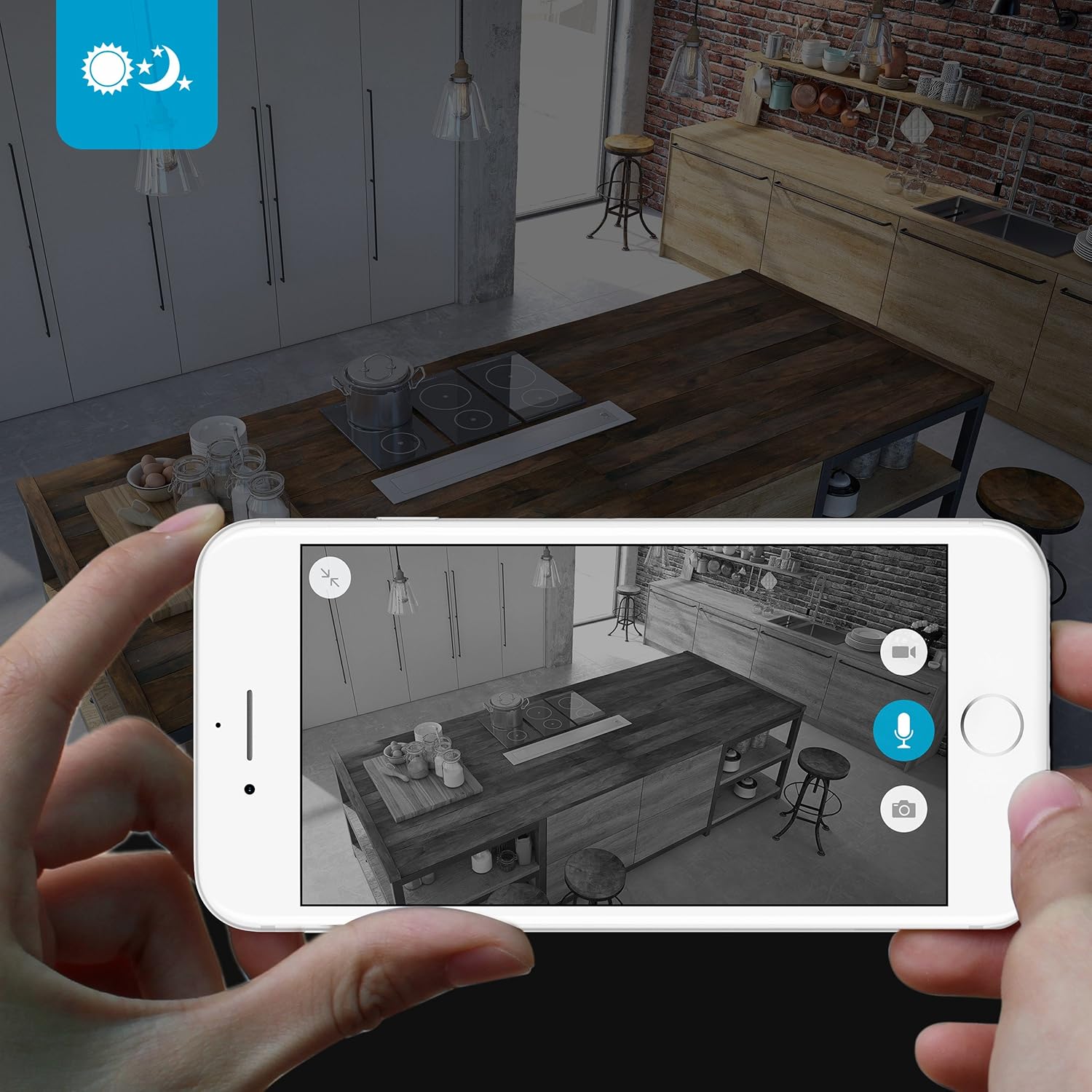
The camera provides clear surveillance even in low-light conditions with its night vision capabilities, offering a range of up to 30 feet. It automatically switches between color day mode and black & white night mode using infrared light.

Слика 4.3: A smartphone screen showing a black and white night vision view from the Zmodo camera in a kitchen setting. This illustrates the camera's low-light performance.
4.5 Широки угао View
The camera features a 115° wide-angle lens, allowing for a broad view of your indoor space.

Слика 4.4: A smartphone screen showing a wide-angle view from the Zmodo camera in a bedroom, capturing a broad area. This highlights the 115-degree field of view.
5. Одржавање
5.1 Чишћење камере
- Уверите се да је камера искључена пре чишћења.
- Use a soft, dry cloth to gently wipe the camera body.
- For the lens, use a lens cleaning cloth specifically designed for optics to avoid scratches.
- Do not use liquid cleaners or aerosol sprays directly on the camera.
5.2 Разматрања животне средине
- Ова камера је дизајнирана само за употребу у затвореном простору.
- Избегавајте постављање камере на директну сунчеву светлост или близу извора топлоте.
- Keep the camera away from moisture and extreme temperatures.
КСНУМКС. Решавање проблема
6.1 Уобичајена питања и решења
- Камера се не повезује на Wi-Fi: Ensure your Wi-Fi network is 2.4GHz. Verify your Wi-Fi password. Try restarting your router and the camera.
- Лош квалитет видеа: Check your internet connection speed. Ensure the camera lens is clean and free from obstructions.
- No audio or distorted audio: Verify microphone and speaker settings in the MeShare app. Ensure there are no physical obstructions blocking the microphone or speaker.
- Motion alerts not working: Check motion detection settings in the MeShare app. Ensure notifications are enabled for the app on your mobile device.
- Камера ван мреже: Check if the camera is powered on. Verify your Wi-Fi network is active and stable. Try restarting the camera.
7. Спецификације
| Феатуре | Опис |
|---|---|
| Број модела | WAUBMAKGCUVDD |
| Резолуција снимања видео записа | 720п ХД |
| Технологија повезивања | Бежично (Wi-Fi 2.4 GHz) |
| Двосмерни аудио | Да |
| Широки угао | 115° |
| Ноћни вид | Up to 30 Feet (Infrared) |
| Сензор покрета | Yes (Motion Only Alert Type) |
| Извор напајања | AC/DC (5 Volts, 5 Watts) |
| Унутрашња/спољна употреба | Индоор |
| Димензије (Д к Ш к В) | 7 к 2.1 к 4.5 инча |
| Тежина артикла | 12 унци |
| Компатибилни уређаји | Video Monitor (Android, iPhone, iPad) |
8. Гаранција и подршка
For warranty information or technical support, please refer to the official Zmodo website or contact Zmodo customer service directly. Keep your purchase receipt for warranty claims.
За даљу помоћ, посетите Zmodo Store on Amazon.