
1. Увод
The HoldPeak HP-320 is a non-contact infrared thermometer designed for safe and accurate temperature measurement from a distance. It features a laser pointer for precise targeting, a backlit LCD display for easy reading, and a wide temperature range suitable for various applications. This manual provides detailed instructions for the proper use and maintenance of your device.
Безбедносне информације
- Ласерска безбедност: Do not stare directly into the laser beam or point it at people or animals. The laser is used for aiming only.
- Температурни опсег: Do not attempt to measure temperatures outside the specified range of -30°C to 320°C (-22°F to 608°F).
- електрична безбедност: Do not immerse the device in water or expose it to extreme humidity. Do not use if the device is damaged.
- Безбедност батерије: Use only the specified 9V battery. Ensure correct polarity when installing. Remove the battery if the device will not be used for an extended period.
- Одржавање: Refer to the maintenance section for cleaning instructions. Do not attempt to disassemble or modify the device.
2. Подешавање
Инсталација батерије
The HoldPeak HP-320 requires one 9V battery for operation. Follow these steps to install the battery:
- Locate the battery compartment door at the bottom of the handle.
- Gently pull the battery compartment door downwards to open it.
- Прикључите батерију од 9V на конектор батерије, водећи рачуна о исправном поларитету (+ на + и - на -).
- Ставите батерију у одељак.
- Чврсто затворите вратанца одељка за батерије док не кликну на место.
This image series demonstrates the simple process of replacing the 9V battery in the HoldPeak HP-320 thermometer, showing how to open the battery compartment and insert the new battery.

The HoldPeak HP-320 infrared thermometer, shown alongside a 9V battery, which powers the device.
3. Упутство за употребу
Основна операција
To take a temperature reading:
- Point the thermometer at the object you wish to measure. Ensure the target is within the device's field of view.
- Press and hold the measurement trigger. The laser pointer will activate (if enabled) to help you aim.
- The temperature reading will be displayed on the LCD screen. Release the trigger to hold the reading.
Дисплеј и дугмад
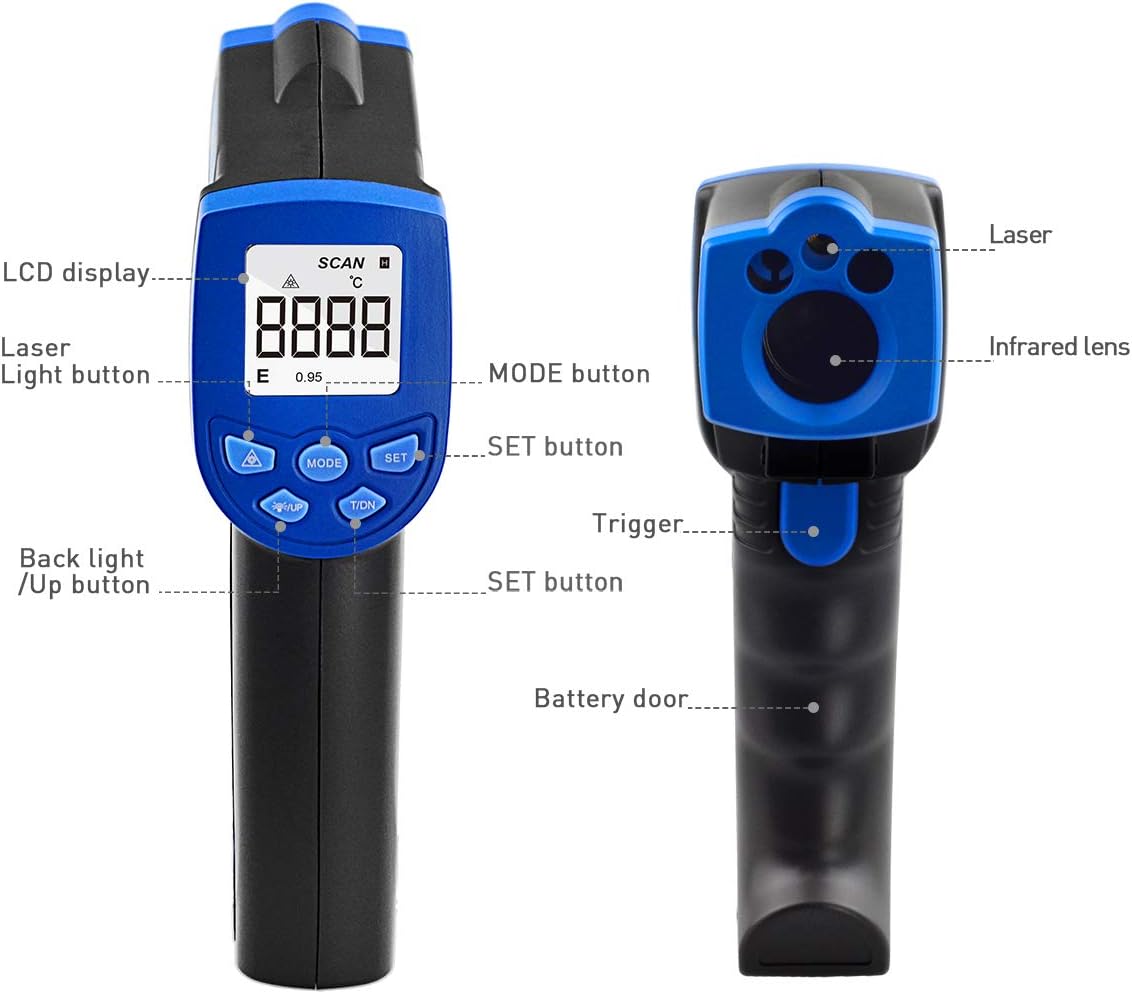
This diagram illustrates the key components of the HoldPeak HP-320, pointing out the LCD display, laser light button, mode button, set button, backlight/up button, trigger, and battery door.
- ЛЦД екран: Shows temperature readings, unit indicators, and other relevant information.
- Laser Light Button (▲): Toggles the laser pointer on/off.
- Дугме МОДЕ: Cycles through different measurement modes or settings (if applicable).
- СЕТ дугме: Confirms selections or enters settings menus.
- Backlight / Up Button (▼): Toggles the LCD backlight on/off. Also used for navigating menus or adjusting values.
- Окидач: Активира мерење и ласер.
Конверзија јединица температуре (°C/°F)
Да бисте прелазили између Целзијуса (°C) и Фаренхајта (°F):
- With the device powered on, press the 'MODE' button until the temperature unit setting is displayed.
- Use the '▲' or '▼' buttons to select your desired unit.
- Press the 'SET' button to confirm your selection.

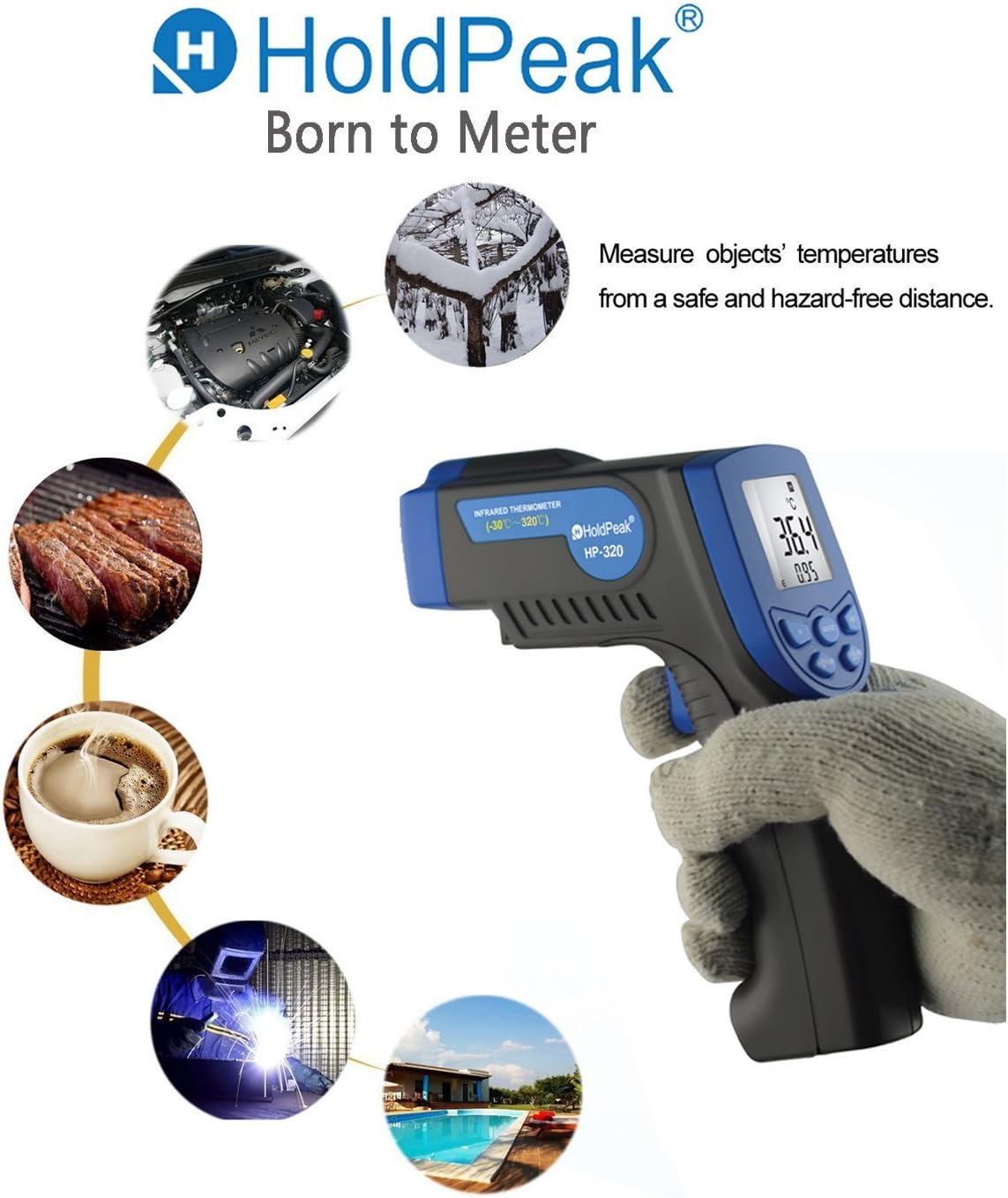
This image highlights the versatility of the HoldPeak HP-320 infrared thermometer, showing its use in diverse scenarios such as automotive maintenance, cooking, and industrial temperature monitoring.
4. Одржавање
Чишћење
Да бисте осигурали тачна очитавања и продужили век трајања термометра:
- Очистите сочиво меком, дamp крпом или памучним штапићем. Не користите абразивна средства за чишћење или раствараче.
- Wipe the device body with a soft, dry cloth.
- Ensure the device is dry before storage.
Складиштење
When not in use, store the thermometer in a cool, dry place, away from direct sunlight and extreme temperatures. Remove the battery if storing for extended periods to prevent leakage.
КСНУМКС. Решавање проблема
If you encounter issues with your HoldPeak HP-320, refer to the table below for common problems and solutions:
| Проблем | Могући узрок | Решење |
|---|---|---|
| Уређај се не укључује | Слаба или празна батерија; Неправилна инсталација батерије | Replace the 9V battery; Ensure battery is installed with correct polarity. |
| Нетачна очитавања | Dirty lens; Object too far or too close; Emissivity setting (if applicable) | Clean the lens; Ensure proper distance to target; Refer to advanced settings for emissivity adjustment if available. |
| Ласер не ради | Laser disabled; Device malfunction | Press the laser button to enable; If issue persists, contact customer support. |
| LCD display is dim | Low battery; Backlight off | Replace the 9V battery; Press the backlight button to turn on. |
6. Спецификације
Key technical specifications for the HoldPeak HP-320 Infrared Laser Thermometer:
| Феатуре | Спецификација |
|---|---|
| Број модела | ХП-320-01 |
| Температурни опсег | -30°Ц до 320°Ц (-22°Ф до 608°Ф) |
| Прецизност | ±2% or ±2°C (±3.6°F) (whichever is greater) |
| Време одговора | Мање од 0.5 секунди |
| Спецтрал Респонсе | 8-14 µм |
| Однос тачке растојања (D:S) | 12:1 |
| Емисивност | 0.95 (фиксно) |
| Повер Суппли | 1 x 9V baterija (uključena) |
| Аутоматско искључивање | Yes (after 7 seconds of inactivity) |
| Димензије | КСНУМКС к КСНУМКС к КСНУМКС цм (КСНУМКС к КСНУМКС к КСНУМКС инча) |
| Тежина | 132 г (0.29 лбс) |
| Произвођач | ZhuHai JiDa HuaPu Instrument Co.,Ltd |
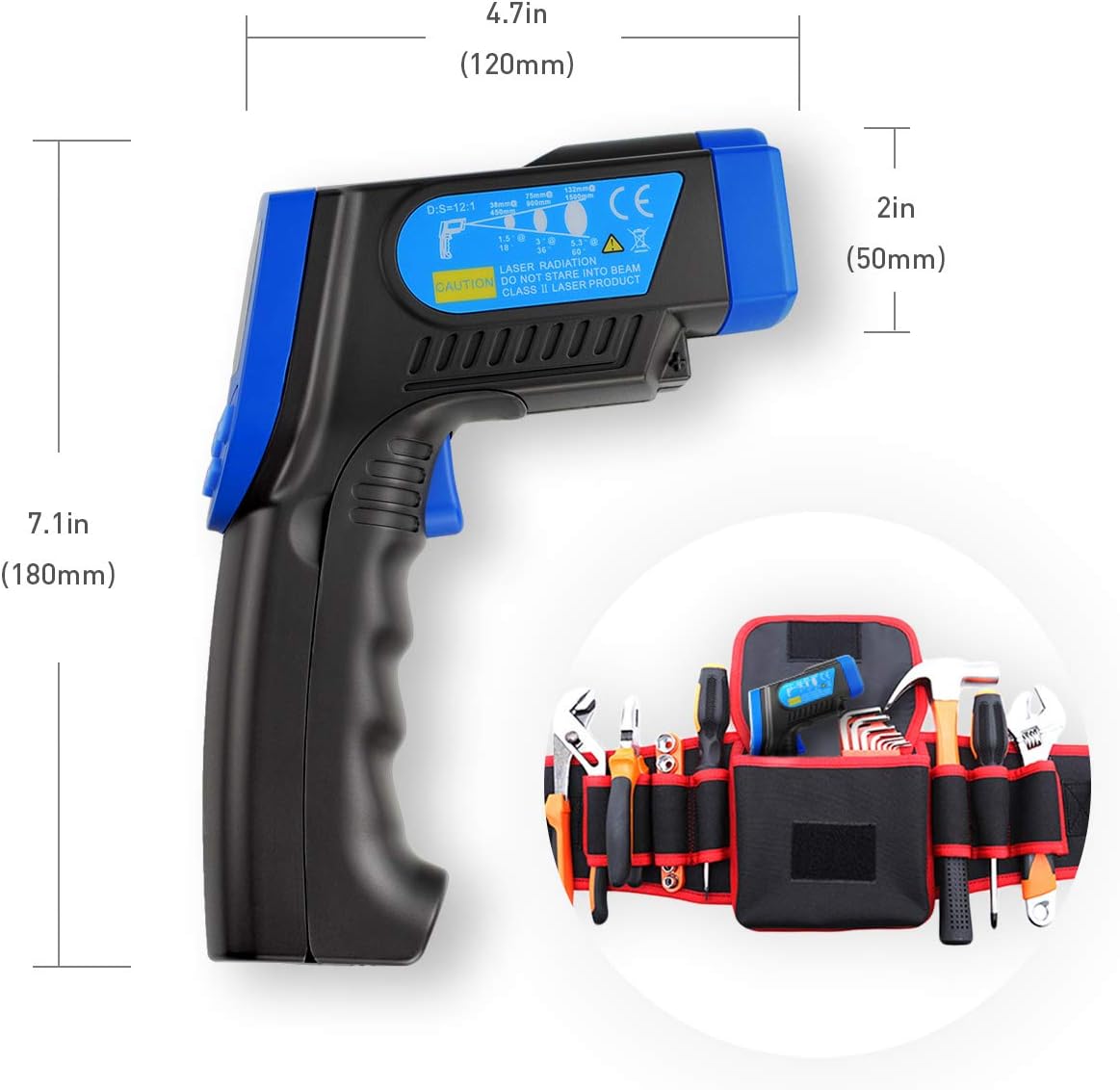
A visual representation of the HoldPeak HP-320 infrared thermometer's dimensions, indicating its length of 7.1 inches (180mm), height of 4.7 inches (120mm), and width of 2 inches (50mm).
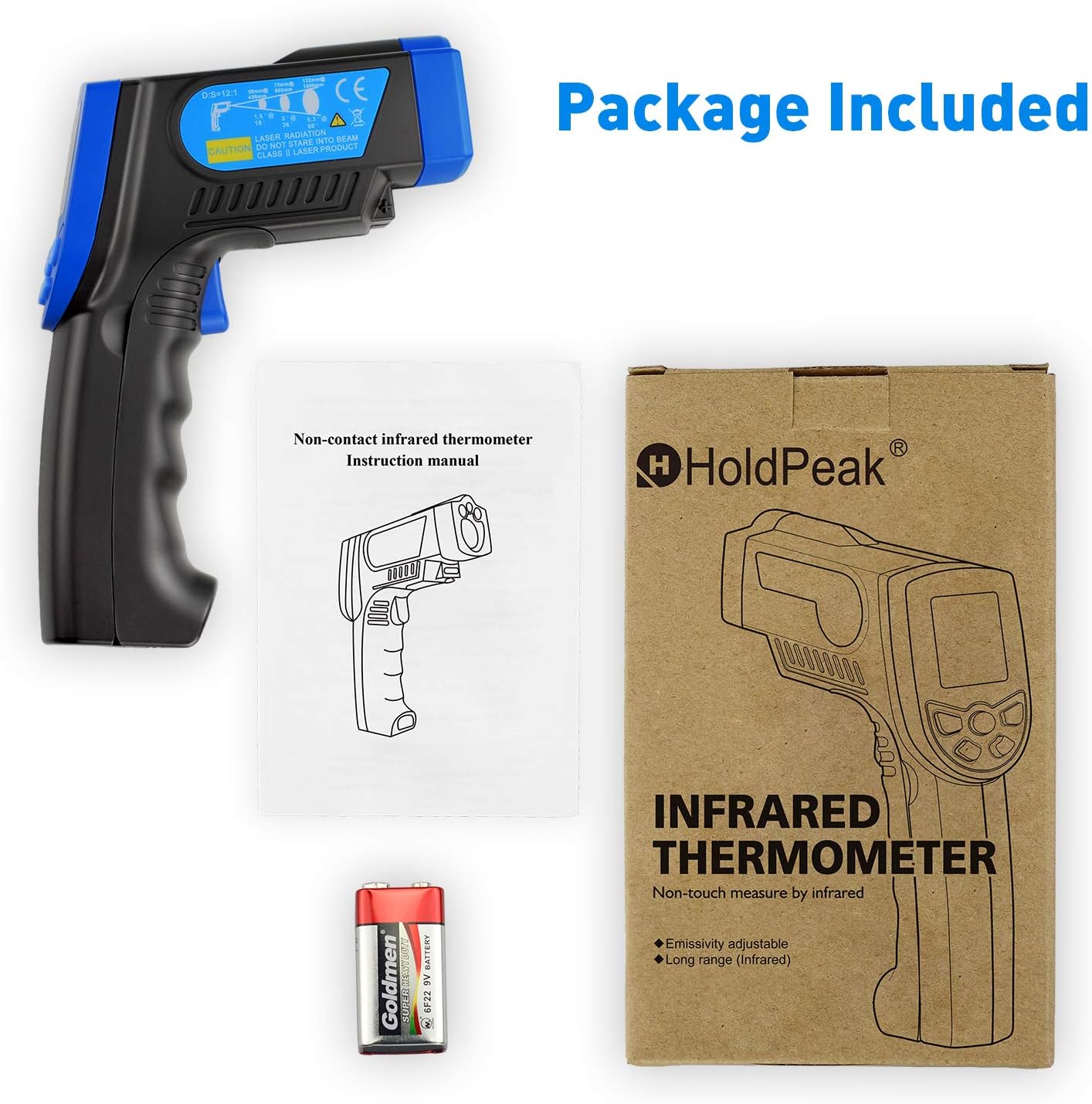
This image displays the complete package contents for the HoldPeak HP-320 infrared thermometer, including the device itself, the user instruction manual, and a 9V battery.
7. Гаранција и подршка
Информације о гаранцији
HoldPeak products are manufactured to high-quality standards. For specific warranty terms and conditions, please refer to the warranty card included with your product or contact HoldPeak customer support.
Корисничка подршка
If you have any questions, require technical assistance, or need to report an issue with your HoldPeak HP-320 thermometer, please contact our customer support team. Contact information can typically be found on the product packaging or the official HoldPeak webсајту.