
DBPOWER RD-805
DBPower RD-805 Преносни мултимедијални мини ЛЕД пројектор Упутство за употребу
Model: RD-805 (FP8048H1W-IV6)
1. Увод
This manual provides comprehensive instructions for the safe and efficient operation of your DBPOWER RD-805 Portable Multimedia Mini LED Projector. Please read this manual thoroughly before using the projector and retain it for future reference. This projector is designed for versatile multimedia applications, offering a compact solution for home entertainment, presentations, and more.
2. Безбедносне информације
- Не гледајте директно у сочиво пројектора када је укљученоamp је укључено. Интензивно светло може изазвати оштећење ока.
- Ensure proper ventilation. Do not block ventilation openings. Overheating can damage the projector.
- Use only the power adapter supplied with the projector. Using an incorrect adapter may cause malfunction or fire.
- Keep the projector away from water or other liquids. Do not operate in humid environments.
- Избегавајте постављање пројектора на нестабилне површине.
- Искључите кабл за напајање током грмљавине или када се не користи дуже време.
- Не покушавајте сами да поправите пројектор. Све сервисирање препустите квалификованом особљу.
3. Садржај пакета
Проверите да ли су све ставке наведене у наставку укључене у ваш пакет. Ако неке ставке недостају или су оштећене, обратите се продавцу.
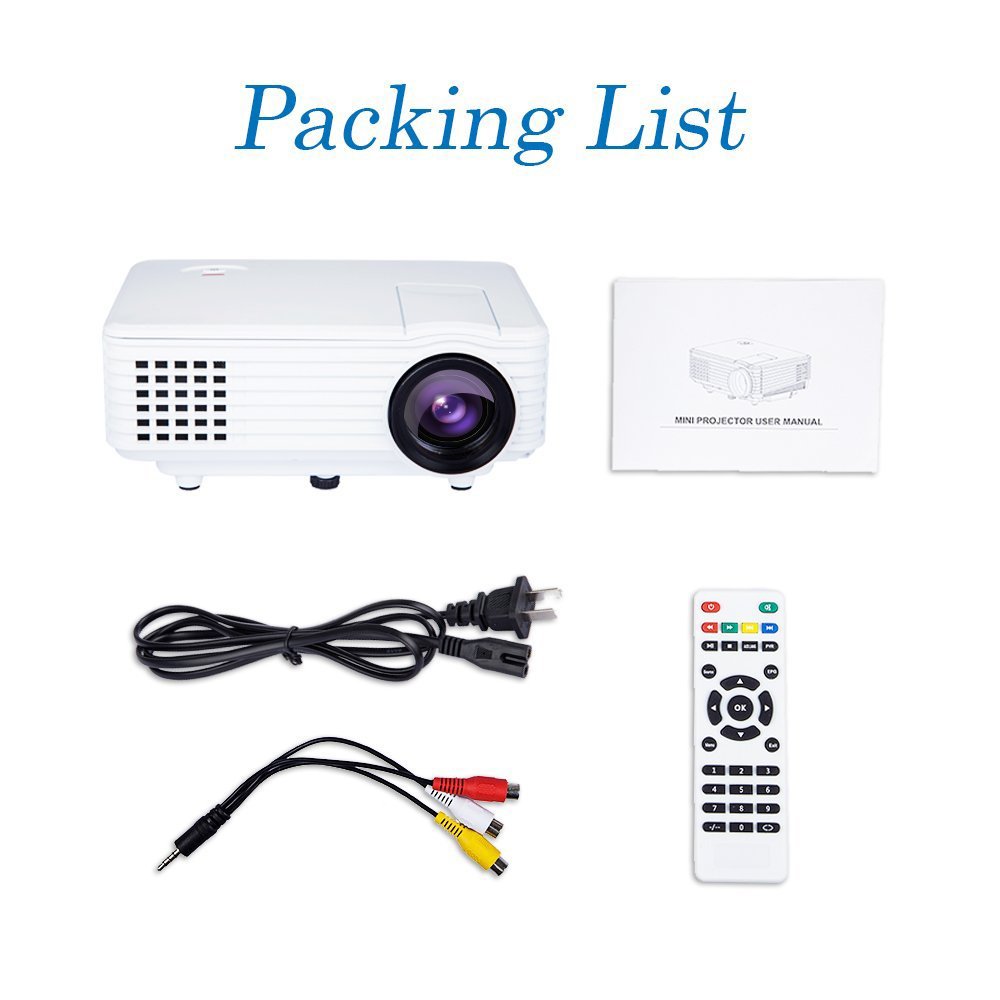
Image: Contents of the DBPOWER RD-805 projector package, showing the projector unit, power cable, AV cable, remote control, and user manual.
- DBPOWER RD-805 Mini LED Projector
- Повер Цабле
- Ремоте Цонтрол
- АВ кабл
- Упутство за употребу
4. Производ је готовview
Familiarize yourself with the various parts of your projector.

Image: The DBPOWER RD-805 projector held in a hand, illustrating its portable and compact design.
4.1 Предња и горња страна View
- Пројекционо сочиво: Емитује слику.
- Прстен за фокусирање: Подешава јасноћу слике.
- Бројчаник за корекцију трапезоидног изобличења: Исправља трапезоидно изобличење слике.
- Контролна табла: Buttons for menu navigation and basic functions.
4.2 Задња плоча и прикључци

Слика: Детаљна view of the rear panel of the DBPOWER RD-805 projector, highlighting the power button, on/off switch, USB port, HDMI port, AV input, VGA input, and audio output jack.
- Дугме за напајање: Укључује/искључује пројектор.
- On/Off Button (Main Switch): Master power switch.
- УСБ порт: Повежите УСБ дискове за репродукцију медија.
- ХДМИ порт: Connect devices via HDMI cable (e.g., laptops, gaming consoles).
- AV IN порт: Connect devices using the AV cable (e.g., DVD players).
- ВГА порт: Connect computers via VGA cable.
- Audio Output (Earphone) Jack: Повежите екстерне звучнике или слушалице.
- Микро УСБ: (Not explicitly labeled in image, but mentioned in features) For specific connectivity.
5. Подешавање
5.1 Постављање
Place the projector on a stable, flat surface. Ensure there is adequate space around the projector for ventilation. The projection distance will determine the image size (20-80 inches recommended).

Image: The DBPOWER RD-805 projector set up on a tripod next to a laptop, demonstrating a typical usage scenario for presentations or media viewинг.
5.2 Прикључак за напајање
- Повежите кабл за напајање са улазом за напајање пројектора.
- Укључите други крај кабла за напајање у зидну утичницу.
- Flip the main On/Off switch on the rear panel to the 'On' position.
5.3 Повезивање уређаја
Пројектор подржава различите улазне изворе:

Image: A circular diagram illustrating the wide range of devices compatible with the DBPOWER RD-805 projector, including laptops, desktops, gaming consoles (PS4, Xbox 360, Wii), mobile phones, tablets, DVD players, and MP4/MP5 players.
- ДВИ: Connect laptops, gaming consoles (PS4, Xbox 360), Blu-ray players.
- ВГА: Connect desktop computers or older laptops.
- АВ: Connect DVD players, set-top boxes using the included AV cable.
- УСБ: Insert USB flash drives for direct playback of photos, videos, and music.
- Микро УСБ: For specific device connections (refer to device manual for compatibility).
- Аудио излаз: Повежите спољне звучнике или слушалице за побољшани звук.
6. Руковање пројектором
6.1 Укључивање/искључивање
- Ensure the main On/Off switch on the rear is in the 'On' position.
- Press the Power button on the projector or remote control to turn on the unit.
- To power off, press the Power button again. The indicator light will change.
6.2 Adjusting Image
- Фокус: Rotate the focus ring near the lens until the projected image is clear and sharp.
- Кеистоне Цоррецтион: Use the keystone correction dial to adjust the image if it appears trapezoidal (wider at the top or bottom). The projector supports up to 15 degrees of keystone correction.
6.3 Избор улазног извора
Use the 'Source' button on the remote or projector control panel to cycle through available input sources (HDMI, VGA, AV, USB).
6.4 Репродукција мултимедијалног садржаја
When a USB drive is connected, navigate the on-screen menu to select the desired media type (Photo, Music, Movie, Text) and browse files. The projector supports MP3/WMA/OGG/AAC/FLAC/APE/WAV audio and JPEG/BMP/PNG image formats.
6.5 Апликације
The DBPOWER RD-805 is suitable for a variety of uses:

Image: A collage depicting various applications of the DBPOWER RD-805 projector, including outdoor movie nights, classroom teaching, business meetings, and gaming sessions.

Слика: Четири бившаamples of home theater environments utilizing the DBPOWER RD-805 projector for immersive viewинг искуства.
- Кућну забаву: Уживајте у филмовима, ТВ емисијама и спорту на великом екрану.
- Играње: Connect your gaming console for an immersive gaming experience.
- Презентације: Ideal for small business meetings or educational purposes.
- Пхото Viewинг: Share your photos with friends and family on a big display.
7. Одржавање
7.1 Чишћење сочива
Use a soft, lint-free cloth specifically designed for optical lenses. Do not use abrasive cleaners or cloths that could scratch the lens.
7.2 Чишћење кућишта пројектора
Обришите спољашњост пројектора меком, сувом крпом. За тврдокорне мрље, благоamp Може се користити крпа, а затим сува.
7.3 Вентилација
Regularly check and clean the ventilation grilles to prevent dust buildup, which can impede airflow and cause overheating.
7.4 Лamp Живот
ЛЕД лamp in your projector has a long lifespan, rated for approximately 50,000 hours, significantly reducing the need for lamp замена.
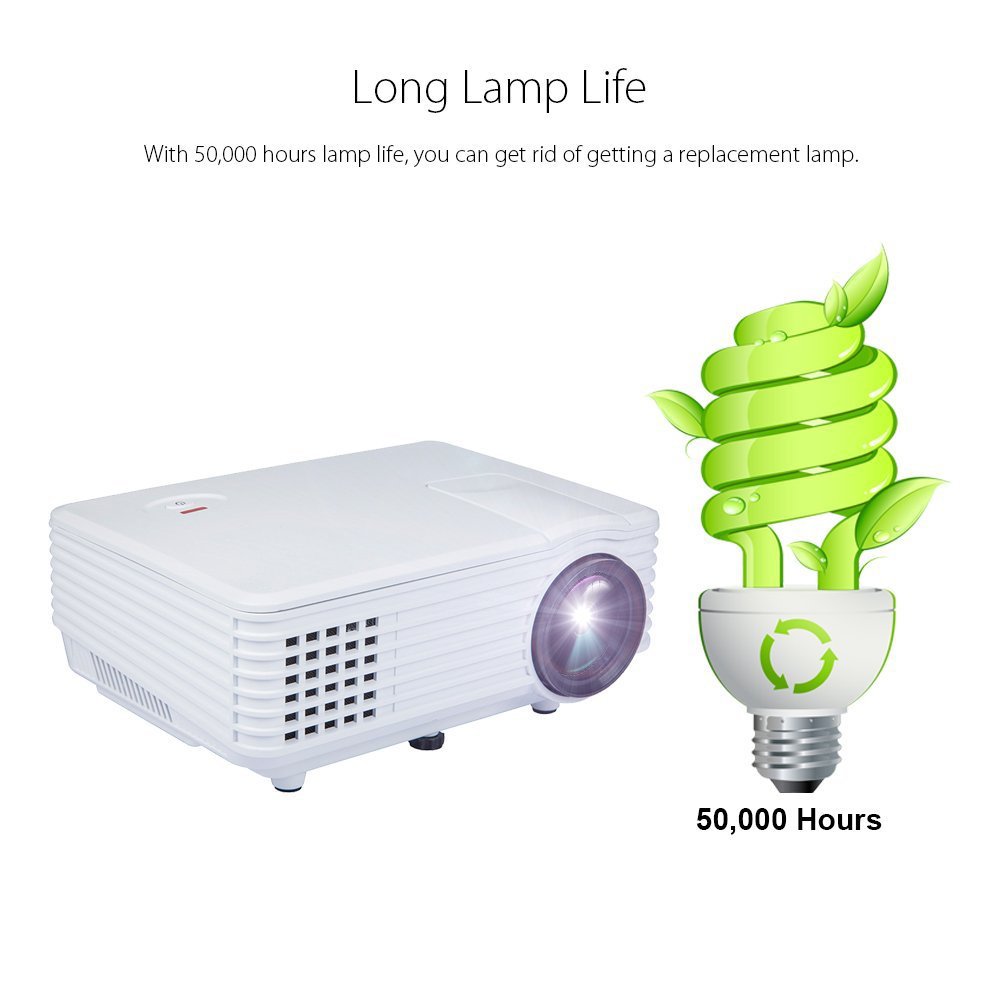
Image: An illustration highlighting the long lamp life of the DBPOWER RD-805 projector, indicating an estimated lifespan of 50,000 hours for its LED light source.
КСНУМКС. Решавање проблема
| Проблем | Могући узрок | Решење |
|---|---|---|
| Нема пројектоване слике | Power not connected; Input source incorrect; Lens cap on. | Проверите везу за напајање; Изаберите исправан улазни извор; Скините поклопац објектива. |
| Слика је мутна | Фокус није подешен; Пројектор је преблизу/предалеко од платна. | Adjust focus ring; Adjust projection distance (20-80 inches). |
| Слика је трапезоидног облика | Кејстоун није подешен. | Adjust keystone correction dial. |
| Нема звука | Volume too low; External speakers not connected; Audio format not supported. | Increase volume; Connect external speakers to audio out; Check audio format compatibility. |
| Даљински управљач не ради | Batteries dead; Obstruction between remote and projector. | Замените батерије; Обезбедите јасну линију вида са ИР пријемником. |
9. Спецификације

Image: The DBPOWER RD-805 projector with its physical dimensions (21cm length, 14.5cm width, 8cm height) and weight (1250g) indicated, alongside a "1 Year Warranty" badge.
| Бранд | ДБПОВЕР |
| Назив модела | РД-805 |
| Број модела ставке | FP8048H1W-IV6 |
| Дисплаи Тецхнологи | ЛЦД |
| Дисплаи Типе | ЛЕД |
| Величина пројекције | 20-80 inches (recommended) |
| Max Screen Display Size | 120 инча / 305 цм |
| Кеистоне Цоррецтион | Manual, 15 degrees |
| Lamp Живот | До 50,000 сати |
| Улазни интерфејси | USB, VGA, HDMI, AV, Micro USB |
| Излазни интерфејс | Earphone (3.5mm Audio Jack) |
| Подржани аудио формати | МП3 / ВМА / ОГГ / ААЦ / ФЛАЦ / АПЕ / ВАВ |
| Подржани формати слика | JPEG/BMP/PNG (with zoom, 360 degree rotate) |
| Потрошња енергије | 20 Ваттс |
| Извор напајања | AC |
| Димензије производа (ДкШкВ) | 21.08 к 14.48 к 7.87 цм |
| Тежина артикла | 907.18 г |
10. Гаранција и подршка
Your DBPOWER RD-805 Projector comes with a 1-годишња гаранција од датума куповине. Ова гаранција покрива производне недостатке и недостатке у изради при нормалној употреби.
For technical support, warranty claims, or any inquiries, please contact DBPOWER customer service through the contact information provided on their official website or your purchase platform. Please have your model number (RD-805) and purchase details ready when contacting support.
Ask a question about this manual
Ask about setup, troubleshooting, compatibility, parts, safety, or missing instructions. Manuals+ will review the question and use this page’s manual context to help answer it.