
1. Увод
This manual provides comprehensive instructions for the safe installation, operation, and maintenance of your Broan-NuTone A70L Ventilation Fan with Light. This unit is designed to effectively remove moisture and odors from bathrooms up to 65 sq. ft., ensuring a comfortable and healthy indoor environment. Please read all instructions carefully before beginning installation or operation.

Figure 1: Broan-NuTone A70L Ventilation Fan with Light
2. Безбедносне информације
УПОЗОРЕЊЕ: Да бисте смањили ризик од пожара, струјног удара или повреда особа, обратите пажњу на следеће:
- Користите ову јединицу само на начин предвиђен од стране произвођача. Ако имате питања, обратите се произвођачу.
- Пре сервисирања или чишћења јединице, искључите напајање на сервисној табли и закључајте средства за искључење сервиса како бисте спречили случајно укључење струје. Када се средство за искључивање сервиса не може закључати, безбедно причврстите истакнути уређај за упозорење, као што је tag, до сервисне табле.
- Радове на инсталацији и електричном ожичењу мора обавити квалификована(е) особа(е) у складу са свим важећим кодексима и стандардима, укључујући грађевинске прописе и стандарде за заштиту од пожара.
- За правилно сагоревање и испуштање гасова кроз димњак опреме за сагоревање горива потребно је довољно ваздуха како би се спречило повратно струјање. Пратите смернице произвођача опреме за грејање и безбедносне стандарде, као што су они које је објавило Национално удружење за заштиту од пожара (NFPA), Америчко друштво инжењера за грејање, хлађење и климатизацију (ASHRAE), као и локалне прописе.
- Када сечете или бушите у зид или плафон, немојте оштетити електричне инсталације и друге скривене уређаје.
- Вентилатори са каналима морају увек да се испуштају напоље.
- This unit is UL Listed for use over bathtubs and showers with a GFCI circuit.
3. Садржај пакета
Пре почетка инсталације проверите да ли су све компоненте присутне:
- Ventilation Fan Housing
- Grille with Light Assembly
- Duct Connector (4-inch polymeric)
- Инсталациони прибор (шрафови, навртке)
- Упутство за употребу

Figure 2: Internal components of the fan unit
4. Спецификације
| Феатуре | Спецификација |
|---|---|
| Број модела | АКСНУМКСЛ |
| Капацитет протока ваздуха | 70 кубних стопа у минути (ЦФМ) |
| Ниво буке | 2.0 Сонес |
| Room Size (Max) | 65 ск. фт. |
| Лигхт Типе | 100-Watt max. incandescent A19 type bulb or energy efficient equivalent (bulb not included) |
| Волtage | 120В |
| Ватtage | 42.3 вати |
| Димензије производа (Д x Ш x В) | 5.75"Д к 10"Ш к 9.25"В |
| Тип монтаже | Плафонски носач |
| Материјал | Alloy Steel (housing), Plastic (blade) |
| Цертифицатион | Енерги Стар, на листи УЛ |

Figure 3: Product dimensions and components
5. Инсталација
The Broan-NuTone A70L fan is designed for versatile installation, accommodating both new construction and room-side retrofit applications. Always ensure power is disconnected before installation.
5.1. New Construction Installation
- Position the fan housing between ceiling joists.
- Utilize the fold-out mounting ears to secure the housing directly to the ceiling structure using appropriate fasteners.
- Connect the 4-inch ductwork to the polymeric duct connector.
- Complete electrical wiring according to local codes.
5.2. Room-Side Retrofit Installation
This fan features room-side installation, eliminating the need for attic access.
- Carefully cut an opening in the ceiling to accommodate the fan housing.
- Fold back the mounting ears on the fan housing.
- Slide the fan housing into the ceiling opening.
- Secure the housing to the ceiling structure through the housing walls using screws.
- Attach the 4-inch duct connector and connect the ductwork from the room side. The TrueSeal damper technology helps reduce air leakage.
- Perform electrical connections.
Video 1: Broan Flex Installation Guide. This video demonstrates the installation process for Broan Flex series fans, including both new construction and room-side retrofit methods, highlighting the flexible mounting options and duct connector features.
5.3. Завршна скупштина
- Install a 100-watt maximum incandescent A19 type bulb or energy-efficient equivalent (M.O.L. of 4.4" or less) into the light socket.
- Attach the grille with light assembly to the fan housing.
- Вратите напајање и тестирајте функције вентилатора и светла.
6. Упутство за употребу
The Broan-NuTone A70L operates with a simple button control switch (not included). It features a single speed for ventilation.
- Рад вентилатора: Activate the fan by pressing the designated switch. The fan will begin to exhaust air from the room.
- Лагана операција: Activate the light by pressing its designated switch. The light provides illumination for the bathroom area.
- For optimal moisture removal, operate the fan during and after showering or bathing until excess humidity is cleared from the room.
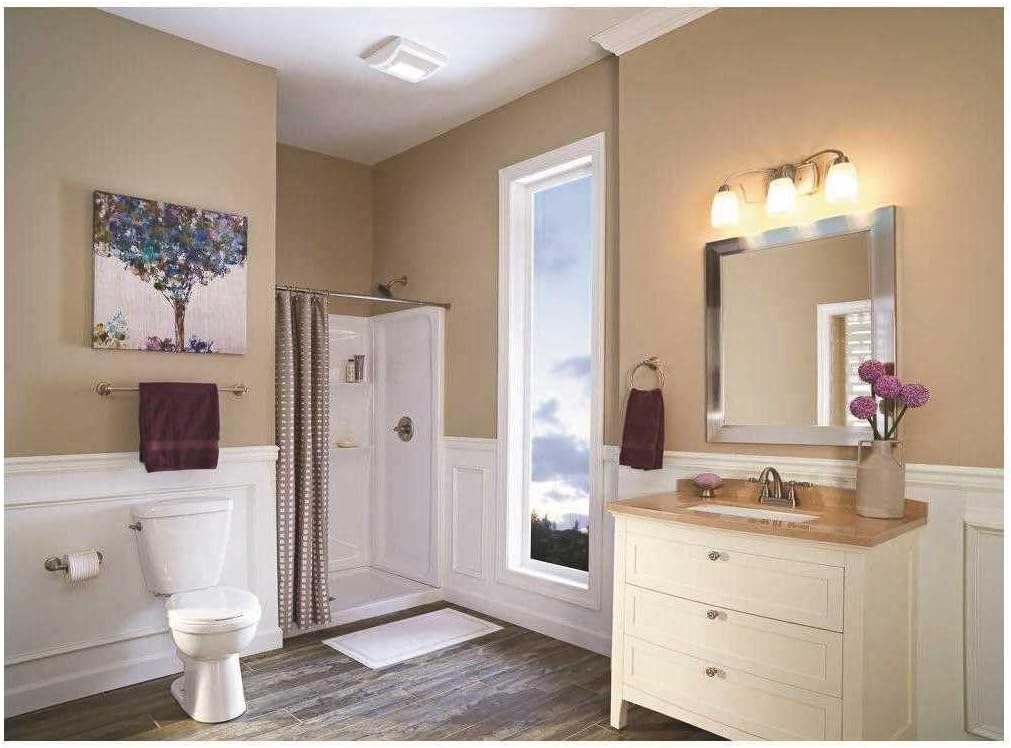
Figure 4: Broan-NuTone A70L installed in a bathroom
7. Одржавање
Regular maintenance ensures optimal performance and longevity of your ventilation fan. Always disconnect power before performing any maintenance.
7.1. Cleaning the Grille
- Искључите напајање на сервисној табли.
- Gently pull down the grille to detach it from the housing.
- Wash the grille in warm, soapy water. Rinse thoroughly and dry completely before reattaching.
- Wipe the fan housing clean with a damp тканина.
7.2. Replacing the Light Bulb
- Искључите напајање на сервисној табли.
- Уклоните решетку.
- Carefully unscrew the old bulb and replace it with a new 100-watt maximum incandescent A19 type bulb or energy-efficient equivalent (M.O.L. of 4.4" or less).
- Reattach the grille and restore power.
КСНУМКС. Решавање проблема
If your fan is not operating correctly, consult the following table for common issues and solutions:
| Проблем | Могући узрок | Решење |
|---|---|---|
| Вентилатор не ради | No power to the unit; tripped circuit breaker; loose wiring connection. | Check power supply; reset circuit breaker; verify wiring connections. |
| Светло се не пали | Burned out bulb; loose wiring connection to light. | Replace bulb; check light wiring. |
| Прекомерна бука | Loose mounting screws; debris in fan blade; motor issue. | Tighten mounting screws; clean fan blade; contact support if motor issue persists. |
| Лоша вентилација | Blocked ductwork; dirty grille; fan undersized for room. | Check and clear ductwork; clean grille; ensure fan CFM matches room size requirements. |
9. Гаранција и подршка
This Broan-NuTone A70L Ventilation Fan with Light comes with a 1-годишња ограничена гаранција од дана куповине. Ова гаранција покрива недостатке у материјалу и изради при нормалној употреби.
For warranty claims, technical assistance, or to purchase replacement parts, please contact Broan-NuTone customer support. Keep your proof of purchase for warranty validation.
Произвођач: Броан-НуТон
Webсајт: ввв.броан-нутоне.цом
За додатне информације и ресурсе, можете посетити Broan-NuTone продавница на Амазону.