
ТФА 60.4512.01
Упутство за употребу
TFA Dostmann Timeline Max Radio-Controlled Clock
Модел: 60.4512.01
Увод
The TFA Dostmann Timeline Max Radio-Controlled Clock (Model 60.4512.01) features a large, exceptionally clear display, making it easily readable from a distance. This makes it ideal for various settings such as entrance areas, reception desks, waiting rooms, and offices. Its clear structure simplifies time orientation, and with the displayed day of the week and full date, it serves as a valuable daily aid, particularly for seniors and individuals with cognitive impairments.
The clock automatically receives time signals via the DCF 77 signal, ensuring precise, second-accurate time and date display without manual adjustment. It also automatically switches between summer and winter time. Its simple and clear design allows it to seamlessly integrate into any environment, whether mounted on a wall or placed on a surface.
Садржај пакета
Молимо вас да проверите садржај пакета након распакивања како бисте били сигурни да су сви елементи присутни:
- TFA Dostmann Timeline Max Radio-Controlled Clock
- Упутство за употребу
Напомена: 4 x 1.5 V AA batteries are required for operation and are not included in the package.
Важне информације о безбедности
- Пажљиво прочитајте сва упутства пре употребе.
- Сачувајте ово упутство за будућу употребу.
- Не излажите уређај екстремним температурама, директној сунчевој светлости или високој влажности.
- Избегавајте испуштање или излагање уређаја јаким ударима.
- Не покушавајте сами да растављате или поправљате уређај. Све сервисирање препустите квалификованом особљу.
- Dispose of batteries according to local regulations. Do not mix old and new batteries or different types of batteries.
- Држите батерије ван домашаја деце.
Сетуп
1. Инсталација батерије
The clock requires 4 x 1.5 V AA batteries (not included).
- Пронађите одељак за батерије на полеђини сата.
- Отворите поклопац одељка за батерије.
- Уметните 4 нове АА батерије, водећи рачуна о исправном поларитету (+ и -) као што је назначено унутар одељка.
- Добро затворите поклопац одељка за батерије.

Слика 1: Задња страна view of the clock with battery compartment and control buttons.
2. Initial Time Synchronization (Radio-Controlled)
After inserting the batteries, the clock will automatically begin searching for the DCF 77 radio signal. This process may take several minutes. During synchronization, the radio signal icon (often a tower or wave symbol) will typically flash on the display.
- Place the clock near a window or in an open area for better signal reception.
- Avoid placing it near electronic devices that may cause interference.
- Once the signal is received, the time and date will automatically set, and the radio signal icon will become solid.

Figure 2: Front display showing synchronized time and date.
3. Опције пласмана
The Timeline Max clock is designed for both wall mounting and freestanding placement.
- За зидну монтажу: Use the integrated hanging hole on the back of the clock. Ensure the wall fixture is secure enough to support the clock's weight (approx. 520g).
- For Freestanding: Extend the integrated stand on the back of the clock to place it on a desk, shelf, or table.

Слика 3: Страна view demonstrating the clock's integrated stand.
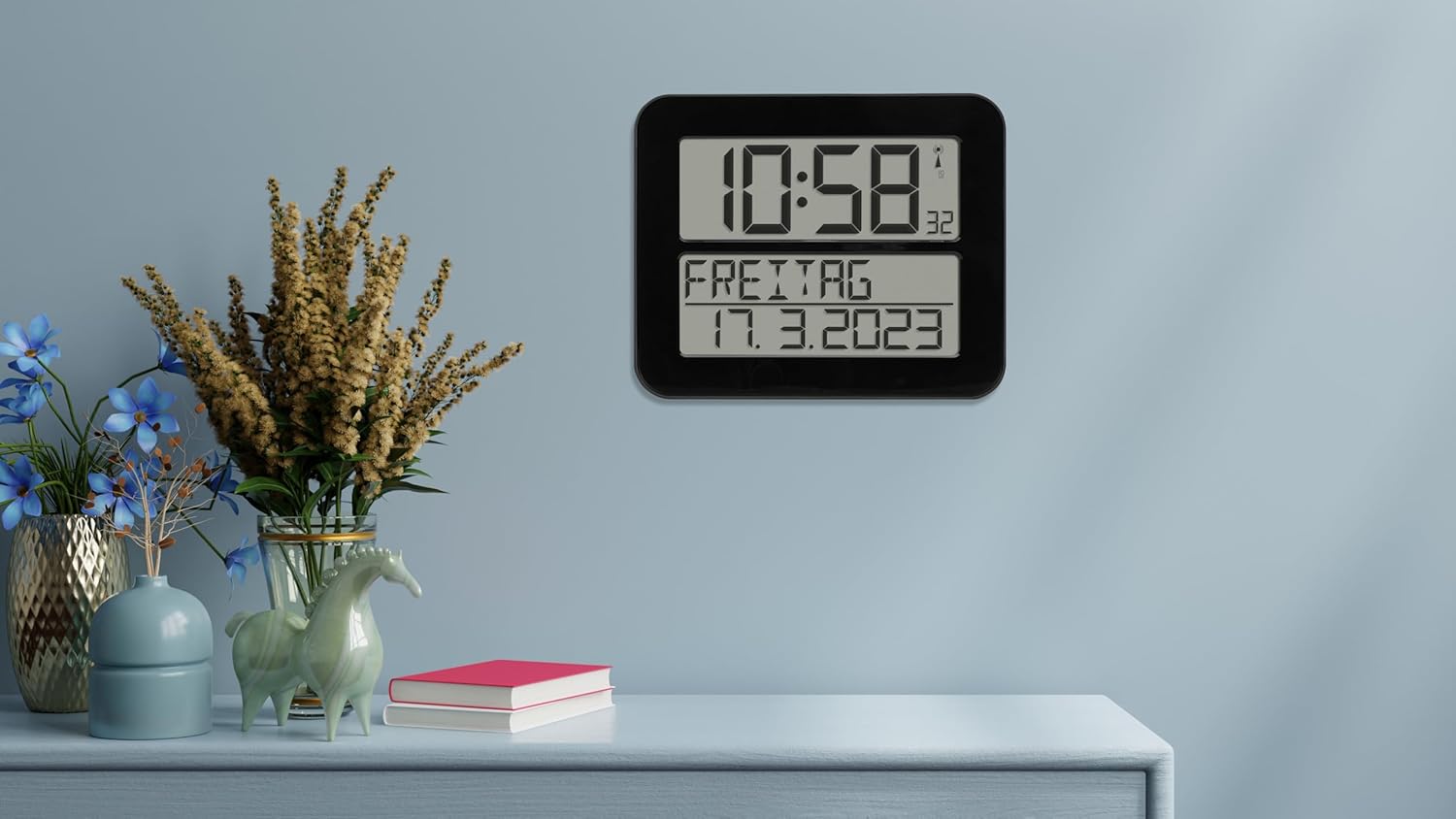
Figure 4: The clock in a typical freestanding setup.
Упутство за употребу
Прикажи информације
The large display shows the following information:
- Горњи екран: Current time (hours and minutes), seconds (small digits), and radio signal indicator.
- Bottom Display: Day of the week (in selected language) and full date (day, month, year).

Figure 5: Clear display of time, day, and date.
Функција аларма
The clock includes an alarm function. Refer to the buttons on the back of the clock (SET, ALARM, UP, DOWN, WAVE, SNOOZE) for setting the alarm.
- Притисните тастер АЛАРМ дугме за улазак у режим подешавања аларма.
- Користите UP и ДОВН дугмад за подешавање времена аларма.
- Притисните АЛАРМ again to confirm and move to the next setting (e.g., alarm on/off).
- Притисните СЕТ to exit alarm setting mode.
- Када се огласи аларм, притисните СНООЗЕ for a temporary pause, or any other button to turn off the alarm for the day.
Manual Time Setting (If Radio Signal is Unavailable)
In areas with poor radio signal reception, you can manually set the time and date.
- Притисните и држите СЕТ button for a few seconds until the display flashes.
- Користите UP и ДОВН buttons to adjust the flashing digit (e.g., hour, minute, year, month, day).
- Притисните СЕТ to confirm the current setting and move to the next.
- Continue until all settings are adjusted. The clock will exit manual setting mode automatically after a period of inactivity or by pressing СЕТ repeatedly until the normal display returns.
Day of Week Language Setting
The day of the week can be displayed in 7 different languages.
- Consult the full instruction manual (included in the box) for specific steps on changing the language setting, as this often involves a combination of button presses.
Одржавање
Чишћење
To clean the clock, use a soft, dry, or slightly damp cloth. Do not use abrasive cleaners, solvents, or chemical agents, as these may damage the display or casing.
Замена батерије
When the display dims or the clock stops functioning correctly, it's time to replace the batteries. Follow the "Battery Installation" steps in the Setup section. Always replace all 4 batteries at once with new, high-quality AA batteries.
Решавање проблема
| Проблем | Могући узрок | Решење |
|---|---|---|
| Clock does not display anything or display is dim. | Батерије су празне или су неправилно уметнуте. | Замените батерије новим, водећи рачуна о исправном поларитету. |
| Clock does not synchronize with radio signal. | Poor signal reception due to location or interference. | Move the clock to a different location, preferably near a window and away from electronic devices. Allow sufficient time for synchronization (up to 24 hours). |
| Time is incorrect after synchronization. | Temporary signal disruption or incorrect time zone setting (if applicable). | Initiate a manual signal search (refer to full manual) or perform a manual time setting. Ensure the clock is in the correct time zone for your region (if this feature is available, consult the full manual). |
| Аларм се не оглашава. | Аларм није активиран или је погрешно подешен. | Verify that the alarm time is set correctly and the alarm function is enabled. |
Спецификације
| Модел | 60.4512.01 |
| Тип сата | Radio-Controlled (DCF 77 signal) |
| Материјал | Пластика |
| Опције монтаже | For hanging or standing |
| Повер Суппли | 4 к 1.5 В АА батерије (нису укључене) |
| Димензије (Д к Ш к В) | 258 x 30 (120 with stand) x 212 mm |
| Тежина | 520 г |
| Дисплаи Типе | Дигитал |
| Посебне карактеристике | Alarm, Calendar Display, Day of week in 7 languages |
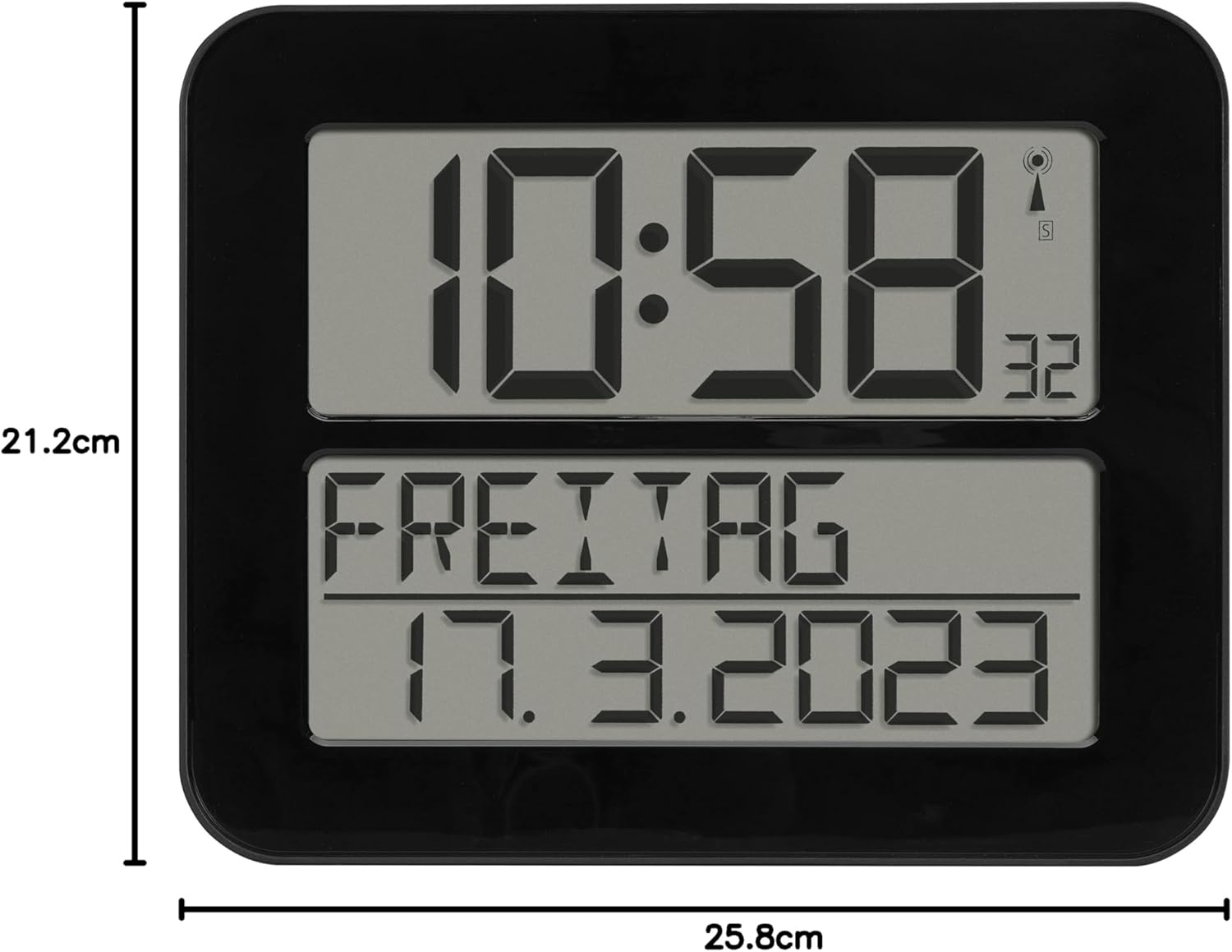
Слика 6: Димензије производа.
Гаранција и подршка
TFA Dostmann products are manufactured with high quality standards. For information regarding warranty coverage, please refer to the warranty card included with your product or visit the official TFA Dostmann website. For technical support or inquiries, please contact TFA Dostmann customer service.
Manufacturer: TFA Dostmann GmbH, Zum Ottersberg 12, D-97877 Wertheim am Main, Germany.
Webсајт: ввв.тфа-достманн.де
Ask a question about this manual
Ask about setup, troubleshooting, compatibility, parts, safety, or missing instructions. Manuals+ will review the question and use this page’s manual context to help answer it.