
1. Увод
Thank you for choosing the Siemens iQ700 FlexInduction Hob EX275FXB1E. This instruction manual provides essential information for the safe and efficient operation, installation, and maintenance of your new appliance. Please read this manual thoroughly before using the hob and keep it for future reference.
2. Безбедносне информације
Always adhere to the following safety guidelines to prevent accidents and damage to the appliance:
- електрична безбедност: Ensure the hob is correctly installed by a qualified electrician. Do not use if the power cord is damaged.
- Опасност од опекотина: The hob surface becomes hot during operation. Do not touch hot surfaces. Use oven mitts.
- прегревање: Never leave cooking unattended. Oils and fats can ignite if overheated.
- Деца и кућни љубимци: Држите децу и кућне љубимце даље од уређаја током рада и хлађења.
- пејсмејкери: Individuals with pacemakers should consult their doctor before using induction hobs.
- Чишћење: Disconnect from power before cleaning. Allow the hob to cool completely.
3. Производ је готовview
The Siemens iQ700 FlexInduction Hob EX275FXB1E features advanced induction technology for fast, precise, and safe cooking. It includes two flexible cooking zones, a TouchSlider control panel, and various functions to enhance your cooking experience.
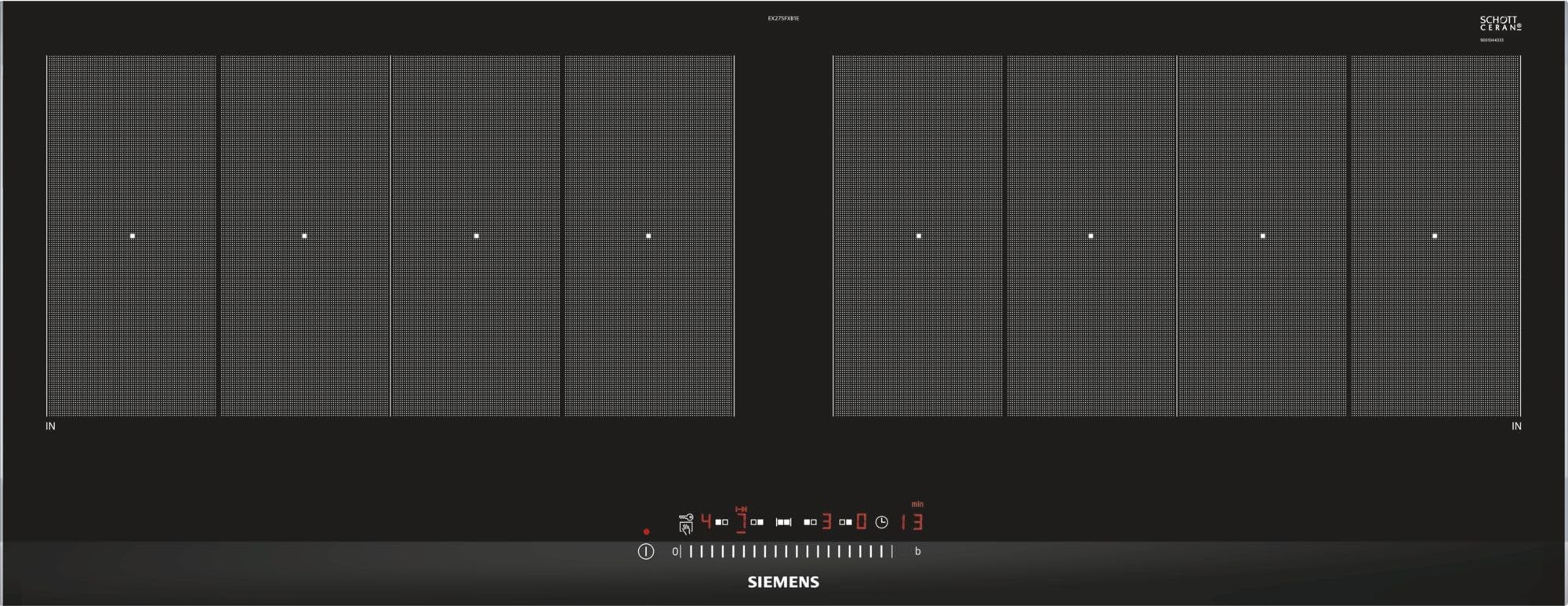
Слика 3.1: Врх view of the Siemens iQ700 FlexInduction Hob EX275FXB1E, showing the two flexible cooking zones and the central TouchSlider control panel.
Кључне карактеристике:
- ФлекИндуцтион: Combines multiple cooking zones into one large zone for flexible pot placement.
- TouchSlider Control: Allows precise power level selection by sliding a finger across the control panel.
- ПоверБоост функција: Increases power to a cooking zone for faster heating.
- Брзи почетак: Automatically detects the position of cookware on the hob.
- Функција меморије: Recalls previous cooking settings.
- 17 нивоа снаге: Offers fine control over cooking temperature.
4. Подешавање и инсталација
Installation of the Siemens iQ700 FlexInduction Hob EX275FXB1E should only be performed by a qualified technician or electrician in accordance with local regulations and the provided installation instructions. Incorrect installation can lead to hazards and void the warranty.
4.1 Распакивање
- Пажљиво извадите плочу за кување из паковања.
- Inspect the appliance for any signs of damage. Do not install a damaged hob.
- Ensure all components listed in the packing contents are present.
4.2 Припрема радне плоче
- The countertop cutout dimensions are crucial for proper fit. Refer to the technical specifications for exact measurements (91.2 cm width x 35 cm depth).
- Ensure adequate ventilation space beneath the hob as specified in the separate installation guide.
4.3 Електрични прикључак
- The hob requires a dedicated electrical circuit.
- Connect the hob to a 220 Volt power supply.
- The electrical connection must comply with local wiring regulations.
5. Упутство за употребу
This section details how to use the various functions of your Siemens iQ700 FlexInduction Hob.
5.1 Укључивање/искључивање
- To switch on, touch the main On/Off symbol.
- To switch off, touch and hold the main On/Off symbol until the display turns off.
5.2 Избор зоне за кување и нивоа снаге
- Поставите одговарајуће посуђе на жељену зону за кување.
- Touch the corresponding cooking zone selection symbol.
- Use the TouchSlider to select a power level from 1 to 9, or intermediate levels. Slide your finger along the scale or tap directly on the desired level.
5.3 FlexInduction Function
The FlexInduction feature allows you to combine two individual cooking zones into one large flexible zone. This is ideal for larger pots, pans, or multiple smaller items.
- To activate, place cookware on the flexible zone and select one of the zones.
- Press the FlexInduction symbol. The display will indicate that the zones are linked.
- Adjust the power level using the TouchSlider.
5.4 Функција PowerBoost
The PowerBoost function provides a temporary increase in power to a selected cooking zone, significantly reducing heating times for large quantities of liquid or for searing.
- Изаберите жељену зону за кување.
- Press the PowerBoost symbol. The display will show 'P'.
- The function will automatically switch off after a set time or when the maximum temperature is reached.
5.5 QuickStart Function
QuickStart automatically detects the presence and position of cookware on the hob when switched on, allowing you to quickly select a power level without manually selecting the zone first.
- Place cookware on the hob.
- Switch on the hob. The hob will detect the cookware.
- Select the desired power level using the TouchSlider.
5.6 Меморијска функција
The memory function allows you to recall the last used power settings for a cooking zone, useful for frequently prepared dishes.
- After switching on the hob, press the memory symbol within a few seconds.
- The hob will recall the last used settings for the active zone.
5.7 Функција тајмера
The timer can be set for individual cooking zones to switch them off automatically after a set period, or as a simple minute minder.
- To set a cooking zone timer: Select the zone, then press the timer symbol and adjust the time using the +/- controls.
- To set a minute minder: Press the timer symbol without selecting a zone, then adjust the time.
6. Чишћење и одржавање
Proper cleaning and maintenance will ensure the longevity and optimal performance of your induction hob.
6.1 Дневно чишћење
- Always ensure the hob is switched off and cool before cleaning.
- Wipe the ceramic glass surface with a soft cloth and a mild detergent.
- For stubborn stains, use a specialized ceramic hob cleaner and a scraper designed for glass hobs.
- Rinse with clean water and dry thoroughly to prevent water marks.
6.2 Избегавање штете
- Не користите абразивна средства за чишћење, жичане сунђере или јаке хемикалије.
- Избегавајте испуштање тешких или оштрих предмета на површину плоче за кување.
- Do not slide rough-bottomed cookware across the surface to prevent scratches.
КСНУМКС. Решавање проблема
Пре него што контактирате корисничку подршку, погледајте следећи водич за решавање уобичајених проблема.
| Проблем | Могући узрок | Решење |
|---|---|---|
| Плоча за кување се не укључује. | Нема напајања; активирана је дечја блокада. | Check circuit breaker; deactivate child lock (refer to full manual for specific steps). |
| Зона за кување се не загрева. | Incorrect cookware; cookware not centered; zone not selected. | Use induction-compatible cookware; center cookware; select the correct zone. |
| Дисплеј приказује код грешке. | Откривена је специфична грешка. | Note the error code and consult the full user manual or contact customer service. |
| Неуобичајени звукови током рада. | Normal induction fan noise; cookware resonance. | Some noises are normal. If excessively loud or unusual, contact service. |
8. Техничке спецификације
The following are the technical specifications for the Siemens iQ700 FlexInduction Hob EX275FXB1E:
- Број модела: ЕКС275ФКСБ1Е
- Димензије (В к Ш к Д): 5.1 цм к 91.2 цм к 35 цм
- Тежина: 14 кг
- Излазна снага: 7400 Ваттс
- Волtage: 220 Волтс
- Број грејних елемената: 4 (configurable into 2 FlexInduction zones)
- Тип контроле: TouchSlider (Electronic)
- Површински материјал: Церамиц Гласс
- Материјал оквира: нерђајући челик
- Специјалне функције: 17 Power Levels, FlexInduction, PowerBoost, QuickStart, Memory Function
- Врста горива: Електрични
9. Гаранција и подршка
For warranty information and customer support, please refer to the warranty card included with your appliance or visit the official Siemens Home Appliances webсајт. Сачувајте рачун као доказ о куповини.
In case of technical issues not covered in the troubleshooting section, please contact authorized Siemens service personnel.