
1. Увод
Хвала вам на куповиниasing the RHYTHM 8RZ166SR03 Fit Wave Smart Alarm Clock. This device is a radio-controlled alarm clock equipped with a thermometer, hygrometer, and calendar display. Its compact design and user-friendly interface make it ideal for various indoor settings. This manual provides detailed instructions to help you set up, operate, and maintain your new alarm clock.
Кључне карактеристике:
- Atomic Clock Movement: Automatically synchronizes time via radio waves for precise accuracy.
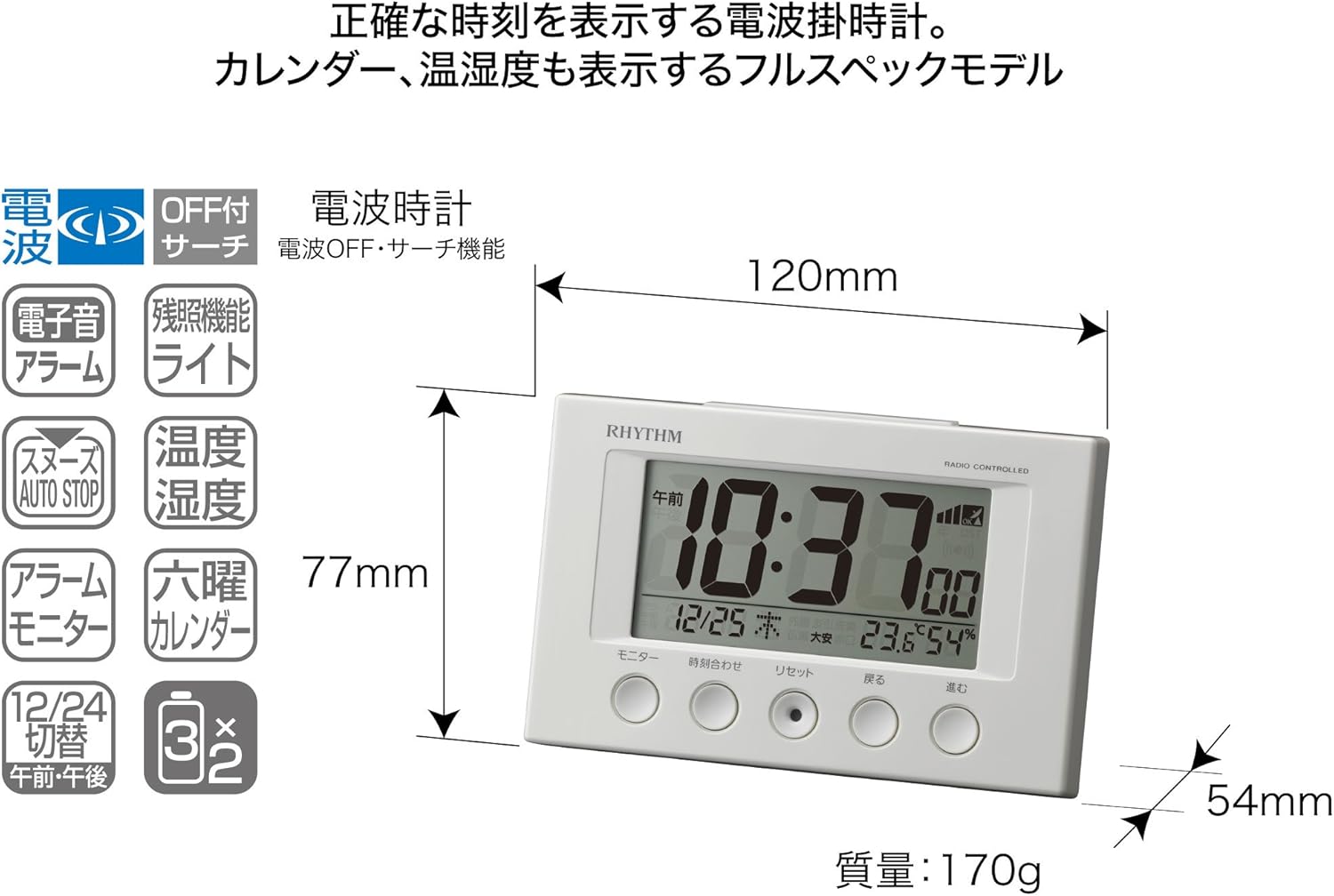
- Приказ температуре: Shows ambient temperature from -9.9 to 50 ℃.
- Приказ влажности: Shows ambient humidity from 20% to 95%.
- Electronic Sound Alarm: Features an alarm with an auto-stop function.
- Одгода функција: Привремено утишава аларм.
- Dial Light: Includes an afterglow function for visibility in low light (5 seconds).
- Приказ календара: Shows date and day of the week, including Rokuyoku (Japanese traditional calendar).
- 12/24-часовни приказ: Switchable time format.
2. Садржај пакета
Молимо вас да проверите да ли су све ставке присутне у пакету:
- RHYTHM 8RZ166SR03 Fit Wave Smart Alarm Clock
- Упутство за употребу (овај документ)
Note: 2 x AA manganese batteries are required and sold separately.
3. Производ је готовview
Фронт View and Display Elements:

This image displays the front of the RHYTHM 8RZ166SR03 alarm clock. It features a large digital LCD screen at the top, showing time, date, temperature, and humidity. Below the screen are five circular control buttons labeled (from left to right): Monitor, Time Adjustment, Reset, Back, and Forward.

This diagram illustrates the various elements of the LCD display:
- Приказ времена: Shows the current time in 12-hour (AM/PM) or 24-hour format.
- Radio Wave Reception Indicator: Displays the status of radio wave reception.
- Индикатор аларма: An icon appears when the alarm is activated.
- Приказ температуре: Приказује тренутну собну температуру.
- Приказ влажности: Shows the current room humidity.
- Приказ календара: Shows the current date and day of the week, including Rokuyoku.
Назад View и контроле:
The back of the clock features the alarm ON/OFF slide switch on the left side and the battery compartment cover in the center. The model number '8RZ166' and 'MADE IN CHINA' are also visible.
Control Buttons Explained:

This image details the function of each button:
- Дугме за монитор: Used to check the alarm sound.
- Time Adjustment Button: Used for manual time setting and switching between 12/24 hour display.
- Дугме за ресетовање: Resets the clock and also functions as a forced radio wave reception button.
- Back Button (←): Used to decrease values during alarm or time settings.
- Forward Button (→): Used to increase values during alarm or time settings.
- Alarm Switch (on back): Slides up for ON, down for OFF.
- Snooze Button (top): Activates the snooze function and the dial light.
4. Подешавање
4.1 Инсталација батерије
- Remove the battery compartment cover on the back of the clock.
- Insert two (2) AA manganese batteries, ensuring the correct polarity (+/-) as indicated inside the compartment.
- Вратите поклопац одељка за батерије.
This image shows the open battery compartment with two AA batteries correctly inserted, indicating the positive and negative terminals.
4.2 Initial Power On and Radio Wave Reception
After battery installation, the clock will automatically attempt to receive radio waves to set the correct time. This process may take several minutes. Ensure the clock is placed in an area with good reception, away from electronic devices that may cause interference.

This diagram illustrates how radio-controlled clocks receive standard time signals from two transmission stations (one in Fukushima, 40kHz, and one in Fukuoka/Saga, 60kHz) to automatically correct and display the precise time. The clock will automatically adjust its time based on these signals.
If reception is successful, the time will be set automatically. If not, you may need to manually set the time (refer to Section 5.1).
5. Упутство за употребу
5.1 Ручно подешавање времена и датума
In cases where radio wave reception is difficult or for specific time zone adjustments:
- Притисните и држите Подешавање времена дугме док приказ времена не почне да трепери.
- Користите Back (←) и Forward (→) дугмад за подешавање сати.
- Притисните тастер Подешавање времена button again to move to minutes, then adjust using Back (←) и Forward (→).
- Наставите да притискате Подешавање времена да бисте се кретали кроз подешавања године, месеца и дана, подешавајући свако помоћу Back (←) и Forward (→).
- Када су сва подешавања исправна, притисните дугме Подешавање времена button one last time to confirm and exit the setting mode.
5.2 Подешавања аларма
- Да бисте подесили време аларма, притисните и држите Подешавање времена button until the alarm time starts flashing (this may require cycling past the current time settings if already in manual time setting mode).
- Користите Back (←) и Forward (→) дугмад за подешавање жељеног сата и минута аларма.
- Притисните тастер Подешавање времена дугме да бисте потврдили време аларма.
5.3 Активирање/деактивирање аларма
Користите Alarm ON/OFF slide switch located on the back of the clock:
- Померите прекидач UP да бисте активирали аларм. Икона аларма ће се појавити на екрану.
- Померите прекидач ДОВН to deactivate the alarm. The alarm icon will disappear.
5.4 Snooze Function and Dial Light
Када се огласи аларм, притисните велико Дугме за одлагање located on the top of the clock. This will:
- Temporarily silence the alarm (snooze duration is preset).
- Activate the dial light for approximately 5 seconds, illuminating the display for easy viewинг у мраку.
Аларм ће се поново огласити након периода одлагања. Да бисте потпуно зауставили аларм, померите Прекидач за укључивање/искључивање аларма на ОФФ.
5.5 Display Modes (12/24 Hour Format)
To switch between 12-hour (with AM/PM indicator) and 24-hour time formats, briefly press the Подешавање времена button outside of setting mode.
5.6 Checking Alarm Sound
То преview the alarm sound, press the Монитор button on the front of the clock.
6. Одржавање
6.1 Чишћење
To clean the clock, wipe it gently with a soft, dry cloth. Do not use abrasive cleaners, solvents, or chemical sprays, as these can damage the casinг или приказ.
6.2 Замена батерије
When the display becomes dim or the clock functions erratically, it is time to replace the batteries. Follow the battery installation steps in Section 4.1. It is recommended to replace both batteries at the same time with new ones.
КСНУМКС. Решавање проблема
| Проблем | Могући узрок | Решење |
|---|---|---|
| Clock does not display anything or display is dim. | Батерије су празне или су неправилно уметнуте. | Замените батерије новим АА батеријама, водећи рачуна о исправном поларитету. |
| Time is incorrect or does not set automatically. | Poor radio wave reception; clock is outside reception area; interference from other electronics. | Move the clock to a different location, away from electronic devices. Try manual time setting (Section 5.1). Press the Reset button to force reception. |
| Аларм се не оглашава. | Alarm is not activated; alarm volume is too low (if adjustable); incorrect alarm time set. | Ensure the Alarm ON/OFF switch is in the ON position. Verify the alarm time is set correctly. |
| Time drifts by an hour occasionally. | Daylight Saving Time (DST) adjustment issues, especially if the clock is designed for a specific region's DST rules. | Manually adjust the time if the automatic DST adjustment is not suitable for your region. Some radio-controlled clocks are optimized for specific regional signals. |
| Display is difficult to read from certain angles. | LCD displays have optimal viewинг углова. | Подесите viewing angle or the position of the clock for better clarity. |
8. Спецификације
| Феатуре | Спецификација |
|---|---|
| Број модела | 8RZ166SR03 |
| Бранд | РХИТАМ |
| Покрет | Atomic clock (Radio-controlled) |
| Материјал оквира | Пластика |
| Дисплаи Типе | Дигитални ЛЦД |
| Извор напајања | Battery Powered (2 x AA manganese batteries, sold separately) |
| Тежина артикла | 0.17 килограма |
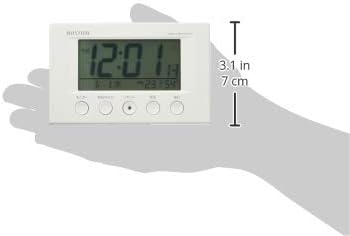
| Димензије производа | 12W x 7.7H x 5.4D centimetres (approx. 4.7 x 3.0 x 2.1 inches) |
| Опсег приказа температуре | -9.9 ℃ до 50 ℃ |
| Опсег приказа влажности | 20% до 95% РХ |
| Посебне карактеристике | Calendar Display, Humidity Display, Snooze, Temperature Display, Dial Light (afterglow function) |
| Тип собе | Bedroom, General Indoor Use |
9. Гаранција и подршка
RHYTHM products are manufactured with high-quality standards. For warranty information, please refer to the documentation provided at the time of purchase or contact your retailer. If you encounter any issues or require technical assistance, please contact the RHYTHM customer support or your local distributor. Keep your purchase receipt as proof of purchase.