
Chacon 34548
Упутство за употребу спољашње Wi-Fi IP камере Chacon 34548
Модел: 34548
Увод
This manual provides comprehensive instructions for the installation, operation, and maintenance of your Chacon 34548 Outdoor Wi-Fi IP Camera. This device allows for remote monitoring of your property, day and night, through the dedicated Chacon application. Please read this manual thoroughly before using the product to ensure proper function and safety.
Безбедносне информације
- Ensure the camera is installed in a secure location, out of reach of unauthorized individuals.
- Користите само адаптер за напајање који се испоручује са камером.
- Do not expose the camera to extreme temperatures, humidity, or direct water immersion (beyond its IP66 rating).
- Избегавајте постављање камере у близини јаких електромагнетних поља.
- Искључите напајање пре чишћења или било каквог одржавања.
Садржај пакета
Проверите да ли су све ставке присутне у пакету:
- Chacon 34548 Outdoor Wi-Fi IP Camera
- Повер Адаптер
- Комплет за монтажу (шрафови, зидни типлови)
- Кориснички приручник (овај документ)
Производ је завршенview
The Chacon 34548 is an outdoor-rated Wi-Fi IP camera designed for robust surveillance. It features a durable housing, integrated night vision, and Wi-Fi connectivity for remote access.

Слика 1: Фронт view of the Chacon 34548 Outdoor Wi-Fi IP Camera, showing the lens, IR illuminator, and mounting bracket.

Слика 2: Frontal perspective of the camera, highlighting the main lens, infrared sensor, and external Wi-Fi antenna for improved signal reception.

Слика 3: Сиде view of the Chacon 34548 camera, illustrating its compact design and the position of the Wi-Fi antenna.

Слика 4: Позади view of the camera, displaying the model number (34548), regulatory marks, and a QR code for easy setup.
Сетуп
1. Физичка инсталација
- Изаберите локацију: Изаберите локацију на отвореном која пружа жељене viewing angle and is within range of your Wi-Fi network. Ensure the location offers protection from direct impact and allows for proper cable management.
- Монтирајте камеру:
- Mark the drilling points on the wall or ceiling using the camera's mounting bracket as a template.
- Избушите рупе и уметните приложене зидне типлове.
- Причврстите монтажни држач завртњима.
- Attach the camera to the bracket and adjust the angle as needed.
2. Прикључак за напајање
Connect the supplied power adapter to the camera's power input port. Plug the adapter into a suitable outdoor power outlet. Ensure the connection is secure and protected from weather elements.
3. Инсталација апликације
Download the official Chacon application from the App Store (for iOS devices) or Google Play Store (for Android devices). Тражи "Chacon" and install the application.
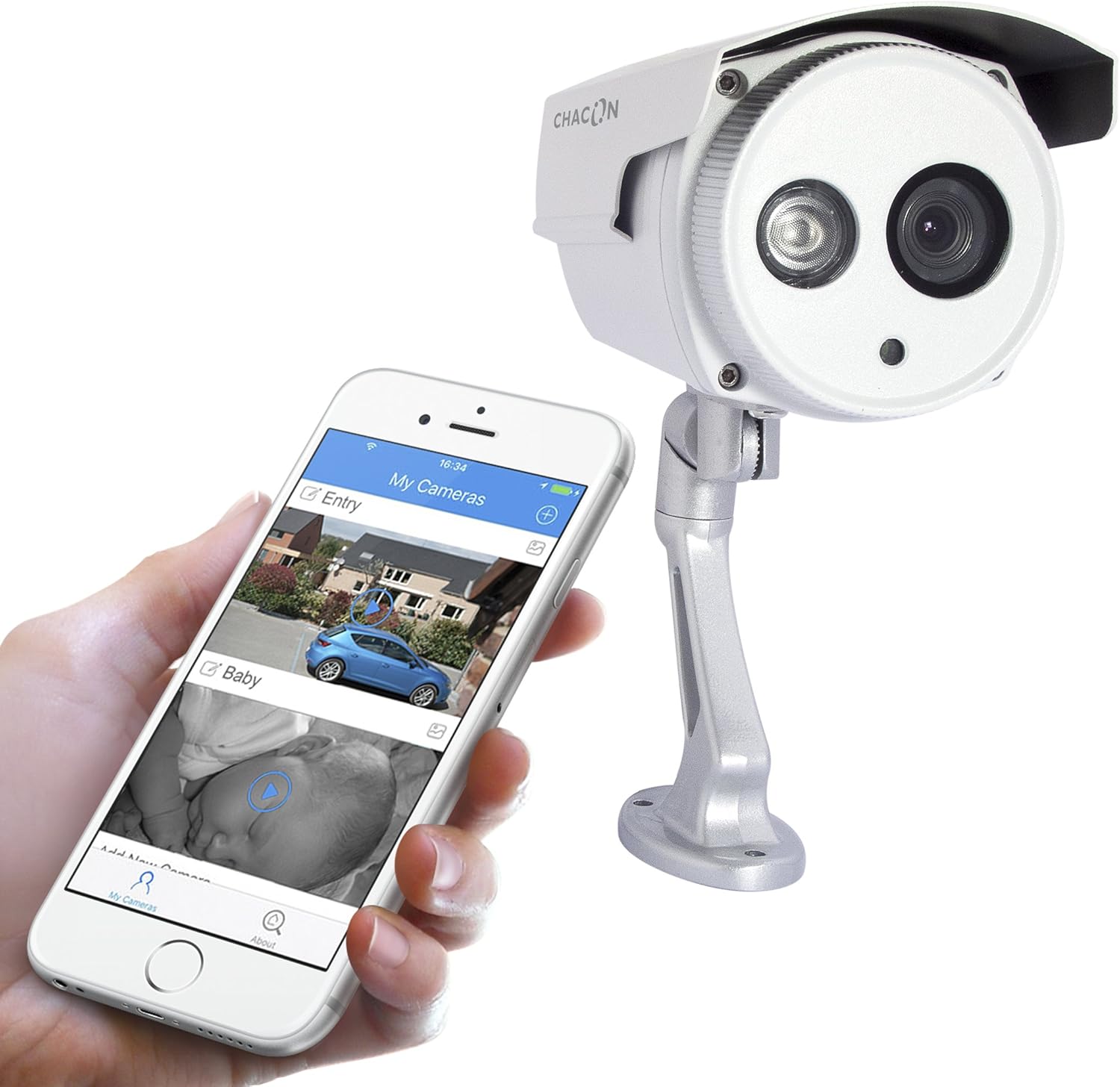
Слика 5: The Chacon 34548 camera shown alongside a smartphone running the Chacon application, demonstrating remote viewинг способности.
4. Мрежна веза (Wi-Fi)
- Open the Chacon app and create an account or log in.
- Follow the in-app instructions to add a new device. This typically involves scanning a QR code on the camera (refer to Figure 4) or manually entering the device ID.
- Select your Wi-Fi network and enter the password. Ensure your camera is within range of your Wi-Fi router.
- Wait for the camera to connect to the network. The app will indicate successful connection.
Упутство за употребу
1. Viewинг Ливе Феед
Once connected, open the Chacon app and select your camera from the device list to view the live video feed. You can monitor your property in real-time.
2. Ноћни вид
The camera is equipped with automatic night vision, providing clear images up to 20 meters in low-light conditions. This feature activates automatically when ambient light levels are insufficient.
3. Remote Access and Control
The Chacon app allows you to access your camera feed from anywhere with an internet connection. You can also adjust settings, such as video resolution (720p), and monitor the horizontal viewing angle of 70 degrees and diagonal viewугао од 75 степени.
4. Снимање и репродукција
Refer to the Chacon app's specific features for information on motion detection recording, cloud storage options, or local storage (if a microSD card slot is present, which is not explicitly mentioned in specifications but common). Instructions for playback of recorded footage will be available within the app.
Одржавање
- Чишћење: Нежно обришите сочиво и кућиште камере меком крпомamp тканина. Немојте користити јаке хемикалије или абразивна средства за чишћење.
- Ажурирања фирмвера: Periodically check the Chacon app for available firmware updates. Keeping your camera's firmware updated ensures optimal performance and security.
- Инспекција каблова: Regularly inspect power and network cables for any signs of wear or damage, especially in outdoor installations.
Решавање проблема
| Проблем | Могући узрок | Решење |
|---|---|---|
| Камера се не укључује | No power, faulty adapter, loose connection | Проверите утичницу, уверите се да је адаптер добро прикључен, покушајте са другом утичницом. |
| Повезивање на Ви-Фи није могуће | Incorrect Wi-Fi password, camera out of range, network interference | Verify Wi-Fi password, move camera closer to router, restart router, check for 2.4GHz network compatibility. |
| Нема преноса уживо | Network issue, camera offline, app malfunction | Check internet connection, restart camera, restart Chacon app, ensure camera is connected to Wi-Fi. |
| Лош квалитет слике | Dirty lens, low light, network bandwidth | Clean the camera lens, ensure adequate lighting or check night vision activation, check network speed. |
Спецификације
| Феатуре | Детаљ |
|---|---|
| Број модела | 34548 |
| Бранд | Цхацон |
| Технологија повезивања | бежични (Ви-Фи) |
| Резолуција снимања видео записа | 720п |
| Ефективна видео резолуција | 720 Пикелс |
| Посебне карактеристике | Нигхт Висион |
| Ноћни вид | 20 метара |
| Viewугао (хоризонтално) | 70 степени |
| Viewугао (дијагонала) | 75 степени |
| Ниво отпорности на воду | Water-repellent (IP66 rating implied by "voor buiten" and common for outdoor cameras) |
| Компатибилни уређаји | Паметни телефон (iOS, Android) |
| Извор напајања | Електрични кабл |
| Тип монтаже | Валл Моунт |
| Боја | Бела |
| Материјал | ПВЦ |
| Укључене компоненте | Wi-Fi IP Camera for outdoor use |
Информације о гаранцији
For detailed warranty information, please refer to the warranty card included with your product packaging or consult your purchase documentation. Warranty terms and conditions may vary by region and retailer.
Корисничка подршка
If you encounter any issues or have questions not covered in this manual, please contact Chacon customer support. Visit the official Chacon webсајт за контакт информације, често постављана питања и додатне ресурсе.
Ask a question about this manual
Ask about setup, troubleshooting, compatibility, parts, safety, or missing instructions. Manuals+ will review the question and use this page’s manual context to help answer it.