
1. Важне информације о безбедности
- вентилација: Ensure adequate ventilation around the projector. Do not block ventilation openings. Overheating can cause damage.
- Напајање: Use only the specified power adapter. Disconnect power during thunderstorms or when unused for long periods.
- Влага: Do not expose the projector to rain, moisture, or liquids.
- Чишћење: Clean the projector with a soft, dry cloth. Avoid abrasive cleaners.
- Нега сочива: Handle the lens with care. Clean gently with a lens cleaning cloth.
- Пласман: Place the projector on a stable, level surface. Avoid direct sunlight or heat sources.
- Заштита очију: Не гледајте директно у сочиво пројектора када је укљученоamp је укључен.
2. Производ је готовview
2.1. Projector Dimensions
The Excelvan EHD02 projector has compact dimensions, making it portable. The approximate dimensions are 152mm (width) x 220mm (depth) x 76mm (height).
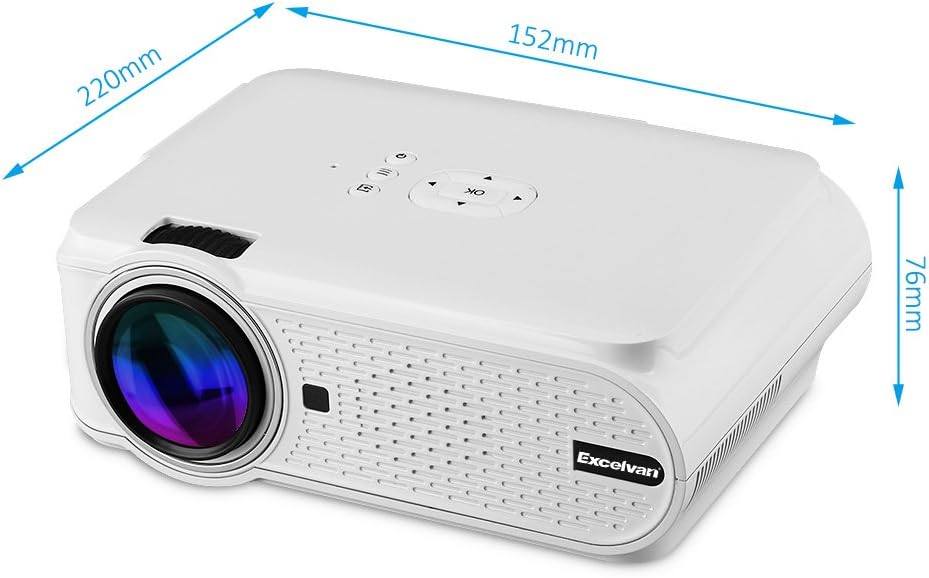
Figure 1: Excelvan EHD02 Mini Projector with labeled dimensions.
2.2. Projector Components and Interfaces
Familiarize yourself with the various ports and controls on your projector for proper setup and operation.

Figure 2: Top controls and rear panel interfaces of the Excelvan EHD02 Projector.
- Top Controls: OK button, Up/Down/Left/Right navigation, Back, Menu, Power.
- Rear Interfaces: VGA port, USB port, Power plug, AV input, 3.5mm Audio port, IR receiver, HDMI port, Keystone adjustment, SD Card slot, TV antenna input.
3. Подешавање
КСНУМКС. Постављање
Position the projector on a flat, stable surface. The projection distance determines the image size. For optimal viewing, ensure the projector is centered with the screen or projection surface.
- Удаљеност пројекције: 1.2 to 3.8 meters (approximately 3.9 to 12.5 feet).
- Величина слике: 37 to 130 inches (diagonal).
- Методе пројекције: Подржава предњу, задњу и плафонску пројекцију.
3.2. Прикључак за напајање
- Прикључите кабл за напајање на улаз за напајање пројектора.
- Укључите други крај кабла за напајање у одговарајућу електричну утичницу.
- Лампица индикатора напајања ће засветлети.

Figure 3: Power cord and remote control for the projector.
3.3. Повезивање улазних извора
Пројектор подржава више извора улаза:
- ДВИ: Connect to devices like laptops, Blu-ray players, or gaming consoles using an HDMI cable.
- УСБ: Уметните USB флеш диск да бисте репродуковали медије fileс директно.
- СД картица: Insert an SD card to play media files.
- АВ: Use the provided AV cable to connect to older devices with composite video output.
- ВГА: Connect to computers using a VGA cable.
- ТВ: Connect a TV antenna for analog TV reception.
- 3.5 мм аудио: Повежите екстерне звучнике или слушалице.
3.4. Фокус и корекција Кеистоне
- Подешавање фокуса: Окрећите прстен за фокусирање на објективу пројектора док слика не постане оштра и јасна.
- Кеистоне Цоррецтион: If the projected image appears trapezoidal (wider at the top or bottom), use the keystone adjustment dial (typically on the side or rear) to correct the image shape. The projector supports ±12° vertical manual keystone correction.
4. Упутство за употребу
4.1. Укључивање/искључивање
- Укључено: Press the Power button on the projector or the remote control.
- Искључивање: Press the Power button again. The projector will go into standby mode.
4.2. Menu Navigation and Input Selection
- Use the navigation buttons (Up, Down, Left, Right) and the OK button on the projector or remote to navigate through the on-screen menu.
- Press the "Input" or "Source" button (if available on remote, or navigate through menu) to select your desired input source (HDMI, USB, SD, AV, VGA, TV).
4.3. Веза са паметним телефоном
Connecting smartphones requires specific cables:
- иПхоне/иПад: Requires an original Apple composite AV cable.
- Андроид Пхоне: Requires an MHL cable, and the phone must support MHL (Mobile High-Definition Link).
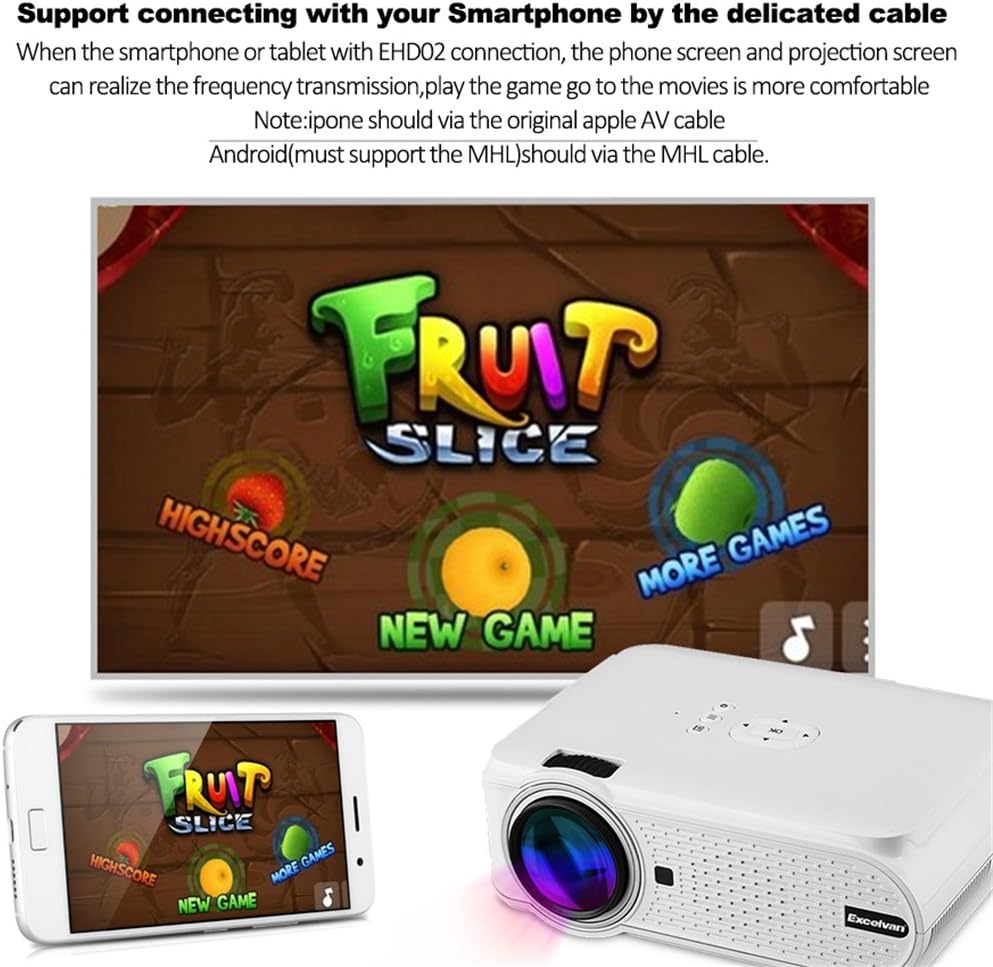
Слика 4: Прample of smartphone connection for content projection.
4.4. 3D Playback
The Excelvan EHD02 projector supports red-blue 3D content only. To view 3Д садржај:
- Obtain red-blue 3D source content.
- Use red-blue 3D glasses for viewинг.
5. Одржавање
- Чишћење сочива: Користите меку крпу без влакана, посебно дизајнирану за оптичка сочива, да бисте нежно обрисали сочиво пројектора. Избегавајте додиривање сочива голим рукама.
- Уклањање прашине: Periodically clean the projector's exterior with a soft, dry cloth. Ensure ventilation openings are free from dust and obstructions to prevent overheating.
- Складиштење: Када се пројектор не користи дуже време, чувајте га на хладном и сувом месту, заштићеном од прашине.
КСНУМКС. Решавање проблема
| Проблем | Могући узрок | Решење |
|---|---|---|
| Нема пројектоване слике |
|
|
| Слика је мутна |
|
|
| Слика је трапезоидног облика |
|
|
| Нема звука |
|
|
| Даљински управљач не ради |
|
|
| Projector is noisy or hot |
|
|
7. Спецификације
| Феатуре | Детаљ |
|---|---|
| Модел | Excelvan EHD02 |
| Дисплаи Типе | TFT- Single LCD Panel + LED Technology |
| Нативе Ресолутион | 800 к 480 пиксела |
| Подржана резолуција | Up to 1080p (1920 x 1080) |
| Осветљеност | 1000 лумена |
| Пројекционо сочиво | F=126mm, Manual Focus |
| Однос контраста | 1000:1 |
| Аспецт Ратио | 4:3 / 16:9 |
| Уграђени звучник | 4Ω 2В |
| ЛЕД Лamp Живот | 20,000 сата |
| Дисплаиабле Цолорс | 1.67 Million Colors (Full Color) |
| Језици менија | English, Spanish, French, German, Portuguese, Italian, Chinese, etc. |
| Пројекционе методе | Предњи, задњи, плафонски |
| Интерфејси | 1x VGA, 1x USB, 1x SD, 1x HDMI, 1x 3.5mm Audio, 1x AV, 1x TV |
| Величина слике (дијагонала) | 37 - 130 инча |
| Удаљеност пројекције | 1.2 - 3.8 метара |
| Подешавање екрана | Horizontal and Vertical Flip; Image Zoom |
| Кеистоне Цоррецтион | ±12° Vertical (Manual) |
| Димензије (Д к Ш к В) | 220 мм к 152 мм к 76 мм |
| Тежина | 1.44 кг |
8. Гаранција и подршка
The Excelvan EHD02 Mini Portable LED Projector comes with a 2 година гаранције од дана куповине.
For technical support, warranty claims, or further assistance, please contact your retailer or the Excelvan customer service department. Please have your model number (EHD02) and purchase information ready when contacting support.