
1. Увод
This manual provides detailed instructions for the safe and efficient operation of your UNIC UC50 Mini Projector. Please read this manual thoroughly before using the device and retain it for future reference.
The UNIC UC50 is a compact DLP projector designed for various multimedia applications, offering portability and ease of use.
2. Садржај пакета
Проверите да ли су све ставке наведене у наставку укључене у ваш пакет. Ако неке ставке недостају или су оштећене, обратите се продавцу.
- 1x UNIC UC50 Projector
- 1x Упутство за употребу (овај документ)
- 1к адаптер за напајање
- 1x Cable
- 1к даљински управљач

Слика 2.1: UNIC UC50 Mini Projector and included accessories. The image displays the compact projector unit along with its power adapter, remote control, and connecting cables, all neatly arranged.
3. Производ је готовview
Familiarize yourself with the various components and ports of your UNIC UC50 Mini Projector.
3.1 Фронт View

Слика 3.1.1: Фронт view of the UNIC UC50 Mini Projector with the lens cover open. This view highlights the projection lens and the sliding lens cover mechanism.

Слика 3.1.2: Фронт view of the UNIC UC50 Mini Projector with the lens cover closed. The sliding cover protects the lens when the projector is not in use.
3.2 Сиде Views (Input/Output Ports)

Слика 3.2.1: Сиде view of the UNIC UC50 Mini Projector, displaying the USB port and SD card slot for media input.

Слика 3.2.2: Супротна страна view of the UNIC UC50 Mini Projector, featuring the HDMI input, AV input, and 3.5mm earphone output jack.
3.3 Реар View

Слика 3.3.1: Позади view of the UNIC UC50 Mini Projector. This side includes the focus adjustment wheel and the DC 5V 2A power input port.
3.4 Врх View
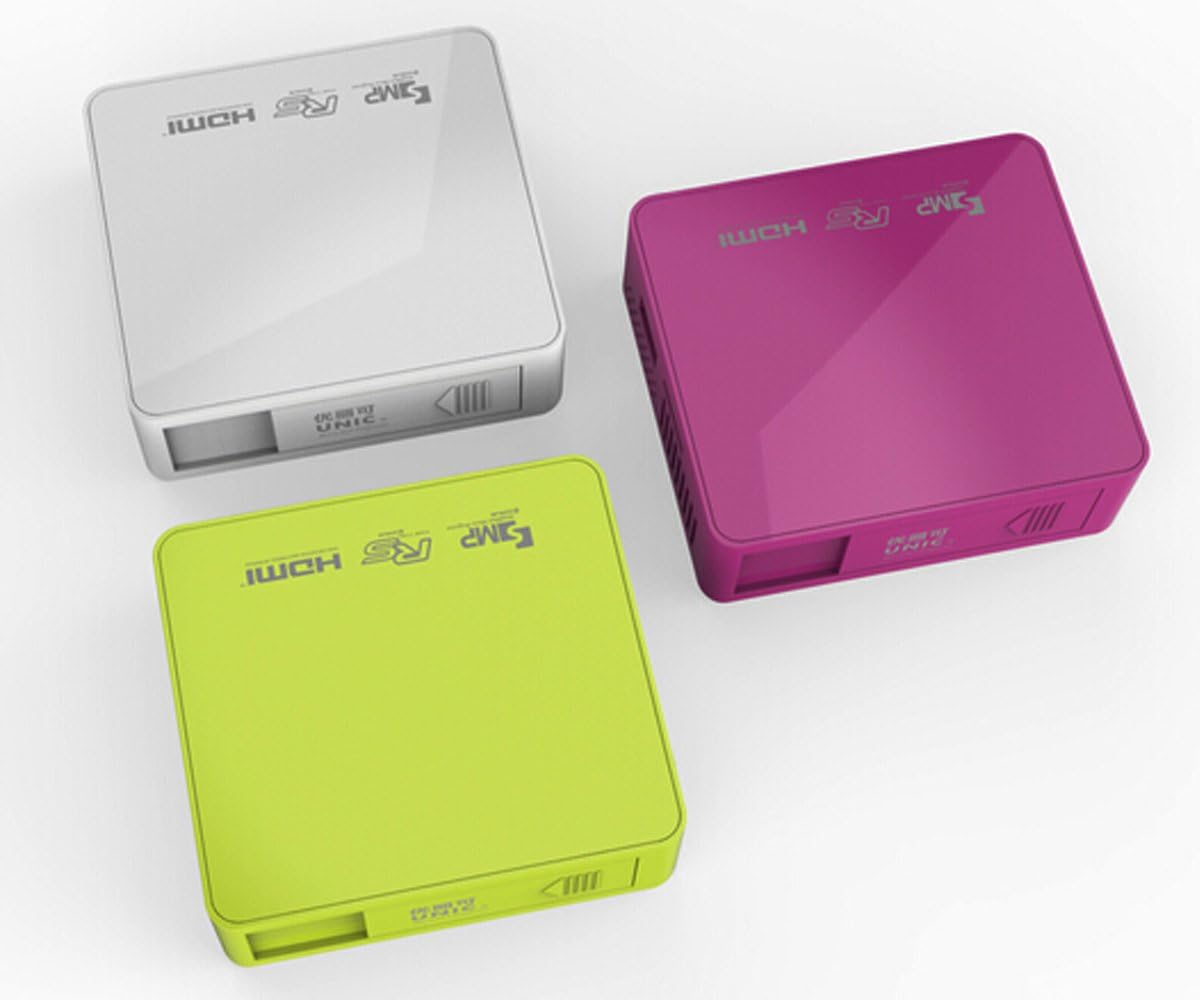
Слика 3.4.1: Врх view of the UNIC UC50 Mini Projector, showing the minimalist design and branding.
4. Подешавање
4.1 Прикључак за напајање
- Connect the provided power adaptor to the DC 5V 2A input port on the rear of the projector.
- Plug the power adaptor into a standard electrical outlet (AC 100-240V, 50/60Hz).
- The projector will power on automatically or can be turned on using the remote control.
4.2 Постављање и пројекција
- Поставите пројектор на стабилну, равну површину.
- Ensure the projection surface (screen or wall) is clean and smooth.
- Adjust the projection distance between 35.5 cm and 430 cm to achieve the desired image size (14-150 inches).
- За оптимално viewing, operate the projector in a dimly lit room.
5. Упутство за употребу
5.1 Подешавање фокуса
Rotate the focus adjustment wheel located on the rear of the projector until the projected image appears clear and sharp.
5.2 Избор улазног извора
The UNIC UC50 supports multiple input sources:
- УСБ: Уметните УСБ флеш диск у УСБ порт.
- СД: Insert an SD card into the SD card slot.
- АВ: Connect an AV cable to the AV input port.
- ДВИ: Connect an HDMI cable to the HDMI input port.
Use the remote control to navigate the on-screen menu and select the desired input source.
5.3 Репродукција мултимедијалног садржаја
When a USB drive or SD card is inserted, the projector's UNIC Multimedia OS will allow you to browse and play supported file формати:
- Видео формати: MP4, AVI, MOV, VOB, DAT, MPEG, MPG, RM, RMVB (Video encoding: MPEG1/MPEG2/MPEG4/DivX/Xvid)
- Аудио формати: МП3, ВМА, ВАВ, ААЦ, ОГГ, АСФ
- Формати слика: ЈПГ, БМП, ПНГ
- Document Format: ТКСТ
Крећите се кроз files using the remote control and select the desired content for playback.
5.4 Аудио излаз
The projector has built-in speakers (1.0W *2). For private listening or connecting external audio systems, use the 3.5mm earphone output jack.
6. Одржавање
6.1 Чишћење сочива
Користите меку крпу без влакана, посебно дизајнирану за оптичка сочива, да бисте нежно обрисали сочиво пројектора. Избегавајте употребу абразивних средстава за чишћење или прекомерну силу, јер то може огребати сочиво.
6.2 Чишћење кућишта пројектора
Wipe the exterior of the projector with a soft, dry cloth. Do not use liquid cleaners or solvents.
6.3 Складиштење
When not in use, store the projector in a cool, dry place, away from direct sunlight and extreme temperatures. Ensure the lens cover is closed to protect the lens from dust.
КСНУМКС. Решавање проблема
| Проблем | Могући узрок | Решење |
|---|---|---|
| Нема пројектоване слике |
|
|
| Слика је мутна |
|
|
| Нема звука |
|
|
| Даљински управљач не ради |
|
|
8. Спецификације
| Феатуре | Детаљ |
|---|---|
| Имаге Систем | ДЛП |
| Lamp Тип | ЛЕД |
| Нативе Ресолутион | 854 к 480 пиксела |
| Подржана резолуција | До 1920 x 1080 пиксела (1080P) |
| Аспецт Ратио | 4:3 / 16:9 |
| Оперативни систем | UNIC Multimedia OS |
| Осветљеност | 800 лумена |
| Однос контраста | 800:1 |
| Ленс | Ф=125 |
| Фоцус | Мануал |
| Lamp Радно време | 20,000 сата |
| Величина слике | 14-150 инча |
| Удаљеност пројекције | 35.5 цм - 430 цм |
| Пројецтион Моде | Предња пројекција |
| Оперативни режим | Ручно / Даљинско управљање |
| Излазни портови | 3.5 мм слушалице |
| Улазни портови | USB, SD, AV, HDMI, IR |
| Повер Инпут | АЦ 100-240В, 50/60Хз |
| Излазна снага | ДЦ 5В 2А |
| Потрошња енергије | 10В |
| Спеакер | КСНУМКСВ к КСНУМКС |
| Тежина | 130г |
| Димензије (Д к Ш к В) | 78 к 71 к 24.5 мм |
| OS Language | English, Polski, Russian, Deutsch, Spanish, Czech, etc. (23 Languages) |
| Посебне карактеристике | 3Д-Реади |
9. Гаранција и подршка
The UNIC UC50 Mini Projector comes with a standard manufacturer's warranty. Please refer to the warranty card included in your package for specific terms and conditions, including warranty period and coverage details.
For technical support, troubleshooting assistance beyond this manual, or warranty claims, please contact your original point of purchase or visit the official UNIC support webсајт (ако је доступан).
Note: Specific warranty details and support contact information may vary by region and retailer.