
Увод
Thank you for choosing the Perixx PERIMICE-608II Wireless Vertical Mouse. This manual provides essential information for setting up, operating, and maintaining your new ergonomic mouse. Designed for right-handed users, this mouse promotes a natural hand position to enhance comfort during extended use. Please read this manual thoroughly before using the product.
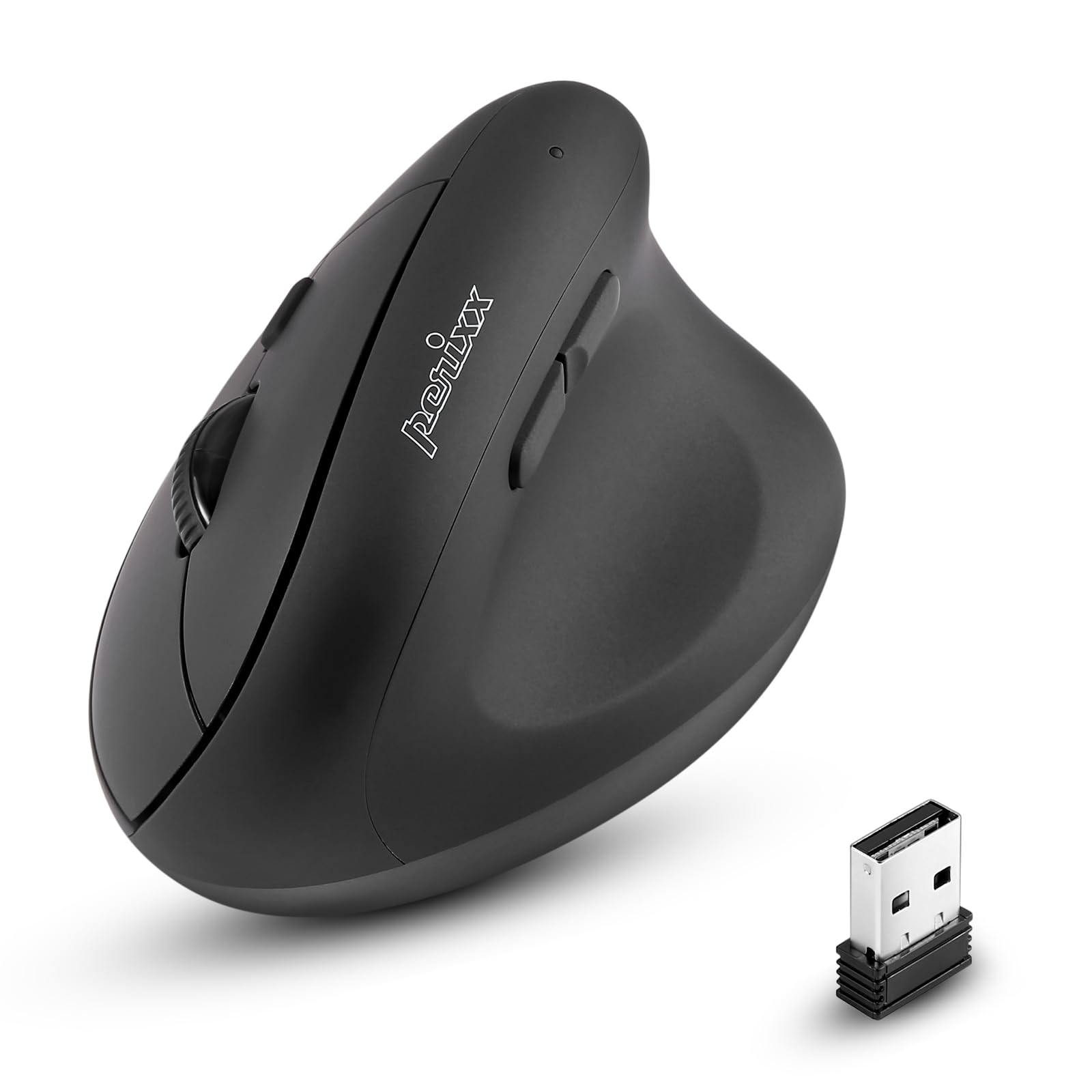
Фронт view of the Perixx PERIMICE-608II Wireless Vertical Mouse.
Шта је у кутији
Проверите да ли су све ставке присутне у вашем пакету:
- 1 x Perixx PERIMICE-608II Wireless Vertical Mouse
- КСНУМКС к УСБ пријемник
- 1 x Упутство за употребу (овај документ)
Упутства за подешавање
- Инсталирајте батерију: Locate the battery compartment on the underside of the mouse. Insert one AA battery (not included) according to the polarity indicators.
- Уметните УСБ пријемник: Remove the USB receiver from its storage slot on the mouse's underside. Plug the USB receiver into an available USB port on your computer.
- Укључено: Slide the ON/OFF switch on the bottom of the mouse to the "ON" position. The mouse should now be recognized by your computer and ready for use.

Underside of the mouse, illustrating the battery compartment and ON/OFF switch.

The mouse positioned next to a laptop, demonstrating the USB receiver plugged into a port.
Упутство за употребу
Ергономски дизајн
The PERIMICE-608II features a vertical design that positions your hand in a natural handshake posture, reducing wrist strain and promoting comfort.

Demonstration of a relaxed, neutral grip on the vertical mouse.
Функције дугмета
- Леви клик: Стандардни избор и активација.
- Десни клик: Accesses context menus.
- Точак за померање: Скролује документе и web странице вертикално. Може се притиснути и за функцију клика средњим тастером миша.
- Дугмад за напред/назад: Located on the side for convenient web прегледање и навигација.
ДПИ Адјустмент
The mouse features a DPI (Dots Per Inch) button to adjust cursor sensitivity. Press the DPI button located on the top of the mouse to cycle through the available settings: 800, 1200, 1600, and 2400 DPI. An LED indicator will briefly light up to confirm the change.

The DPI switch on the mouse, allowing for quick sensitivity adjustments.
Одржавање
Чишћење
To clean your mouse, gently wipe the surface with a soft, damp крпа. Избегавајте употребу јаких хемикалија или абразивних материјала, јер могу оштетити завршну обраду. Уверите се да течност не уђе у унутрашње компоненте миша.
Замена батерије
When the mouse performance degrades or it stops responding, it may be time to replace the AA battery. Follow the battery installation steps in the Setup section.
Решавање проблема
- Миш не реагује:
- Ensure the mouse is switched to the "ON" position on its underside.
- Check if the USB receiver is securely plugged into a working USB port on your computer.
- Замените АА батерију новом.
- Покушајте да прикључите УСБ пријемник у други УСБ порт.
- Неправилно кретање курсора:
- Уверите се да се миш користи на чистој, нерефлектујућој површини.
- Adjust the DPI setting using the DPI button to find a suitable sensitivity.
- Проблеми са повезивањем:
- Move the mouse closer to the USB receiver to ensure a strong 2.4GHz wireless connection.
- Избегавајте коришћење миша у близини других бежичних уређаја који могу изазвати сметње.
Спецификације
| Бранд | Перикк |
| Број модела | 12383 |
| Сериес | ПЕРИМИЦЕ-608 ИИ |
| Технологија повезивања | 2.4 GHz бежични (USB пријемник) |
| ДПИ Левелс | 800 / 1200 / 1600 / 2400 |
| Број дугмади | 6 |
| Оријентација руке | Right-Handed |
| Извор напајања | Напаја се батеријама (потребна је 1 к АА батерија) |
| Просечно трајање батерије | 100 сата |
| Тежина артикла | 4.4 унце (приближно 125 грама) |
| Димензије производа (ДкШкВ) | 4.87 x 2.67 x 2.43 инча (приближно 123.7 x 67.8 x 61.7 мм) |
| Компатибилност оперативног система | Линукс, Виндоус 7, Виндоус XP (и новије верзије) |

Detailed dimensions and weight of the Perixx PERIMICE-608II mouse.
Гаранција и подршка
For detailed warranty information, technical support, and frequently asked questions, please visit the official Perixx website or contact Perixx customer service. You can find more information at the Perixx продавница на Амазону.