
Excelvan EHD11
Excelvan EHD11 Mini LED Projector User Manual
Model: EHD11
1. Увод
This manual provides detailed instructions for the setup, operation, and maintenance of your Excelvan EHD11 Mini LED Projector. Please read this manual thoroughly before using the projector to ensure proper operation and to extend the product's lifespan. Keep this manual for future reference.
2. Важна безбедносна упутства
To prevent fire or electric shock, do not expose this appliance to rain or moisture. Observe the following safety precautions:
- Do not block any ventilation openings. Ensure adequate space around the projector for proper airflow.
- Не постављајте пројектор на нестабилна колица, постоље или сто.
- Do not operate the projector near water or moisture.
- Користите само додатке/прибор које је навео произвођач.
- Unplug this projector during lightning storms or when unused for long periods.
- Све сервисирање препустите квалификованом сервисном особљу.
- Избегавајте да гледате директно у сочиво пројектора када је лamp је укључен.
3. Садржај пакета
Молимо вас да проверите да ли су сви предмети присутни и у добром стању:
- Excelvan EHD11 Projector
- Повер Цабле
- Ремоте Цонтрол
- АВ кабл
- Упутство за употребу
4. Производ је готовview
4.1 Projector Front and Top View

Слика 4.1: Предња и горња страна view of the Excelvan EHD11 projector, showing the lens, ventilation, and control buttons (Source, Menu).
4.2 Projector Rear View и луке

Слика 4.2: Позади view of the Excelvan EHD11 projector, highlighting the dual built-in speakers and various input/output ports including USB, HDMI, VGA, AV, and audio out.
4.3 Опције повезивања

Image 4.3: Diagram illustrating the wide range of devices compatible with the projector, such as PCs, smartphones, USB storage, TV set-top boxes, game consoles, DVD players, digital cameras, and external speakers.
5. Подешавање
5.1 Постављање и пројекциона удаљеност
Position the projector on a stable, flat surface. The projection distance directly affects the screen size. Refer to the diagram below for recommended distances and corresponding screen sizes.

Image 5.1: Chart detailing the relationship between projection distance (in meters) and screen size (in inches) for a 16:9 aspect ratio, ranging from 32 inches at 1.2 meters to 200 inches at 6 meters.
5.2 Прикључак за напајање
Connect the power cable to the projector's power input and then to a power outlet. The power indicator light will illuminate.
5.3 Повезивање улазних извора
The projector supports multiple input sources. Connect your desired device (e.g., PC, DVD player, game console, USB drive) to the corresponding port on the rear of the projector using the appropriate cable (HDMI, VGA, AV, USB).
5.4 Подешавање фокуса и трапезоидног искривљења
After powering on, adjust the focus ring around the lens until the image is clear. If the image appears trapezoidal, use the keystone correction dial to square the image. The projector supports a ±15° keystone adjustment.
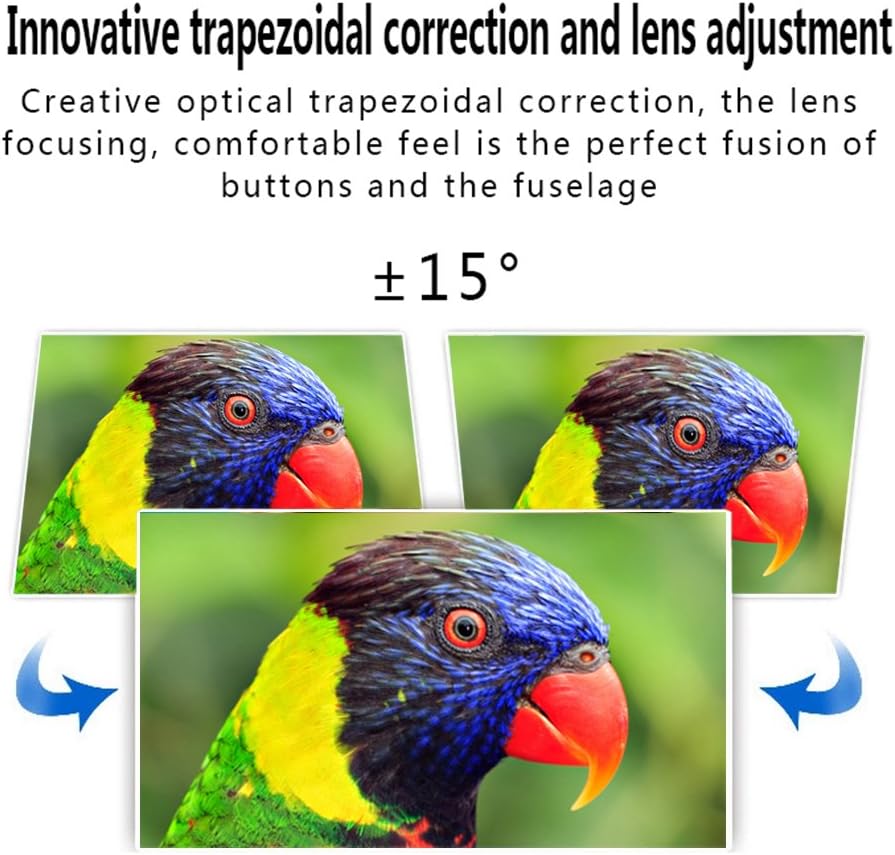
Image 5.4: Visual representation of the ±15° trapezoidal correction and lens adjustment feature, showing how to correct distorted images.
6. Упутство за употребу
6.1 Укључивање/искључивање
Притисните дугме за напајање на пројектору или даљинском управљачу да бисте укључили или искључили уређај.
6.2 Избор извора
Press the 'Source' button on the projector or remote control to cycle through available input sources (HDMI1, HDMI2, USB1, USB2, VGA, AV, YPbPr, TV/DTV). Select the input corresponding to your connected device.
6.3 Навигација кроз мени
Press the 'Menu' button to access the projector's settings. Use the arrow keys on the projector or remote to navigate, and 'OK' or 'Enter' to confirm selections. Adjust settings such as picture mode, aspect ratio, sound mode, and language.
6.4 Аудио излаз
The projector features built-in speakers. For enhanced audio, connect external speakers to the 'Audio Out' port using a 3.5mm audio cable.
7. Одржавање
7.1 Чишћење сочива
Користите меку крпу која не оставља влакна и специјализовано средство за чишћење сочива да бисте нежно обрисали сочиво пројектора. Избегавајте абразивне материјале или прекомерни притисак.
7.2 Вентилација
Regularly check that the projector's ventilation openings are clear of dust and debris. Blocked vents can lead to overheating and affect performance. Do not place the projector on soft surfaces that may obstruct airflow.
КСНУМКС. Решавање проблема
| Проблем | Могући узрок | Решење |
|---|---|---|
| Нема слике на екрану | Power cable disconnected; Incorrect input source selected; Input device not powered on or connected properly. | Check power connection; Select correct input source; Ensure input device is on and cables are secure. |
| Слика је мутна | Фокус није подешен. | Подесите фокусни прстен на сочиву пројектора. |
| Слика је искривљена (трапезоидна) | Кејстоун није подешен. | Подесите точкић за корекцију трапезоидног искривљења. |
| Нема звука | Volume too low; Audio cables not connected; Incorrect audio output selected on source device; External speakers not connected or powered. | Increase volume; Check audio cable connections; Ensure source device is outputting audio; Connect external speakers if desired. |
| Input source needs to be set every time | Projector defaults to a specific input or does not save last setting. | Manually select the desired input source after powering on. Check menu settings for an 'Auto Source' or 'Last Input' option if available. |
9. Спецификације
- Бренд: Екцелван
- Модел: EHD11 (FBA_151224-F6)
- Тип приказа: ЛЦД
- Резолуција екрана: 1920 x 1080 (Full HD supported)
- Технологија повезивања: ХДМИ, УСБ, ВГА, АВ
- Посебна карактеристика: 3D-Ready, Portable
- Тежина артикла: 6.49 фунти
- Димензије пакета: 16.9 к 13.1 к 8.5 инча
- Произвођач: Екцелван
- Датум прве доступности: 8. новембар 2014
10. Гаранција и подршка
For warranty information or technical support, please refer to the documentation provided at the time of purchase or contact your retailer. Keep your purchase receipt as proof of purchase.
Ask a question about this manual
Ask about setup, troubleshooting, compatibility, parts, safety, or missing instructions. Manuals+ will review the question and use this page’s manual context to help answer it.