
Увод
The Master & Dynamic MW60 Wireless Bluetooth Foldable Headphones are designed to deliver a high-quality audio experience with effective sound isolation. They feature 45mm neodymium drivers for clear audio reproduction across various music genres. Equipped with Bluetooth 4.1, these headphones offer wireless connectivity and up to 16 hours of battery life. Constructed with lightweight stainless steel and aluminum, and featuring leather ear pads, the MW60 headphones are designed for comfort and durability, with a foldable design for portability.
Шта је у кутији
- Master & Dynamic MW60 Wireless Headphones
- Аудио кабл (3.5 мм)
- Аудио адаптер
- Кабл за пуњење микро УСБ на УСБ
- Carry Case for Headphones
- Carry Pouch for Accessories
Производ је завршенview
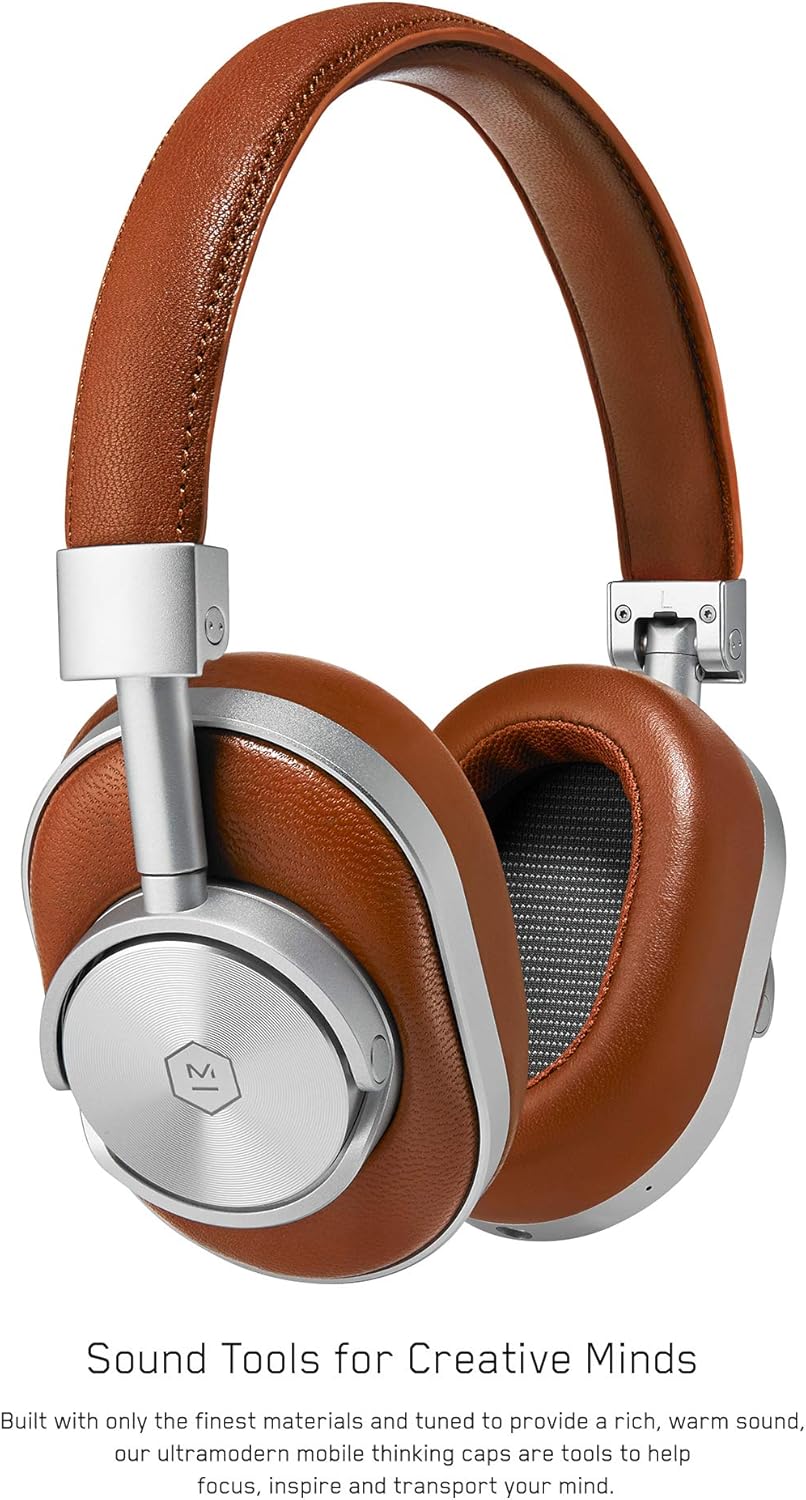
Слика 1: Фронт view of the Master & Dynamic MW60 Wireless Headphones. This image displays the over-ear design with silver metal accents and brown leather earcups and headband.

Слика 2: Close-up of the right earcup showing the control buttons and ports. Visible controls include volume up/down, a multi-function button, and the power/pairing switch. A 3.5mm audio jack and micro USB charging port are also present.
Контроле и портови
- Power/Pairing Switch: Located on the earcup, used to turn the headphones on/off and initiate Bluetooth pairing.
- Вишенаменско дугме: Controls playback (play/pause), call management, and voice assistant activation.
- Дугмад за појачавање / смањење јачине звука: Adjusts audio volume. Can also be used for track skipping (hold for next/previous track).
- 3.5 мм аудио прикључак: За жично повезивање помоћу приложеног аудио кабла.
- Микро УСБ порт: За пуњење унутрашње батерије.
- микрофон: Интегрисано за позиве без употребе руку.
Сетуп
Пуњење слушалица
- Connect the Micro USB end of the charging cable to the Micro USB port on the headphone earcup.
- Connect the USB-A end of the charging cable to a powered USB port (e.g., computer, wall adapter).
- Индикаторска лампица ће приказивати статус пуњења. Потпуно пуњење обично траје приближно 2 сата.
Блуетоотх упаривање
- Уверите се да су слушалице потпуно напуњене.
- Slide the Power/Pairing switch to the ON position.
- To enter pairing mode, slide and hold the Power/Pairing switch to the far right (pairing icon) until the indicator light begins to flash.
- На свом уређају (паметном телефону, таблету, рачунару) омогућите Блутут и потражите доступне уређаје.
- Select "MW60" from the list of detected devices.
- Once paired, the indicator light will turn solid blue or white, depending on the model.
Упутство за употребу
Основне функције
- Укључивање/искључивање: Slide the Power/Pairing switch to the ON or OFF position.
- Пусти/паузирај: Притисните вишенаменско дугме једном.
- Контрола јачине звука: Press the Volume Up (+) or Volume Down (-) buttons.
- Следећа нумера: Притисните и држите дугме за појачавање јачине звука (+).
- Претходни запис: Притисните и држите дугме за смањивање јачине звука (-).
Управљање позивима
- Одговори/заврши позив: Притисните вишенаменско дугме једном.
- Одбиј позив: Притисните и држите вишенаменско дугме.
- Активирање гласовног помоћника: Двапут притисните вишенаменско дугме.
Жичана веза
To use the headphones with a wired connection, plug the included 3.5mm audio cable into the audio jack on the earcup and the other end into your audio source. The headphones will automatically switch to wired mode, conserving battery life.
Одржавање
Чишћење
- Обришите слушалице меком, сувом крпом.
- Немојте користити јаке хемикалије или абразивне материјале.
- For leather parts, use a specialized leather cleaner if necessary, following product instructions.
Складиштење

Слика 3: The MW60 headphones folded into a compact form, demonstrating their portability and ease of storage in the included carry case.
- When not in use, fold the headphones and store them in the provided carry case to protect them from dust and damage.
- Избегавајте складиштење на екстремним температурама или високој влажности.
Решавање проблема
| Проблем | Могуће решење |
|---|---|
| Слушалице се не укључују | Ensure the headphones are fully charged. Connect to a power source using the Micro USB cable. |
| Не могу да упарим преко Bluetooth-а | Ensure headphones are in pairing mode (flashing indicator light). Turn off and on Bluetooth on your device. Try forgetting the device on your phone and re-pairing. Ensure no other devices are actively connected. |
| Intermittent audio or connection drops | Ensure your device is within the Bluetooth range. Avoid physical obstructions between the headphones and your device. Minimize interference from other wireless devices. |
| Нема звука у жичном режиму | Ensure the 3.5mm audio cable is securely connected to both the headphones and the audio source. Check the volume levels on both the headphones and the audio source. |
| Earcups detach easily | Ensure earcups are properly aligned and securely attached to the magnetic mounts. |
Спецификације
| Феатуре | Детаљ |
|---|---|
| Назив модела | MW60S2 |
| Технологија повезивања | Бежично (Bluetooth 4.1) |
| Тип аудио драјвера | 45mm неодимијумски динамички драјвери |
| Трајање батерије | До 16 сати |
| Материјали | Aluminum, Stainless Steel, Leather |
| Тежина артикла | 3 фунте (приближно 1.36 кг) |
| Димензије производа | 10 к 3.75 к 8 инча (25.4 к 9.5 к 20.3 цм) |
| Импеданса | 32 Охмс |
| Контрола буке | Звучна изолација (пасивна) |
| Јацк за слушалице | 3.5 мм прикључак |
Гаранција и подршка
Warranty information for your Master & Dynamic MW60 Wireless Headphones is typically provided with your purchase. Please refer to the documentation included in your product packaging for specific warranty terms and conditions.
For technical support, service, or further inquiries, please contact Master & Dynamic customer service directly. Contact details can usually be found on the manufacturer's official webсајту или у документацији вашег производа.