
Увод
This manual provides instructions for the safe and efficient operation of your Axess MS3912 Mini Entertainment System. Please read this manual thoroughly before using the device and retain it for future reference.
Кључне карактеристике:
- АМ/ФМ радио
- Касетофон и диктафон
- ЦД плејер
- USB Port for MP3 Playback
- Аукилиари Инпут
- Прикључак за слушалице
- Portable/Detachable Speakers
- Ремоте Цонтрол
- AC/DC Power Operation
Безбедносне информације
УПОЗОРЕЊЕ:
Овај производ садржи хемикалије за које је у држави Калифорнија познато да изазивају рак и урођене дефекте или другу репродуктивну штету.
Увек се придржавајте основних мера безбедности приликом коришћења електричних уређаја како бисте смањили ризик од пожара, струјног удара и повреда.
- Не излажите овај уређај киши или влази.
- Не блокирајте вентилационе отворе.
- Обезбедите одговарајућу волtage supply (AC 120V/60Hz for US models, check local specifications).
- Не отварајте поклопац уређајаasinг; све сервисирање препустите квалификованом особљу.
- Keep the unit away from heat sources, direct sunlight, and strong magnetic fields.
- Искључите јединицу из струје током олуја са грмљавином или када се не користи дуже време.
Садржај пакета
Проверите да ли су све ставке наведене у наставку укључене у ваш пакет:
- Axess MS3912 Main Unit
- Detachable Speakers (2)
- Ремоте Цонтрол
- Кабл за напајање наизменичном струјом
- Кориснички приручник (овај документ)
Контроле и везе
Familiarize yourself with the various controls and connection points on your MS3912 system.
Контроле предњег панела
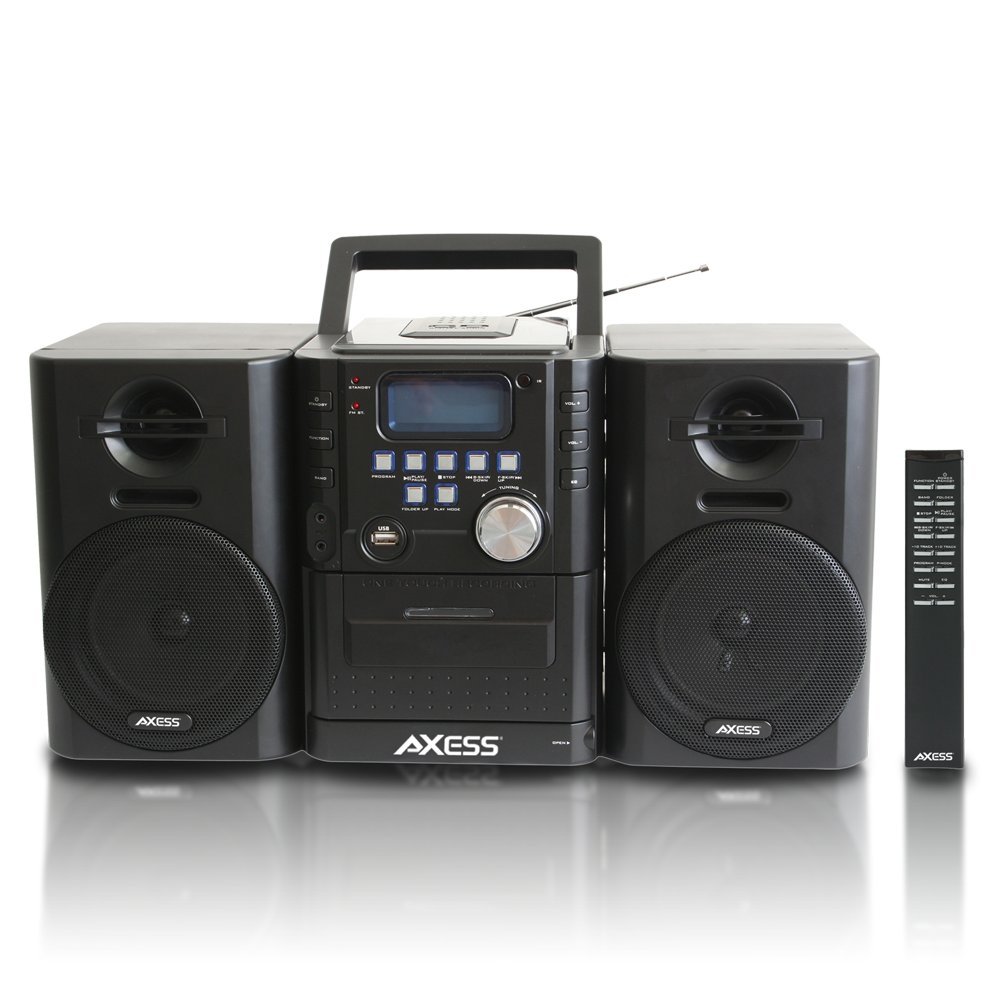
Слика: Фронт view of the Axess MS3912 Mini Entertainment System, showing the central unit with display, control buttons, USB port, CD tray, cassette deck, and two detachable speakers. A remote control is also visible on the right.
- Дугме за ПРИПРАВЉАЊЕ: Укључује или искључује јединицу.
- Дугме ФУНКЦИЈА: Selects between CD, USB, TAPE, AUX, and RADIO modes.
- Дугме БАНД: In Radio mode, switches between AM and FM bands.
- Дугме ПРОГРАМ: Used for programming CD/USB tracks.
- Дугме ПЛАИ/ПАУСЕ: Starts or pauses playback for CD, USB, or Cassette.
- Дугме СТОП: Зауставља репродукцију.
- SKIP/SEARCH Buttons (<< / >>): Прескаче нумере или брзо премотава напред/назад.
- FOLDER UP / PLAY MODE Buttons: Navigates folders on USB or changes play mode.
- Дугме ВОЛУМЕ: Подешава ниво аудио излаза.
- УСБ порт: Connects USB flash drives for MP3 playback.
- PC/AUX IN Jack: Повезује спољне аудио уређаје.
- Прикључак за слушалице: Повезује слушалице за приватно слушање.
- Преграда за CD-ове: Top-loading CD player.
- касетофон: Front-loading cassette player/recorder.
- Приказ: Shows current function, track number, radio frequency, etc.
Прикључци задњег панела

Слика: Позади view of the Axess MS3912 Mini Entertainment System, showing the FM antenna, battery compartment, AC power input, and speaker connection jacks.
- ФМ антена: Extend for optimal FM reception.
- Прикључци за звучнике: Connect the left and right speakers.
- Улаз наизменичне струје: Повежите кабл за напајање наизменичном струјом.
- Одељак за батерије: Holds batteries for portable operation.
Сетуп
1. Повезивање звучника
Connect the speaker wires from the detachable speakers to the corresponding speaker jacks on the rear of the main unit. Ensure the polarity (+/-) matches for optimal sound quality.
2. Напајање јединице
Рад наизменичног напајања:
Insert the AC power cord into the AC power input jack on the rear of the unit, then plug the other end into a standard wall outlet (AC 120V/60Hz).
Рад на једносмерну струју (батерију):
Open the battery compartment cover on the rear of the unit. Insert the required number of C-size batteries (not included), ensuring correct polarity. Close the battery compartment cover securely. The unit will automatically switch to battery power when AC power is disconnected.
3. Подешавање антене
For FM radio reception, fully extend the telescopic FM antenna. For AM reception, the unit has a built-in AM antenna, which may require rotating the unit for best reception.
Упутство за употребу
1. Укључивање/искључивање
Притисните тастер ПРИЧЕКАТИ дугме на предњој плочи или даљинском управљачу да бисте укључили или искључили уређај.
2. Избор функције
Притисните тастер ФУНЦТИОН button repeatedly to cycle through the available modes: CD, USB, TAPE, AUX, and RADIO.
3. Управљање CD плејером
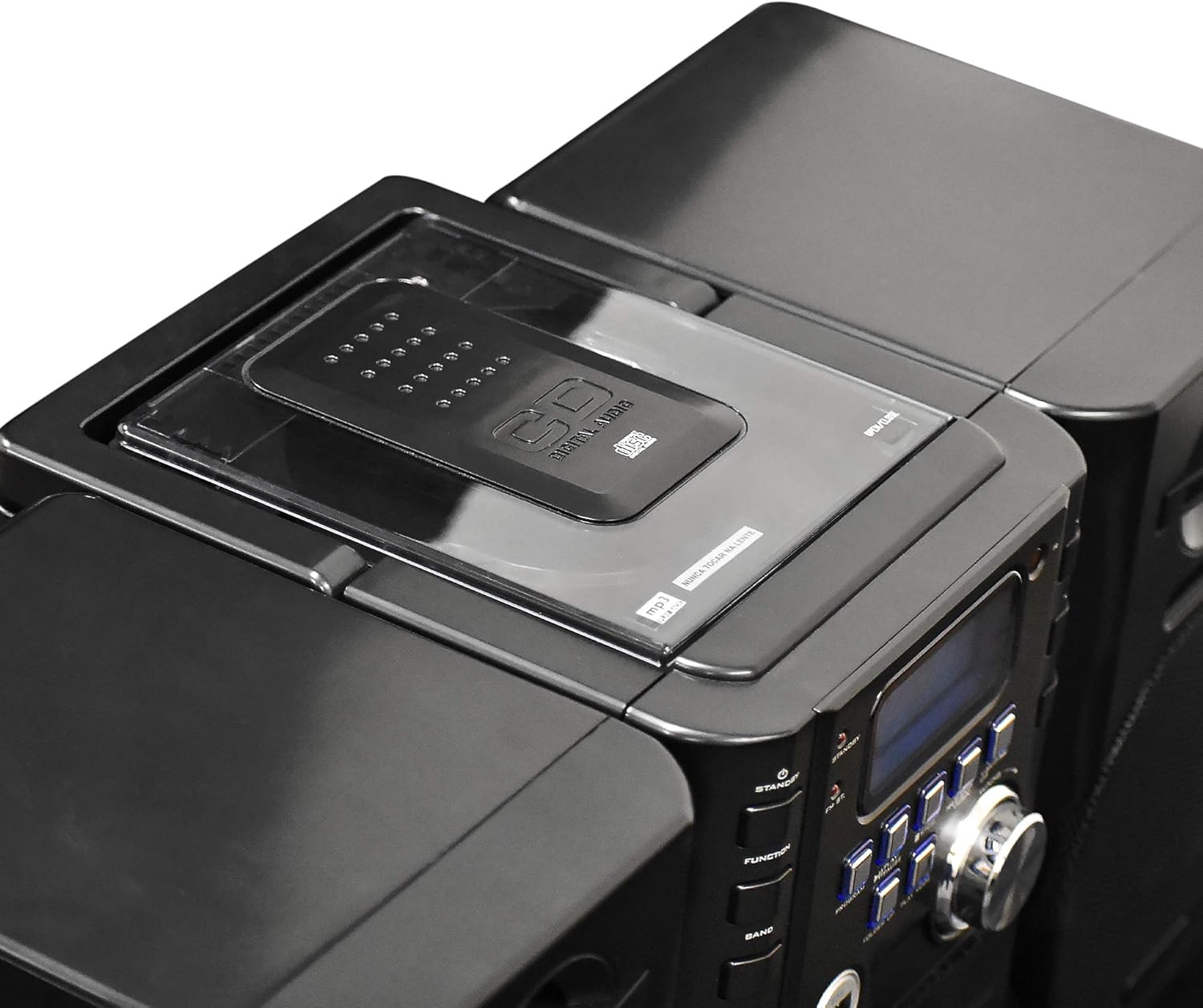
Слика: Врх view of the Axess MS3912 Mini Entertainment System, showing the transparent lid of the top-loading CD compartment.
- Притисните ФУНЦТИОН to select CD mode.
- Отворите поклопац одељка за ЦД.
- Поставите CD са страном са етикетом окренутом нагоре.
- Close the CD compartment cover. The unit will read the disc.
- Притисните ПЛАИ/ПАУСЕ да бисте започели репродукцију.
- Користите СКИП / ТРАЖИ дугмад за навигацију по стазама.
- Притисните СТОП да бисте прекинули репродукцију.
4. USB/MP3 Player Operation

Слика: Са стране view of the Axess MS3912 Mini Entertainment System, highlighting the USB port and PC/AUX IN jack on the central unit.
- Уметните УСБ флеш диск у УСБ порт.
- Притисните ФУНЦТИОН да изаберете УСБ режим.
- The unit will automatically begin playing MP3 fileс са УСБ диска.
- Користите ПЛАИ/ПАУСЕ, СТОП, и СКИП / ТРАЖИ дугмад за контролу.
- Користите ФОЛДЕР УП to navigate between folders on the USB drive.
5. Cassette Player/Recorder Operation
- Притисните ФУНЦТИОН to select TAPE mode.
- Open the cassette deck door and insert a cassette tape.
- Притисните ПЛАИ/ПАУСЕ да бисте започели репродукцију.
- Користите БРЗО ПРЕМОТЕ и РЕВИНД buttons (often combined with SKIP/SEARCH buttons) to move through the tape.
- Притисните СТОП да бисте прекинули репродукцију.
- Снимање: To record from CD, USB, or Radio, select the desired source, then press the РЕЦОРД button on the cassette deck (if available, or a combination of PLAY and RECORD). Ensure a blank, recordable cassette is inserted.
6. Рад AM/FM радија
- Притисните ФУНЦТИОН да изаберете РАДИО режим.
- Притисните БАНД to select AM or FM.
- Користите ТУНИНГ дугме или СКИП / ТРАЖИ buttons to tune to your desired station.
- For FM, extend the telescopic antenna. For AM, rotate the unit for best reception.
- Регулациони станице: Tune to a station, press ПРОГРАМ, а затим користите СКИП / ТРАЖИ да бисте изабрали број претходно подешене поставке и притисните ПРОГРАМ опет да уштедим.
7. Auxiliary Input (AUX) Use
Повежите екстерни аудио уређај (нпр. паметни телефон, МП3 плејер) са PC/AUX IN jack using a 3.5mm audio cable (not included). Press ФУНЦТИОН to select AUX mode. Audio from the external device will play through the MS3912 speakers.
8. Употреба слушалица
Plug standard 3.5mm headphones into the ХЕАДПХОНЕ jack for private listening. The speakers will automatically mute when headphones are connected.
9. Даљински управљач
The included remote control allows for convenient operation of most functions from a distance. Ensure batteries are correctly inserted into the remote control.
Одржавање
Чишћење јединице
Wipe the exterior of the unit with a soft, dry cloth. Do not use abrasive cleaners, waxes, or solvents. For the CD lens, use a specialized CD lens cleaner disc. For the cassette deck, use a head cleaning cassette.
Складиштење
If storing the unit for an extended period, remove all batteries to prevent leakage. Store in a cool, dry place away from direct sunlight and extreme temperatures.
Решавање проблема
| Проблем | Могући узрок | Решење |
|---|---|---|
| Нема струје | AC cord not plugged in; Batteries depleted or incorrectly inserted. | Проверите везу кабла за наизменичну струју; замените батерије или осигурајте исправан поларитет. |
| Нема звука | Volume too low; Headphones connected; Speakers not connected properly; Incorrect function selected. | Increase volume; Disconnect headphones; Check speaker connections; Select correct function (CD, USB, TAPE, AUX, RADIO). |
| CD прескаче или се не репродукује | CD is dirty or scratched; CD inserted incorrectly; Unit is vibrating. | Clean CD with a soft cloth; Reinsert CD label side up; Place unit on a stable surface. |
| Лош радио пријем | FM antenna not extended; Unit position for AM is poor; Interference. | Fully extend FM antenna; Rotate unit for better AM reception; Move unit away from other electronic devices. |
| УСБ се не репродукује | УСБ диск није правилно форматиран; Некомпатибилан file types; USB drive not inserted fully. | Ensure USB is FAT32 format; Only MP3 files are supported; Reinsert USB drive. |
| Cassette recording not working | Tape is write-protected; No blank tape inserted; Incorrect source selected. | Check tape's write-protect tab; Insert a blank, recordable tape; Select the desired audio source (CD, USB, Radio, AUX). |
Спецификације
| Феатуре | Спецификација |
|---|---|
| Број модела | МС3912 |
| Бранд | АКСЕСС |
| Излазна снага | 12В звучници |
| Извор напајања | AC 120V/60Hz or DC (C-size batteries, not included) |
| Радио фреквенције | АМ/ФМ |
| Подржани медији | CD, MP3 (via USB), Cassette Tape |
| Инпутс | USB Port, 3.5mm AUX Input |
| Излази | 3.5 мм прикључак за слушалице |
| Димензије (Д к Ш к В) | 43.82 x 21.59 x 24.13 цм (приближно 17.25 x 8.5 x 9.5 инча) |
| Тежина | 3.88 кг (приближно 8.55 фунти) |