
1. Увод
This manual provides detailed instructions for the Plugable USB-C to DisplayPort Bi-Directional Cable (Model USBC-DP). This cable is designed to connect USB-C enabled devices to DisplayPort monitors or DisplayPort enabled devices to USB-C displays, supporting high-resolution video and audio transmission.

Image: The Plugable USB-C to DisplayPort Bi-Directional Cable, showcasing both the USB-C and DisplayPort connectors.
2. Кључне карактеристике
- Bi-Directional Connectivity: Supports both USB-C to DisplayPort and DisplayPort to USB-C video output, offering flexible connection options.
- Подршка високе резолуције: Enables resolutions up to 4K at 60Hz (3840x2160).
- Плуг-анд-Плаи: No drivers or software installation required for operation.
- Издржљив дизајн: Features an aluminum shell on both connectors and a nylon braided cable for enhanced durability.
- Широка компатибилност: Compatible with systems supporting DisplayPort Alt Mode over USB-C, USB4, or Thunderbolt 3/4, including various MacBooks, iPads, HP, Dell, Lenovo, Microsoft Surface, and LG Gram models.
3. Упутства за подешавање
Follow these steps to connect your device using the Plugable USB-C to DisplayPort Bi-Directional Cable:
- Идентификујте портове: Ensure your source device (e.g., laptop, tablet) has a USB-C port that supports DisplayPort Alt Mode, USB4, or Thunderbolt 3/4. Ensure your display device (e.g., monitor, TV) has a DisplayPort input.
- Повежите USB-C крај: Insert the USB-C connector of the cable into the compatible USB-C port on your source device.
- Повежите крај DisplayPort-а: Insert the DisplayPort connector of the cable into the DisplayPort input on your display device.
- Уређаји за укључење: Ensure both your source device and display device are powered on.
- Конфигуришите подешавања екрана: Your display should automatically detect the connection. If not, you may need to manually select the DisplayPort input on your monitor or adjust display settings on your source device (e.g., extend, mirror, or primary display mode).

Слика: Крупни план view of the USB-C and DisplayPort connectors, illustrating the connection process.
4. Упутство за употребу
Once connected, the cable facilitates video and audio transmission between your devices. Here are common operating modes:
- Режим огледала: Duplicates your source device's screen onto the external display. This is useful for presentations or sharing content.
- Проширени режим: Extends your desktop across multiple screens, allowing for increased workspace and multitasking.
- Primary Display Mode: Uses the external display as the sole output, with the source device's screen turned off.
To switch between these modes, access your operating system's display settings:
- Виндовс: Right-click on the desktop, select "Display settings," and choose your preferred display option.
- мацОС: Go to "System Settings" (or "System Preferences"), then "Displays," and adjust the arrangement or mirroring options.

Image: A laptop connected to an external monitor, demonstrating both extend and mirror display modes for enhanced productivity.
5. Компатибилност
The Plugable USB-C to DisplayPort Bi-Directional Cable is compatible with a wide range of devices and operating systems:
Подржани уређаји:
- M1–M4 MacBooks (base and Pro/Max models)
- Intel Thunderbolt Macs (late 2016 and newer)
- iPhone 15/16 and Pro models
- iPad Pro/Air/mini
- HP ProBook/EliteBook/Spectre x360
- Dell XPS/Latitude/Inspiron
- Lenovo ThinkPad/IdeaPad/Yoga
- Microsoft Surface Pro/Go/Book/Laptop
- ЛГ Грам
- Thousands of other standards-compliant USB-C laptops.
Подржани оперативни системи:
- Виндовс 10/11
- мацОС 11+
- ЦхромеОС 100+
- Линук
Напомена:
- Requires a system with DisplayPort Alt Mode over USB-C, USB4, or Thunderbolt 3/4.
- Fully compatible with DisplayPort source devices and full-featured USB-C displays.
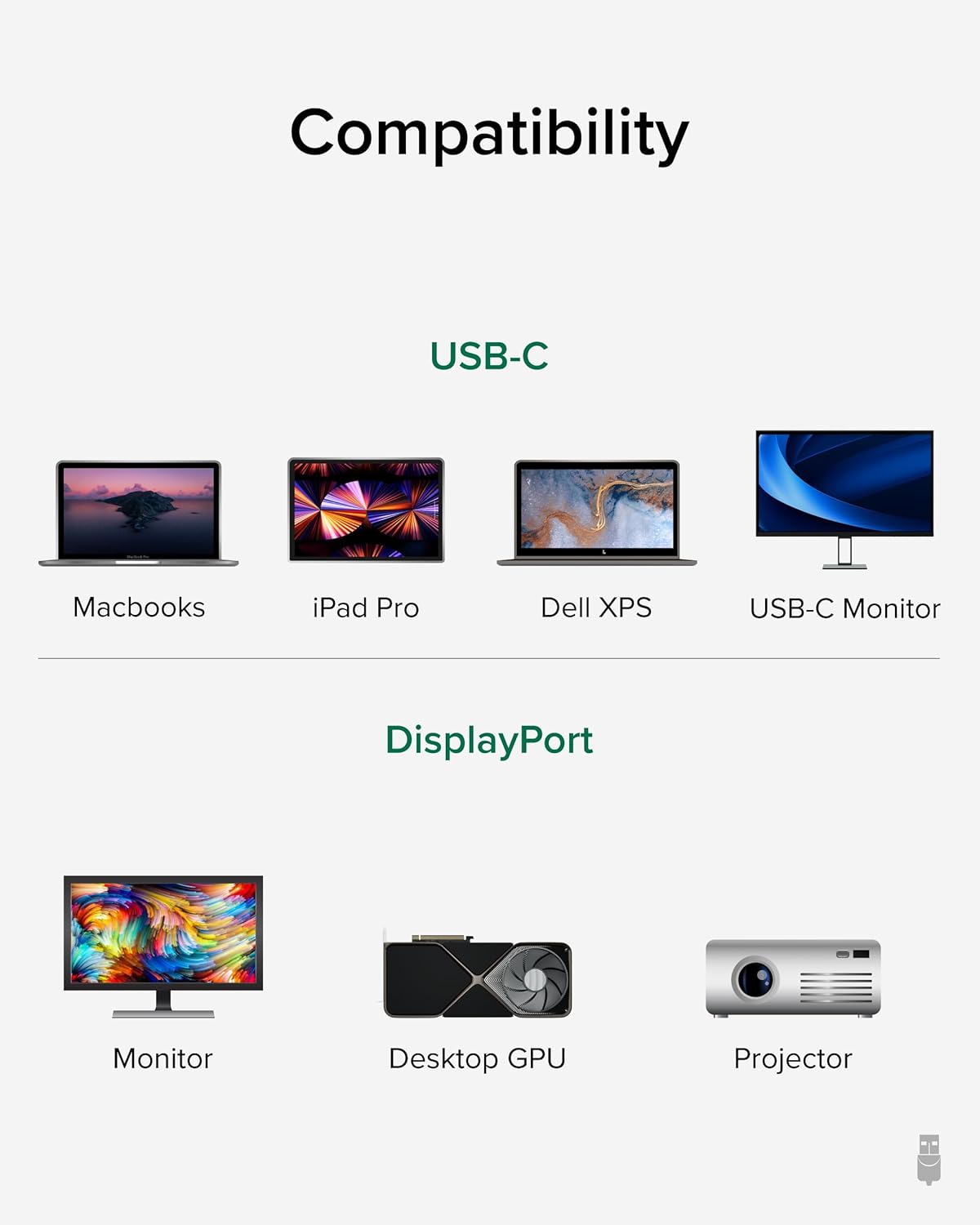
Image: A visual guide illustrating compatibility with various USB-C devices (MacBooks, iPad Pro, Dell XPS, USB-C Monitor) and DisplayPort devices (Monitor, Desktop GPU, Projector).
6. Одржавање
To ensure the longevity and optimal performance of your Plugable USB-C to DisplayPort Bi-Directional Cable, follow these maintenance guidelines:
- Пажљиво рукујте: Избегавајте прекомерно савијање, увијање или повлачење кабла, посебно у близини конектора.
- Чувајте правилно: When not in use, coil the cable loosely and secure it with the included cable tie or a similar fastener. Avoid tight coiling that can stress the internal wires.
- Одржавати уредним одржавати чистим: Повремено обришите кабл и конекторе меком, сувом крпом да бисте уклонили прашину и прљавштину. Избегавајте употребу јаких хемикалија или абразивних материјала.
- Заштитите конекторе: Ensure connectors are not exposed to liquids or extreme temperatures.
КСНУМКС. Решавање проблема
If you encounter issues with your Plugable USB-C to DisplayPort Bi-Directional Cable, consider the following troubleshooting steps:
- Нема дисплеја/сигнала:
- Ensure both devices are powered on and the cable is securely connected at both ends.
- Verify that your source device's USB-C port supports DisplayPort Alt Mode, USB4, or Thunderbolt 3/4. Not all USB-C ports support video output.
- Check your display's input source settings and ensure the correct DisplayPort input is selected.
- Test with another compatible cable or device to isolate the issue.
- Flickering or Intermittent Display:
- Уверите се да кабл није оштећен или савијен.
- Reduce the display resolution or refresh rate in your device's display settings to see if stability improves.
- Update your graphics drivers on your source device.
- Нема звука:
- Check your computer's sound settings and ensure the DisplayPort output is selected as the audio device.
- Ensure your monitor has built-in speakers or is connected to external audio.
- Resolution/Refresh Rate Not as Expected:
- Verify that both your source device and display support the desired resolution and refresh rate.
- Ensure your device's display settings are configured for the desired output.
8. Спецификације
| Феатуре | Детаљ |
|---|---|
| Бранд | Плугабле |
| Број модела | УСБЦ-ДП |
| Цабле Ленгтх | 6 стопа (1.8 м) |
| Максимална резолуција | 4K (3840x2160) at 60Hz |
| Конектор 1 | УСБ-Ц мушки |
| Конектор 2 | ДисплаиПорт мушки |
| Компатибилност | DisplayPort Alt Mode over USB-C, USB4, Thunderbolt 3/4 |
| Материјал | Aluminum connector shells, Nylon braided cable |
| Тежина артикла | 1.6 унци |
| Димензије производа | 0.39 к 6 к 6.5 инча |
9. Званични видео производа
Video: Product Summary: Plugable USB-C to DisplayPort Adapter Cable. This video provides a comprehensive overview of the cable's features, functionality, and benefits.
10. Гаранција и подршка
Plugable products are designed for reliability and ease of use. This device includes lifetime support from our North American team of connectivity experts.
For further assistance, please visit the Plugable support webсајту или контактирајте њихову корисничку службу.