
iOttie HLMPIO120WH
iOttie MiGo Mini Selfie Stick User Manual
Model: HLMPIO120WH
Увод
Хвала вам на куповиниasing the iOttie MiGo Mini Selfie Stick. This compact and versatile accessory is designed to enhance your mobile photography and videography experience, allowing you to capture wider angles and group shots with ease. Featuring a detachable Bluetooth remote and compatibility with both smartphones and GoPro cameras, the MiGo Mini is an ideal companion for your adventures. Please read this manual thoroughly to ensure proper use and maintenance of your device.
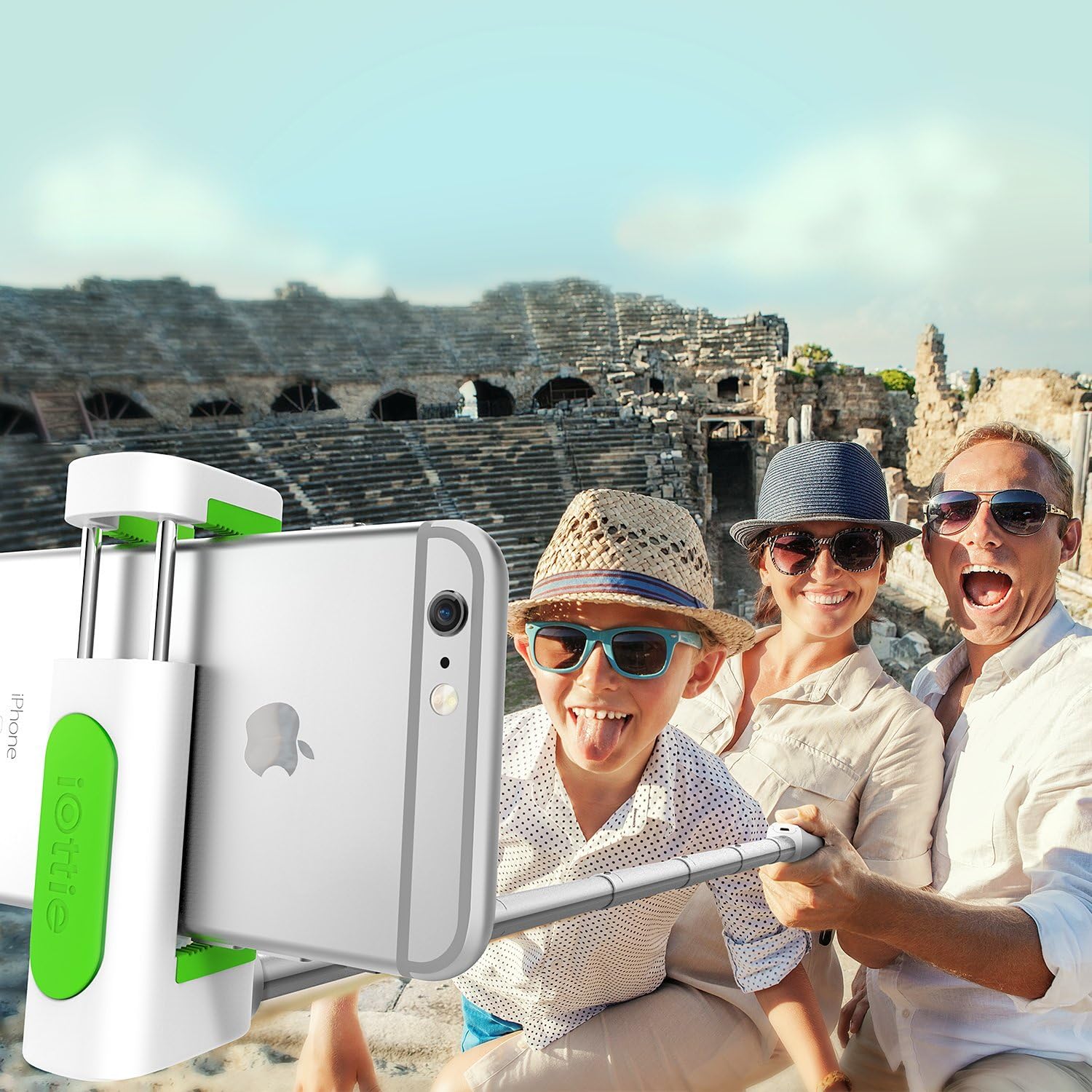
The iOttie MiGo Mini Selfie Stick in use, capturing a wide-angle group photo.
Безбедносне информације
- Не излажите уређај екстремним температурама, директној сунчевој светлости или високој влажности.
- Држите уређај даље од воде и других течности.
- Не покушавајте да растављате или модификујете уређај. То ће поништити гаранцију.
- Use only the provided charging cable or a certified micro USB cable for charging.
- Чувати ван домашаја деце.
Садржај пакета
Молимо вас да означите поље за следеће ставке:
- iOttie MiGo Mini Selfie Stick
- Мицро УСБ кабл за пуњење
- Упутство за употребу
Производ је завршенview
Familiarize yourself with the components of your iOttie MiGo Mini Selfie Stick.

Готовоview of the iOttie MiGo Mini Selfie Stick in its collapsed state.
The MiGo Mini features a compact design for portability. When collapsed, it measures approximately 7.36 inches in length and weighs around 4.08 ounces (100 grams).

Compact and lightweight design of the MiGo Mini Selfie Stick.
The adjustable cradle can securely hold devices ranging from 1.8 inches to 3.5 inches in width. The extendable rod allows the selfie stick to reach a maximum length of 28 inches.

Cradle and rod extension dimensions.
Сетуп
1. Charging the Bluetooth Remote
The detachable Bluetooth remote comes with a built-in rechargeable Lithium Ion battery. Before first use, ensure the remote is fully charged.
- Locate the Micro USB charging port on the side of the remote.
- Connect the provided Micro USB cable to the remote and plug the other end into a USB power source (e.g., computer USB port, wall adapter).
- The indicator light on the remote will illuminate during charging and turn off when fully charged.
2. Упаривање Bluetooth даљинског управљача
The remote uses Bluetooth 3.0 for connection and has an effective range of up to 32.8 feet (10 meters).

Bluetooth 3.0 connection with a range of 32.8 feet.
- Уверите се да је даљински управљач напуњен.
- Turn on the Bluetooth remote by pressing and holding the power button until the indicator light flashes.
- On your smartphone (Android or iOS), go to your Bluetooth settings.
- Тражи available devices. The remote should appear as "iOttie MiGo Mini" or similar.
- Select the device to pair. Once paired, the indicator light on the remote will stop flashing and remain solid or turn off, depending on the model.
- The remote will automatically reconnect to the last paired device when turned on, if Bluetooth is enabled on your phone.
3. Повезивање паметног телефона
- Gently pull open the adjustable cradle at the top of the selfie stick.
- Carefully insert your smartphone into the cradle, ensuring it is held securely. The cradle can accommodate devices from 1.8 inches to 3.5 inches wide.
- Adjust the angle of the cradle as needed.

Smartphone attached to the MiGo Mini Selfie Stick.
4. Extending the Selfie Stick
To extend the selfie stick, simply pull the rod upwards from the base. It can extend from its compact 9-inch length to a maximum of 28 inches.
5. GoPro and Tripod Compatibility
The MiGo Mini is designed with versatility in mind, offering compatibility with GoPro cameras and standard tripods.
- GoPro Compatibility: The selfie stick includes a GoPro connector. To attach your GoPro (e.g., HERO4 Black), remove the smartphone cradle and secure your GoPro using its standard mount.
- Компатибилност са стативом: The base of the selfie stick features a standard 1/4-inch screw thread, allowing it to be mounted on most tripods for stable shots.

GoPro and Tripod compatibility features.
Оперативни
Снимање фотографија/видео снимака
- Ensure your smartphone or GoPro is securely attached and the selfie stick is extended to your desired length.
- Open your camera application on your smartphone or prepare your GoPro for recording.
- Position the camera for your shot.
- Press the button on the detachable Bluetooth remote to capture a photo or start/stop video recording.
Одржавање
- Clean the selfie stick with a soft, dry cloth. Do not use abrasive cleaners or solvents.
- Чувајте уређај на хладном и сувом месту даље од директне сунчеве светлости када се не користи.
- Ensure the remote is fully charged before long-term storage to preserve battery life.
Решавање проблема
| Проблем | Могуће решење |
|---|---|
| Remote not pairing/connecting. |
|
| Remote not taking photos/videos. |
|
| Smartphone not fitting in cradle. |
|
Спецификације
| Број модела | HLMPIO120WH |
| Димензије производа (склопљено) | 9.25 к 3.18 к 1.88 инча |
| Тежина артикла | 3.53 унци (100 грама) |
| Max. Extended Length | 28 инча |
| Cradle Compatibility | Devices 1.8 to 3.5 inches wide |
| Блуетоотх верзија | 3.0 |
| Блуетоотх домет | До 32.8 стопе (10 метара) |
| Тип батерије | 1 литијум-јонска батерија (укључена) |
| Компатибилан ОС | Андроид, иОС |
| GoPro Compatibility | GoPro HERO4 Black and similar models with standard mount |
| Статив Моунт | Standard 1/4-inch screw thread |
| Боја | Бела |
| УПЦ | 852306006282 |
Гаранција и подршка
For warranty information or technical support, please refer to the official iOttie webсајт или директно контактирајте њихову корисничку службу. Сачувајте рачун као доказ о куповини за евентуалне рекламације по гаранцији.
За додатну помоћ, можете посетити iOttie Store on Amazon.
Ask a question about this manual
Ask about setup, troubleshooting, compatibility, parts, safety, or missing instructions. Manuals+ will review the question and use this page’s manual context to help answer it.