
1. Увод
This manual provides essential instructions for the proper setup, operation, and maintenance of your YI YAS.1616.INT 4K Action Camera Kit. Please read this manual thoroughly before using the product to ensure optimal performance and safety. Keep this manual for future reference.
2. Производ је готовview
2.1 Садржај комплета
The YI YAS.1616.INT 4K Action Camera Kit includes the following components:
- YI 4K Action Camera
- YI Monopod
- Блуетоотх даљински
- Пуњива батерија
- УСБ кабл
- Упутство за употребу

Image 2.1: Contents of the YI 4K Action Camera Kit.
2.2 Карактеристике камере
The YI 4K Action Camera is designed for high-quality video and photo capture, featuring:
- 4K/30fps Video Recording: Captures video at 60mbps, offering 4 times the quality of standard 1080p.
- Advanced Imaging Hardware: Equipped with an Amarelle A9SE75 chip, Sony IMX377 image sensor, and 7-layer optical glass lenses with an F2.8 large aperture for enhanced light intake.
- 2.19" ЛЦД екран осетљив на додир: A 640 x 360 high-resolution display with Gorilla Glass Retina for easy previewing, shooting, and scratch resistance.
- Дуг век трајања батерије: A 1400mAh 4.4V lithium-ion battery provides up to 120 minutes of 4K/30fps video recording on a single charge.
- Ефикасан систем хлађења: Prevents overheating during extended recording sessions.
- Повезивање: Built-in Wi-Fi for smartphone app control and Bluetooth for remote control.
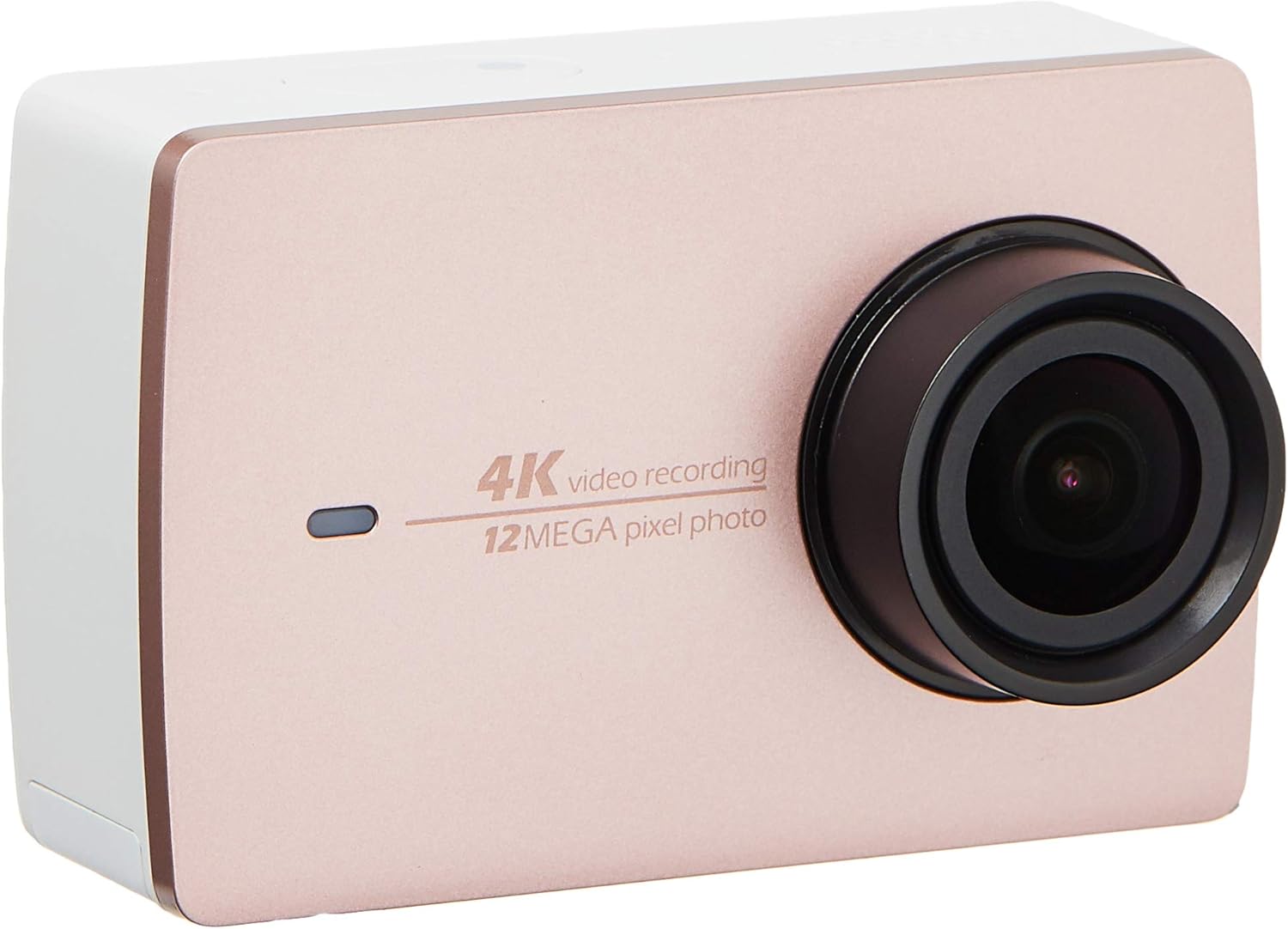
Слика 2.2: Предња страна view of the YI 4K Action Camera.
3. Подешавање
3.1 Инсталација и пуњење батерије
- Пронађите одељак за батерију на фотоапарату.
- Insert the 1400mAh lithium-ion battery, ensuring correct polarity.
- Добро затворите одељак за батерије.
- Connect the camera to a power source using the provided USB cable for charging. The charging indicator will illuminate.
3.2 Инсталација меморијске картице
The YI 4K Action Camera supports SDHC and SmartMedia flash memory types.
- Отворите поклопац слота за меморијску картицу.
- Insert a compatible memory card (not included) into the slot with the contacts facing the correct direction. Push until it clicks into place.
- Затворите поклопац слота за меморијску картицу.
3.3 Укључивање/искључивање
- За укључивање: Притисните и држите дугме за напајање док се екран не осветли.
- За искључивање: Press and hold the Power button until the camera shuts down.
3.4 Connecting the Bluetooth Remote
The included Bluetooth remote allows for convenient control of the camera.
- Уверите се да је камера укључена.
- Activate Bluetooth pairing mode on the camera via the settings menu.
- Follow the remote's instructions to enter pairing mode.
- Once paired, the remote can be used to switch between video and photo modes and trigger recording/capture.

Image 3.1: The YI Monopod, included in the kit.
4. Руковање камером
4.1 Навигација преко екрана осетљивог на додир
The 2.19" LCD touchscreen provides intuitive control:
- Превуците: Navigate through different modes (Video, Photo, Time-lapse, etc.) and settings.
- Додирните: Select options, adjust settings, or start/stop recording.
- Преview: View твој ухваћен фооtage and photos directly on the screen.
4.2 Видео снимање
- Select the Video mode on the touchscreen.
- Adjust video resolution (e.g., 4K/30fps) and other settings as desired.
- Press the Shutter button or tap the record icon on the screen to start recording.
- Press the Shutter button or tap the record icon again to stop recording.
4.3 Снимање фотографија
- Select the Photo mode on the touchscreen.
- Adjust photo settings such as resolution, exposure, and white balance.
- Press the Shutter button or tap the capture icon on the screen to take a photo.
4.4 Wi-Fi Connectivity and App Usage
The camera's built-in Wi-Fi allows connection to a smartphone app for remote control, live preview, and content management.
- Download the official YI Action Camera app from your device's app store.
- Enable Wi-Fi on the camera via the settings menu.
- Connect your smartphone to the camera's Wi-Fi network (SSID and password displayed on camera screen).
- Open the YI Action Camera app to control the camera, view фооtagе, и трансфер files.
5. Одржавање
5.1 Чишћење
- Use a soft, lint-free cloth to clean the camera body and touchscreen.
- За сочиво користите специјализовану крпу и раствор за чишћење сочива. Избегавајте абразивне материјале.
- Уверите се да су сви портови без прашине и прљавштине.
5.2 Складиштење
- Чувајте камеру на хладном и сувом месту, даље од директне сунчеве светлости и екстремних температура.
- Remove the battery if storing for extended periods to prevent leakage.
5.3 Ажурирања фирмвера
Periodically check the official YI website or the YI Action Camera app for available firmware updates. Keeping your camera's firmware updated ensures optimal performance and access to new features.
КСНУМКС. Решавање проблема
6.1 Уобичајена питања и решења
- Камера се не укључује: Уверите се да је батерија потпуно напуњена и правилно уметнута.
- Снимање се неочекивано зауставља: Check if the memory card has sufficient space or if it's a high-speed card suitable for 4K recording. Ensure the battery is not depleted.
- Екран осетљив на додир не реагује: Покушајте да поново покренете камеру. Ако проблем и даље постоји, уверите се да је екран чист и сув.
- Блутут даљински управљач се не повезује: Ensure both the camera and remote are in pairing mode and within range. Check the remote's battery.
- Проблеми са Ви-Фи везом: Verify the camera's Wi-Fi is enabled and your smartphone is connected to the correct network. Try restarting both devices.
For further assistance, refer to the official YI support resources.
7. Спецификације
| Произвођач | YI |
| Број модела | 90010 |
| Димензије производа | 6.6 к 3 к 4.3 цм |
| Тежина | 96.39 г |
| Технологија фото сензора | ЦМОС |
| Резолуција снимања видео записа | 4K |
| Максимална жижна даљина | 1 |
| Максимални отвор бленде | 2.8 милиметара |
| Тип флеш меморије | SDHC, SmartMedia |
| Формат видео снимања | МП4 |
| Подржани аудио формат | ААЦ, МП3 |
| Величина екрана | 2.19 инча |
| Технологија повезивања | Ви-Фи |

Image 7.1: YI 4K Action Camera with monopod, illustrating approximate dimensions.
8. Гаранција и подршка
8.1 Информације о гаранцији
Овај производ долази са а 1 година локалне (Сингапур) гаранцијеМолимо вас да сачувате доказ о куповини за потребе гаранције. Гаранција покрива производне недостатке у нормалним условима употребе.
8.2 Корисничка подршка
For technical support, service, or warranty inquiries, please visit the official YI Technology website or contact their authorized service centers in Singapore. Contact information can typically be found on the product packaging or the official webсајту.