
1. Увод
This manual provides comprehensive instructions for the installation, operation, and maintenance of the HP Aruba 2930F 24G 4SFP+ Switch (Model JL253A). Please read this manual thoroughly before using the device to ensure proper setup and optimal performance. Retain this manual for future reference.
2. Производ је готовview
The HP Aruba 2930F 24G 4SFP+ Switch is a high-performance network switch designed for enterprise edge deployments. It features 24 Gigabit Ethernet ports and 4 SFP+ ports for high-speed uplinks, providing reliable and secure connectivity.

Слика 2.1: Предња страна view of the HP Aruba 2930F 24G 4SFP+ Switch, showing 24 RJ45 Gigabit Ethernet ports, 4 SFP+ uplink ports, and LED indicators.

Слика 2.2: Под углом view of the HP Aruba 2930F 24G 4SFP+ Switch, highlighting its compact design suitable for rack mounting.
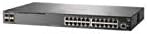
Слика 2.3: Страна view of the HP Aruba 2930F 24G 4SFP+ Switch, showing ventilation slots for heat dissipation.
3. Подешавање
3.1 Распакивање и провера садржаја
Пажљиво распакујте прекидач и проверите да ли су све компоненте присутне. Пакет треба да садржи:
- HP Aruba 2930F 24G 4SFP+ Switch (Model JL253A)
- Кабл за напајање
- Комплет за монтирање у рацк
- Кабл за конзолу
Ако било који предмет недостаје или је оштећен, одмах контактирајте продавца.
3.2 Физичка инсталација
- Монтажа на рацк: Use the provided rack-mount kit to secure the switch in a standard 19-inch equipment rack. Ensure adequate ventilation around the switch.
- Прикључак за напајање: Connect the power cable to the switch's power input and then to a grounded AC power outlet.
- Почетна мрежна веза: Connect a computer to the switch's console port using the console cable for initial configuration, or connect to any RJ45 port for network access if DHCP is available.
Ensure all cables are securely connected and routed to prevent accidental disconnections.
4. Упутство за употребу
4.1 Укључивање и почетно покретање
Once the power cable is connected, the switch will automatically power on. Observe the LED indicators on the front panel. The Power LED should illuminate, indicating the device is receiving power. Other LEDs will indicate port status and activity.
4.2 Port Connectivity
- RJ45 Ports (10/100/1000BASE-T): Connect standard Ethernet cables (Cat5e or higher) to these ports for connecting network devices such as computers, servers, and other switches. These ports support auto-negotiation for speed and duplex settings.
- SFP+ Ports (10 Gigabit Ethernet): Use compatible SFP+ transceivers and fiber optic cables for high-speed uplinks to core switches or servers.
- PoE+ (Напајање преко Etherneta Plus): If your model supports PoE+, these ports can provide power to compatible devices like IP phones, wireless access points, and security cameras, eliminating the need for separate power supplies.
4.3 ЛЕД индикатори
The front panel LEDs provide visual status of the switch and its ports:
- ЛЕД за напајање: Показује статус напајања (Укључено/Искључено).
- ЛЕД за грешку: Indicates system errors or malfunctions.
- ЛЕД индикатори за везу/активност порта: Indicate link status (solid green for link) and network activity (flashing green). Different colors or patterns may indicate different speeds (e.g., amber for 100Mbps, green for 1Gbps). Refer to the device's specific LED guide for detailed interpretation.
5. Одржавање
5.1 Чишћење
Редовно чистите спољашњост прекидача меком, сувом крпом. Не користите течна или аеросолна средства за чишћење. Уверите се да су вентилациони отвори без прашине и зачепљења како би се одржао правилан проток ваздуха.
5.2 Ажурирања фирмвера
Periodically check the Hewlett Packard (Aruba) support webсајт за ажурирања фирмвера. Одржавање фирмвера ажурираним обезбеђује оптималне перформансе, безбедност и приступ новим функцијама. Пажљиво пратите упутства која сте добили уз пакет за ажурирање фирмвера.
КСНУМКС. Решавање проблема
This section addresses common issues you might encounter with your HP Aruba 2930F switch.
- Нема напајања:
- Verify the power cable is securely connected to both the switch and a working power outlet.
- Check the power outlet with another device to ensure it is functional.
- Нема везе на порту:
- Уверите се да је Етернет кабл правилно повезан на оба краја.
- Пробајте други Етернет кабл.
- Test the connected device with another port or switch to isolate the issue.
- Проверите да ли је повезани уређај укључен и да ли исправно функционише.
- Спора мрежна веза:
- Check for excessive network traffic or bottlenecks.
- Ensure cables are Cat5e or higher for Gigabit speeds.
- Verify duplex settings on connected devices match the switch's auto-negotiated settings.
- Consider updating the switch firmware.
For more advanced troubleshooting or persistent issues, consult the official Hewlett Packard (Aruba) support documentation or contact technical support.
7. Спецификације
| Феатуре | Валуе |
|---|---|
| Бранд | ХЕВЛЕТТ ПАЦКАРД |
| Број модела | ЈЛ253А |
| Тежина артикла | 2.4 килограма (5.28 фунте) |
| Димензије производа (ДкШкВ) | 17.42 к 7.88 к 1.73 инча |
| Волtage | 200 Волтс |
| Тип интерфејса | RJ45, SFP+, PoE+ |
| Брзина преноса података | 100 Megabits Per Second (per port, supports Gigabit on RJ45 and 10 Gigabit on SFP+) |
| РАМ | 1024 МБ |
| Број портова | 24 Gigabit Ethernet, 4 SFP+ (Total 28 logical ports) |
| Укључене компоненте | Power cable, rack-mount kit, console cable |
| Боја | Црно |
| Компатибилни уређаји | Desktop (general network devices) |
Note: Data Transfer Rate of "100 Megabits Per Second" may refer to a baseline or specific port type; the switch supports Gigabit Ethernet on RJ45 ports and 10 Gigabit Ethernet on SFP+ ports.
8. Гаранција и подршка
This HP Aruba 2930F 24G 4SFP+ Switch is manufactured by HEWLETT PACKARD. For warranty information, please refer to the warranty card included with your product or visit the official Hewlett Packard Enterprise (Aruba) website. Technical support and additional resources can be found on their support portal.
За помоћ посетите: Подршка за Aruba Networks