
Увод
The HyperGear Rave Wireless Stereo Speaker delivers high-fidelity sound with an interactive multi-colored LED light show. It features Bluetooth connectivity, a built-in speakerphone, and an FM radio, making it suitable for various audio needs.
Садржај пакета
- Rave Wireless Speaker
- 3.5mm Stereo Auxiliary Cable
- Мицро УСБ кабл за пуњење
- Кориснички приручник (овај документ)

Производ је завршенview
Упознајте се са контролама и портовима звучника.

Контролна дугмад
- Дугме за напајање: Притисните и држите да бисте укључили или искључили звучник.
- Дугме за режим (М): Притисните да бисте пребацивали између режима Bluetooth, FM радио и AUX.
- Play/Pause Button (►/∕): Press to play or pause audio. In call mode, press to answer/end calls.
- Volume Down / Previous Track (-/◀◀): Притисните да бисте смањили јачину звука. Притисните и држите да бисте прешли на претходну нумеру.
- Volume Up / Next Track (+/►►): Притисните да бисте повећали јачину звука. Притисните и држите да бисте прешли на следећу нумеру.
- Light Mode Button (*): Press to cycle through different LED light patterns or turn off the light show.
Портс
- Мицро УСБ порт за пуњење: За пуњење унутрашње батерије звучника.
- 3.5 мм АУКС улаз: For connecting external audio devices via the auxiliary cable.
Сетуп
Пуњење звучника
Before first use, fully charge the speaker. Connect the Micro USB charging cable to the speaker's charging port and the other end to a USB power adapter (not included) or a computer's USB port. The charging indicator light will illuminate during charging and turn off when fully charged. A full charge takes approximately 3-4 hours and provides up to 8 hours of playback.
Укључивање/искључивање
Притисните и држите Дугме за напајање око 3 секунде да бисте укључили или искључили звучник. Гласовна обавештења ће показати статус напајања.
Упутство за употребу
Блуетоотх упаривање
- Уверите се да је звучник укључен и у Bluetooth режиму. Ако није, притисните Дугме за режим (М) until you hear the Bluetooth pairing prompt. The LED indicator will flash, indicating it is ready to pair.
- На свом мобилном уређају омогућите Блуетоотх и потражите доступне уређаје.
- Select "HyperGear Rave" from the list of devices.
- Након упаривања, звучник ће емитовати тон потврде, а ЛЕД индикатор ће престати да трепери.

Пуштање музике
Блуетоотх мод
After successful pairing, you can play music from your connected device. Use the speaker's Пусти/Паузирај, Појачавање/следећа нумера, и Смањивање јачине звука/претходна нумера buttons to control playback, or control directly from your device.
АУКС режим
Connect one end of the 3.5mm auxiliary cable to the speaker's AUX input and the other end to the audio output of your external device. Press the Дугме за режим (М) to switch to AUX mode. Audio will play directly from your connected device.
Хандс-фрее позивање
When connected via Bluetooth, the speaker can be used as a speakerphone. When a call comes in, the music will pause. Press the Дугме за репродукцију/паузу to answer an incoming call. Press it again to end the call. Press and hold the Дугме за репродукцију/паузу да одбијете долазни позив.
Операција ФМ радија
Притисните тастер Дугме за режим (М) to switch to FM Radio mode. The speaker will automatically scan and save available stations. Use the Појачавање/следећа нумера и Смањивање јачине звука/претходна нумера buttons to navigate between saved stations. Press and hold these buttons to fine-tune the frequency.
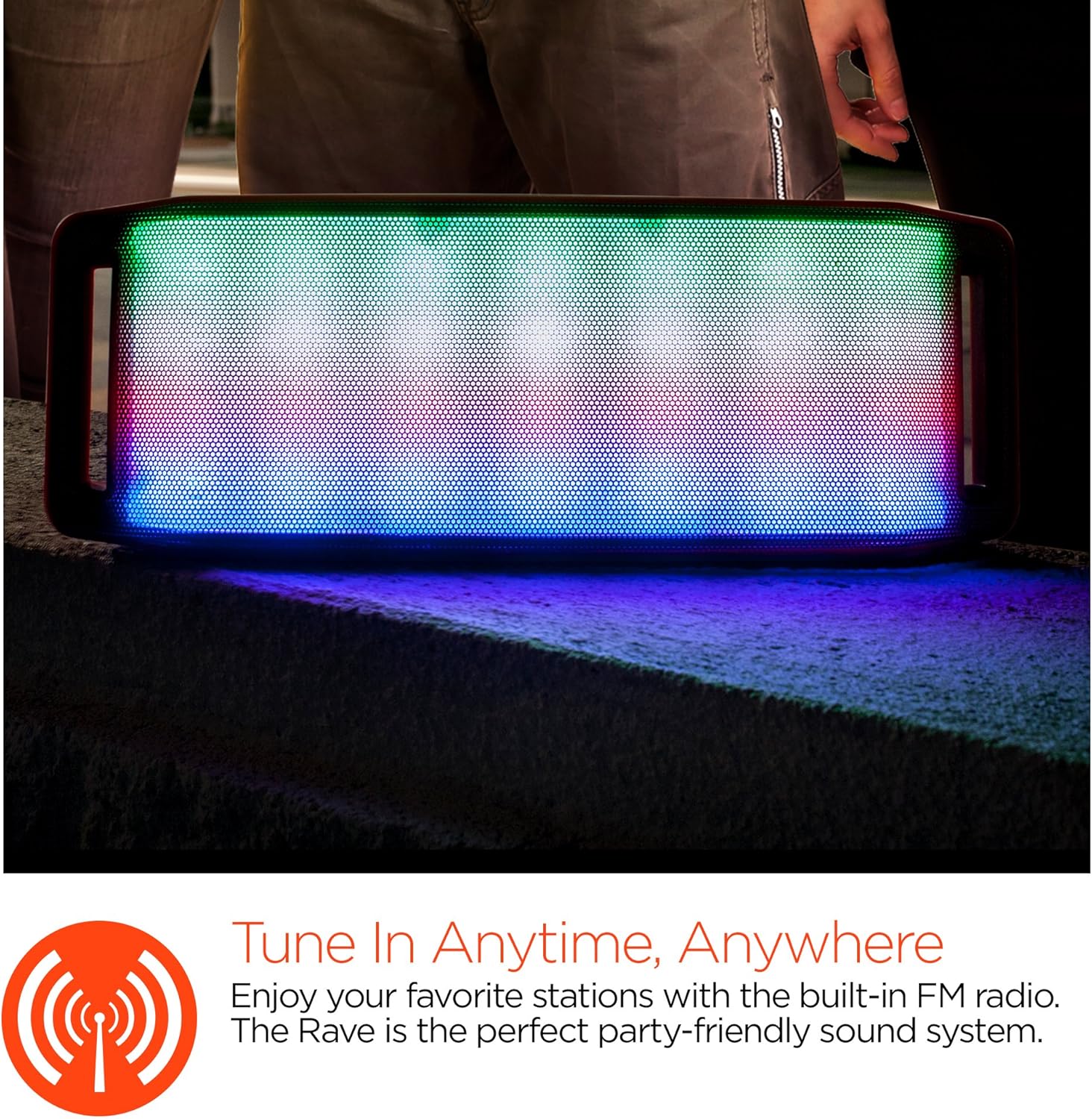
ЛЕД светлосна емисија
The speaker features an interactive multi-colored LED light show. Press the Light Mode Button (*) to cycle through different light patterns or to turn the light show off.

Одржавање
Чишћење
Wipe the speaker with a soft, dry cloth. Do not use abrasive cleaners or solvents. Avoid exposing the speaker to excessive moisture.
Складиштење
Store the speaker in a cool, dry place away from direct sunlight and extreme temperatures. If storing for an extended period, charge the battery periodically to maintain its lifespan.
Баттери Царе
To prolong battery life, avoid fully discharging the speaker frequently. Charge the speaker regularly, even if not in use, to prevent deep discharge.
Решавање проблема
| Проблем | Могући узрок | Решење |
|---|---|---|
| Звучник се не укључује. | Батерија је празна. | Пуните звучник помоћу микро УСБ кабла. |
| Није могуће упаривање преко Bluetooth-а. | Звучник није у режиму упаривања; Блутут је искључен на уређају; уређај је предалеко. | Ensure speaker is in Bluetooth pairing mode (flashing LED). Turn on Bluetooth on your device. Move device closer to speaker (within 10 meters). |
| Нема звука. | Volume is too low; incorrect mode selected; device not playing. | Increase volume on both speaker and connected device. Ensure correct mode (Bluetooth/AUX/FM) is selected. Verify audio is playing on the source device. |
| Изобличење звука. | Прејака јачина звука; празна батерија; сметње. | Reduce volume. Charge the speaker. Move speaker away from other electronic devices. |
| Пријем ФМ радија је лош. | Слаб сигнал; сметње из околине. | Relocate the speaker to an area with better reception. Extend the charging cable (if connected) as it can act as an antenna. |
Спецификације
| Феатуре | Детаљ |
|---|---|
| Број модела | 13604 |
| Блуетоотх верзија | 3.0 ± EDR |
| Излазна снага звучника | 2 x 5W (Total 10W) |
| Однос сигнал/шум (С/Н) | 80дБ |
| Капацитет батерије | 1500мАх |
| Плаи Тиме | До 8 сати |
| Блуетоотх домет | До 33фт / 10м |
| Технологија повезивања | Блутут, бежични |
| Режим аудио излаза | Стерео |
| Контролни метод | Додирните |
| Тежина | 2.25 фунти |
| Посебне карактеристике | Bass Boost, Display, Multi-colored LED Light Show, Built-in Speakerphone, FM Radio |
Гаранција и подршка
For warranty information or technical support, please refer to the contact details provided on the product packaging or visit the official HYPERGEAR webсајт. Сачувајте рачун као доказ о куповини.