
1. Увод
The Cerevo LiveShell X is a versatile live streaming and broadcasting device designed for high-quality video transmission without the need for a personal computer. It supports 1080p resolution at 60 frames per second and includes real-time recording capabilities, making it ideal for various professional and enthusiast applications.
This manual provides comprehensive instructions for setting up, operating, and maintaining your LiveShell X device.
2. Производ је готовview
The LiveShell X features a compact and durable metal design, equipped with an OLED display for status monitoring and intuitive controls. It is built for portability and robust performance in various environments.
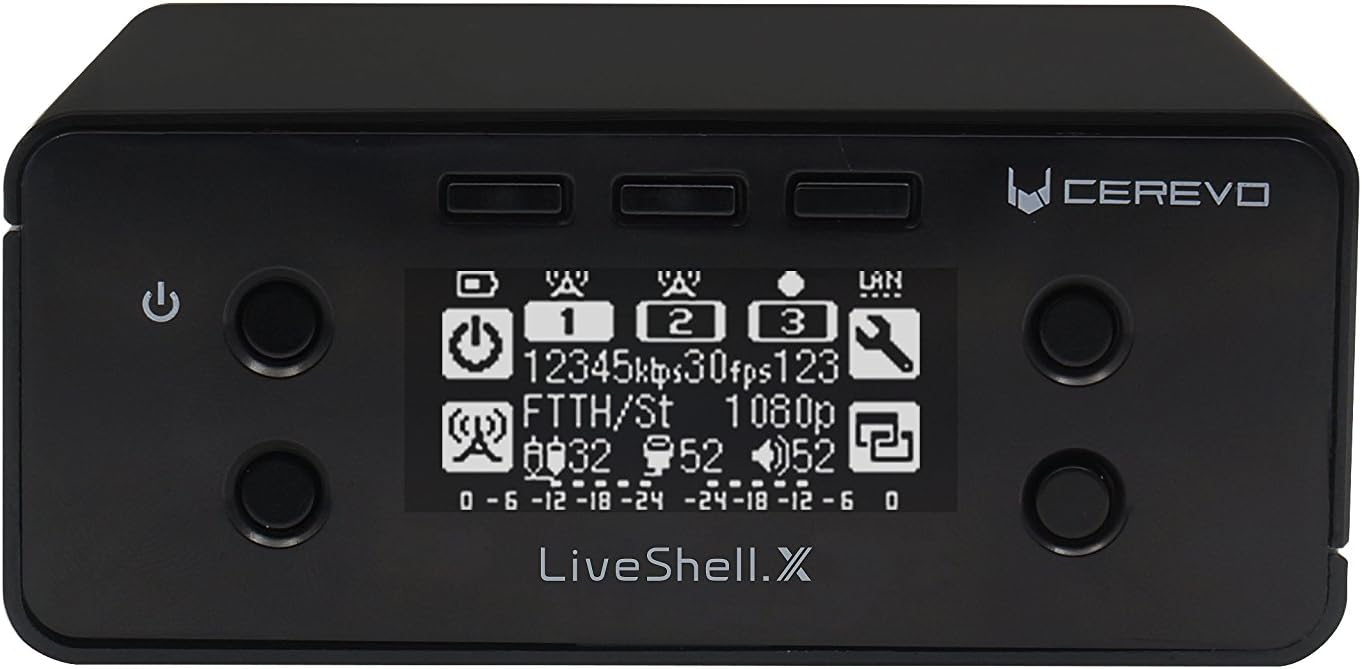
Слика 2.1: Предња страна view of the Cerevo LiveShell X with its OLED display.
2.1 Компоненте уређаја

Figure 2.2: Labeled diagram of LiveShell X components.
- Дугме за напајање: Used to turn the device on and off.
- 3 Stream Buttons: Control and indicate the status of up to three simultaneous live streams.
- М4 матица: Mounting point for accessories.
- ОЛЕД екран: Shows real-time streaming status, settings, and other device information.
- 1/4-20 UNC Tripod Nut: Standard tripod mounting thread for easy setup.
The device also features various ports on its rear and sides for connectivity.
- ХДМИ улаз: For connecting video sources (e.g., cameras, video mixers).
- Етхернет порт: For stable wired network connection.
- УСБ порт: Used for connecting a Wi-Fi dongle or cellular modem for wireless connectivity.
- Утор за мицроСД картицу: For real-time recording of your streams.
- Audio Input (3.5mm jack): За повезивање екстерних аудио извора.
- Улазна снага: За повезивање адаптера за напајање.
3. Подешавање
3.1 Распакивање и почетна наплата
Upon unboxing, ensure all components are present, including the LiveShell X unit and the included Lithium Ion battery. It is recommended to fully charge the battery before first use. The device can also operate directly from the power adapter.
3.2 Connecting Video and Audio Sources
- Connect your camera or video mixer to the ХДМИ улаз port on the LiveShell X.
- If your audio is not embedded in the HDMI signal, connect your external audio source (e.g., microphone, audio mixer) to the Audio Input (3.5mm jack).
3.3 Мрежна веза
The LiveShell X offers flexible network connectivity options:
- Жична (Етернет): For the most stable connection, plug an Ethernet cable from your router or network switch into the Етхернет порт на уређају.
- Wireless (Wi-Fi/Cellular): Insert the provided Wi-Fi dongle or a compatible cellular modem into the УСБ порт. Wireless settings will be configured via the web-based control panel.
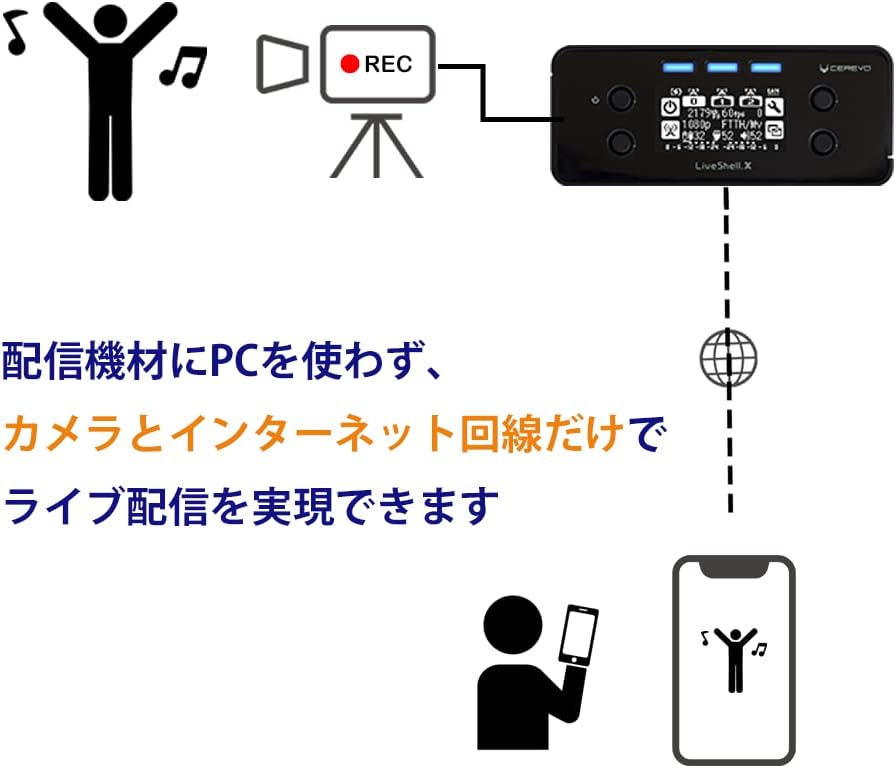
Figure 3.1: PC-less live streaming setup with LiveShell X.
3.4 Уметање MicroSD картице
Insert a compatible MicroSD card into the Слот за МицроСД картицу for local recording of your live streams. Ensure the card is properly formatted as per the device's requirements (refer to the web control panel for formatting options).

Figure 3.2: MicroSD card slot and simultaneous streaming capability.
4. Упутство за употребу
4.1 Web-Based Control Panel
All advanced configurations and stream management are performed through the LiveShell X web-based control panel. Access this panel by navigating to shell.cerevo.com у вашем web browser. Ensure your device is connected to the same network as your computer.
Контролна табла вам омогућава да:
- Configure streaming destinations (e.g., YouTube Live, Facebook Live, Twitch, custom RTMP).
- Adjust video resolution, frame rate, and bitrate settings for each stream.
- Manage audio input levels and apply audio delay if needed.
- Control recording to the MicroSD card.
- Add custom titling and graphic overlays to your streams.
4.2 Streaming Capabilities
The LiveShell X supports simultaneous streaming to multiple platforms. You can configure up to three independent streams or two streams with simultaneous recording to the MicroSD card.
- Single Stream: Up to 1080p at 60 frames per second (H.264 or H.265).
- Multiple Streams: Up to 720p at 30 frames per second per stream, with a total maximum bitrate of 150 Mbps across all channels.
- H.265 кодирање: Utilize H.265 (HEVC) for more efficient compression, providing better video quality at lower bitrates, if supported by your streaming platform.

Figure 4.1: LiveShell X enabling high-quality internet live broadcasting.
4.3 Контроле на уређају
While most configuration is done via the web panel, the physical buttons on the device allow for basic control, such as starting and stopping streams.
4.4 Titling and Overlays
The LiveShell X allows you to add custom text or image overlays (e.g., lower thirds, logos) directly to your live stream and recordings. This feature supports PNG files with transparency for professional-looking graphics.
5. Одржавање
- Чишћење: Користите меку, суву крпу за чишћење уређаја. Избегавајте течна средства за чишћење или абразивне материјале.
- Ажурирања фирмвера: Regularly check the Cerevo webсајт (cerevo.com) for firmware updates. Updates can improve performance, add features, and resolve issues. Follow the instructions provided with the firmware update carefully.
- Одржавање батерије: To prolong battery life, avoid extreme temperatures and store the device with a partial charge if not used for extended periods.
КСНУМКС. Решавање проблема
- Уређај се не укључује: Ensure the power adapter is securely connected and the battery is charged. If using battery, check its connection and charge level.
- Без видео улаза: Verify that the HDMI cable is correctly connected to both the source and the LiveShell X. Check the video source's output settings to ensure compatibility with the LiveShell X.
- Проблеми са мрежном повезивањем: For wired connections, check the Ethernet cable and router status. For wireless, ensure the Wi-Fi dongle is inserted and configured correctly in the web control panel. Restarting the device and router may resolve temporary issues.
- Проблеми са стримовањем: Check your internet upload speed. Ensure your streaming platform's RTMP URL and stream key are correctly entered in the web control panel. Lowering the bitrate or resolution in the settings may help with unstable connections.
- Web Control Panel Inaccessible: Confirm the device and your computer are on the same network. Try restarting the LiveShell X.
7. Спецификације
| Феатуре | Детаљ |
|---|---|
| Димензије производа | 3.94 к 4.02 к 1.65 инча |
| Тежина артикла | 1.06 фунти |
| Број модела ставке | ЦДП-ЛС04А |
| Батерије | Потребна је 1 литијум-јонска батерија (укључена) |
| Технологија повезивања | Wired, Wi-Fi, USB, Ethernet, HDMI |
| Резолуција снимања видео записа | 1080п |
| Формат видео снимања | МП4 |
| Подржани аудио формат | AAC, [OTHER] |
| Тип флеш меморије | SD |
| Боја | Црно |
8. Гаранција и подршка
Warranty and detailed support information for the Cerevo LiveShell X are typically provided with your purchase documentation or can be found on the official Cerevo website. Please refer to these resources for the most up-to-date information regarding product warranty, technical support, and service options.
За даљу помоћ, посетите Cerevo Store on Amazon or the official Cerevo webсајту.