
ADE CK2112
Упутство за употребу дигиталног сата са радио контролом ADE CK2112
Модел: ЦК2112
1. Увод
Хвала вам на куповиниasing the ADE CK2112 Radio-Controlled Digital Alarm Clock. This compact and versatile device features a clear LCD display, real bamboo casing, and provides time, date, day of the week, and indoor temperature. It is designed for ease of use with automatic time setting via DCF signal and dual alarm functions. Please read this manual carefully to ensure proper operation and maintenance of your new alarm clock.
2. Кључне карактеристике
- Compact wireless alarm clock with clear LCD display (5.2 x 5.2 cm).
- Displays time, ambient temperature, date, and day of the week.
- White backlight activated by button press.
- Real bamboo casing with high-quality white ABS plastic.
- Dimensions: 8.2 x 8.2 x 3.4 cm; Weight: 0.15 kg.
- DCF radio-controlled time signal for automatic time setting.
- Automatic summer/winter time adjustment.
- Manually adjustable time.
- Dual alarm with adjustable settings and snooze function.
- Integrated calendar.
- Built-in thermometer for indoor temperature display in °C or °F (-10 to 50 °C).
3. Садржај пакета
Молимо вас да проверите пакет за следеће ставке:
- ADE CK2112 Digital Alarm Clock
- 2 к 1.5В АА батерије
- Кориснички приручник (овај документ)

Image: ADE CK2112 Alarm Clock with its packaging, showing the clock, batteries, and manual icon.
4. Подешавање
4.1 Инсталација батерије
- Пронађите одељак за батерије на задњој страни будилника.
- Отворите поклопац одељка за батерије.
- Insert two (2) 1.5V AA batteries, ensuring correct polarity (+/-).
- Добро затворите поклопац одељка за батерије.
4.2 Initial Time Synchronization (DCF Signal)
Upon battery installation, the clock will automatically attempt to synchronize with the DCF radio signal. This process may take a few minutes. Ensure the clock is placed in an area with good signal reception, away from electronic interference.
- The radio signal icon will flash during synchronization.
- Once synchronized, the icon will become steady, and the time will be set automatically.
- The clock will also automatically adjust for Daylight Saving Time (summer/winter time).
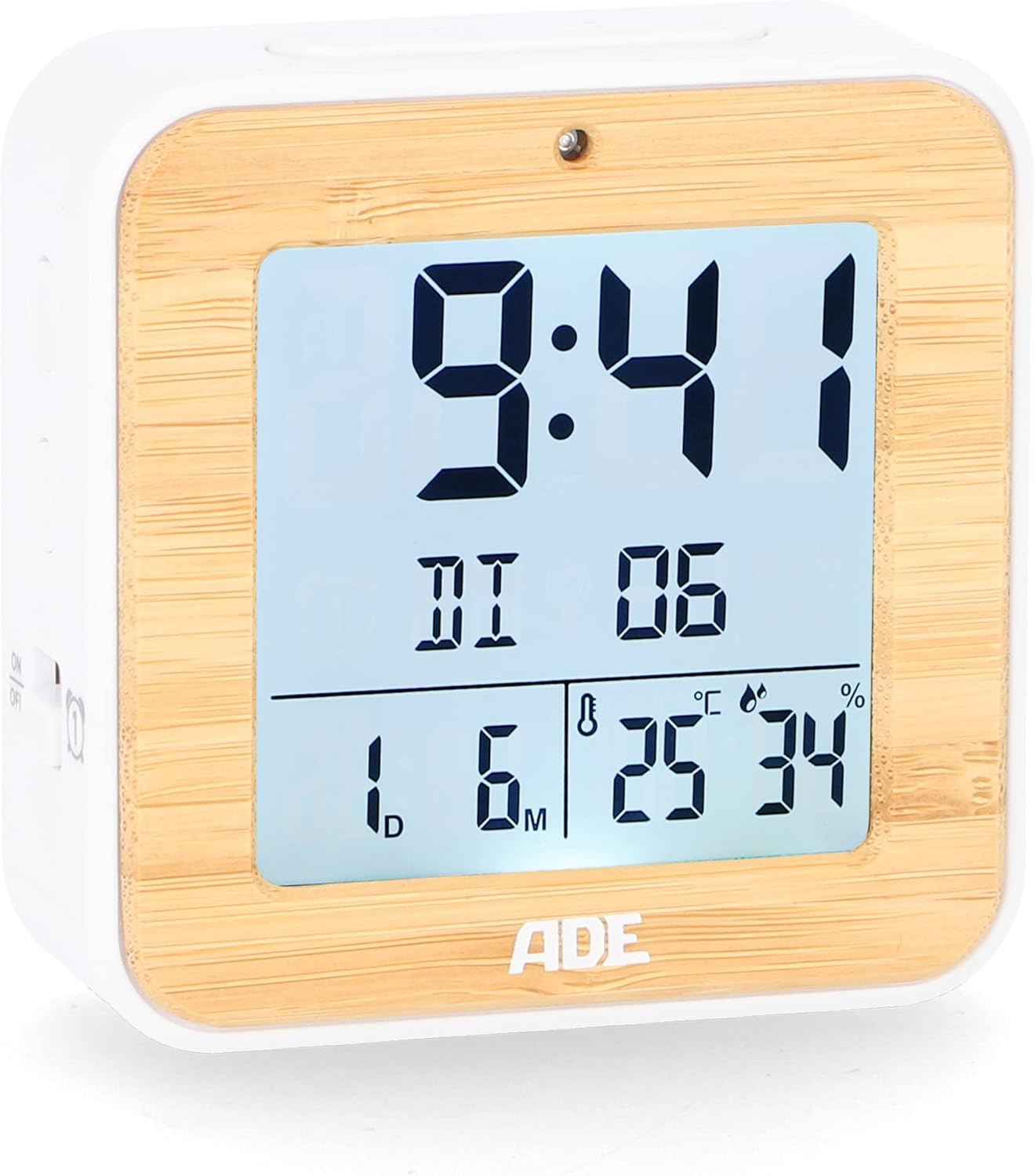
Слика: Фронт view of the ADE CK2112 Digital Alarm Clock, showing the clear LCD display with time, date, and temperature.
5. Упутство за употребу
5.1 Ручно подешавање времена
If the DCF signal is not available or you prefer to set the time manually:
- Press and hold the "SET" button (location usually on the back or side).
- Use the "+" or "-" buttons to adjust the hour, then press "SET" to confirm.
- Поновите за минуте, годину, месец и дан.
5.2 Setting Alarms (Alarm 1 & Alarm 2)
Сат има два независна аларма.
- Press the "ALARM 1" or "ALARM 2" button (usually on the side). The alarm time will flash.
- Use the "+" or "-" buttons to set the desired alarm hour, then press the respective alarm button to confirm.
- Понављајте неколико минута.
- To activate/deactivate an alarm, slide the corresponding ON/OFF switch (e.g., "ON/OFF 1" or "ON/OFF 2") on the side of the clock. An alarm icon will appear on the display when active.

Слика: Са стране view of the ADE CK2112 Digital Alarm Clock, highlighting the ON/OFF switches for Alarm 1 and Alarm 2.
5.3 Функција одлагања
When the alarm sounds, press the "SNOOZE/LIGHT" button (usually on top) to temporarily silence the alarm. The alarm will sound again after approximately 5-10 minutes (check specific model for exact duration).
5.4 Активација позадинског осветљења
Press the "SNOOZE/LIGHT" button to activate the white backlight for a few seconds, improving visibility in low light conditions.

Image: Illustration showing the automatic backlight via light sensor and manual backlight activation by button press.
5.5 Приказ температуре
The clock displays the indoor temperature. You can switch between Celsius (°C) and Fahrenheit (°F) by pressing a dedicated button (often labeled "°C/°F" or integrated with another setting button).

Image: Close-up of the ADE CK2112 display, indicating the sections for time, alarm, date, humidity, and temperature.
6. Одржавање
6.1 Чишћење
Обришите сат меком, сувом крпом. Не користите абразивна средства за чишћење нити потапајте уређај у воду.
6.2 Замена батерије
When the display dims or the clock stops functioning, replace the batteries. Always use new 1.5V AA batteries and dispose of old batteries responsibly according to local regulations.
КСНУМКС. Решавање проблема
| Проблем | Могући узрок | Решење |
|---|---|---|
| Екран је празан или замагљен. | Празне или празне батерије. | Replace with new 1.5V AA batteries. |
| Clock not setting time automatically. | Poor DCF signal reception; interference. | Move the clock to a different location, away from electronic devices or metal objects. Try manual time setting. |
| Аларм се не оглашава. | Alarm not activated; incorrect alarm time set. | Ensure the alarm ON/OFF switch is in the "ON" position and the alarm time is correctly set. |
8. Спецификације
- Модел: ЦК2112
- Бренд: АДЕ
- Тип приказа: Дигитални ЛЦД
- Димензије (Д к Ш к В): 8.2 x 3.81 x 3.5 цм (приближно 3.23 x 1.5 x 1.38 инча)
- Тежина: 110 грама (приближно 0.24 фунти)
- Материјал: Bamboo, ABS Plastic
- Извор напајања: 2 x 1.5V AA Batteries (included)
- Температурни опсег: -10 до 50 °Ц (14 до 122 °Ф)
- Временска синхронизација: DCF Radio Controlled
- Функције аларма: Dual Alarm, Snooze
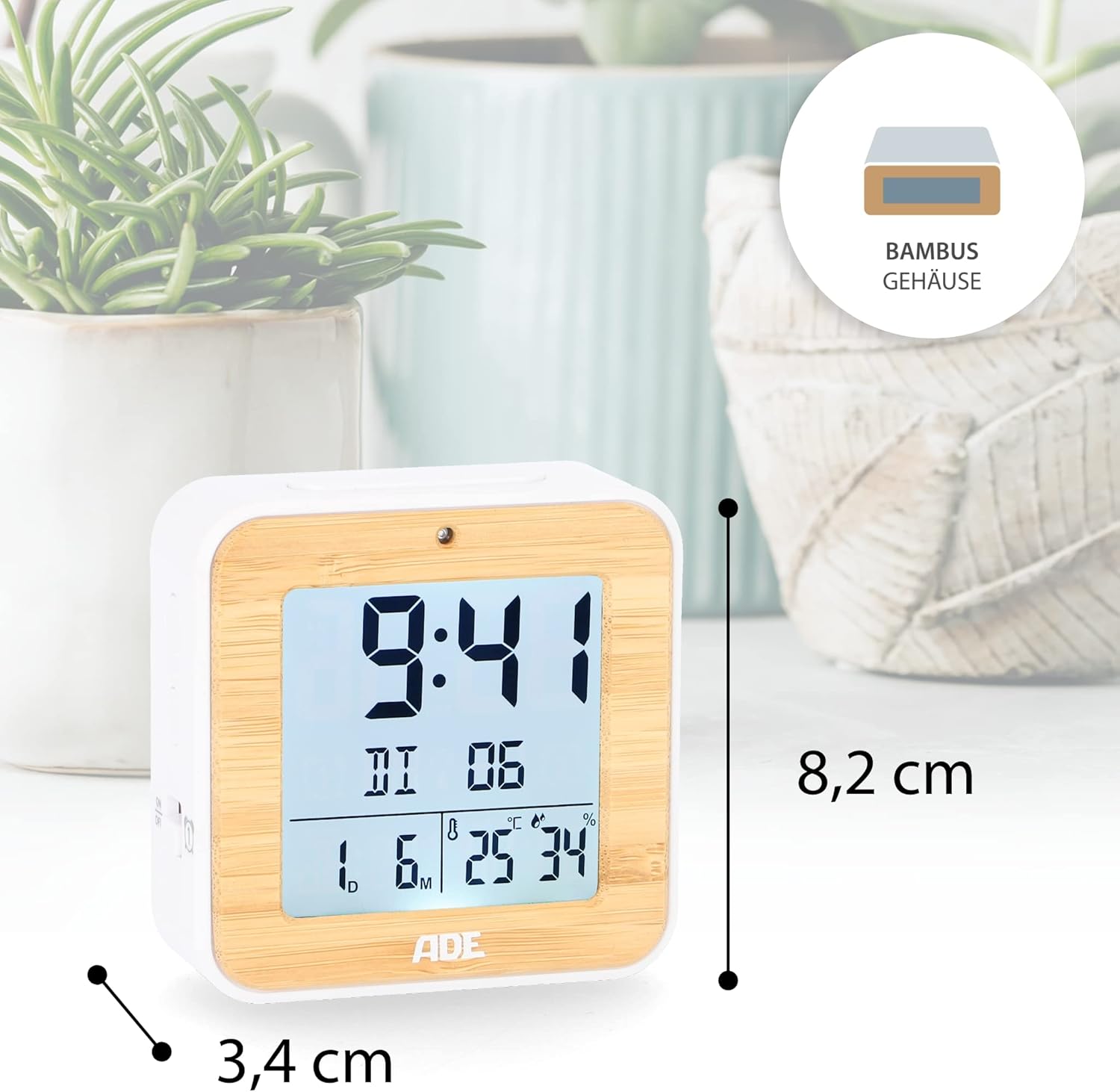
Image: The ADE CK2112 Digital Alarm Clock with its dimensions (8.2 cm height, 3.4 cm depth) clearly marked.
9. Гаранција и подршка
For warranty information and customer support, please refer to the contact details provided by your retailer or visit the official ADE webсајт. Сачувајте рачун као доказ о куповини.
For frequently asked questions, you may also refer to the brand's FAQ section:
- Q: I received my item but it did not come with instructions in Spanish. What should I do now?
- A: All our items are printed in German, English, and French. Other languages, including Spanish, can be downloaded directly here, on the Amazon website. Or you can scan the QR code on the printed instructions.
- Q: I am very satisfied with my purchase. How can I rate them?
- A: We are very happy that you are satisfied. Feedback is very important to us. You can easily rate us and your purchased item through your Amazon account under orders. Thank you for taking the time to do so!
- Q: I am not satisfied with my purchase. What can I do?
- A: We are sorry that you are not satisfied with your item. We invite you to request a return through your account and you will receive your money back.
Ask a question about this manual
Ask about setup, troubleshooting, compatibility, parts, safety, or missing instructions. Manuals+ will review the question and use this page’s manual context to help answer it.