
Увод
The SteelSeries Apex 100 Gaming Keyboard is designed for optimal gaming performance, featuring Quick Tension Switches for fast reaction times, tactile feedback, and quiet operation. It includes blue LED backlighting, advanced anti-ghosting, and is built with splash resistance for durability.
Сетуп
1. Повезивање тастатуре
Connect the keyboard's USB-A cable to an available USB port on your computer. The keyboard is plug-and-play, and your operating system should automatically detect and install the necessary drivers.

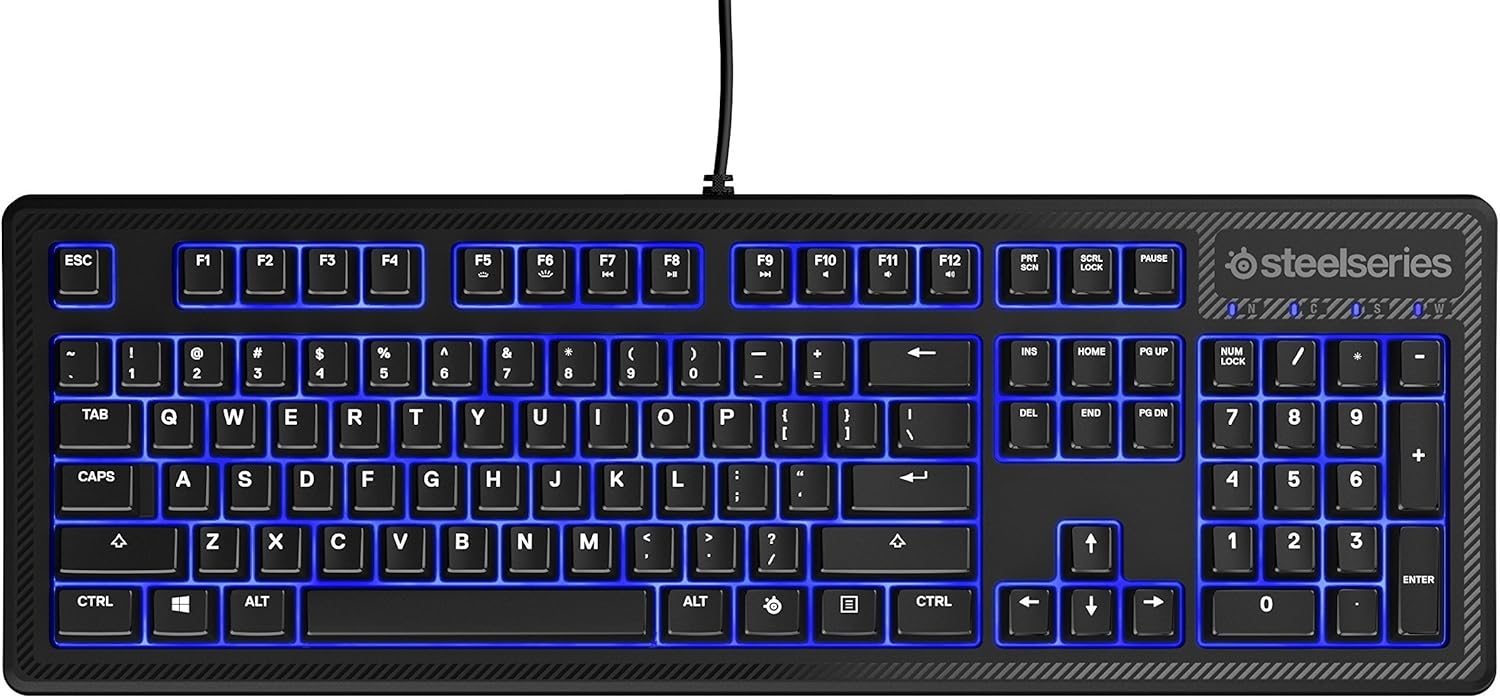
Слика: Врх view of the SteelSeries Apex 100 Gaming Keyboard, showing the full QWERTY layout with blue LED backlighting and the attached USB cable.
2. Инсталација софтвера (опционо)
For advanced customization, including macro programming and backlighting adjustments, download and install the SteelSeries Engine 3 software from the official SteelSeries webсајт (стеелсериес.цом/енгине). Пратите упутства на екрану за инсталацију.
Управљање тастатуром
Кључне карактеристике
- Quick Tension Switches: Designed to mimic mechanical switches, providing a tactile feel and fast actuation.
- Плаво ЛЕД позадинско осветљење: Offers brilliant ground effects backlighting. Intensity can be adjusted via SteelSeries Engine 3.
- Advanced Anti-Ghosting: Ensures all key presses are registered accurately during intense gaming sessions.
- Контроле медија: Integrated media control functions are accessible via function keys (F7-F12) in combination with the Fn key.
Слика: Са стране view of the SteelSeries Apex 100 Gaming Keyboard, highlighting its ergonomic design and keycap profile.
Customization with SteelSeries Engine 3
The SteelSeries Engine 3 software allows you to:
- Create and assign macros to any key.
- Adjust the intensity of the blue LED backlighting.
- Configure polling rates and other performance settings.
Одржавање
Чишћење
To clean your keyboard, disconnect it from your computer. Use a soft, dry cloth to wipe down the keys and chassis. For stubborn dirt, a slightly damp cloth with mild soap can be used, ensuring no liquid enters the key switches or internal components. The keyboard is splash resistant, but not waterproof; avoid submerging it or exposing it to excessive liquids.
Трајност
The Apex 100 keyboard features a guaranteed 20-million click lifespan for its switches, ensuring long-term reliability under heavy use.

Слика: Доња страна view of the SteelSeries Apex 100 Gaming Keyboard, showing the drainage channels and adjustable feet.
Решавање проблема
Тастатура не реагује
- Уверите се да је USB кабл безбедно повезан и са тастатуром и са рачунаром.
- Покушајте да повежете тастатуру са другим УСБ портом.
- Поново покрените рачунар.
- Ако користите УСБ чвориште, покушајте да га директно повежете са рачунаром.
Проблеми са позадинским осветљењем
- Check the backlighting settings within the SteelSeries Engine 3 software.
- Ensure the keyboard's brightness level is not set to minimum.
Кључеви се не региструју
- Очистите око погођених тастера да бисте уклонили све остатке.
- If the issue persists, consider reinstalling the SteelSeries Engine 3 software or updating your USB drivers.
For further assistance, please refer to the SteelSeries support webсајту.
Спецификације
| Феатуре | Детаљ |
|---|---|
| Бранд | СтеелСериес |
| Назив модела | Апек 100 |
| Број модела | 64435 |
| Технологија повезивања | УСБ-А |
| Опис тастатуре | Гаминг |
| Препоручена употреба | Гаминг |
| Посебна карактеристика | Позадинско осветљење |
| Боја | Плава |
| Подршка бојама позадинског осветљења тастатуре | Single Color (Blue) |
| Стиле | Тишина као шапат – тактилно и тихо |
| Димензије производа | 18.21 cm D x 6.13 cm Š x 1.58 cm V |
| Извор напајања | УСБ |
| Тип прекидача | Tactile (Quick Tension Switches) |
| Распоред тастатуре | КВЕРТИ |
| Количина дугмета | 104 |
| Компатибилна породица оперативних система | Виндовс |
| Број кључева | 100 |
| Материјал кућишта | Пластика |
| Тежина артикла | 2.42 фунти |
| УПЦ | 813682020101 |
Информације о гаранцији
According to product information, this item comes with без гаранције. Please check with your retailer for their return or exchange policies.
Подршка
For additional support, driver downloads, or frequently asked questions, please visit the official SteelSeries support webсајт: