
Biconic Bluetooth Tough Weatherproof Portable Wireless Speaker User Manual
Model: ABC-AU-BS-103-BK
Марка: Бајтек
1. Производ је готовview
The Biconic Bluetooth Tough Weatherproof Portable Wireless Speaker is designed for robust outdoor and indoor use, providing enhanced bass and clear audio. Its wireless capabilities allow for easy connection to various devices, and its durable, weatherproof construction ensures reliable performance in diverse environments.

Слика 1.1: Предња страна view of the Biconic Bluetooth Speaker, showcasinг његов робустан дизајн и решетка звучника.
Кључне карактеристике:
- Бежична повезаност: Seamless Bluetooth pairing with smartphones, tablets, and other compatible devices.
- Дизајн отпоран на временске услове: IPX6 water resistance protects against strong jets of water, making it suitable for outdoor use.
- Побољшани бас: Delivers rich, deep bass for a superior audio experience.
- Преносиви: Compact design with a durable strap for easy transport.
- Дуго време репродукције: Up to 4 hours of continuous audio playback on a single charge.
2. Безбедносне информације
Пажљиво прочитајте сва безбедносна упозорења и упутства пре употребе овог производа како бисте осигурали безбедан рад и спречили оштећења.
- Не излажите звучник екстремним температурама (врућим или хладним).
- Do not immerse the speaker in water. While it is IPX6 water resistant, it is not designed for submersion.
- Keep the speaker away from direct heat sources, open flames, and flammable liquids.
- Use only the provided charging cable and a compatible power adapter (5V/1A recommended) to charge the device.
- Do not attempt to disassemble, repair, or modify the speaker. This will void the warranty and may cause harm.
- Чувати ван домашаја деце.
- Очистите звучник меком, сувом крпом. Не користите абразивна средства за чишћење или раствараче.
3. Садржај пакета
Verify that all items are present in the package upon unboxing:
- Biconic Bluetooth Tough Weatherproof Portable Wireless Speaker
- УСБ кабл за пуњење
- Кориснички приручник (овај документ)
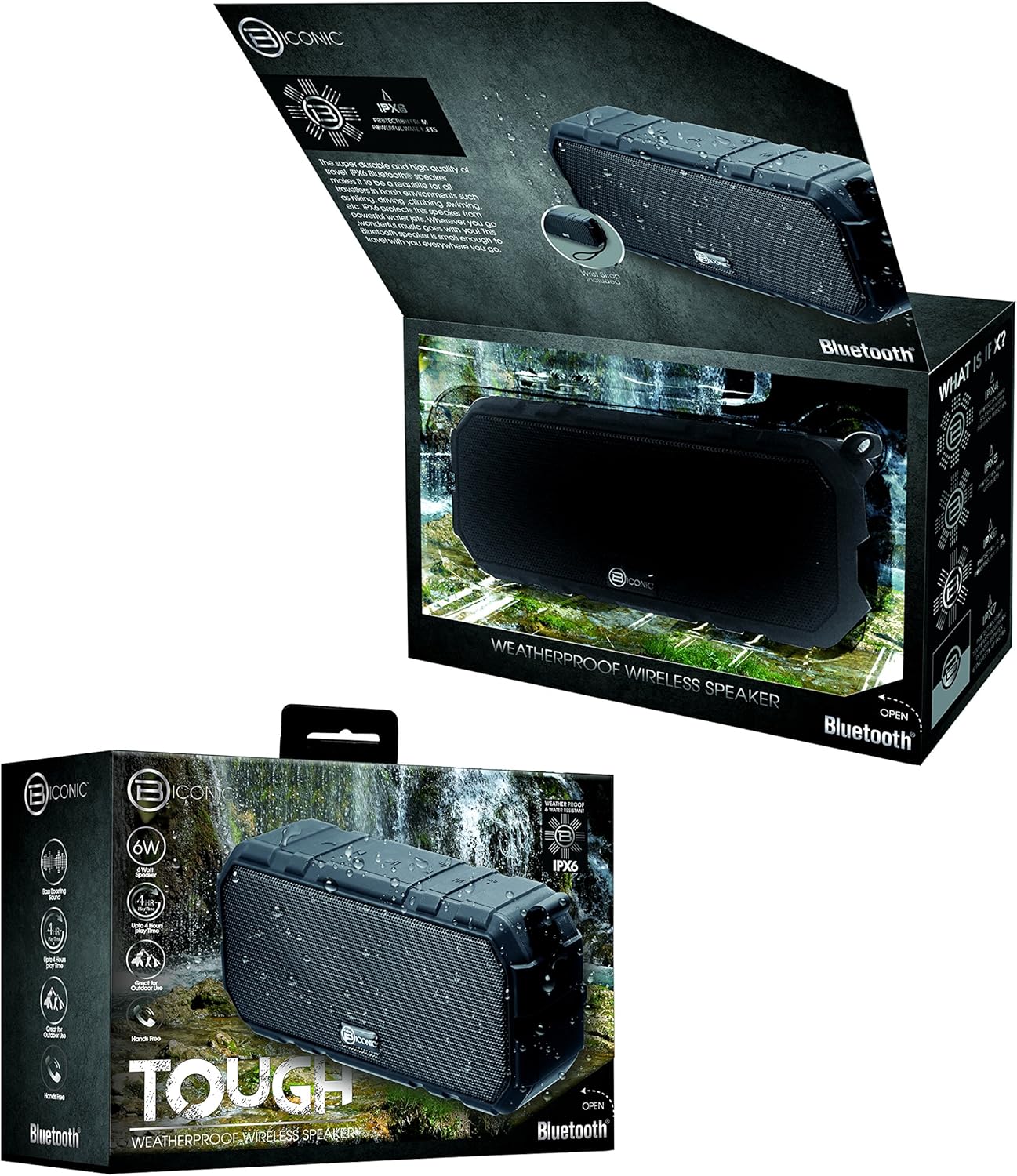
Figure 3.1: The Biconic Bluetooth Speaker shown with its retail packaging, indicating typical package contents.
4. Подешавање
4.1 Пуњење звучника
- Locate the charging port on the side of the speaker. This port is typically protected by a rubber flap to maintain water resistance.
- Отворите гумени поклопац.
- Повежите мањи крај приложеног УСБ кабла за пуњење са портом за пуњење звучника.
- Connect the larger end of the USB cable to a USB power source (e.g., computer USB port, USB wall adapter).
- The charging indicator light will illuminate, typically red, to show that the speaker is charging.
- Once fully charged (approximately 2-3 hours), the indicator light will change color (e.g., turn off or turn blue/green). Disconnect the charging cable and close the rubber flap securely to maintain water resistance.
4.2 Укључивање/искључивање
- За укључивање: Press and hold the Power button (usually marked with a power symbol) for a few seconds until you hear an audible tone or see an indicator light illuminate.
- За искључивање: Press and hold the Power button again for a few seconds until you hear an audible tone or the indicator light turns off.
5. Упутство за употребу
5.1 Блуетоотх упаривање
Before first use, you need to pair the speaker with your Bluetooth-enabled device.
- Ensure the speaker is fully charged and powered on. It will automatically enter pairing mode, indicated by a flashing blue LED light.
- On your smartphone, tablet, or other Bluetooth device, go to the Bluetooth settings menu.
- Омогућите Блуетоотх ако већ није омогућен.
- Scan for available devices. You should see "Biconic Speaker" or a similar name appear in the list.
- Select "Biconic Speaker" to connect. Once successfully paired, you will hear a confirmation tone, and the blue LED light on the speaker will stop flashing and remain solid.
- Ако се затражи лозинка, унесите „0000“.
- Звучник ће се аутоматски поново повезати са последњим упареним уређајем када се укључи, ако је уређај у домету и ако је Bluetooth омогућен.
5.2 Репродукција музике
Once paired, you can control music playback directly from your connected device or using the speaker's controls.
- Пусти/паузирај: Press the Play/Pause button (often marked with a triangle or || symbol) once to play or pause music.
- Појачавање звука: Press the Volume Up button (+) to increase the volume.
- Смањивање јачине звука: Press the Volume Down button (-) to decrease the volume.
- Следећа нумера: Press and hold the Volume Up button (+) for a few seconds to skip to the next track.
- Претходни запис: Press and hold the Volume Down button (-) for a few seconds to go to the previous track.

Слика 5.1: Врх view of the Biconic Bluetooth Speaker, highlighting the control buttons for power, volume, and playback.
5.3 Answering Calls (Hands-Free Function)
The speaker supports hands-free calling when connected to a smartphone.
- Одговори на позив: When a call comes in, press the Play/Pause button once to answer.
- Заврши позив: During a call, press the Play/Pause button once to end the call.
- Одбиј позив: Притисните и држите дугме за репродукцију/паузирање неколико секунди да бисте одбили долазни позив.
6. Одржавање
Proper maintenance ensures the longevity and optimal performance of your speaker.
- Чишћење: Обришите звучник меком, дamp cloth. Do not use harsh chemicals, solvents, or abrasive cleaners. Ensure the charging port flap is closed before cleaning with a damp тканина.
- Складиштење: Чувајте звучник на хладном и сувом месту, даље од директне сунчеве светлости и екстремних температура када се не користи дуже време.
- Одржавање батерије: To preserve battery life, fully charge the speaker before storing it for long periods. Recharge every 3-6 months if not used regularly.
- Отпорност на воду: Always ensure the rubber flap covering the charging port is securely closed to maintain the IPX6 water resistance rating.

Figure 6.1: The Biconic Bluetooth Speaker demonstrating its water-resistant capabilities, highlighting the importance of proper sealing for maintenance.
КСНУМКС. Решавање проблема
| Проблем | Могући узрок | Решење |
|---|---|---|
| Звучник се не укључује. | Батерија је празна. | Потпуно напуните звучник. |
| Није могуће упарити са Блуетоотх уређајем. | Bluetooth is off on your device; speaker is not in pairing mode; device is too far. | Ensure Bluetooth is enabled on your device. Power off and on the speaker to re-enter pairing mode. Move device closer to the speaker (within 10 meters). Forget the device on your phone and try pairing again. |
| Нема звука или је јачина звука ниска. | Јачина звука на звучнику или уређају је прениска; звучник није повезан. | Increase volume on both the speaker and your connected device. Ensure the speaker is properly paired and connected. |
| Изобличење звука. | Volume too high; interference; low battery. | Reduce volume. Move speaker away from other electronic devices. Charge the speaker. |
8. Спецификације
| Феатуре | Детаљ |
|---|---|
| Број модела | ABC-AU-BS-103-BK |
| Бранд | Битецх |
| Технологија повезивања | Блуетоотх |
| Максимална излазна снага звучника | 3 Ваттс |
| Режим аудио излаза | Стерео |
| Оцена водоотпорности | IPX6 (Water resistant, not submersible) |
| Тип батерије | 1 литијум-јонска батерија (обавезно) |
| Плаи Тиме | До 4 сати |
| Димензије производа | 2.54 к 2.54 к 2.54 цм |
| Тежина артикла | 522 г |
| Тип монтаже | Таблетоп |
9. Гаранција и подршка
For warranty information and technical support, please contact Bytech customer service. Details are typically provided on the product packaging or the official Bytech webсајту.
Молимо вас да сачувате доказ о куповини за евентуалне рекламације у вези са гаранцијом.
Напомена: Гарантни услови могу се разликовати у зависности од региона.