
1. Увод
Thank you for choosing the 2BOOM HPBT500K Wireless Headphone System. This manual provides essential information for the proper setup, operation, and maintenance of your new headphones. Please read it thoroughly before use to ensure optimal performance and longevity of the product.
The HPBT500K headphones offer a wireless audio experience with a built-in microphone for hands-free calling, enhanced bass sound, and comfortable wear.
2. Шта је у кутији
- 2BOOM HPBT500K Wireless Headphone
- УСБ кабл за пуњење
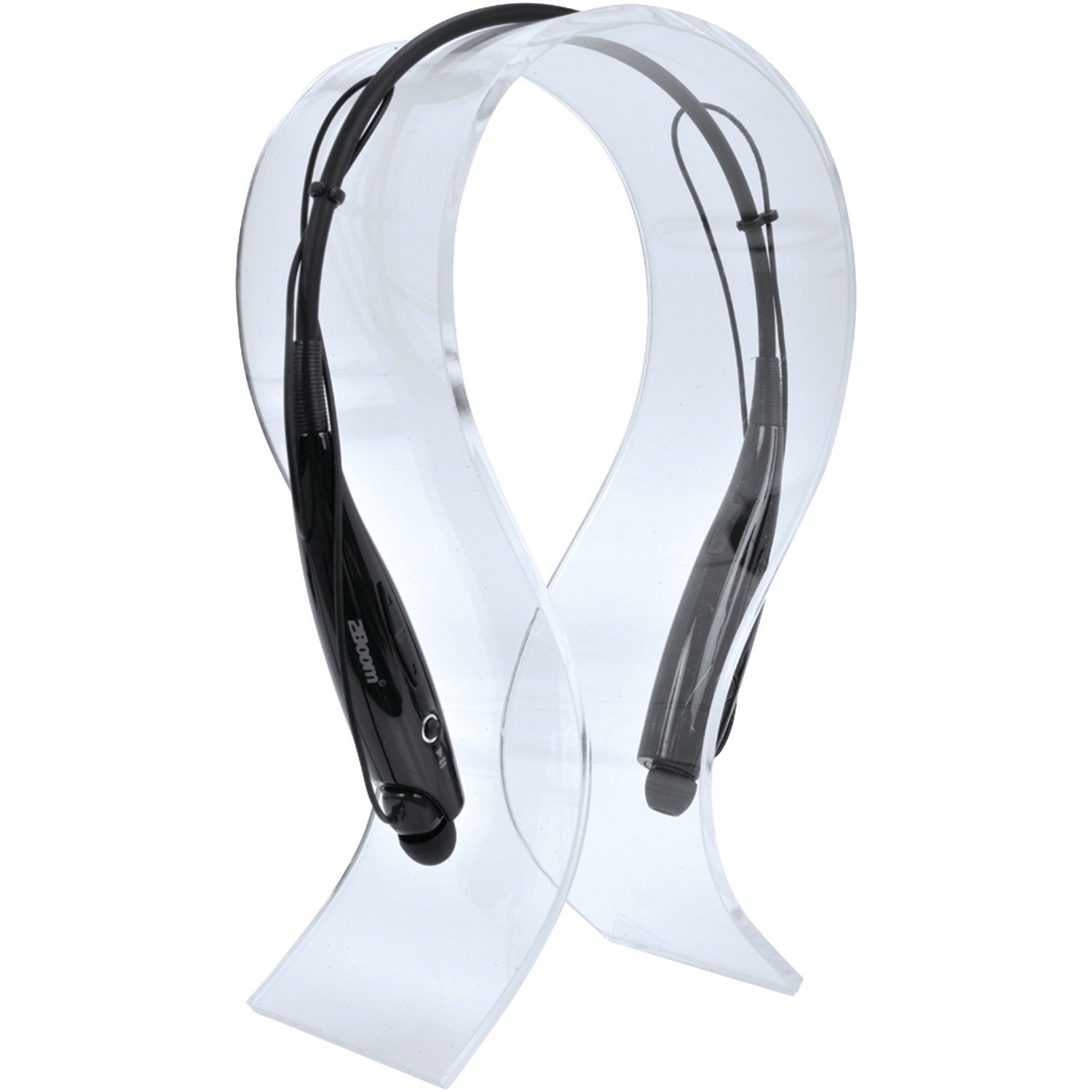
Image: The 2BOOM HPBT500K Wireless Headphone, showcasinг његов дизајн.
Image: The included USB charging cable for the headphones.
3. Производ је готовview
Familiarize yourself with the various parts and controls of your HPBT500K headphones.

Слика: Са стране view of the 2BOOM HPBT500K Wireless Headphone, highlighting control buttons and ports.
Контроле и индикатори:
- Дугме за напајање: Used to turn the headphones on/off and for pairing.
- Појачавање/следећа нумера: Increases volume or skips to the next song.
- Смањивање јачине звука/претходна нумера: Decreases volume or goes to the previous song.
- Вишефункционално дугме (MFB): Play/Pause, Answer/End Call.
- микрофон: За комуникацију без употребе руку.
- ЛЕД индикатор: Приказује статус напајања, режим упаривања и статус пуњења.
- Мицро УСБ порт за пуњење: За повезивање кабла за пуњење.
4. Пуњење слушалица
Before first use, fully charge your headphones. A full charge typically takes about 2-3 hours.
- Connect the small end of the USB charging cable to the Micro USB charging port on your headphones.
- Connect the larger end of the USB charging cable to a USB power source (e.g., computer USB port, USB wall adapter). Ensure the power source provides DC 5V.
- The LED indicator will illuminate during charging and change color or turn off once charging is complete.
Напомена: Не користите пуњаче са вол.tage higher than DC 5V, as this may damage the headphones.
5. Setup and Bluetooth Pairing
Follow these steps to pair your HPBT500K headphones with your Bluetooth-enabled device.
- Укључено: Press and hold the Power button on the headphones until the LED indicator flashes, usually alternating blue and red, indicating pairing mode.
- Активирајте Блуетоотх: On your smartphone, tablet, or other Bluetooth device, go to the Bluetooth settings and ensure Bluetooth is turned on.
- Тражи Уређаји: Your device will scan for available Bluetooth devices.
- Select 'HPBT500K': From the list of found devices, select 'HPBT500K'.
- Потврдите упаривање: Once paired, the LED indicator on the headphones will typically flash blue slowly or remain solid blue, and your device may confirm the connection.
The operating distance for Bluetooth connectivity is up to 33 feet (10 meters) in an open environment. Obstacles may reduce this range.
6. Упутство за употребу
Репродукција музике:
- Пусти/паузирај: Притисните једном вишефункционално дугме (MFB).
- Следећа нумера: Притисните и држите дугме за појачавање јачине звука.
- Претходни запис: Притисните и држите дугме за смањивање јачине звука.
- Појачавање звука: Press the Volume Up button briefly.
- Смањивање јачине звука: Press the Volume Down button briefly.
Music playback time is up to 3 hours on a full charge.
Хандс-фрее позивање:
- Одговори на позив: Притисните МФБ једном када примите позив.
- Заврши позив: Притисните МФБ једном током позива.
- Одбиј позив: Притисните и држите МФБ око 2 секунде када примите позив.
- Поновно бирање последњег броја: Двапут притисните МФБ.
Talk time is up to 3 hours on a full charge.
7. Одржавање
Да бисте осигурали дуготрајност и оптималне перформансе ваших слушалица, пратите ова упутства за одржавање:
- Keep the headphones dry. Avoid exposure to moisture, rain, or liquids.
- Clean the headphones with a soft, dry cloth. Do not use harsh chemicals or abrasive cleaners.
- Чувајте слушалице на хладном и сувом месту, даље од екстремних температура.
- Избегавајте испуштање или излагање слушалица јаким ударцима.
- Не покушавајте да растављате или модификујете слушалице, јер ће то поништити гаранцију.
КСНУМКС. Решавање проблема
If you encounter issues with your HPBT500K headphones, refer to the following common problems and solutions:
- Слушалице се не укључују:
Ensure the headphones are fully charged. Connect them to a power source using the provided USB cable. - Не могу да упарим уређај са:
Make sure Bluetooth is enabled on your device and the headphones are in pairing mode (LED flashing blue/red). Move the headphones closer to your device. Try turning both devices off and on again. - Нема звука или је јачина звука ниска:
Проверите нивое јачине звука и на слушалицама и на повезаном уређају. Уверите се да су слушалице правилно упарене. - Лош квалитет звука или прекиди везе:
Ensure there are no obstructions between the headphones and your device. Move closer to your device. Avoid environments with strong Wi-Fi or other wireless interference. - Микрофон не ради:
Ensure the headphones are properly connected and selected as the audio input device on your phone/computer.
9. Спецификације
| Феатуре | Спецификација |
|---|---|
| Блуетоотх верзија | 2.1 + ЕДР |
| Оперативна удаљеност | До 33 стопе (10 метара) |
| Време репродукције музике | До 3 сати |
| Талк Тиме | До 3 сати |
| Цхаргинг Инпут Волtage | ДЦ 5В |
| Време пуњења | Отприлике 2-3 сати |
| Излаз звучника | 2 к 40мВ |
| Уграђена батерија | 3.7В, 150мАх |
| Тежина артикла | 113 г |
| Димензије производа (ДкШкВ) | 23.11 к 16.76 к 3.81 цм |
| Укључене компоненте | Headphone with charging cable |
| Контролни метод | Додирните |
| Посебне карактеристике | Лаган, микрофон укључен |
10. Гаранција и подршка
For warranty information or technical support, please refer to the documentation provided at the time of purchase or contact 2BOOM customer service. Keep your proof of purchase for warranty claims.