
1. Увод
The Tunturi Functional Fitness Interval Timer is designed to assist you in various fitness activities, including CrossFit, Tabata, and general interval training. This device functions as both an interval timer and a stopwatch, offering customizable settings for your workout routines. Please read this manual thoroughly to ensure proper use and to maximize the benefits of your timer.
2. Безбедносне информације
Observe the following safety guidelines to prevent damage to the device or personal injury:
- Држите уређај даље од воде и прекомерне влаге.
- Не излажите уређај екстремним температурама или директној сунчевој светлости током дужег периода.
- Use only the specified battery type (1x AAA 1.5V).
- Приликом уметања водите рачуна о исправном поларитету батерије.
- Уклоните батерије ако се уређај неће користити дужи период.
- Не покушавајте сами да отворите или поправите уређај. За помоћ контактирајте корисничку подршку.
- Одложите батерије и уређај у складу са локалним прописима.
3. Садржај пакета
Проверите да ли су све ставке присутне у пакету:
- Tunturi Functional Fitness Interval Timer (Model 14TUSCF036)
- Кориснички приручник (овај документ)
- 1x AAA 1.5V Battery (may be pre-installed or included separately)
4. Производ је готовview
Familiarize yourself with the components of your interval timer.
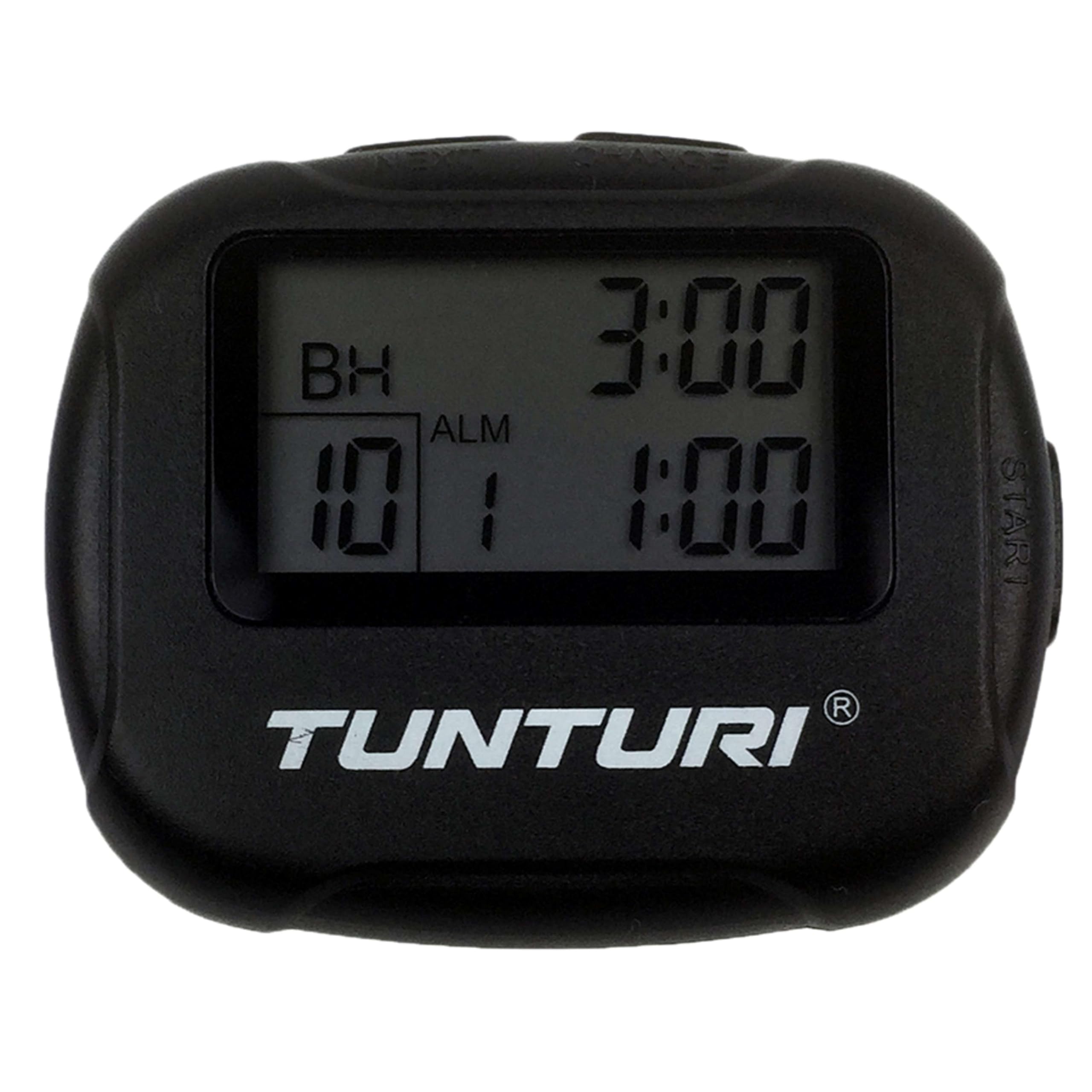
Слика 4.1: Фронт view of the Tunturi Interval Timer, displaying the screen and primary control buttons.
The timer features a clear digital display and intuitive buttons for navigation and setting adjustments. It includes a sturdy clip for attachment to clothing or equipment.

Слика 4.2: Сиде view of the timer, showing the robust clip for secure attachment.
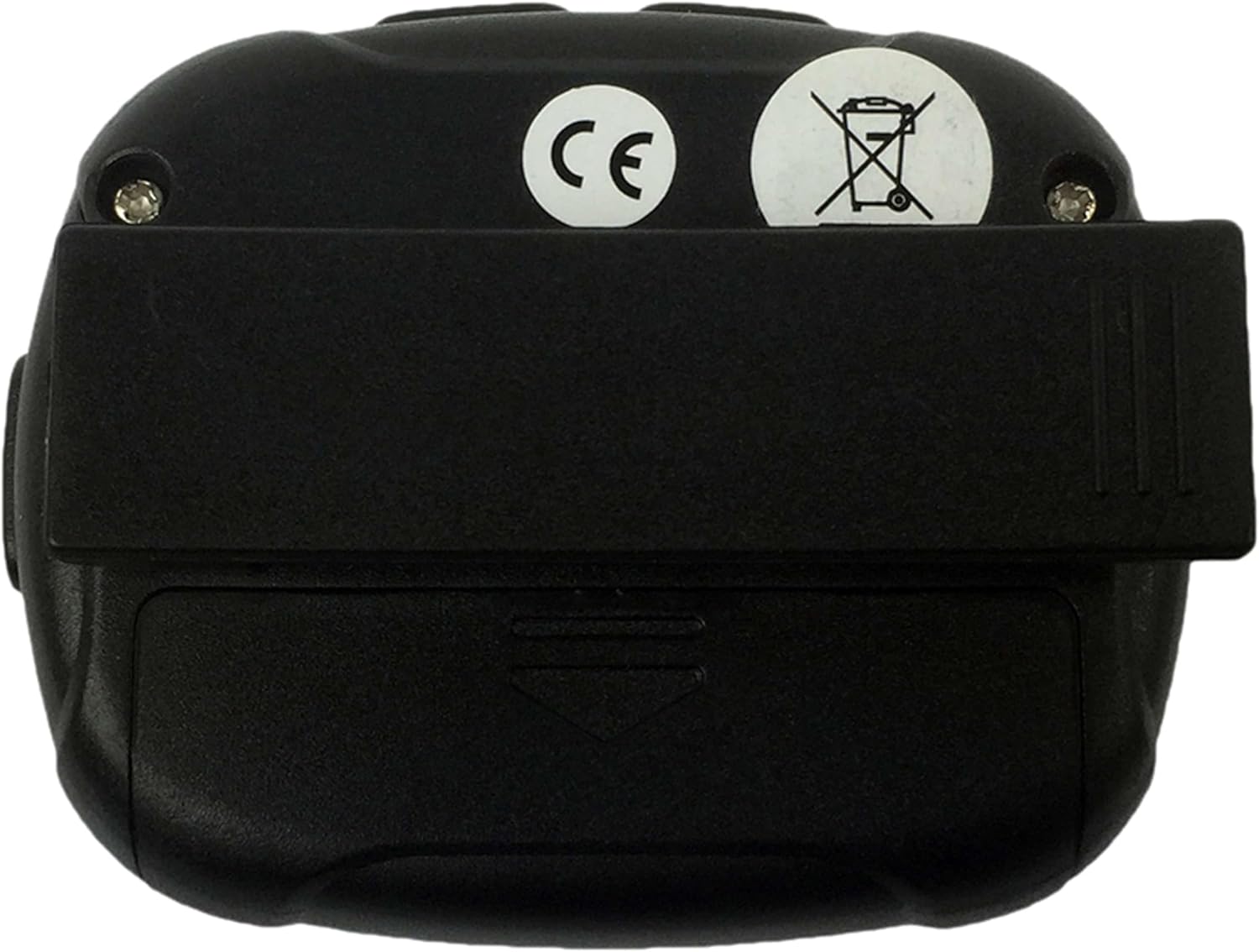
Слика 4.3: Позади view of the timer, illustrating the battery compartment cover and the clip's pivot point.
Функције дугмета:
- НАЧИН: Switches between Interval Timer mode and Stopwatch mode. Also used to confirm settings.
- СТАРТ СТОП: Initiates or pauses the timer/stopwatch.
- ГОРЕ (▲): Increases values during setting adjustments.
- ДОЛЕ (▼): Decreases values during setting adjustments.
5. Подешавање
5.1 Инсталација батерије
- Locate the battery compartment on the back of the timer (refer to Figure 4.3).
- Use a small screwdriver or coin to gently open the battery cover.
- Insert one AAA 1.5V battery, ensuring the correct polarity (+/-) as indicated inside the compartment.
- Replace the battery cover and secure it firmly.
- The timer should power on automatically or can be turned on using the MODE button.
6. Упутство за употребу
6.1 Укључивање/искључивање
- To power on, press any button. The timer will typically display the last used mode or a default setting.
- The timer will automatically enter a low-power sleep mode after a period of inactivity to conserve battery. Press any button to wake it up.
6.2 Setting Interval Timer Mode
- Притисните тастер МОДЕ button repeatedly until "TIMER" or a similar indicator for interval mode is displayed.
- Притисните и држите МОДЕ button to enter setting mode. The first adjustable parameter (e.g., Workout Time) will flash.
- Користите ГОРЕ (▲) и ДОЛЕ (▼) buttons to adjust the desired workout duration (up to 99 minutes 59 seconds).
- Притисните МОДЕ to confirm and move to the next setting (e.g., Rest Time).
- Adjust the rest duration using ГОРЕ (▲) и ДОЛЕ (▼).
- Притисните МОДЕ to confirm and move to the number of repetitions (2-99).
- Adjust the number of repetitions using ГОРЕ (▲) и ДОЛЕ (▼).
- Притисните МОДЕ to confirm all settings and exit setting mode.
- Притисните СТАРТ/СТОП to begin the interval sequence. The timer will count down the workout time, then the rest time, and repeat for the set number of repetitions.
- During an interval, press СТАРТ/СТОП to pause, and press again to resume.
- Да ресетујете тајмер, притисните и држите СТАРТ/СТОП док је паузирао.
6.3 Using Stopwatch Mode
- Притисните тастер МОДЕ button repeatedly until "STOPWATCH" or a similar indicator is displayed. The display should show 00:00:00.
- Притисните СТАРТ/СТОП to begin timing. The stopwatch will count up.
- Притисните СТАРТ/СТОП поново да бисте паузирали штоперицу.
- Да бисте наставили, притисните СТАРТ/СТОП.
- To reset the stopwatch to zero, press and hold СТАРТ/СТОП while it is paused.
6.4 Alarm and Vibration
The timer provides an audible alarm or vibration to signal the end of an interval or a completed request. Specific settings for alarm/vibration may be available in the setup menu, typically toggled using the UP/DOWN buttons when the alarm icon is flashing during setup.
7. Одржавање
7.1 Чишћење
- Wipe the timer with a soft, dry cloth.
- За тврдокорну прљавштину користите мало дamp крпом и благим сапуном, а затим добро осушите.
- Не користите абразивна средства за чишћење, раствараче или јаке хемикалије.
7.2 Складиштење
- Store the timer in a cool, dry place away from direct sunlight.
- Ако складиштите дуже време, извадите батерију да бисте спречили цурење.
КСНУМКС. Решавање проблема
| Проблем | Могући узрок | Решење |
|---|---|---|
| Тајмер се не укључује. | Dead or incorrectly inserted battery. | Check battery polarity. Replace battery with a fresh AAA 1.5V battery. |
| Екран је слаб или трепери. | Ниска снага батерије. | Replace battery with a fresh AAA 1.5V battery. |
| Дугмад не реагују. | Device frozen or battery issue. | Remove and reinsert the battery. If problem persists, replace battery. |
| Interval settings do not save. | Settings not confirmed correctly. | Ensure you press the MODE button to confirm each setting and exit the setting mode. |
9. Спецификације
- Бренд: Тунтури
- Модел: 14TUSCF036
- Боја: Црно
- Материјал: Гума
- Извор напајања: 1x AAA 1.5V Battery
- Max Interval Time: 99 минута 59 секунди
- Понављања: 2-99
- Интервали: 1-2 (Workout/Rest)
- ГТИН (глобални број трговинске јединице): 08717842025994
- ASIN: B01MXM3GW7
10. Гаранција
Tunturi products are manufactured to high-quality standards. This product comes with a standard manufacturer's warranty against defects in materials and workmanship. Please refer to the warranty card included with your purchase or visit the official Tunturi webсајт за детаљне услове гаранције специфичне за ваш регион.
11. Подршка
For technical assistance, troubleshooting beyond this manual, or warranty claims, please contact Tunturi customer support. Contact information can typically be found on the official Tunturi webсајту или на паковању вашег производа.
Webсајт: ввв.тунтури.цом
Please have your model number (14TUSCF036) and purchase date ready when contacting support.