
Увод
The Altec Lansing IMW478s Mini Life Jacket-3 is a rugged, portable Bluetooth speaker designed for various environments. It features a durable construction that is waterproof, sandproof, snowproof, dustproof, and shockproof, and it floats on water. This speaker offers up to 16 hours of battery life and includes an onboard power bank for charging other devices. It also supports hands-free calls via its integrated microphone and offers True Universal Wireless Stereo pairing for an enhanced audio experience.
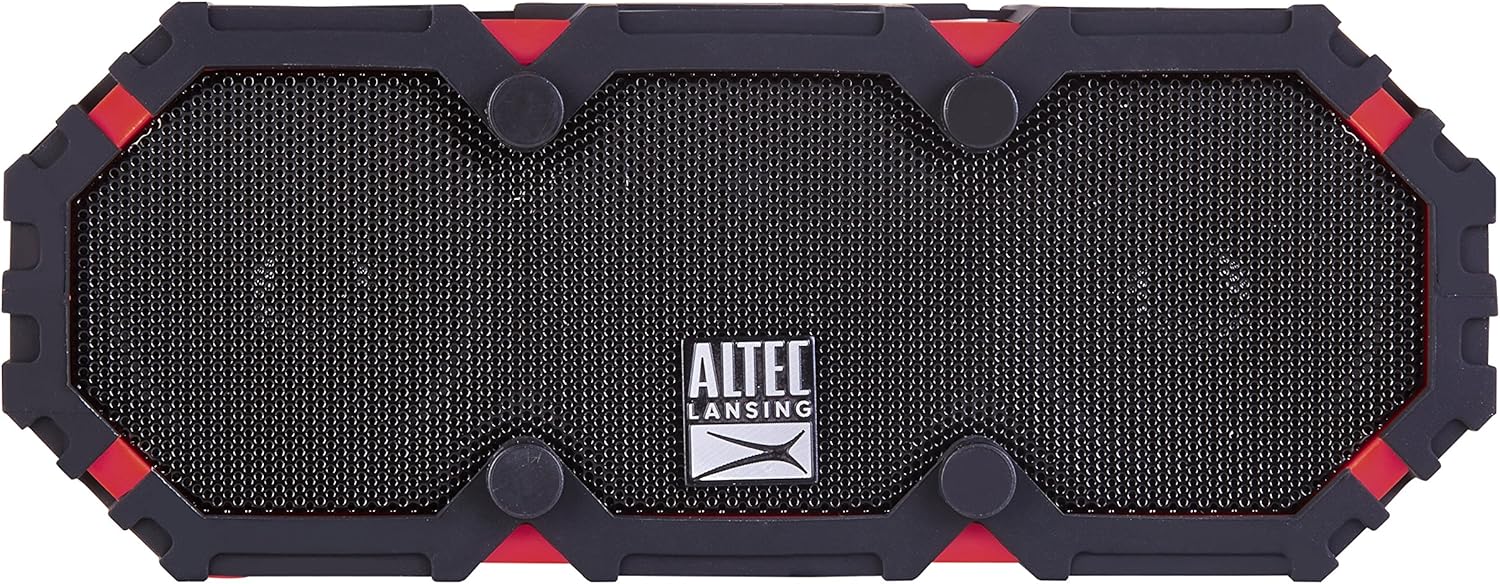
Слика 1: Предња страна view of the Altec Lansing IMW478s Mini Life Jacket-3 Bluetooth Speaker.
Садржај пакета
- Altec Lansing IMW478s Mini Life Jacket-3 Bluetooth Speaker
- Носач
- УСБ кабл за пуњење
- АУКС Цабле

Figure 2: The Altec Lansing IMW478s Mini Life Jacket-3 Bluetooth Speaker in its retail packaging, showing included accessories.
Сетуп
1. Пуњење звучника
Before initial use, fully charge the speaker. Connect the supplied USB charging cable to the DC IN 5V port on the speaker and the other end to a USB power adapter (not included) or a computer's USB port. The charging indicator light will illuminate during charging and turn off when fully charged.
2. Укључивање/искључивање
- Да бисте укључили: Притисните и држите дугме за напајање (O) located on the top of the speaker until you hear an audible tone.
- Да бисте искључили напајање: Притисните и држите дугме за напајање (O) again until you hear an audible tone.

Слика 3: Врх view of the speaker, highlighting the power and control buttons.
3. Блуетоотх упаривање
- Ensure the speaker is powered on and in pairing mode. The Bluetooth indicator light will flash.
- На паметном телефону или другом уређају који подржава Bluetooth, идите на подешавања Bluetooth-а.
- Select "IMW478s" from the list of available devices.
- Након упаривања, индикаторска лампица Bluetooth-а ће почети да светли континуирано и чућете звук потврде.
4. Монтирање звучника
The speaker includes a mounting bracket for attachment to various surfaces or equipment. Secure the bracket to the speaker and then attach it to your desired location, such as a bicycle handlebar or motorcycle frame.
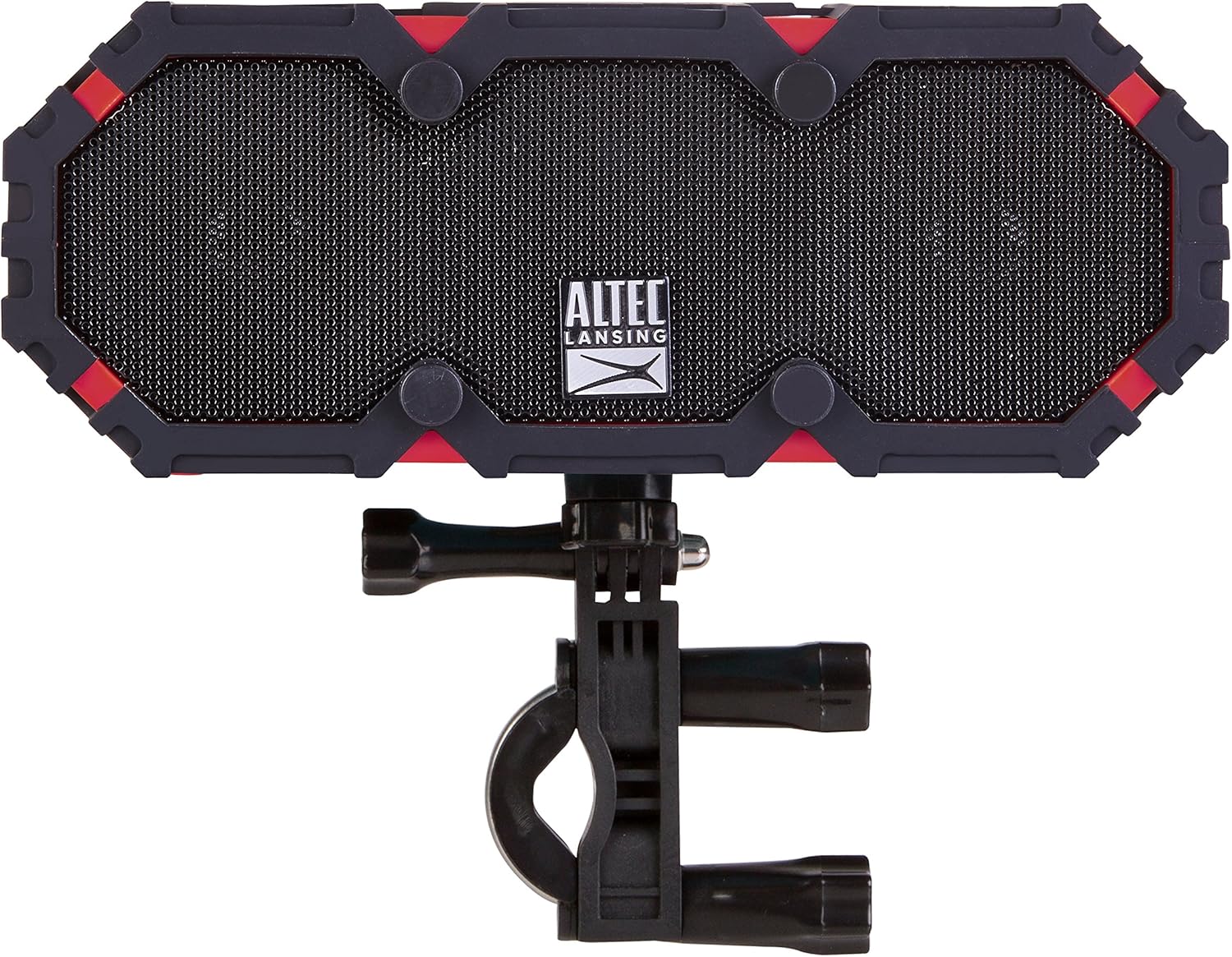
Figure 4: The speaker shown with the included mounting bracket.

Figure 5: The speaker mounted on a bicycle handlebar, demonstrating its portability.

Figure 6: The speaker mounted on a motorcycle, illustrating another mounting option.
Упутство за употребу
1. Репродукција звука
- Блуетоотх: Once paired, audio from your device will stream wirelessly to the speaker. Use your device's volume controls or the speaker's volume buttons (+ / -) to adjust the sound level.
- АУКС улаз: Connect one end of the supplied AUX cable to the AUX IN port on the speaker and the other end to the audio output of your device. The speaker will automatically switch to AUX mode.

Слика 7: Задња страна view of the speaker, showing the USB OUT, AUX IN, and DC IN ports.
2. Функционалност звучника
When connected via Bluetooth, the speaker can be used for hands-free calls. When a call comes in, the music will pause. Press the Play/Pause button (▶||) to answer or end a call. The integrated microphone will pick up your voice.
3. Using the Power Bank
The speaker features an onboard power bank. Connect your mobile device's charging cable to the USB OUT 5V port on the speaker to charge your device. This function is available even while the speaker is playing audio.
4. True Universal Wireless Stereo Pairing
For a stereo audio experience, two Altec Lansing IMW478s speakers can be paired together wirelessly. Refer to the specific instructions provided with your product for detailed steps on initiating True Universal Wireless Stereo pairing.
Одржавање
Чишћење
Обришите звучник меком, дamp cloth. Do not use harsh chemicals or abrasive cleaners. Ensure all port covers are securely closed before exposing the speaker to water or dust.
Складиштење
Store the speaker in a cool, dry place away from direct sunlight and extreme temperatures. If storing for an extended period, charge the battery periodically to maintain its lifespan.
Решавање проблема
- Speaker will not power on: Ensure the battery is charged. Connect the speaker to a power source using the USB charging cable.
- Не могу да упарим преко Bluetooth-а:
- Уверите се да је звучник у режиму упаривања (трепери Bluetooth индикатор).
- Уверите се да је Блуетоотх омогућен на вашем уређају.
- Приближите звучник свом уређају.
- Turn off and on both the speaker and your device, then attempt pairing again.
- Заборавите звучник са Блутут листе вашег уређаја и поново га упарите.
- Нема звука:
- Проверите нивое јачине звука и на звучнику и на повезаном уређају.
- Ensure the correct input source is selected (Bluetooth or AUX).
- Ако користите AUX, уверите се да је кабл потпуно уметнут и функционалан.
- Charging issues (speaker or external device):
- Verify the charging cable is securely connected.
- Покушајте са другим УСБ портом или адаптером за напајање.
- Ensure the speaker's battery has sufficient charge to power external devices.
If you encounter persistent issues, please refer to the support section for further assistance.
Спецификације
| Феатуре | Детаљ |
|---|---|
| Број модела | IMW478-DR |
| Технологија повезивања | Блуетоотх, помоћни, УСБ |
| Режим аудио излаза | Стерео |
| Спеакер Типе | Оутдоор |
| Ниво отпорности на воду | Водоотпоран (ИП67) |
| Извор напајања | Напаја се батеријама (1 литијум-полимерска батерија укључена) |
| Просечно трајање батерије | До 16 сати |
| Контролни метод | Додирните |
| Димензије производа | 6 к 8 к 2 инча |
| Тежина артикла | 1 фунта |
| Посебне карактеристике | Travel, Onboard Power Bank, Speakerphone, True Universal Wireless Stereo Pairing |
Информације о гаранцији
Altec Lansing products are covered by a limited warranty. Specific warranty terms and conditions, including duration and coverage details, are typically provided with your product at the time of purchase or can be found on the official Altec Lansing webсајт. Молимо вас да сачувате доказ о куповини за потребе гаранције.
Подршка
For additional support, frequently asked questions, or to contact customer service, please visit the official Altec Lansing website. You may also find helpful resources and product registration information there.
Webсајт: ввв.алтецлансинг.цом