
1. Важне информације о безбедности
Please read all instructions carefully before using the JFIT Under Desk & Stand Up Mini Elliptical. Retain this manual for future reference.
- Консултујте се са лекаром пре него што започнете било који програм вежбања.
- Ensure the elliptical is placed on a stable, level surface.
- Држите децу и кућне љубимце подаље од опреме током употребе.
- Do not stand on the elliptical when not in use.
- Wear appropriate footwear during exercise.
- Одмах престаните са вежбањем ако осетите слабост, вртоглавицу или бол.
- The maximum user weight capacity for this unit is 250 pounds (113 kg).
2. Производ је готовview
The JFIT Under Desk & Stand Up Mini Elliptical is designed for versatile use, allowing for both seated and standing exercise. It features a compact design, adjustable resistance, and a monitor to track your progress.

Figure 2.1: JFIT Under Desk & Stand Up Mini Elliptical, showcasing its dual-use design for both standing and seated positions.
Кључне карактеристике:
- Adjustable Pedals: Unique design allows for comfortable use while seated or standing.
- Компактан дизајн: Easily fits under most desks and can be stored conveniently.
- Magnetic Tension Dial: Provides adjustable resistance for varied workout intensity.
- Series 1050 Monitor: Прати време, брзину, пређену удаљеност и потрошене калорије.
- Преносивост: Equipped with a top handle for easy carrying and front rollers for movement.
3. Подешавање и монтажа
The JFIT Mini Elliptical requires minimal assembly. All necessary tools are typically included.
- Распакивање: Пажљиво извадите све компоненте из паковања. Уверите се да су сви делови присутни према листи паковања.
- Склоп базе: Attach any separate base components or stabilizers as instructed in the included quick-start guide.
- Причвршћивање педале: Secure the pedals to the main unit if they are not pre-attached. Ensure they are firmly tightened.
- Monitor Battery Installation: The Series 1050 Monitor requires batteries (not always included). Open the battery compartment, insert the correct battery type (e.g., LR44), and close the compartment.
- Пласман: Position the elliptical on a flat, stable surface. For optimal stability and to prevent movement during use, consider placing a mat underneath the unit.

Figure 3.1: The JFIT Mini Elliptical highlighting its molded top handle for carrying and front rollers for easy movement.
4. Упутство за употребу
4.1 Seated Use
Place the elliptical under your desk or in front of your chair. Ensure there is enough clearance for your knees and the elliptical's movement. Sit comfortably and place your feet on the pedals.
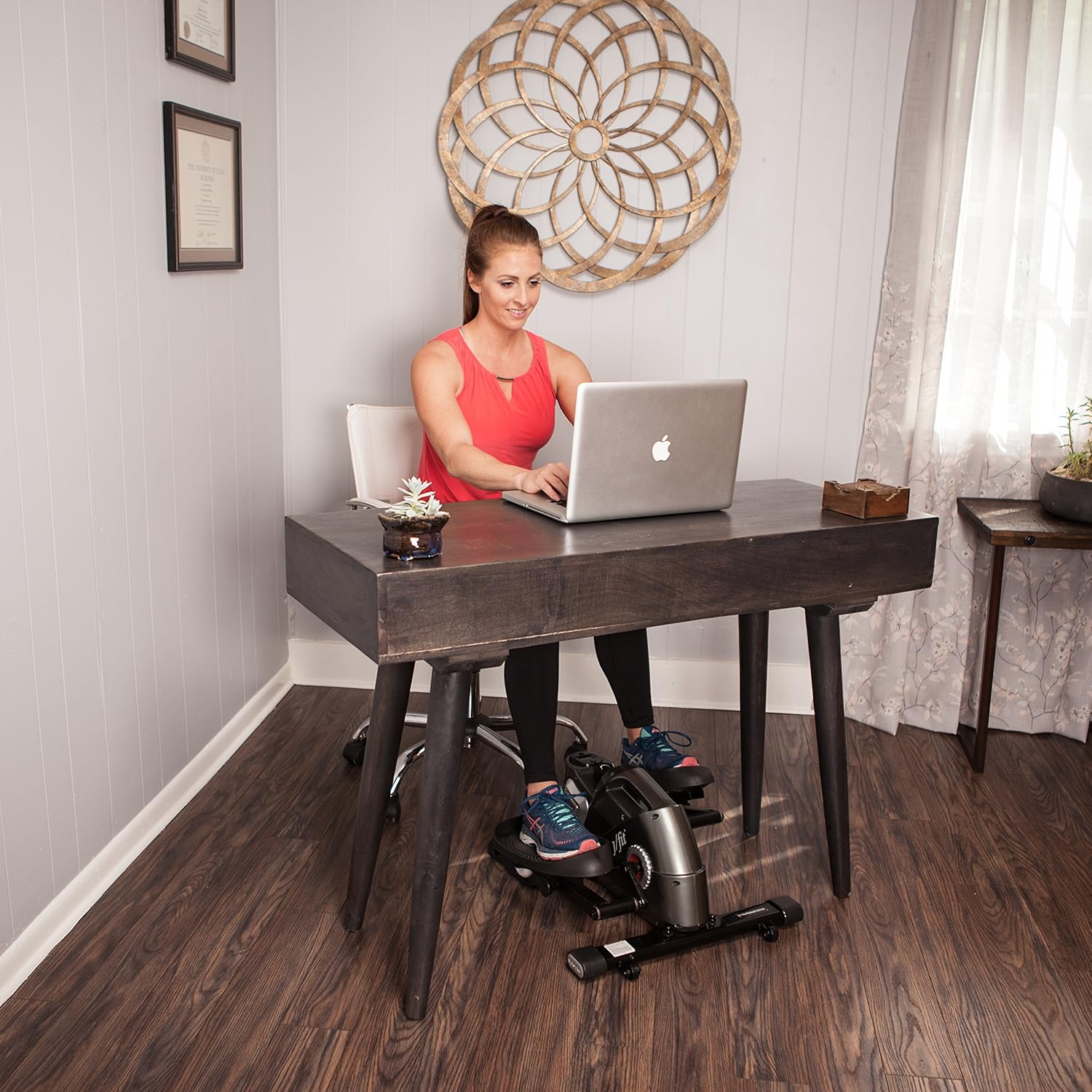
Figure 4.1: User engaging with the JFIT Mini Elliptical in a seated position under a desk.
4.2 Standing Use
Position the elliptical on a stable surface. Carefully step onto the pedals, ensuring your balance. You may use a nearby stable object for support if needed. Begin pedaling at a comfortable pace.

Figure 4.2: User engaging with the JFIT Mini Elliptical in a standing position.
4.3 Подешавање отпора
The elliptical features a magnetic tension dial. Turn the dial clockwise to increase resistance for a more challenging workout, and counter-clockwise to decrease resistance for an easier pace.
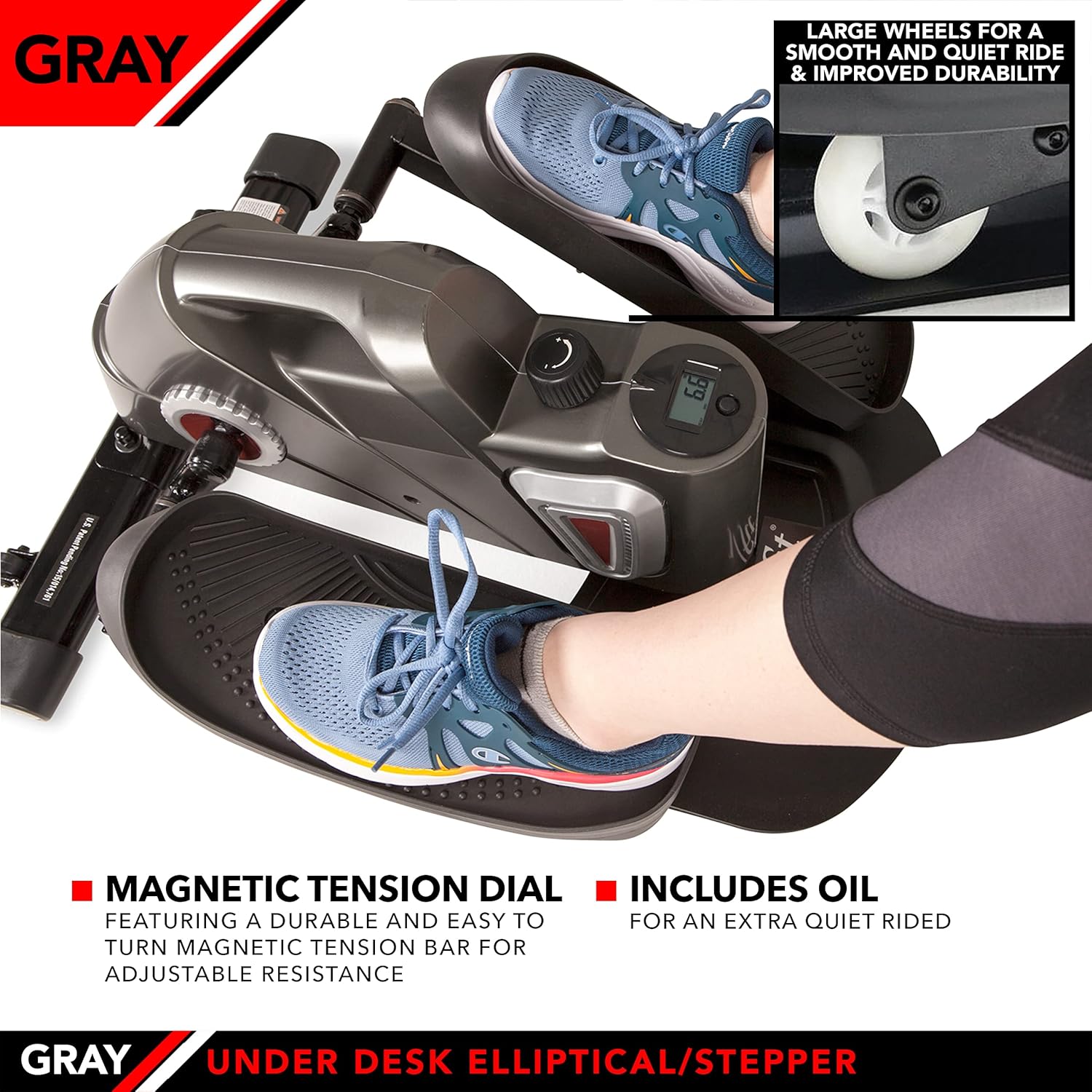
Figure 4.3: Detail of the magnetic tension dial for adjusting workout intensity and the large wheels designed for smooth operation.
4.4 Using the Series 1050 Monitor
The integrated Series 1050 Monitor displays key workout metrics:
- време: Трајање вашег тренинга.
- брзина: Тренутна брзина педалирања.
- Удаљеност: Процењена пређена удаљеност.
- Сагореле калорије: Estimated calories expended during your session.
Refer to the monitor's specific instructions for navigating between display modes and resetting values.
5. Одржавање
Regular maintenance ensures the longevity and optimal performance of your elliptical.
- Чишћење: Обришите јединицу огласомamp крпом након сваке употребе да бисте уклонили зној и прашину. Избегавајте абразивна средства за чишћење.
- подмазивање: If the unit develops squeaking noises, apply a small amount of penetrating lubricant to moving parts, particularly around the pedal axles and internal mechanisms. Use lubricant sparingly.
- Батерија монитора: Replace the monitor battery (LR44) when the display becomes dim or stops functioning.
- Складиштење: Store the elliptical in a cool, dry place away from direct sunlight and extreme temperatures. The top handle facilitates easy transport and storage.

Figure 5.1: The JFIT Mini Elliptical being carried by its integrated top handle, demonstrating its portability.
КСНУМКС. Решавање проблема
- Шкрипави звук: If the elliptical makes a squeaking sound, apply a small amount of lubricant to the moving joints and axles. Ensure all bolts are tightened.
- Монитор не приказује: Проверите да ли је батерија правилно инсталирана и да ли је довољно напуњена. Замените батерију ако је потребно.
- Јединица клизи током употребе: Ensure the elliptical is on a non-slip surface. A rubber mat placed underneath can improve stability.
- Отпор се не мења: Verify that the tension dial is functioning correctly and is not obstructed.
7. Спецификације
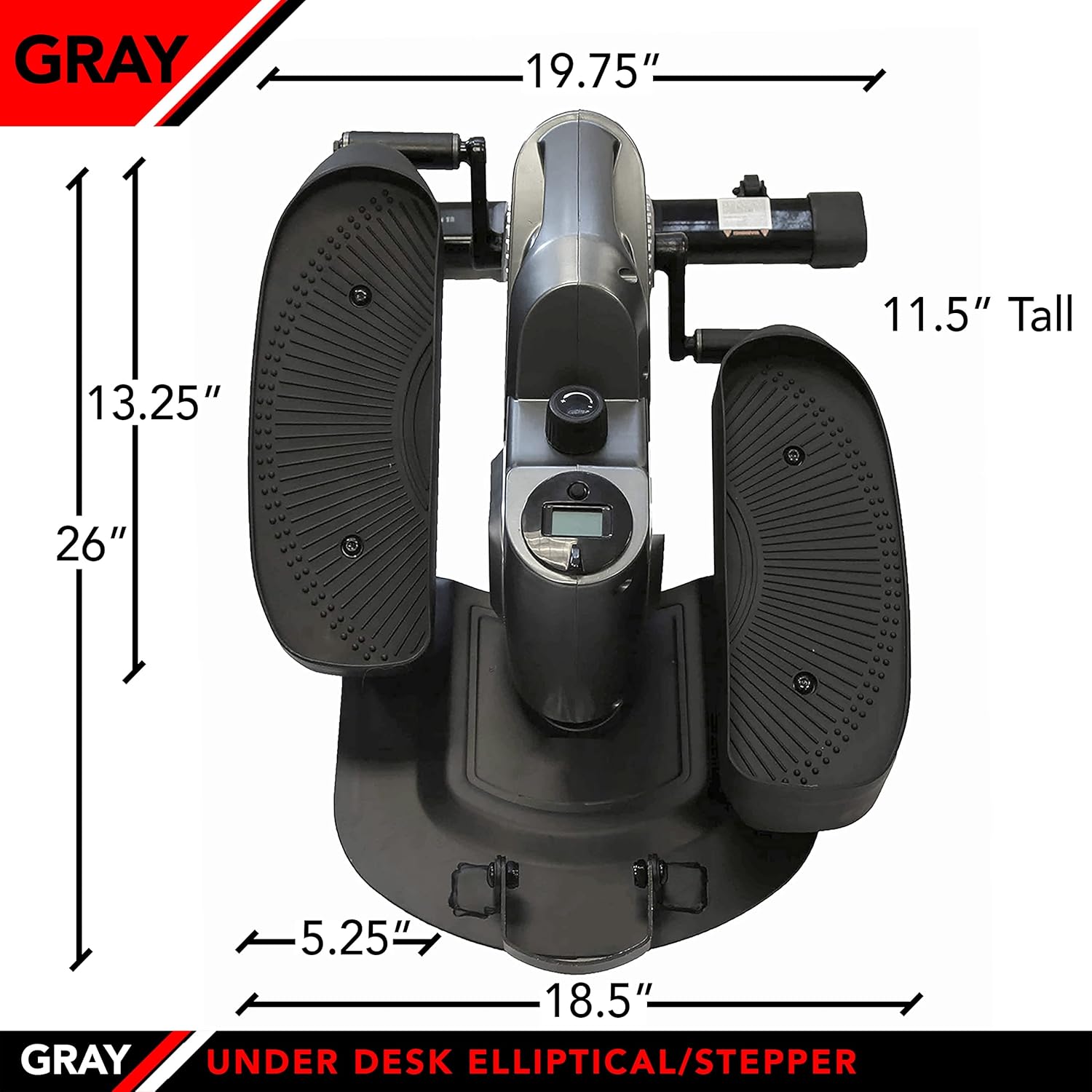
Figure 7.1: The JFIT Mini Elliptical with key dimensions indicated for reference.
| Феатуре | Детаљ |
|---|---|
| Број модела | J-ELLPEW |
| Димензије производа | КСНУМКС к КСНУМКС к КСНУМКС цм (КСНУМКС к КСНУМКС к КСНУМКС инча) |
| Тежина артикла | 14.65 кг (32.3 лбс) |
| Максимални капацитет тежине | 250 фунти |
| Материјал | Метал |
| Боја | Певтер |
| Величина екрана | 2 инча |
| Функције мерача | Calories Burned, Distance, Speed, Time |
| УПЦ | 818020000579 |
8. Гаранција и подршка
For warranty information or technical support, please refer to the documentation provided at the time of purchase or contact JFIT customer service directly. Keep your proof of purchase for warranty claims.