
1. Производ је готовview
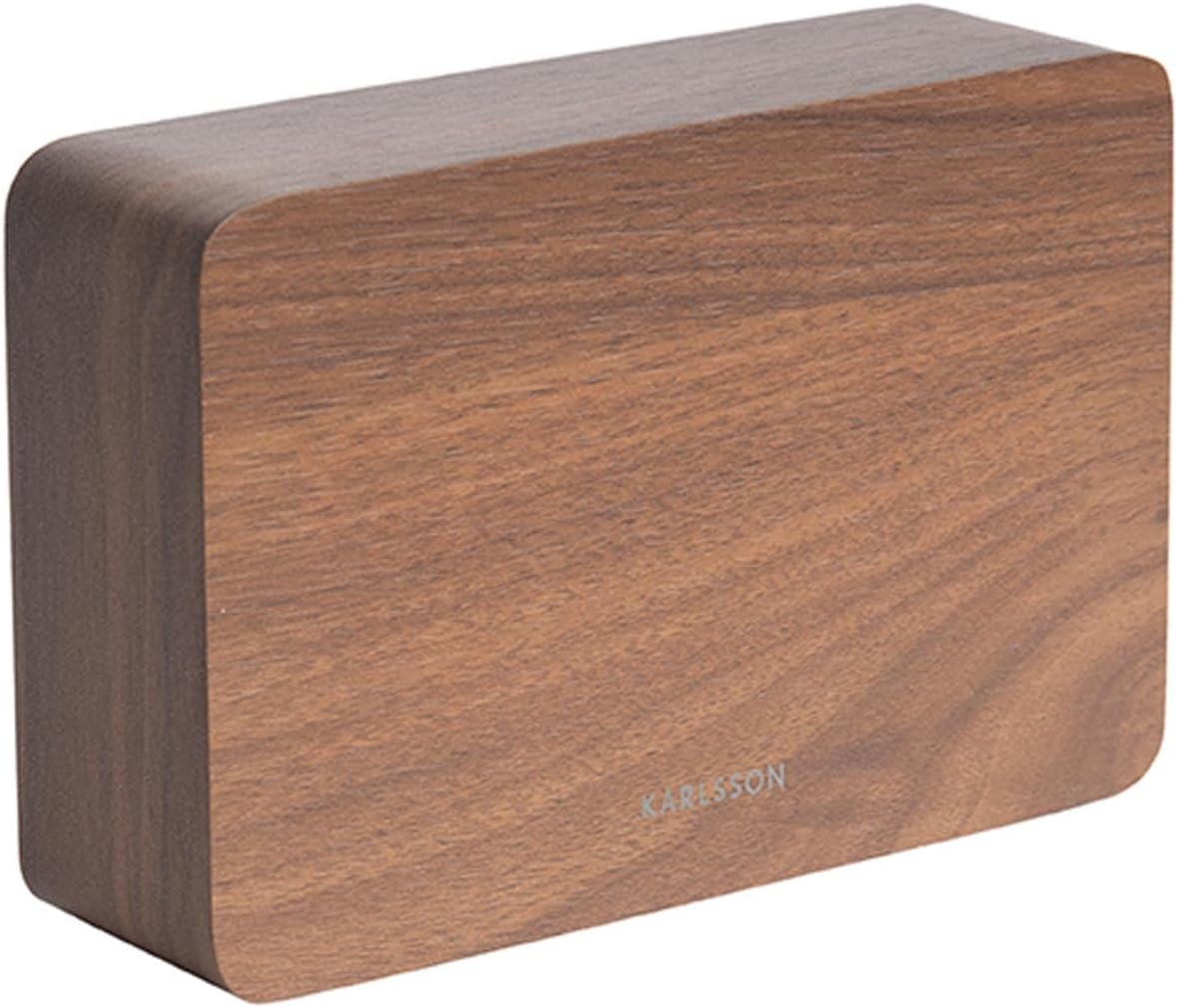
The Karlsson LED Alarm Clock KA5653DW is a stylish and functional timepiece designed to display time and temperature. Crafted from wood, its LED display illuminates through the material, offering a clear view of information. This clock features multiple alarm settings and an energy-saving mode.

Слика 1: Предња страна view of the Karlsson LED Alarm Clock KA5653DW.
2. Садржај пакета
- Karlsson LED Alarm Clock KA5653DW
- Упутство за употребу
Напомена: 1 AA battery is required for operation and is not included.
3. Подешавање
3.1 Инсталација батерије
- Пронађите одељак за батерије на задњој страни будилника.
- Отворите поклопац одељка за батерије.
- Уметните 1 АА батерију, водећи рачуна о исправном поларитету (+/-).
- Добро затворите поклопац одељка за батерије.
Слика 2: Позади view of the alarm clock, indicating control buttons and battery compartment.
3.2 Почетно укључивање
Upon successful battery installation, the LED display will illuminate, showing the current time and temperature.
4. Упутство за употребу
The alarm clock features several buttons, typically located on the back or bottom, for setting time, alarms, and other functions. Refer to the labels on your device for specific button identification (e.g., SET, UP, DOWN, ALARM).
4.1 Подешавање времена
- Притисните тастер СЕТ дугме једном да бисте ушли у режим подешавања времена. Цифре за сате ће трептати.
- Користите UP or ДОВН дугмад за подешавање сата.
- Притисните СЕТ поново да бисте потврдили сат и прешли на подешавање минута. Цифре за минуте ће трептати.
- Користите UP or ДОВН дугмад за подешавање минута.
- Притисните СЕТ a third time to confirm the minutes and exit time setting mode.
4.2 Setting Alarms (Up to 3 Alarms)
The clock supports setting up to three independent alarms (AL1, AL2, AL3).
- Притисните тастер АЛАРМ button repeatedly to cycle through AL1, AL2, AL3, and alarm off modes.
- Када се прикаже жељени аларм (нпр. AL1), притисните и држите АЛАРМ дугме док цифре сати не почну да трепћу.
- Користите UP or ДОВН buttons to set the alarm hour.
- Притисните АЛАРМ again to confirm the hour and move to minute setting.
- Користите UP or ДОВН buttons to set the alarm minutes.
- Притисните АЛАРМ a third time to confirm the alarm and exit setting mode.
- Да бисте активирали или деактивирали аларм, притисните дугме АЛАРМ button briefly until the alarm indicator (e.g., AL1) appears or disappears from the display.
4.3 Приказ температуре
The clock automatically detects and displays the ambient room temperature. The temperature reading updates approximately every 60 seconds.
4.4 Режим за уштеду енергије
To conserve battery life and prevent light disturbance during the night, the clock features an energy-saving mode that turns off the LED display.
- To activate energy-saving mode: Locate the ПОВЕР САВЕ or similar button/switch (refer to your device's specific markings). Press or toggle it to turn off the display.
- To reactivate the display: Press any button, or make a sound (some models feature sound activation). The display will light up for a few seconds before turning off again.
5. Одржавање
- Чишћење: Wipe the clock surface with a soft, dry cloth. Avoid abrasive cleaners or solvents.
- Замена батерије: Replace the AA battery when the display dims or functions become erratic. Always use a fresh, high-quality AA battery.
- Складиштење: Ако складиштите сат дуже време, извадите батерију да бисте спречили цурење.
КСНУМКС. Решавање проблема
| Проблем | Могући узрок | Решење |
|---|---|---|
| Екран је затамњен или искључен. | Low battery or energy-saving mode is active. | Replace the AA battery. Press any button to temporarily activate the display if in energy-saving mode. |
| Аларм се не оглашава. | Аларм није активиран или је погрешно подешен. | Ensure the alarm indicator (AL1, AL2, or AL3) is visible on the display. Verify the alarm time is set correctly. |
| Time or temperature is incorrect. | Time needs adjustment or temperature sensor interference. | Reset the time as per section 4.1. Ensure the clock is not placed near heat sources or vents for accurate temperature readings. |
| Difficulty setting time/alarms. | Unfamiliarity with controls. | Carefully follow the steps in section 4.1 and 4.2. Practice the button presses. |
7. Спецификације
| Феатуре | Детаљ |
|---|---|
| Број модела | ПТГ-КА5653ДВ |
| Бранд | Карлсон |
| Дисплаи Типе | Дигитал ЛЕД |
| Материјал | Дрво |
| Димензије (Д к Ш к В) | 10 к 3.81 к 2 цм |
| Тежина | 310 грама |
| Извор напајања | 1 к АА батерија (није укључена) |
| Посебне карактеристике | Time display, Temperature display, Up to 3 Alarms, Energy-saving mode |
| Употреба | Индоор |
8. Гаранција и подршка
For warranty information and customer support, please refer to the documentation provided with your purchase or visit the official Karlsson webсајт. Сачувајте доказ о куповини за евентуалне рекламације по гаранцији.