
Увод
Welcome to your new Targus Compact Wireless Mouse. This manual provides essential information for proper setup, operation, and maintenance of your device. Please read these instructions carefully before use.
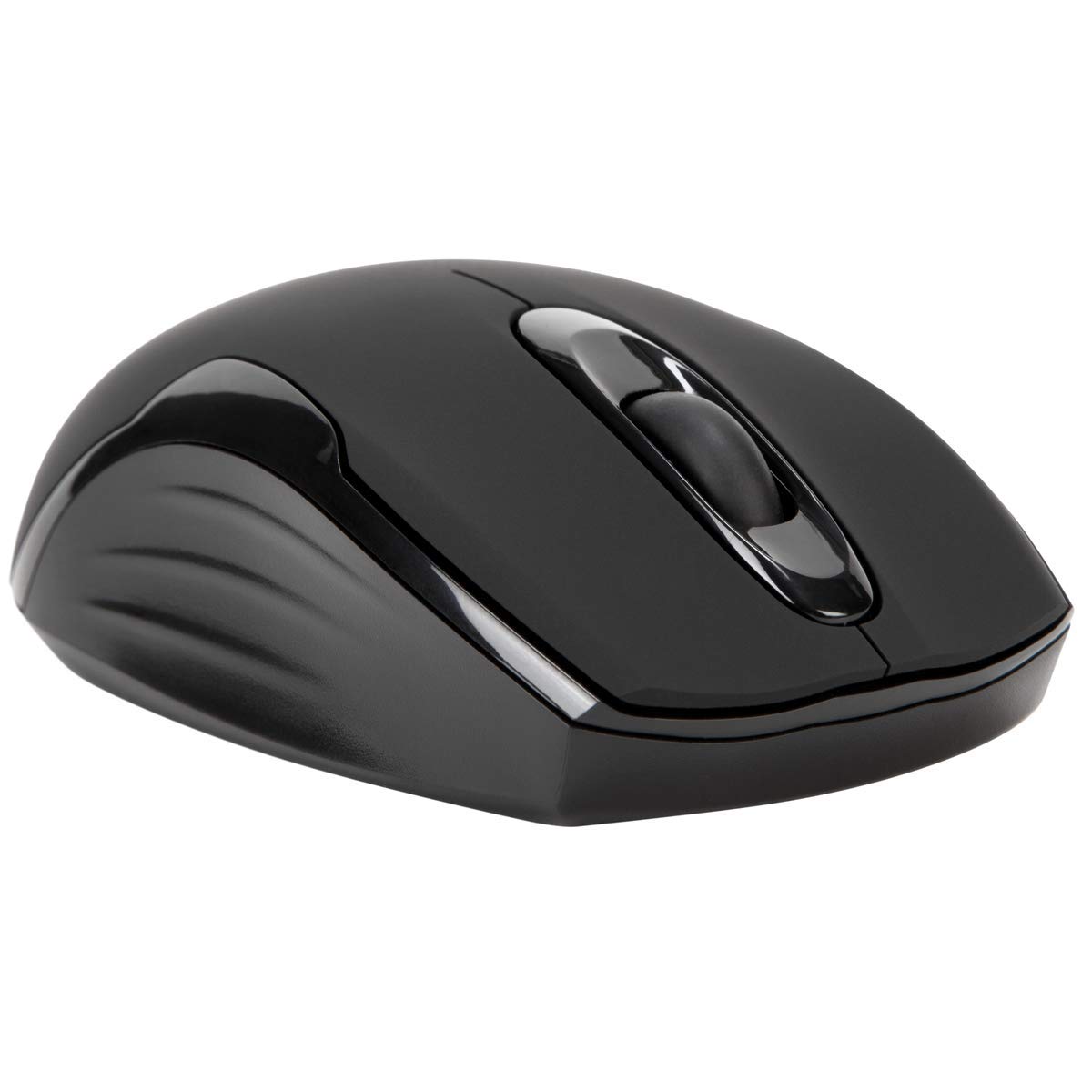
Садржај пакета
- Targus Compact Wireless Mouse
- УСБ пријемник
- 1 к АА батерија
- Упутство за употребу (овај документ)
Сетуп
1. Инсталирајте батерију
Locate the battery compartment on the underside of the mouse. Insert the provided 1 x AA battery, ensuring correct polarity (+/-). Close the battery compartment cover securely.

2. Повежите УСБ пријемник
Remove the USB receiver from its storage compartment, typically located near the battery. Plug the USB receiver into an available USB port on your computer.


3. Укључите напајање
Turn on the mouse using the power switch, usually located on the underside. The mouse should automatically connect to the receiver, and you can begin using it.
Операција
Основне функције
- Леви клик: Use for primary selection, opening items, and activating functions.
- Десни клик: Access contextual menus and additional options.
- Точак за померање: Крећите се по документима и web pages vertically. Pressing the scroll wheel typically functions as a middle-click.
Blue Trace Technology
The Targus Compact Wireless Mouse features Blue Trace Technology, which allows it to track accurately on a wider variety of surfaces compared to standard optical mice, including glass, granite, and wood.
ДПИ осетљивост
The mouse is equipped with a 1,600 DPI (Dots Per Inch) optical sensor, providing a precise and responsive cursor movement for various tasks.
Одржавање
Замена батерије
When the mouse performance degrades or if it stops responding, it may be time to replace the AA battery. The average battery life is approximately 6 months, but this can vary based on usage.
Чишћење
За чишћење миша користите меку, суву крпу. За тврдокорну прљавштину, благо дamp cloth can be used, ensuring no moisture enters the internal components. Avoid using harsh chemicals, solvents, or abrasive cleaners, as these can damage the mouse's surface or internal parts.
Складиштење USB пријемника
For convenient transport or storage, the USB receiver can be securely stored inside a dedicated compartment within the mouse itself. This helps prevent loss of the small receiver.
Решавање проблема
Миш не реагује
- Ensure the mouse is powered on using the switch on its underside.
- Check the battery level and replace the AA battery if necessary.
- Проверите да ли је УСБ пријемник безбедно прикључен на исправан УСБ порт на рачунару.
- Покушајте да прикључите УСБ пријемник на други УСБ порт на рачунару.
- Restart your computer to refresh the connection.
Неправилно кретање курсора
- Очистите оптички сензор на доњој страни миша меком, сувом крпом.
- Ensure the surface you are using the mouse on is clean, flat, and suitable for optical tracking. Avoid highly reflective or transparent surfaces.
- Move the mouse closer to the USB receiver to reduce potential wireless interference.
Проблеми са повезивањем
The mouse uses 2.4 GHz wireless technology designed for stable connection. If you experience persistent connectivity issues, try to minimize other wireless devices operating in close proximity that might cause interference.
Спецификације
| Бранд | Таргус |
| Назив модела | AMW575TT |
| Технологија повезивања | USB (Wireless 2.4 GHz) |
| Откривање покрета | Optical (Blue Trace Technology) |
| Количина дугмета | 3 |
| Оријентација руке | Амбидектроус |
| Компатибилни уређаји | Universal (Windows® 10/8.1/8/7/Vista/XP/2000, Mac OS® X 10.6-10.12.4) |
| Извор напајања | Battery Powered (1 AAA battery required, included) |
| Mouse Maximum Sensitivity | 1600 Dots per Inch (DPI) |
| Домет | 33.0 стопа (10 метра) |
| Просечан век трајања батерије | 6 месеци |
| Тежина артикла | 0.14 фунти |
| Димензије артикла (Д к Ш) | 4.4 cm D x 2.3 cm Š |
| Материјал кућишта | Пластика |
| Додатне карактеристике | 128-bit AES-CCM encryption |
Гаранција и подршка
Информације о гаранцији
This Targus product is covered by a 1-годишња гаранција произвођачаМолимо вас да сачувате доказ о куповини за евентуалне рекламације у вези са гаранцијом. Гаранција покрива недостатке у материјалу и изради при нормалној употреби.
Корисничка подршка
For further assistance, technical support, or to inquire about warranty services, please visit the official Targus website or contact their customer service department. Contact information can typically be found on the Targus webсајту.
Напомена: Упозорење о Предлогу 65: Овај производ може да садржи хемикалије за које је држава Калифорнија утврдила да изазивају рак и урођене мане или друге репродуктивне штете.