
1. Увод
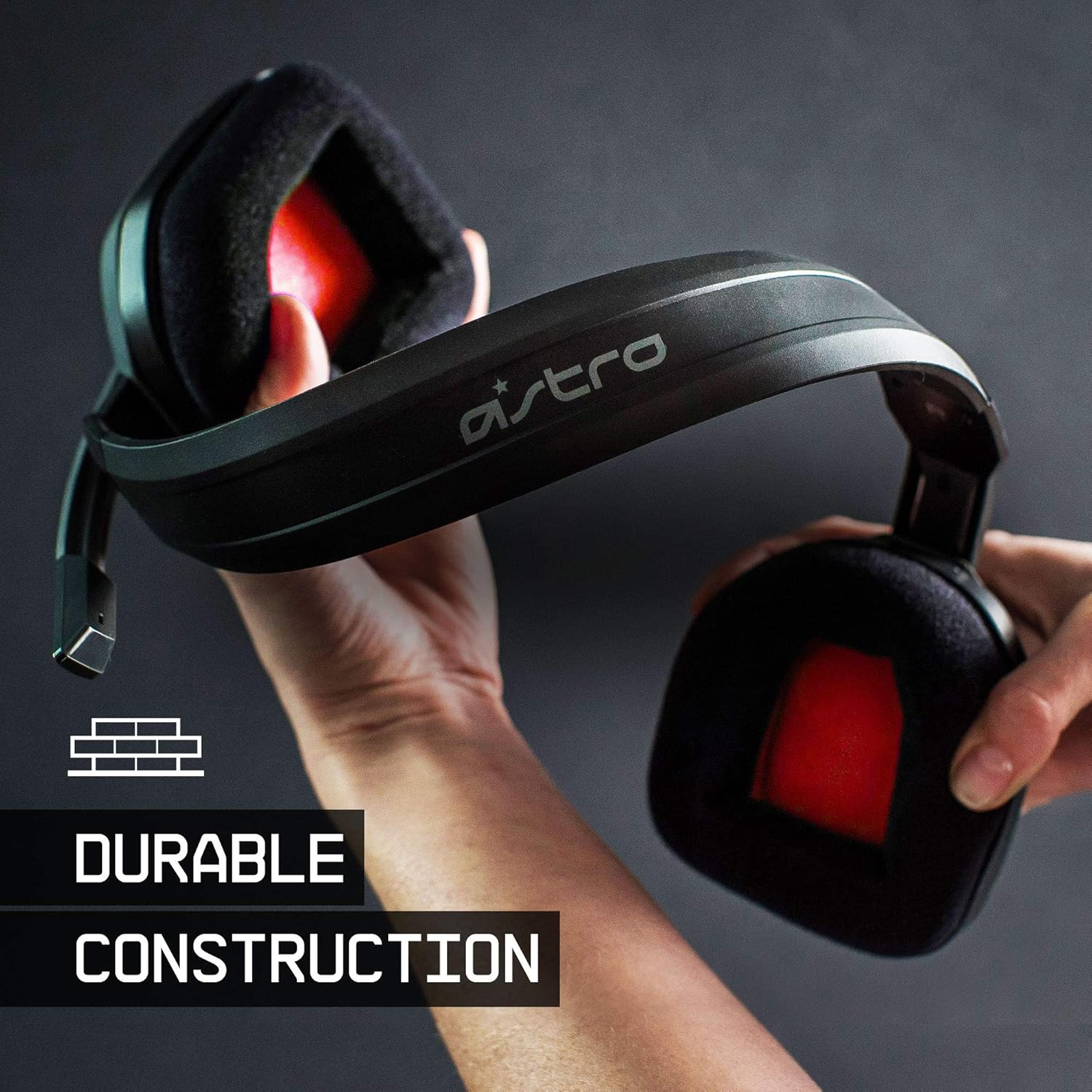
The ASTRO Gaming A10 Headset is engineered for gaming, offering durable construction and extended comfort for prolonged use. It features ASTRO Audio for clear and precise sound, an omnidirectional microphone with flip-up mute functionality, and in-line volume control for a comprehensive audio experience.
2. Шта је у кутији
Upon unboxing your ASTRO Gaming A10 Headset, you should find the following components:
- ASTRO Gaming A10 Headset
- A10 Volume Cable (3.5mm jack)

3. Карактеристике производа
- Трајност: The A10 Headset is constructed with a durable headband made of anodized aluminum and a damage-resistant polycarbonate blend, designed to withstand rigorous use.
- удобност: Featuring extended comfort memory foam ear-cushions, the headset is designed to minimize fatigue during long gaming sessions.
- Комуникација: An omnidirectional microphone with flip-up mute functionality and in-line volume control ensures clear communication with teammates.
- Квалитет звука: Tuned with ASTRO Audio, the A10 delivers immersive and accurate audio, providing low latency and precise voice communication.
- Компатибилност: The headset is compatible with multiple platforms including PS5, PC/MAC, XBOX SERIES X|S, NINTENDO SWITCH, VR, and streaming devices.



4. Упутства за подешавање
- Connect the A10 Volume Cable: Insert the smaller end of the A10 Volume Cable into the 3.5mm port located on the left earcup of the ASTRO A10 Headset. Ensure it is securely connected.
- Повежите се са уређајем: Plug the larger end of the A10 Volume Cable into the 3.5mm headphone jack on your gaming controller (e.g., Xbox, PlayStation), PC, Mac, Nintendo Switch, or other compatible device.
- Подесите јачину звука: Use the in-line volume control wheel on the A10 Volume Cable to adjust the audio level to your preference.
- Позиција микрофона: Lower the microphone boom arm to activate the microphone. Position it appropriately for clear voice capture.

5. Упутство за употребу
Употреба микрофона (окретање за искључивање звука)
The ASTRO A10 Headset features a convenient flip-to-mute microphone. To activate the microphone, simply lower the boom arm into the speaking position. To mute the microphone, flip the boom arm upwards until it clicks into the vertical position. This action instantly mutes your voice input.
Контрола јачине звука
Adjust the audio volume using the in-line control wheel located on the A10 Volume Cable. Rotate the wheel upwards to increase volume and downwards to decrease volume.
6. Компатибилност
The ASTRO Gaming A10 Headset is designed for broad compatibility across various gaming and media platforms:
- Плејстејшн 5 (ПС5)
- Плејстејшн 4 (ПС4)
- Ксбок Сериес Кс|С
- Ксбок Оне
- Нинтендо Свитцх
- PC
- Мац
- VR devices
- Уређаји за стриминг
- Most mobile phones and tablets with a 3.5mm jack

7. Одржавање
- Чишћење: Користите меку, суву крпу за чишћење слушалица. Избегавајте употребу јаких хемикалија или абразивних материјала.
- Складиштење: Чувајте слушалице на хладном и сувом месту, даље од директне сунчеве светлости и екстремних температура.
- Нега каблова: Избегавајте оштре кривине или прекомерно повлачење кабла како бисте спречили оштећења.
- Јастучићи за уши: Периодично проверавајте да ли су јастучићи за уши похабани. Заменски јастучићи могу бити доступни од произвођача.
КСНУМКС. Решавање проблема
- No Audio / Low Audio:
- Ensure the 3.5mm cable is fully inserted into both the headset and the device.
- Check the in-line volume control and ensure it is turned up.
- Verify that the audio output settings on your device are correctly configured for the headset.
- Тестирајте слушалице са другим уређајем да бисте искључили проблем специфичан за уређај.
- Микрофон не ради:
- Ensure the microphone boom arm is fully lowered into the speaking position (not flipped up for mute).
- Check the microphone input settings on your device to ensure the headset microphone is selected and not muted.
- Тестирајте микрофон помоћу друге апликације или уређаја.
- Static or Distorted Audio:
- Ensure the 3.5mm cable connections are secure and free from debris.
- Try using a different 3.5mm cable if available, to rule out a faulty cable.
- Reduce the volume on your device or headset if the audio is clipping.
9. Спецификације
| Феатуре | Детаљ |
|---|---|
| Бранд | АСТРО Гаминг |
| Назив модела | АСТРО Гејминг А10 |
| Број модела | 939-001508 |
| Технологија повезивања | Виред |
| Прикључак за слушалице | 3.5 мм прикључак |
| Тежина артикла | 12.35 унци |
| Фреквенцијски опсег | 20 Hz - 20 kHz |
| Тип аудио драјвера | Динамички возач |
| Материјал кућишта | Алуминијум |
| Додатне карактеристике | Microphone Included, Volume Control |
| Компатибилни уређаји | PS5, PC/MAC, XBOX SERIES X|S, NINTENDO SWITCH, VR, STREAMING, most mobile phones, tablets |
10. Гаранција и подршка
The ASTRO Gaming A10 Headset comes with a Двогодишња гаранција произвођача. For warranty claims, technical support, or additional product information, please visit the official ASTRO Gaming webсајт или директно контактирајте њихову корисничку службу.
11. Видео снимци производа
ASTRO A10 Experience
Видео: Званична видео презентацијаasing the overall experience and key aspects of the ASTRO A10 Headset. This video provides a visual overview на дизајн и функционалност производа.