
1. Увод
This manual provides detailed instructions for the installation, operation, and maintenance of your CP Plus CP-UVR-0401E1-S 4 Channel Digital Video Recorder (DVR). This device is designed for surveillance applications, allowing you to record and manage video footage from up to four cameras. Please read this manual thoroughly before using the product to ensure proper and safe operation.
2. Безбедносне информације
- Напајање: Користите само наведени адаптер за напајање. Нетачна јачина звукаtagе може оштетити уређај и поништити гаранцију.
- вентилација: Ensure adequate ventilation around the DVR. Do not block ventilation openings.
- Окружење: Avoid exposing the DVR to extreme temperatures, humidity, dust, or direct sunlight.
- Руковање: Пажљиво рукујте уређајем. Избегавајте испуштање или излагање јаким вибрацијама.
- Сервисирање: Do not attempt to open or service the DVR yourself. Refer all servicing to qualified personnel.
3. Садржај пакета
Проверите да ли су све ставке присутне у пакету:
- CP Plus CP-UVR-0401E1-S 4 Channel DVR Unit
- Повер Адаптер
- УСБ миш
- Screws for Hard Disk Drive (HDD) Installation
- Водич за брзи почетак
4. Подешавање
4.1. Hard Disk Drive (HDD) Installation
The CP-UVR-0401E1-S DVR is supplied without a pre-installed hard disk drive. An HDD is required for recording video footage.
- Unscrew and remove the top cover of the DVR unit.
- Connect the SATA data cable and power cable from the DVR to the corresponding ports on your 3.5-inch SATA HDD.
- Secure the HDD to the bottom of the DVR chassis using the provided screws.
- Вратите горњи поклопац и причврстите га завртњима.
4.2. Повезивање камера
Connect your analog surveillance cameras to the BNC video input ports on the rear panel of the DVR. The DVR supports up to 4 cameras.
4.3. Connecting a Monitor
Connect a monitor to the DVR using either the VGA or HDMI output port on the rear panel. This allows you to view пренос уживо и конфигуришите подешавања.
4.4. Мрежна веза
За даљински viewing and network features, connect an Ethernet cable from your router or network switch to the LAN port on the DVR's rear panel.
4.5. Прикључак за напајање
Connect the provided power adapter to the DC 12V input port on the DVR, then plug the adapter into a power outlet. The DVR will power on automatically.
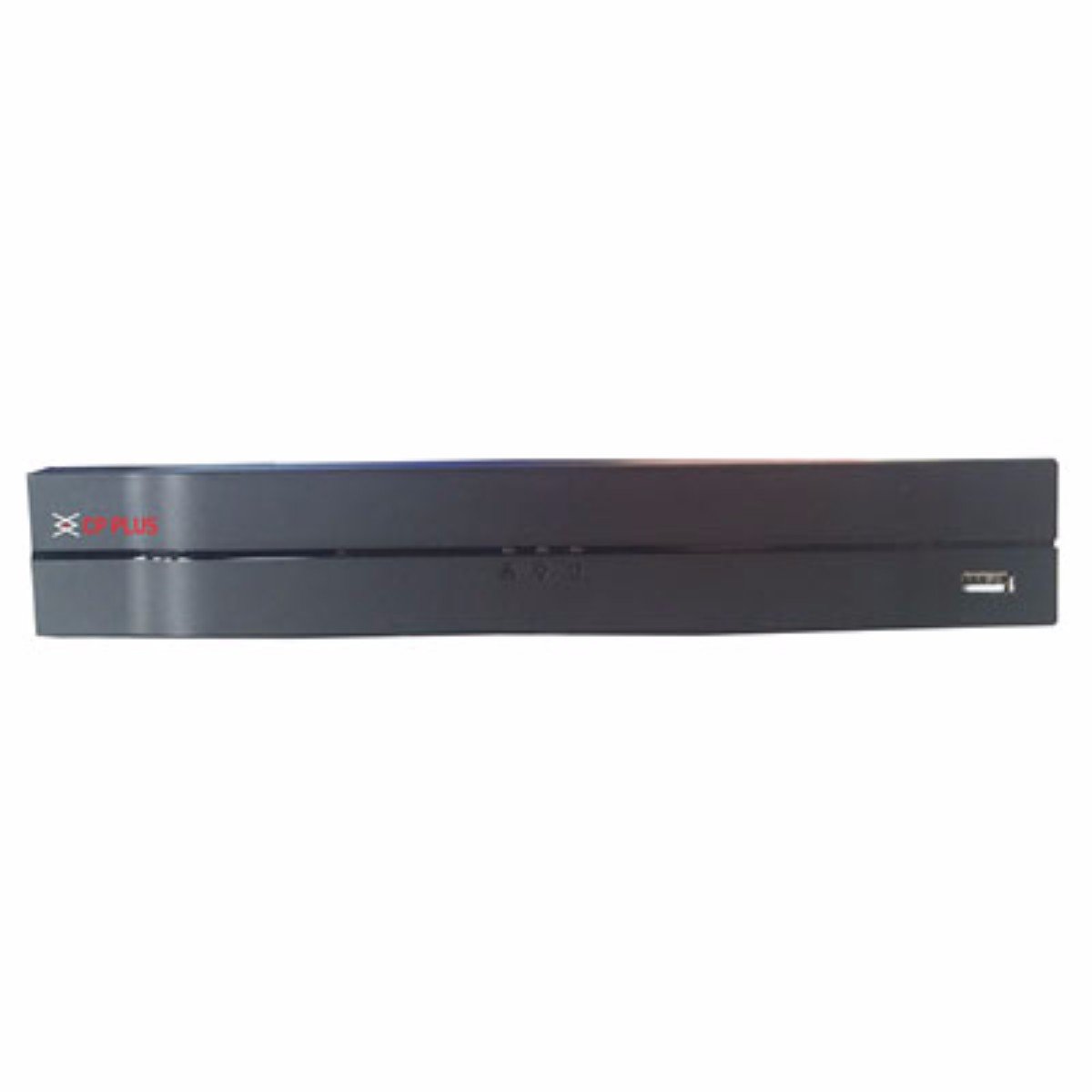
Слика: Фронт view of the CP Plus CP-UVR-0401E1-S 4 Channel DVR unit, showing its compact black design and front panel indicators.
5. Оперативни
5.1. Initial Boot and Setup Wizard
Upon first power-on, the DVR will guide you through an initial setup wizard. This typically includes setting the date/time, network configuration, and creating an administrator password. Follow the on-screen prompts.
5.2. Навигација корисничког интерфејса
Use the included USB mouse to navigate the DVR's graphical user interface (GUI). Right-click to access the main menu, and left-click to select options.
5.3. Ливе View
Након подешавања, DVR ће приказивати уживо view са повезаних камера. Можете пребацивати између режима са једном камером view и мрежа са више камера views.
5.4. Recording Configuration
Access the 'Record' settings from the main menu to configure recording schedules, motion detection, and other recording parameters for each camera. Ensure your HDD is formatted and recognized by the system.
5.5. Репродукција
То реview снимљено фооtage, select 'Playback' from the main menu. You can search for recordings by date, time, and camera channel. Use the playback controls to fast forward, rewind, and pause.
5.6. Network Access / Remote Viewинг
Configure network settings (IP address, port forwarding, or P2P cloud service) to enable remote access to your DVR via a web browser or mobile application. Refer to the DVR's network settings menu for specific options.
6. Одржавање
6.1. Редовно чишћење
Periodically clean the exterior of the DVR with a soft, dry cloth. Ensure ventilation openings are free from dust and debris to prevent overheating.
6.2. HDD Management
Regularly check the status of your Hard Disk Drive (HDD) through the DVR's system settings. Ensure there is sufficient storage space and that the HDD is functioning correctly. The DVR may automatically overwrite older footage when the disk is full, depending on your settings.
6.3. Ажурирања фирмвера
Check the manufacturer's official website for available firmware updates. Firmware updates can improve performance, add new features, or fix bugs. Follow the provided instructions carefully when performing an update.
КСНУМКС. Решавање проблема
7.1. Нема снаге
- Ensure the power adapter is securely connected to the DVR and a working power outlet.
- Проверите да ли је утичница функционална тако што ћете укључити други уређај.
7.2. No Video Signal on Monitor
- Check the VGA or HDMI cable connection between the DVR and the monitor.
- Уверите се да је монитор укључен и подешен на исправан улазни извор.
- Verify that cameras are properly connected and powered.
7.3. Проблеми са снимањем
- Confirm that an HDD is installed and properly formatted within the DVR's settings.
- Check the recording schedule and ensure it is enabled for the desired channels.
- Verify that the HDD has sufficient free space.
7.4. Проблеми са мрежном повезивањем
- Ensure the Ethernet cable is securely connected to the DVR and your router/switch.
- Check the network settings in the DVR to confirm correct IP address configuration (DHCP or static IP).
- Verify your router is functioning correctly and providing network access.
8. Спецификације
| Феатуре | Спецификација |
|---|---|
| Број модела | CP-UVR-0401E1-S |
| Број канала | 4 |
| Технологија повезивања | УСБ, Етхернет |
| Укупно УСБ портова | 4 |
| Медијски формат Дигитални видео | HDD (Hard Disk Drive, not included) |
| Димензије пакета | 33.6 к 30.6 к 8.6 цм |
| Тежина артикла | 1.44 кг |
| Батерије су потребне | бр |
9. Информације о гаранцији
This product is covered by a manufacturer's warranty. For specific warranty terms, conditions, and duration, please refer to the warranty card included with your product or visit the official CP Plus webсајт. Сачувајте рачун као доказ о куповини за потребе гаранције.
10. Подршка
For technical assistance, troubleshooting beyond this manual, or service inquiries, please contact CP Plus customer support. Contact details can typically be found on the manufacturer's webсајту или у паковању производа.