
1. Увод
Хвала вам на куповиниasing the Coby CSB04 Bluetooth Soundbar Speaker. This manual provides important information regarding the setup, operation, and maintenance of your new soundbar. Please read this manual thoroughly before using the device and retain it for future reference.
The Coby CSB04 is a sleek and compact soundbar designed to enhance your audio experience. It features wireless Bluetooth connectivity, an RCA line input, and comes with a remote control for convenient operation.
2. Безбедносне информације
Молимо вас да се придржавате следећих мера предострожности како бисте спречили оштећење уређаја или повреде себе:
- Не излажите звучну траку киши, влази или екстремним температурама.
- Не отварајте цasinг. Сва сервисирања препустите квалификованом особљу.
- Уверите се да је адаптер за напајање компатибилан са вашим локалним напајањем.
- Keep the soundbar away from heat sources and direct sunlight.
- Чистите само сувом крпом.
3. Садржај пакета
Carefully unpack your Coby CSB04 Soundbar and check that all items are present and in good condition. If any items are missing or damaged, contact your retailer.
- Coby CSB04 Bluetooth Soundbar Speaker
- АЦ адаптер
- РЦА кабл
- Ремоте Цонтрол
- Кориснички приручник (овај документ)

Image 3.1: Coby CSB04 Soundbar packaging. The box displays the Coby logo and "Slim 2.0 Sound Bar" text.
4. Производ је готовview
Familiarize yourself with the components and controls of your Coby CSB04 Soundbar.
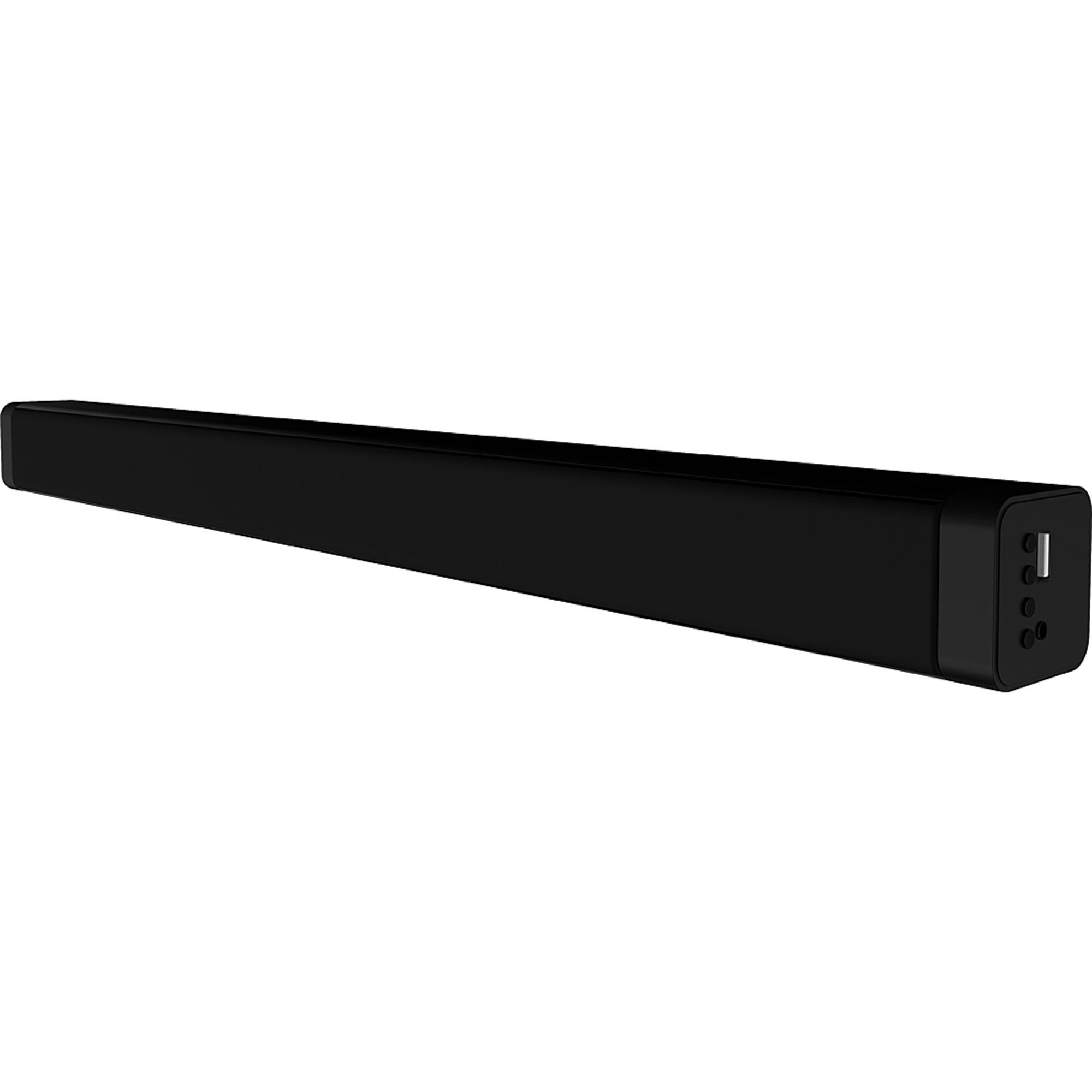
Слика 4.1: Предња страна view of the Coby CSB04 Bluetooth Soundbar. The soundbar is black and rectangular.

Слика 4.2: Бочна страна view of the Coby CSB04 Soundbar, showing a USB port and other connection points.
4.1. Front Panel / Top Panel Controls
- Дугме за напајање: Укључује или искључује звучну траку.
- Појачавање/утишавање: Подешава ниво јачине звука.
- Дугме за режим: Switches between input modes (Bluetooth, RCA).
- ЛЕД индикатор: Shows current status (e.g., Bluetooth pairing, input mode).
4.2. Прикључци задње плоче
- ДЦ ИН: Овде прикључите адаптер за наизменичну струју.
- RCA L/R Input: Connect external audio devices using the RCA cable.
- УСБ порт: For potential firmware updates or specific media playback (functionality may vary).
4.3. Даљински управљач
The included remote control allows for convenient operation of the soundbar from a distance. Functions typically include Power, Volume Up/Down, Mode Selection, Mute, and Playback controls for Bluetooth mode.
5. Подешавање
5.1. Прикључак за напајање
- Connect the AC power adapter to the ДЦ ИН port on the rear of the soundbar.
- Укључите други крај адаптера за наизменичну струју у зидну утичницу.
- Звучна табла ће ући у режим приправности.
5.2. Аудио веза
You can connect audio sources to the soundbar via Bluetooth or RCA cable.
5.2.1. Блуетоотх веза
- Power on the soundbar using the Power button on the unit or remote control.
- Притисните тастер Режим button repeatedly until the LED indicator shows Bluetooth mode (usually a blinking blue light).
- На паметном телефону или другом уређају који подржава Bluetooth омогућите Bluetooth и потражите доступне уређаје.
- Select "CSB04" (or similar name) from the list of devices.
- Након упаривања, ЛЕД индикатор ће почети да светли плаво и чућете звук потврде.
- Сада можете да репродукујете звук са свог уређаја преко звучне траке.
5.2.2. РЦА прикључак
- Connect one end of the RCA cable to the РЦА Л / Р улаз ports on the soundbar.
- Connect the other end of the RCA cable to the audio output ports (usually "Audio Out" or "L/R Out") of your TV, DVD player, or other audio source.
- Укључите звучну траку.
- Притисните тастер Режим button repeatedly until the LED indicator shows RCA mode (e.g., a green light).
- Репродукујте звук са повезаног уређаја.
6. Упутство за употребу
6.1. Укључивање/искључивање
Притисните тастер Повер дугме на саундбару или даљинском управљачу да бисте укључили или искључили уређај.
6.2. Подешавање јачине звука
Користите Јачина звука (+) и Смањивање јачине звука (-) buttons on the soundbar or remote control to adjust the audio level.
6.3. Changing Input Mode
Притисните тастер Режим button on the soundbar or remote control to cycle through available input sources: Bluetooth, RCA.
6.4. Репродукција преко Bluetooth-а
Once paired, your Bluetooth device will automatically connect to the soundbar when both are powered on and within range. Use your device's controls or the soundbar's remote control (if applicable) for playback functions like Play/Pause, Next Track, and Previous Track.
7. Одржавање
Правилно одржавање осигурава дуготрајност и оптималне перформансе вашег саундбара.
- Чишћење: Use a soft, dry cloth to wipe the exterior of the soundbar. Do not use liquid cleaners or aerosols.
- Складиштење: Ако складиштите саундбар дуже време, искључите га из струје и чувајте га на хладном и сувом месту.
- вентилација: Ensure the soundbar has adequate ventilation and is not covered, to prevent overheating.
КСНУМКС. Решавање проблема
If you encounter issues with your Coby CSB04 Soundbar, refer to the following common problems and solutions:
| Проблем | Могући узрок | Решење |
|---|---|---|
| Нема струје | Адаптер за напајање није повезан или је утичница неисправна. | Ensure the power adapter is securely connected to the soundbar and a working power outlet. Try a different outlet. |
| Нема звука | Incorrect input mode, low volume, or incorrect cable connection. |
|
| Блуетоотх упаривање није успело | Soundbar not in pairing mode, device too far, or interference. |
|
| Даљински управљач не ради | Празне батерије или препрека. | Replace the batteries in the remote control. Ensure there is no obstruction between the remote and the soundbar's sensor. |
9. Спецификације
Here are the technical specifications for the Coby CSB04 Bluetooth Soundbar Speaker:
- Модел: ЦСБКСНУМКС
- Тип звучника: Соундбар
- Технологија повезивања: Блуетоотх
- Max Speaker Output Power: 10 Ваттс
- Компатибилни уређаји: Smartphone (and other Bluetooth/RCA audio sources)
- Метод контроле: Ремоте Цонтрол
- Извор напајања: Electric Cable (AC Adapter)
- Боја: Црно
- Димензије: 85.09 x 14.22 x 38.35 цм (приближно 33.5 x 5.6 x 15.1 инча)
- Тежина: 1.54 кг (приближно 3.4 фунти)
- Тип монтаже: Десктоп Моунт
10. Гаранција и подршка
За информације о гаранцији и техничку подршку, погледајте гарантни лист који је приложен уз ваш производ или посетите званичну веб страницу Coby-ја. webсајт. Сачувајте рачун као доказ о куповини.
За додатну помоћ, можете контактирати корисничку службу компаније Coby путем њихових званичних канала.