
Увод
Хвала вам на куповиниasing the 2BOOM Portable Wireless Bluetooth Speaker System. This manual provides detailed instructions for setting up, operating, and maintaining your speaker. Please read this manual thoroughly before using the product to ensure proper function and longevity.
Садржај пакета
Молимо вас да проверите садржај пакета како бисте били сигурни да су сви предмети присутни:
- 1 x 2BOOM Twister Speaker (Model: BX311R)
- 1 к аудио кабл
- 1 к кабл за пуњење
- 1 к Упутство за употребу
Note: This unit does not come with an attachable carry strap.
Производ је завршенview

Слика 1: Предња страна view of the 2BOOM Twister speaker, showcasing its cylindrical design with red end caps and a black carbon fiber textured body.

Figure 2: Diagram highlighting the key features of the speaker, including Deep Digital Bass, FM Radio capability, Colorful Light FX, and a Bluetooth range of 32.8 feet.

Слика 3: Детаљно view of the speaker's control panel, indicating the location and function of the DC5V charging port, AUX input, OFF/ON switch, Mode button, Previous/Volume -, Play/Pause, Next/Volume +, MIC-VOL, Microphone input, USB input, and TF Card slot.

Слика 4: Под углом view of the speaker's top, providing a clear perspective of the control panel and its various buttons and ports.
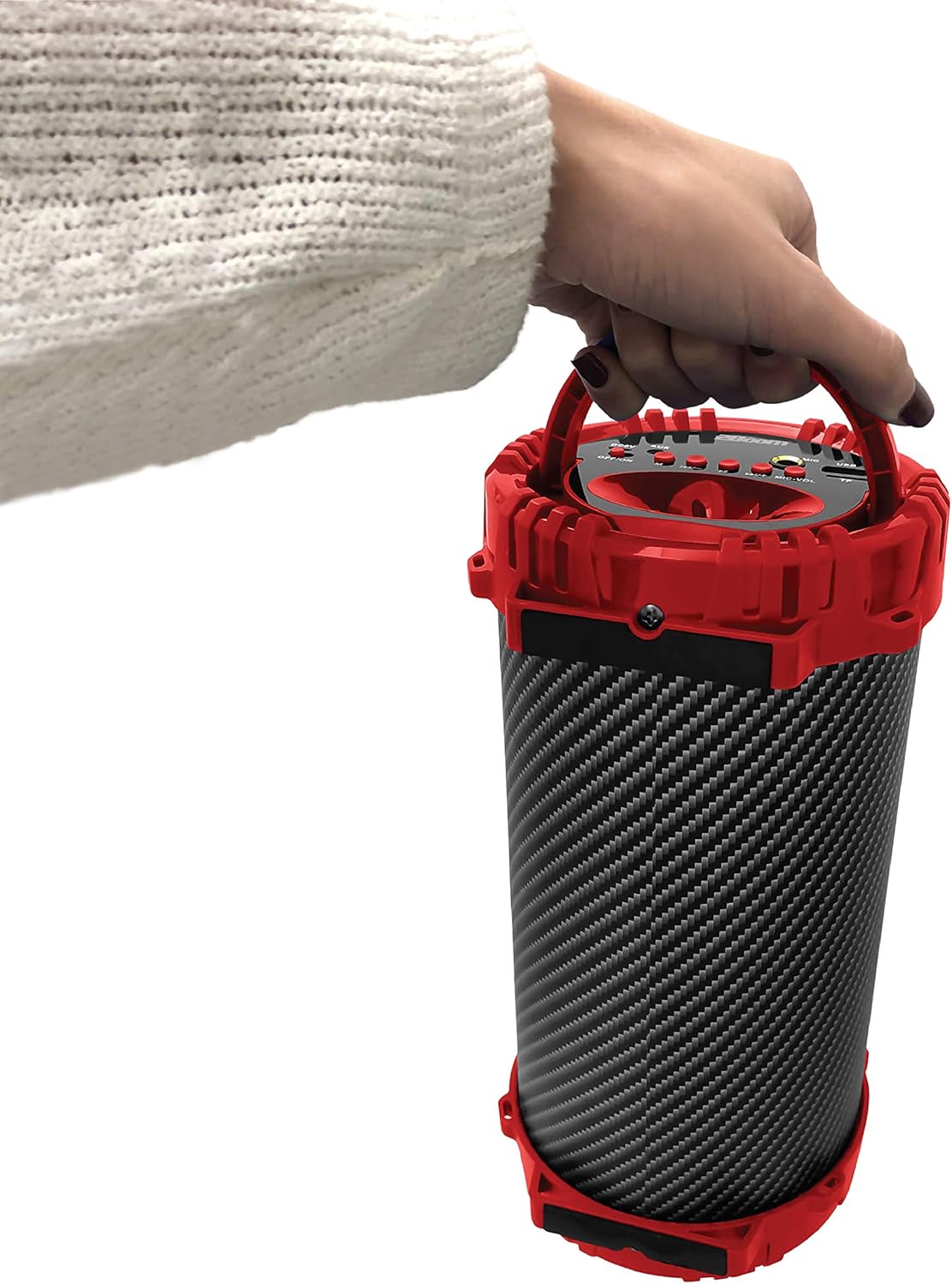
Figure 5: Image demonstrating the portability of the speaker, held by hand using its integrated carry handle.
Сетуп
Пуњење звучника
Before first use, fully charge the speaker. Connect the provided charging cable to the DC5V port on the speaker (refer to Figure 3) and the other end to a USB power adapter (not included) or a computer's USB port. The charging indicator light will illuminate during charging and turn off when fully charged.
Укључивање/искључивање
Locate the OFF/ON switch on the control panel (refer to Figure 3). Slide the switch to the "ON" position to power on the speaker. Slide it to the "OFF" position to power off the speaker.
Упутство за употребу
Блуетоотх веза
- Ensure the speaker is powered on. It will automatically enter Bluetooth pairing mode.
- On your Bluetooth-enabled device (smartphone, tablet, MP3 player), enable Bluetooth and search for available devices.
- Select "2BOOM Twister" from the list of devices.
- Once connected, the speaker will emit an audible confirmation. Your device will automatically remember the speaker for future connections.
- The Bluetooth connection range is up to 33 feet (10 meters).
Избор режима
Press the "M" (Mode) button on the control panel (refer to Figure 3) to cycle through available modes: Bluetooth, FM Radio, AUX, USB, and TF Card.
Операција ФМ радија
- Switch to FM Radio mode using the "M" button.
- Press and hold the "Play/Pause" button to automatically scan and save available FM stations.
- Use the "Previous/Volume -" and "Next/Volume +" buttons to navigate between saved stations.
АУКС улаз
Connect an external audio device (e.g., MP3 player, computer) to the AUX port on the speaker (refer to Figure 3) using the provided audio cable. Switch to AUX mode using the "M" button. Audio will now play through the speaker from your connected device.
УСБ улаз
Уметните УСБ флеш диск који садржи МП3 аудио files into the USB port (refer to Figure 3). The speaker will automatically switch to USB mode and begin playing the audio files.
Улаз ТФ картице
Уметните TF (MicroSD) картицу која садржи MP3 аудио files into the TF Card slot (refer to Figure 3). The speaker will automatically switch to TF Card mode and begin playing the audio files.
Microphone Input (Karaoke Function)
Connect a microphone (not included) to the MIC input port (refer to Figure 3). Adjust the microphone volume using the "MIC-VOL" knob. You can sing along to music playing from any source (Bluetooth, AUX, USB, TF Card, FM Radio).
Контрола јачине звука и навигација по нумерама
- Појачавање звука: Press and hold the "Next/Volume +" button.
- Смањивање јачине звука: Press and hold the "Previous/Volume -" button.
- Next Track/Station: Short press the "Next/Volume +" button.
- Previous Track/Station: Short press the "Previous/Volume -" button.
- Пусти/паузирај: Short press the "Play/Pause" button.
Одржавање
- Чишћење: Користите меку, суву крпу за чишћење спољашњости звучника. Не користите абразивна средства за чишћење или раствараче.
- Складиштење: Чувајте звучник на хладном и сувом месту, даље од директне сунчеве светлости и екстремних температура.
- Отпорност на воду: This speaker is NOT waterproof. Avoid exposing it to water or excessive moisture.
- Одржавање батерије: Да бисте продужили век трајања батерије, избегавајте често потпуно пражњење батерије. Редовно пуните звучник, чак и ако га не користите дуже време.
Решавање проблема
| Проблем | Могући узрок | Решење |
|---|---|---|
| Звучник се не укључује. | Батерија је празна или је истрошена. | Напуните звучник помоћу приложеног кабла за пуњење. |
| Није могуће упарити са Блуетоотх уређајем. | Bluetooth is not enabled on your device; speaker is not in pairing mode; device is out of range. | Ensure Bluetooth is on and the speaker is in pairing mode. Move device closer to the speaker (within 33 feet). |
| Нема звука из звучника. | Volume is too low; incorrect mode selected; audio cable not fully connected. | Increase speaker and device volume. Ensure correct mode (Bluetooth, AUX, etc.) is selected. Check cable connections. |
| FM Radio reception is poor. | Слаб сигнал; сметње из околине. | Try repositioning the speaker. Perform an auto-scan for stations again. |
Спецификације
| Феатуре | Детаљ |
|---|---|
| Модел | BX311R |
| Бранд | 2BOOM |
| Пречник сабвуфера | 4 инча |
| Технологија повезивања | Bluetooth, USB, Wireless |
| Максимални Блуетоотх домет | 33 стопа (10 метара) |
| Режим аудио излаза | Стерео |
| Извор напајања | Баттери Поверед |
| Врста материјала | Пластика |
| Боја | Црвени |
| Тежина артикла | 1.65 фунте (приближно 748.43 г) |
| Димензије производа (Д к Ш к В) | 25.4 к 16.51 к 15.24 цм |
| Посебне карактеристике | FM Radio, Microphone Input, USB/TF Card Playback |
Гаранција и подршка
The 2BOOM Twister Speaker comes with an UNLIMITED 2BOOM warranty when bought from Tech Direct Worldwide. For warranty claims, technical support, or any inquiries regarding your product, please contact the retailer or manufacturer directly.
Молимо вас да сачувате доказ о куповини ради гаранције.