
1. Увод
This manual provides detailed instructions for the installation, configuration, and operation of your Multilaser RE058 150Mbps Wireless Router. Please read this manual carefully before using the device to ensure proper setup and optimal performance. This router offers wireless connectivity at 150Mbps, features a detachable antenna, and includes four LAN ports for wired connections.
2. Садржај пакета
Проверите да ли су све ставке присутне у вашем пакету:
- 1x Multilaser RE058 150Mbps Wireless Router
- 1x Power Adapter (Bivolt)
- 1x RJ45 Ethernet Cable
- 1x Detachable Antenna (5 dBi)
- 1к Водич за брзу инсталацију
3. Производ је готовview
Упознајте се са портовима и индикаторима рутера.
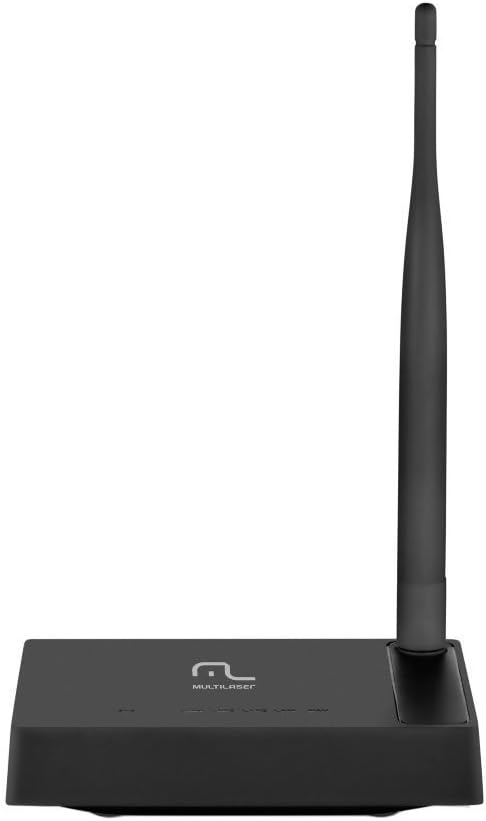
Слика 3.1: Позади view of the Multilaser RE058 router, highlighting the WAN port (blue), four LAN ports (yellow/orange), and the power input. The detachable antenna is connected on the left side.
3.1. Front Panel Indicators
- ПВР: Индикатор напајања. Светли када је уређај укључен.
- ВАН: Wide Area Network indicator. Lit when connected to the internet. Blinks during data transmission.
- ЛАН1-ЛАН4: Local Area Network indicators. Lit when a device is connected to the corresponding LAN port. Blinks during data transmission.
3.2. Портови на задњој плочи
- WAN порт (плави): Connects to your modem or internet service provider's network.
- ЛАН портови (1-4): Повезује се са жичним уређајима као што су рачунари, играчке конзоле или паметни телевизори.
- Улазна снага: Повезује се са приложеним адаптером за напајање.
- Антенски конектор: For attaching the detachable antenna.
- Дугме за ресетовање: Used to restore factory default settings. Press and hold for approximately 5-10 seconds while the router is powered on.
4. Подешавање
Follow these steps to set up your Multilaser RE058 router:
- Повежите антену: Screw the detachable antenna clockwise onto the antenna connector at the back of the router until it is secure.
- Повезивање са модемом: Use the provided RJ45 Ethernet cable to connect your modem's LAN port to the плави ВАН порт на рутеру.
- Укључено: Connect the power adapter to the router's power input and then plug the adapter into an electrical outlet. The PWR indicator should light up.
- Повезивање уређаја (опционо жичано): For wired connections, use additional Ethernet cables to connect your computers or other devices to the yellow LAN ports (1-4) на рутеру.
- Сачекајте иницијализацију: Allow a few minutes for the router to power on and initialize. The WAN indicator should light up, indicating an internet connection.
- Приступни интерфејс рутера: Отвори а web browser on a connected computer or device. In the address bar, type the router's default IP address (usually
192.168.0.1or192.168.1.1) and press Enter. Refer to the Quick Installation Guide for the exact default IP and login credentials. - Почетна конфигурација: Follow the on-screen instructions in the router's web interface to set up your internet connection type (DHCP, Static IP, PPPoE, etc.) and configure your wireless network (SSID and password). The router software is available in Portuguese for easier setup.
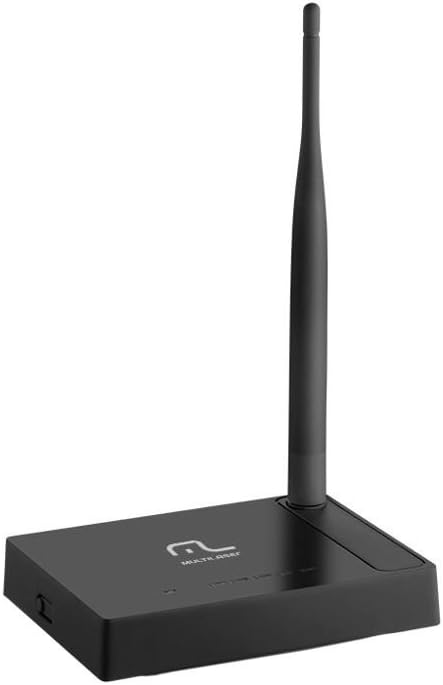
Слика 4.1: Бочна страна view of the Multilaser RE058 router, showing the detachable antenna securely connected and standing upright.
5. Оперативни
This section covers the basic operation and features of your router.
5.1. Wireless Network (Wi-Fi)
After initial setup, your wireless network will be active. To connect devices:
- На свом уређају (паметном телефону, лаптопу, таблету) потражите доступне Wi-Fi мреже.
- Select the Network Name (SSID) you configured during setup.
- Унесите лозинку за Wi-Fi (безбедносни кључ) када се то од вас затражи.
5.2. Жичана мрежа
Devices connected to the LAN ports will automatically obtain an IP address from the router and gain internet access (if the WAN connection is active).
5.3. Функција репетитора
The Multilaser RE058 can function as a wireless repeater to extend the range of an existing Wi-Fi signal. This mode needs to be configured via the router's web interface. Consult the full user manual or the router's online help for detailed steps on configuring repeater mode.
5.4. Напредне функције
Рутера web interface provides access to advanced settings, including:
- ВАН тип: DHCP, Static IP, PPPoE, L2TP, PPTP, Dual Access, WISP.
- Virtual Servers, Port Triggering, UPnP, DMZ: For advanced network configurations and port forwarding.
- Контрола приступа: IP/MAC/Domain Filtering to manage network access.
- VPN пролаз: PPTP, L2TP, IPSec for VPN connections.
- Dynamic DNS, Static Routing, WOL (Wake-on-LAN): Additional network utilities.
- Ажурирање фирмвера: Keep your router's software up-to-date for improved performance and security.
6. Одржавање
Да бисте осигурали дуготрајност и оптималне перформансе вашег рутера:
- Keep the router in a cool, dry place, away from direct sunlight and heat sources.
- Осигурајте одговарајућу вентилацију око уређаја.
- Очистите спољашњост меком, сувом крпом. Не користите течна средства за чишћење.
- Regularly check for and install firmware updates from the Multilaser webсајт ради побољшања безбедности и функција.
- Periodically restart the router (unplug and replug the power adapter) to refresh its connection and clear temporary issues.
КСНУМКС. Решавање проблема
Ако наиђете на проблеме, испробајте ова уобичајена решења:
7.1. Нема приступа интернету
- Check all cable connections (WAN, LAN, Power). Ensure they are securely plugged in.
- Проверите да ли ваш модем исправно ради и да ли има активну интернет везу.
- Restart both your modem and router. Unplug their power adapters, wait 30 seconds, then plug the modem back in. Once the modem is fully online, plug the router back in.
- Пријавите се на рутер web interface and check the WAN status. Ensure your internet connection type (DHCP, PPPoE, etc.) is correctly configured.
7.2. Не могу да се повежем са Wi-Fi мрежом
- Ensure the router is powered on and the wireless indicator is active.
- Verify you are selecting the correct Wi-Fi network (SSID) and entering the correct password.
- Move closer to the router to rule out range issues.
- Покушајте да поново покренете рутер.
7.3. Спора брзина интернета
- Ensure your router is placed in a central location, away from obstructions and interference sources (e.g., microwaves, cordless phones).
- Check if multiple devices are heavily using the network.
- Ажурирајте фирмвер вашег рутера.
- Contact your Internet Service Provider (ISP) to check your internet line speed.
7.4. Forgot Router Login Password
If you forget the router's login password, you can perform a factory reset. Locate the Reset button on the rear panel. With the router powered on, use a paperclip or similar pointed object to press and hold the Reset button for approximately 5-10 seconds until the indicators flash. The router will restart with factory default settings, and you can then log in using the default credentials (usually found on a sticker on the router or in the Quick Installation Guide).
8. Спецификације
| Феатуре | Детаљ |
|---|---|
| Бранд | Мултиласер |
| Модел | РЕ058 |
| Вирелесс Стандардс | ИЕЕЕ 802.11б, ИЕЕЕ 802.11г, ИЕЕЕ 802.11н |
| Фрекуенци Банд | 2.4 - 2.4835 GHz (Single-Band) |
| Брзина преноса података | До 150 Мбпс |
| Антена | 1x Detachable, 5 dBi |
| Етхернет портови | 1x 10/100Mbps Auto MDI/MDIX RJ45 WAN Port, 4x 10/100Mbps Auto MDI/MDIX RJ45 LAN Ports |
| Повер Суппли | DC 9V/500mA (Output), Bivolt input |
| Трансмиссион Повер | 20dBm (MAX) |
| Компатибилни уређаји | Notebook, Smartphone, Tablet |
| Функције софтвера | DHCP, Static IP, PPPoE, L2TP, PPTP, Dual Access, WISP, Virtual Servers, Port Triggering, UPnP, DMZ, FTP Private Port, Access Control (IP/MAC/Domain Filtering), VPN Pass-through, Dynamic DNS, Static Routing, WOL, Backup & Restore, Firmware Update. |
9. Гаранција и подршка
This Multilaser RE058 Wireless Router comes with a 7 година гаранције provided by the manufacturer. Please retain your proof of purchase for warranty claims.
For technical support, troubleshooting assistance, or warranty inquiries, please contact Multilaser customer service. Refer to the official Multilaser website or the Quick Installation Guide for up-to-date contact information.