
1. Производ је готовview
The SAMCOM FPCN10A is a professional-grade UHF two-way radio designed for reliable long-range communication. It features a durable build, a high-capacity battery, and multiple channels with privacy codes for clear and secure conversations.
Садржај пакета
The SAMCOM FPCN10A radio kit includes the following items:
- SAMCOM FPCN10A радио-станице (2 јединица)
- Earpieces (2 units)
- Charger Bases with AC adapters (2 units)
- Копче за каиш (2 комада)
- Batteries (2 units)
- Antennas (2 units)
- Упутство за употребу

2. Подешавање
2.1 Инсталација и пуњење батерије
The SAMCOM FPCN10A radios are powered by a 3000mAh Lithium Polymer battery. Ensure the battery is fully charged before first use.
- To install the battery, align the battery pack with the back of the radio and slide it upwards until it clicks into place.
- To remove the battery, press the two small tabs on the sides of the radio (near the top of the battery compartment) and slide the battery downwards.
- Place the radio (with battery installed) into the charger base. The charger base connects to a standard AC wall outlet.
- The charging indicator light on the charger base will show the charging status. A full charge typically takes 4-5 hours.


2.2 Прикључак антене
The radio comes with a detachable SMA female connector antenna. Carefully screw the antenna onto the connector at the top of the radio until it is finger-tight. Do not overtighten.
2.3 Причвршћивање копче за појас
The belt clip can be attached to the back of the radio for convenient carrying. Align the belt clip with the designated slots on the battery pack and secure it with the provided screws.

3. Упутство за употребу
3.1 Укључивање/искључивање и контрола јачине звука
- To power on the radio, rotate the top-left knob clockwise. You will hear a power-on tone and the display will illuminate.
- Continue rotating the same knob to adjust the volume. Clockwise increases volume, counter-clockwise decreases it.
- Да бисте искључили напајање, окрените дугме у смеру супротном од казаљке на сату док не кликне.
3.2 Избор канала
The SAMCOM FPCN10A features 20 channels. To select a channel:
- Rotate the top-right knob to cycle through the available channels. The selected channel number will be displayed on the LCD screen.
- The radio supports CTCSS/DCS codes to minimize interference and ensure private conversations within your group. These are typically pre-programmed.
3.3 Пренос и пријем
- To transmit, press and hold the Push-to-Talk (PTT) button located on the side of the radio. Speak clearly into the microphone.
- Отпустите дугме PTT да бисте зауставили предају и вратили се у режим пријема.
- The radio also supports Voice-Activated Transmission (VOX) for hands-free operation. This feature can be enabled or disabled through programming.
3.4 Group Call Function
The FPCN10A radios support a group call function, allowing you to communicate with multiple team members simultaneously across different channels. This feature enhances coordination for various operations.

3.5 Scanning Feature
The radio includes a scanning feature that allows it to automatically scan through programmed channels to detect active transmissions. This can be useful for monitoring multiple channels without manual switching.
3.6 Домет комуникације
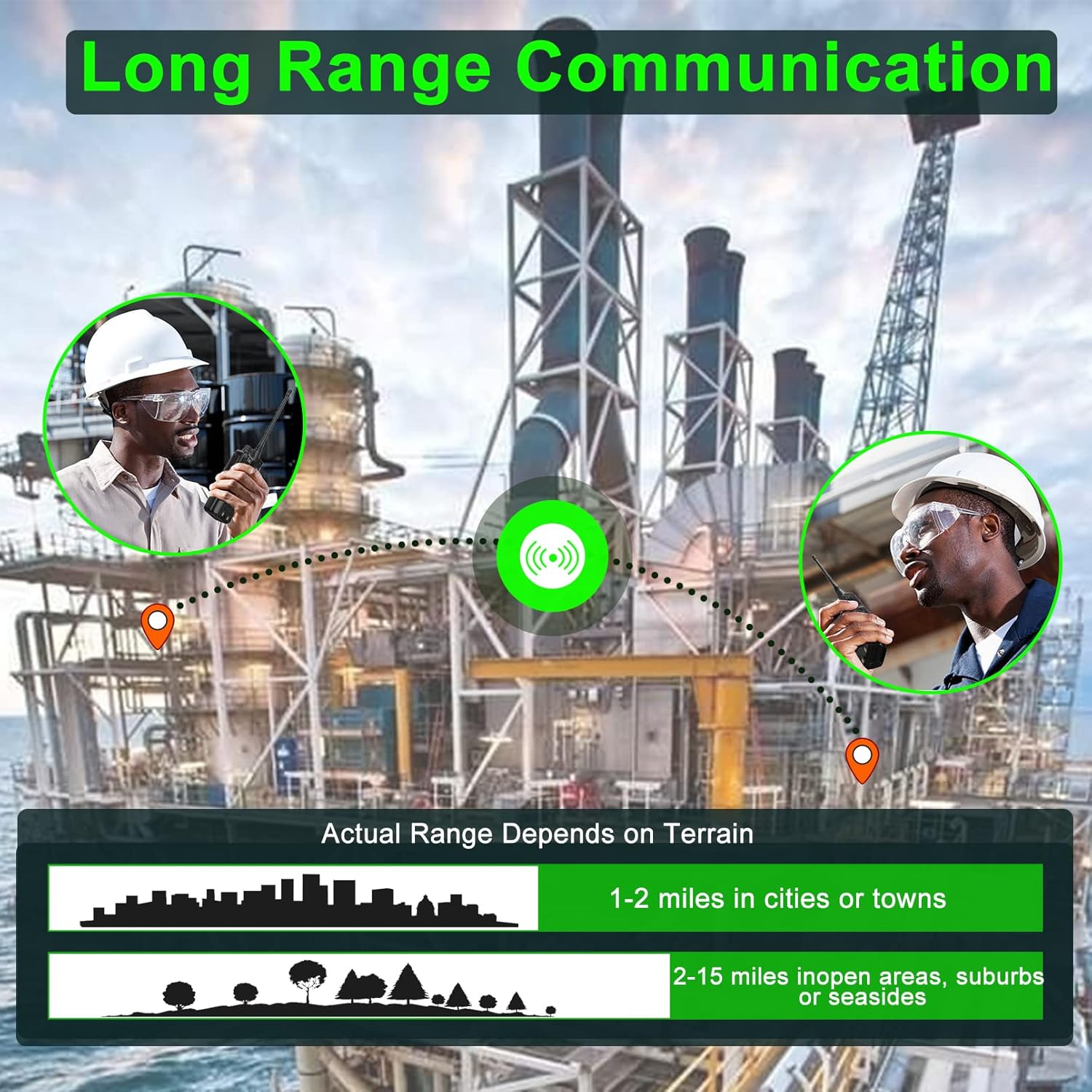
The actual communication range of the FPCN10A radios varies depending on terrain and environmental conditions. Typical ranges are:
- 1-2 miles in cities or towns
- 2-15 miles in open areas, suburbs, or seasides
4. Одржавање
4.1 Одржавање батерије
The 3000mAh battery provides over 24 hours of talk time and up to 250 hours of standby time. To maximize battery life:
- Потпуно напуните батерију пре прве употребе.
- Избегавајте прекомерно пуњење или потпуно пражњење батерије.
- Чувајте радио и батерију на хладном и сувом месту када се не користе.

4.2 Cleaning and Durability
The FPCN10A radios are designed to be rugged and durable, with resistance to dust, shock, and vibration, and a 2-meter drop rating. They are also water-resistant.
- Очистите спољашњост радија меком крпомamp тканина. Немојте користити јаке хемикалије или абразивна средства за чишћење.
- Ensure the battery contacts are clean and dry.
- While water-resistant, avoid submerging the radio or exposing it to high-pressure water jets.
КСНУМКС. Решавање проблема
5.1 Нема напајања
- Check if the battery is properly installed and fully charged.
- Ensure the power/volume knob is rotated clockwise to the 'ON' position.
5.2 Cannot Transmit or Receive
- Verify that the radio is on the correct channel.
- Уверите се да је антена безбедно причвршћена.
- Check that the battery has sufficient charge.
- Confirm that you are within the effective communication range.
- If using CTCSS/DCS codes, ensure they match the receiving radio.
5.3 Лош квалитет звука
- Подесите дугме за јачину звука.
- Ensure the microphone and speaker are not obstructed.
- Move to an area with less interference or closer to the other radio.
5.4 Programming Issues
The SAMCOM FPCN10A radios are programmable. If you encounter issues with channel settings or advanced features, specialized programming software and a programming cable are required. Refer to the SAMCOM support website for programming guides and software downloads.
6. Спецификације
| Феатуре | Детаљ |
|---|---|
| Број модела | FPCN10A-2025 |
| Фреквенцијски опсег | УХФ 406.1МХз-470МХз |
| Број канала | 20 |
| Тип батерије | Литхиум Полимер |
| Капацитет батерије | 3000мАх |
| РФ излазна снага | До 2 вати |
| Волtage | 7.4 Волтс |
| Тежина артикла | 1.98 фунти |
| Димензије производа | 1.81"Д к 5.63"Ш к 1.81"В |
| Дисплаи Типе | ЛЦД |
| Ниво отпорности на воду | Отпоран на воду |
| ФЦЦ ИД | 2AIOQ-FPCN10A |
7. Гаранција и подршка
7.1 Информације о гаранцији
The SAMCOM FPCN10A radios come with a 3-year manufacturer's warranty. Please retain your proof of purchase for warranty claims. The warranty covers defects in materials and workmanship under normal use.
7.2 Корисничка подршка
For technical assistance, troubleshooting, or warranty inquiries, please visit the official SAMCOM webсајт или контактирајте њихову службу за кориснике. Контакт информације се обично могу наћи на паковању производа или на произвођачевој webсајту.