
1. Увод
The Blaupunkt IRD 30c is a versatile internet radio designed to provide a wide range of audio entertainment. It features Internet Radio, DAB+, and FM reception, allowing access to over 18,000 internet radio stations and 12,000 podcasts worldwide, alongside traditional digital and analog broadcasts. With its WLAN connectivity, color display, and remote control, it offers intuitive operation and a rich listening experience. The device also includes an AUX input for connecting external audio sources, an alarm clock, and a sleep function, making it suitable for various environments like the living room, kitchen, or bedroom.
2. Безбедносне информације
- Пажљиво прочитајте сва упутства пре употребе уређаја.
- Сачувајте упутство за будућу употребу.
- Не излажите уређај киши, влази или екстремним температурама.
- Обезбедите одговарајућу вентилацију како бисте спречили прегревање.
- Користите само испоручени адаптер за напајање.
- Не покушавајте сами да отворите или поправите уређај. Све сервисирање препустите квалификованом особљу.
- Чувати ван домашаја деце.
3. Садржај пакета
Молимо вас да проверите да ли су све ставке присутне у пакету:
- Blaupunkt IRD 30c Internet Radio Unit
- Ремоте Цонтрол
- Повер Адаптер
- Упутство за употребу

4. Производ је готовview
Familiarize yourself with the various parts of your Blaupunkt IRD 30c Internet Radio.
4.1 Предња плоча
The front panel features the color display, the main control knob (for navigation and selection), and several function buttons (MENU, FAV, HOME).

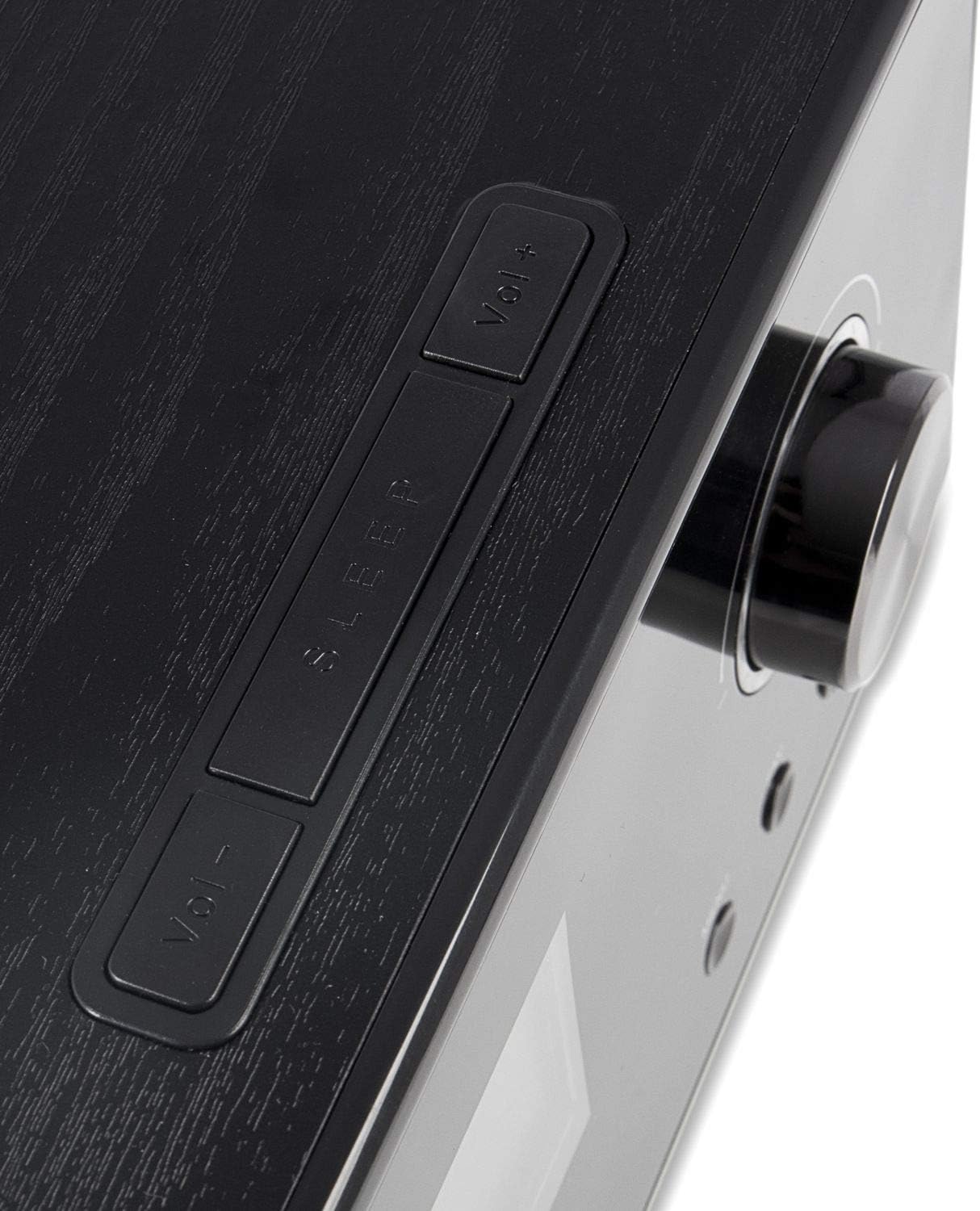
4.2 Горња плоча
The top panel includes additional control buttons, such as Volume Up/Down and Sleep.
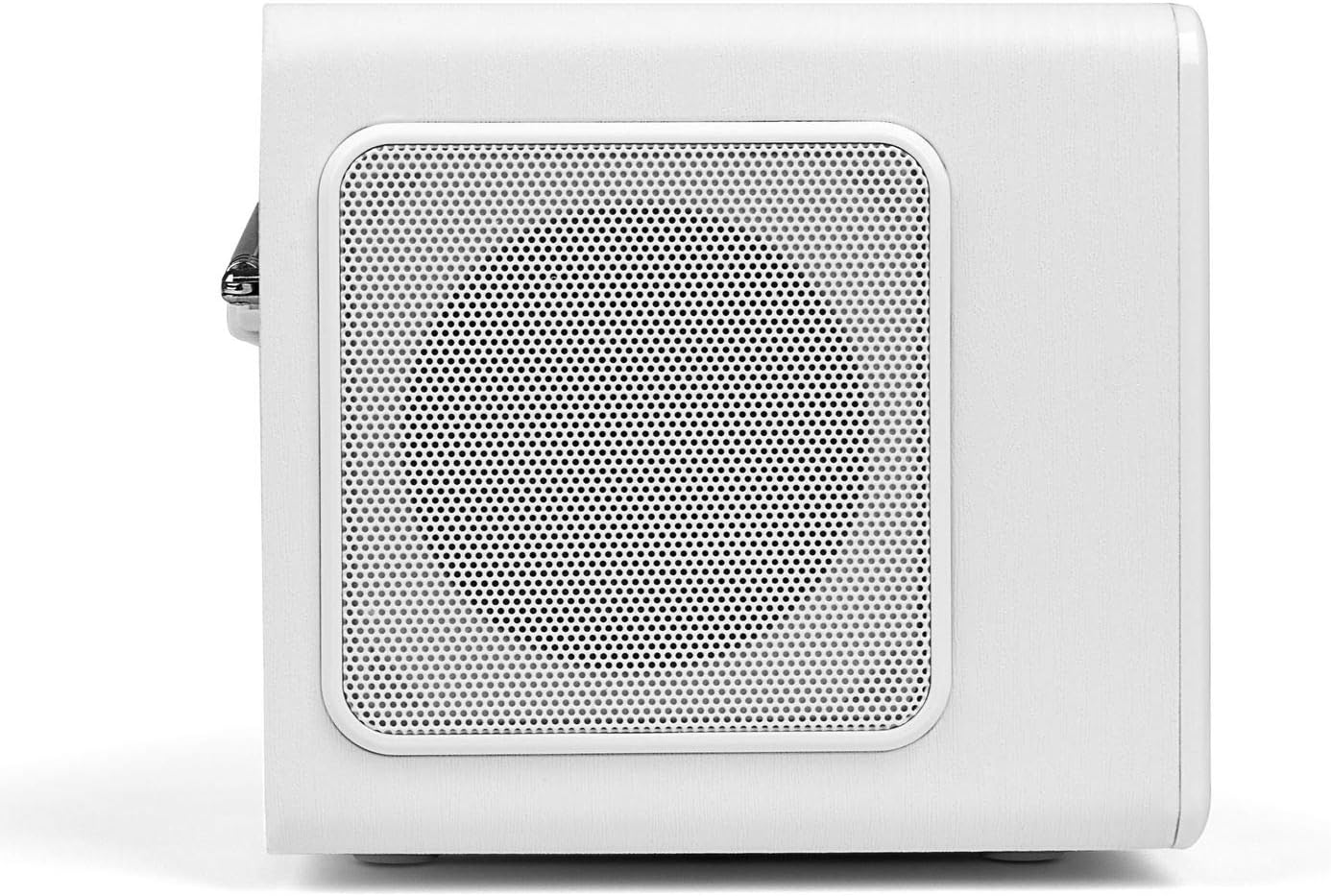
4.3 Бочна плоча
The side panels feature integrated speakers for stereo sound output.
4.4 Задња плоча
The rear panel houses the telescopic antenna, power input, Line Out, and AUX input ports.

5. Подешавање
Follow these steps to set up your Blaupunkt IRD 30c Internet Radio for the first time.
- Распакујте уређај: Пажљиво уклоните све компоненте из паковања.
- Прикључите напајање: Plug the power adapter into the DC 12V input on the rear of the radio, then connect it to a power outlet.
- Продужна антена: Fully extend the telescopic antenna for optimal DAB+ and FM reception.
- Почетно укључивање: The radio will power on automatically or require a press of the power button.
- Network Setup (WLAN): Follow the on-screen prompts to connect to your Wi-Fi network. You will need your network name (SSID) and password.
- Време и датум: The device will usually synchronize time and date automatically via the internet.
Watch the following video for a visual guide on unboxing and initial setup:
Video 5.1: Unboxing and basic setup of the Blaupunkt IRD 30c Internet Radio, demonstrating power connection, antenna extension, and initial menu navigation.
6. Упутство за употребу
6.1 Интернет радио
Access thousands of stations and podcasts from around the world.
- Притисните тастер ХОМЕ button to navigate to the main menu.
- Select "Internet Radio" using the control knob and press to confirm.
- You can browse stations by location, genre, or use the search function.
- To save a favorite station, tune into the desired station and press the ФАВ button. Follow the on-screen instructions to store it.
6.2 DAB+ дигитални радио
Enjoy high-quality digital radio broadcasts.
- Притисните тастер МЕНУ button and select "DAB Radio".
- Perform a "Full Scan" to find all available DAB+ stations in your area.
- Use the control knob to scroll through the station list and select your desired station.
6.3 ФМ Радио
Tune into traditional analog FM broadcasts.
- Притисните тастер МЕНУ button and select "FM Radio".
- You can perform an automatic scan or manually tune to a frequency using the control knob.
- For best reception, ensure the telescopic antenna is fully extended.
6.4 АУКС улаз
Connect external audio devices like smartphones or MP3 players.
- Повежите свој екстерни уређај са АУКС ИН port on the rear of the radio using a 3.5mm audio cable.
- Притисните тастер МЕНУ button and select "AUX In" mode.
- Контролишите репродукцију са свог спољног уређаја.
6.5 Alarm Clock and Sleep Function
Use the radio as an alarm clock or set a sleep timer.
- Аларм: Access the alarm settings via the main menu to set up to two independent alarms with customizable sources (buzzer, internet radio, DAB+, FM).
- Мерач спавања: Притисните тастер СЛЕЕП button on the top panel or remote control to set a timer (e.g., 15, 30, 60 minutes) after which the radio will automatically turn off.
6.6 Sound Customization (Equalizer)
Adjust the audio output to your preference.
The IRD 30c features an equalizer with preset genres (e.g., Rock, Pop, Classical, HipHop) and a custom setting to adjust bass and treble levels. Access the equalizer settings through the menu or directly via the remote control.
7. Одржавање
To ensure the longevity and optimal performance of your Blaupunkt IRD 30c, follow these maintenance guidelines:
- Чишћење: Користите меку, суву крпу за чишћење спољашњости радија. Не користите абразивна средства за чишћење, воскове или раствараче.
- прашина: Regularly dust the speaker grilles and control areas to prevent accumulation.
- Пласман: Place the radio on a stable, flat surface away from direct sunlight, heat sources, and excessive moisture.
- Антена: Пажљиво рукујте телескопском антеном како бисте избегли савијање или ломљење.
КСНУМКС. Решавање проблема
Ако наиђете на проблеме са радиом, погледајте следеће уобичајене проблеме и решења:
| Проблем | Могући узрок | Решење |
|---|---|---|
| Нема струје | Адаптер за напајање није повезан или је утичница неисправна. | Check power connections and try a different outlet. Ensure the power button is pressed correctly. |
| No internet radio reception | WLAN connection issue, weak signal, or incorrect network settings. | Verify your Wi-Fi password. Check router status. Move the radio closer to the router or use a Wi-Fi extender. Reconfigure network settings. |
| Слаб DAB+/FM пријем | Антена није испружена, слаб сигнал или сметње. | Fully extend the telescopic antenna. Reposition the radio. Perform a new station scan. |
| Нема звука са AUX улаза | Incorrect mode selected, cable issue, or external device volume. | Ensure "AUX In" mode is selected. Check the 3.5mm audio cable connection. Increase volume on both the radio and the external device. |
| Даљински управљач не ради | Dead batteries, obstruction, or remote not pointed at sensor. | Replace batteries. Remove any obstructions between the remote and the radio. Ensure direct line of sight. |
| Blue ring light around control knob is too bright/distracting | This is a design feature and cannot be permanently turned off. | The light typically illuminates for a few seconds after interaction and turns off in standby. Consider placement if used in a dark room like a bedroom. |
9. Спецификације
| Феатуре | Детаљ |
|---|---|
| Бранд | БЛАУПУНКТ |
| Модел | IRD 30 C |
| Технологија повезивања | AUX, WLAN (802.11 b/g/n) |
| Технологија тјунера | Digital (FM, DAB+) |
| Подржани радио опсези | Internet Radio, FM, DAB+ |
| Извор напајања | Цордед Елецтриц |
| Аудио излазна снага | 2 x 7 Watts RMS (14 Watts total) |
| Дисплаи | Color Display (dimmable) |
| Хардверски интерфејс | 3.5mm Audio (AUX In, Line Out) |
| Тежина артикла | 3.09 фунти (приближно 1.4 кг) |
| Димензије (приближно) | Height: 13 cm, Depth: 12.9 cm, Width: 21.2 cm |
| Карактеристике | Alarm Clock, Sleep Function, Equalizer, Remote Control |
10. Гаранција и подршка
For warranty information and customer support, please refer to the documentation included with your product or visit the official Blaupunkt webсајт. Сачувајте доказ о куповини за евентуалне рекламације по гаранцији.
If you require technical assistance or have questions not covered in this manual, please contact Blaupunkt customer service.