
1. Производ је готовview
The MICMOL Aqua Air AA-1200 is a smart LED aquarium lighting system designed for saltwater marine, coral reef, and fish tanks. It features a super thin unibody design, programmable timer functions, and a full spectrum LED array to support aquatic life.
Кључне карактеристике укључују:
- 11mm (0.4") super thin design.
- 96W power output.
- Full spectrum LED array with 7 bands for diverse spectral combinations.
- Smart Controller with timer, sunrise, sunset, and lightning effects.
- Three independent LED channels with 6 adjustable timer points.
- Adjustable super bracket system for tanks 1185mm to 1685mm (47" to 66").
- Water-resistant cooling system.
- UL approved power supply.
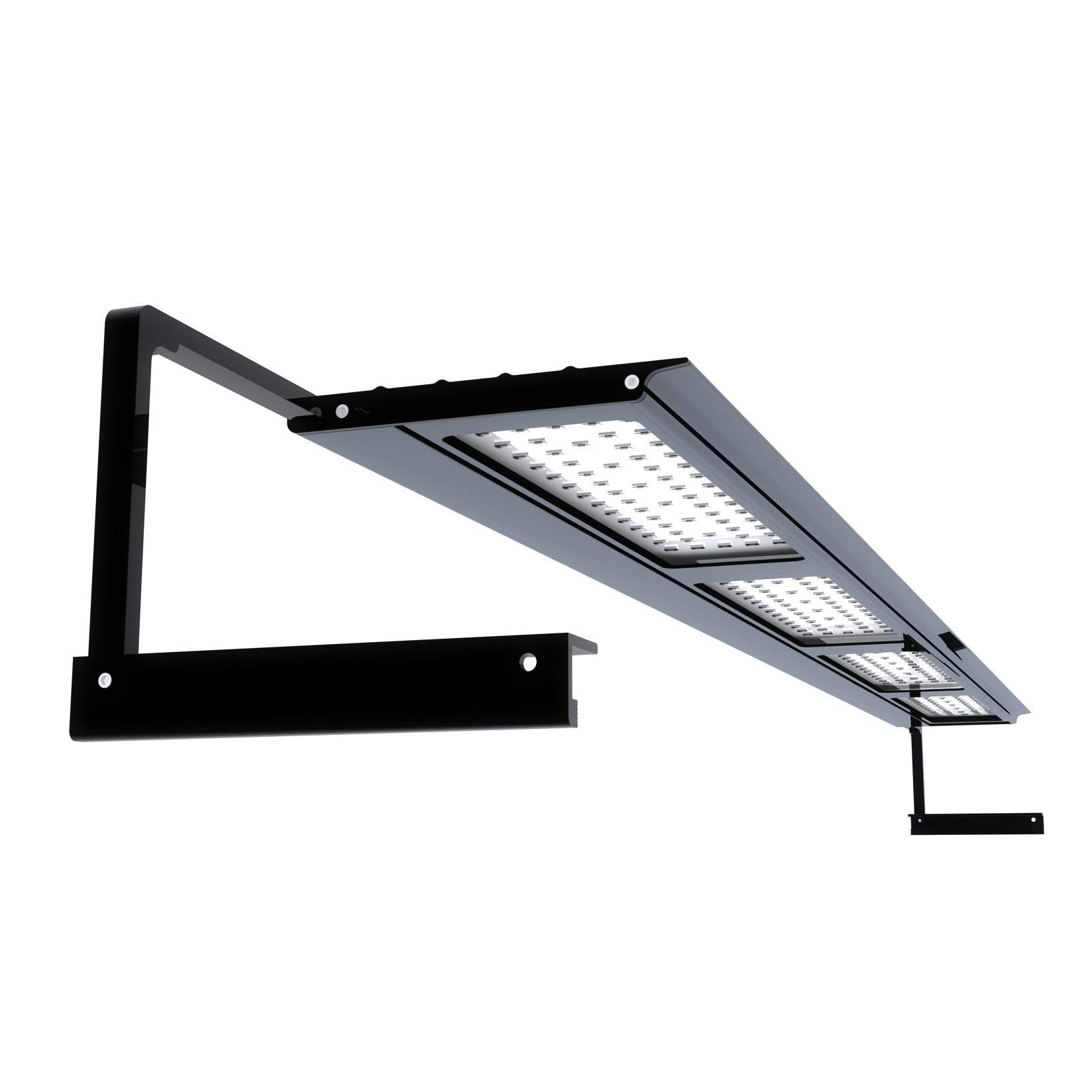
Image 1.1: MICMOL Aqua Air AA-1200 Smart LED Aquarium Light fixture.
2. Шта је у кутији
Проверите да ли су све компоненте присутне пре него што наставите са инсталацијом.
- 1 x G2 Aqua Air 1200 Lighting Fixture (AA-1200 / 96W)
- 1 x Smart Controller
- 1 x Super Bracket
- 1 x US Standard Power Cord
- 1 к адаптер за напајање
- 1 x Tool Sets
- 1 x Printed Instructions
3. Упутства за подешавање
3.1 Mounting the Light Fixture
The Aqua Air AA-1200 comes with an adjustable super bracket system suitable for both rimmed and rimless aquariums. The brackets accommodate tank sizes ranging from 1185mm (47 inches) to 1685mm (66 inches).
- Attach the super brackets to the light fixture using the provided tool set. Ensure they are securely fastened.
- Adjust the length of the brackets to fit your aquarium's dimensions.
- Carefully place the light fixture onto the edges of your aquarium, ensuring it is stable and centered.
- Опционо: If using hanging kits (sold separately), refer to the hanging kit instructions for installation.
3.2 Connecting Power and Controller
- Connect the Smart Controller to the light fixture.
- Connect the power adapter to the Smart Controller.
- Plug the US Standard Power Cord into the power adapter.
- Plug the power cord into a suitable electrical outlet. The light should power on, and the Smart Controller display will activate.
4. Упутство за употребу
The Smart Controller allows for comprehensive customization of your aquarium lighting. It features touch switches for navigation.
4.1 Smart Controller Functions
The controller provides access to various settings:
- Сат: Подесите тренутно време.
- Тајмер: Program on/off times and intensity levels for each LED channel.
- LED Channels: Adjust the intensity of the three independent LED channels. The channels are configured as follows for the Marine version:
- Channel 1 (White): Controls 80 White LEDs.
- Channel 2 (Blue): Controls 32 Royal Blue, 112 Royal Blue, and 8 Blue LEDs.
- Channel 3 (Special): Controls 8 Warm White, 8 UV, 4 Red, and 4 Green LEDs.
- Специјални ефекти: Simulate natural phenomena such as sunrise, sunset, and thunderstorms.
- Демо: Activates a 1-minute demonstration of all settings.
- Фацтори Ресет: Resets all settings to their default factory configuration.
4.2 Programming Timer and Intensity
The Smart Controller allows you to set 6 timer points for each of the three LED channels. This enables precise control over the light cycle and intensity throughout the day.
- Navigate to the "Timer" setting on the Smart Controller.
- Select the desired LED channel (Channel 1, 2, or 3).
- For each of the 6 timer points, set the desired time and the corresponding intensity level (0-100%) for that channel.
- Repeat this process for all three channels to create a customized lighting schedule.
- Save your settings before exiting the timer menu.
5. Одржавање
Regular maintenance ensures optimal performance and longevity of your Aqua Air AA-1200 light.
- Чишћење: Periodically wipe the aluminum body and LED surface with a soft, damp cloth. Ensure the light is unplugged before cleaning. Avoid abrasive cleaners.
- Систем за хлађење: The unit features a water-resistant cooling system. Ensure that the cooling vents (if visible) are not obstructed to allow for proper heat dissipation.
- Везе: Periodically check all power and controller connections to ensure they are secure.
КСНУМКС. Решавање проблема
If you encounter issues with your Aqua Air AA-1200, refer to the following common problems and solutions:
| Проблем | Могући узрок | Решење |
|---|---|---|
| Светлост се не пали. | Нема струје, лабава веза, неисправан адаптер за напајање. |
|
| Smart Controller display is blank or unresponsive. | Power issue, controller malfunction. |
|
| Controller resets clock or settings frequently. | Internal software malfunction or power interruption. |
|
| LEDs are not illuminating correctly or some channels are off. | Incorrect programming, faulty LEDs. |
|
7. Спецификације
| Број модела | G2-AA-1200-M |
| Повер | 96В |
| Димензије (причвршћивач) | КСНУМКС к КСНУМКС к КСНУМКСмм (КСНУМКС к КСНУМКС к КСНУМКС инча) |
| Тежина | 3.0 кг (6.6 лбс) |
| Материјал | Алуминијум |
| Финисх Типе | Полирано |
| Тип прекидача | Додирните |
| Посебна карактеристика | Full Spectrum, Programmable Timer, Sunrise/Sunset |
| Тип извора светлости | СМД ЛЕДс |
| Bracket Compatibility | Min tank: 1185mm (47"), Max tank: 1685mm (66") |
| Цертификати | UL, Rosh, CE, SAA (Power Adapter) |
| LED Configuration (Marine) | 80x White (CN 1), 32x Royal Blue (CN 1), 112x Royal Blue (CN 2), 8x Blue (CN 3), 8x Warm White (CN 3), 8x UV (CN 3), 4x Red (CN 3), 4x Green (CN 3) |
8. Гаранција и подршка
The MICMOL Aqua Air AA-1200 comes with a Двогодишња гаранција од датума куповине. Ова гаранција покрива производне недостатке и кварове при нормалној употреби.
For technical support, warranty claims, or further assistance, please contact MICMOL customer service through their official webсајту или вашем продавцу.
Молимо вас да сачувате доказ о куповини ради потврде гаранције.


