
1MORE H1005
1MORE H1005 VR упутство за употребу гејмерских слушалица
Модел: Х1005
Увод
This manual provides detailed instructions for the setup, operation, and maintenance of your 1MORE H1005 VR Gaming Headset. Designed for an immersive audio experience, this headset features 7.1 stereo surround sound, a dual-mic noise cancellation system, and customizable LED lighting. Please read this manual thoroughly to ensure proper use and to maximize your headset's performance.
Садржај пакета
Проверите да ли су све ставке присутне у вашем пакету:
- 1MORE Spearhead VR Gaming Headset
- 3.5 мм аудио кабл
- УСБ кабл
- Кориснички приручник (овај документ)
- Мека торба за ношење

слика: The 1MORE H1005 VR Gaming Headset displayed with its included accessories: a 3.5mm audio cable, a USB cable, and a soft carry bag.
Сетуп
1. Connecting to a PC (USB)
- Connect the USB cable to the USB port on your 1MORE H1005 headset.
- Укључите други крај УСБ кабла у слободан УСБ порт на рачунару.
- Your computer should automatically detect the headset. For optimal performance and to customize LED lighting, download and install the 1MORE gaming software from the official 1MORE webсајту.
- Ensure the headset is selected as the default audio input and output device in your computer's sound settings.
2. Connecting to Other Devices (3.5mm Audio Jack)
- Connect the 3.5mm audio cable to the audio jack on your 1MORE H1005 headset.
- Plug the other end of the 3.5mm audio cable into the headphone jack of your device (e.g., smartphone, tablet, gaming console controller).
- Note that some advanced features like 7.1 surround sound and LED customization may not be available when connected via the 3.5mm audio jack, as these typically require a USB connection and specific software.

слика: Окренут напред view of the 1MORE H1005 VR Gaming Headset, highlighting its over-ear design and integrated microphone.
Упутство за употребу
1. Прилагођавање за удобност
- Подешавање траке за главу: The headset features an adjustable headband. Gently slide the earcups up or down to find a comfortable fit that rests securely on your head without excessive pressure.
- Јастучићи за уши: The memory-foam ear pads are designed for extended wear. Ensure they fully cover your ears for optimal sound isolation and comfort.
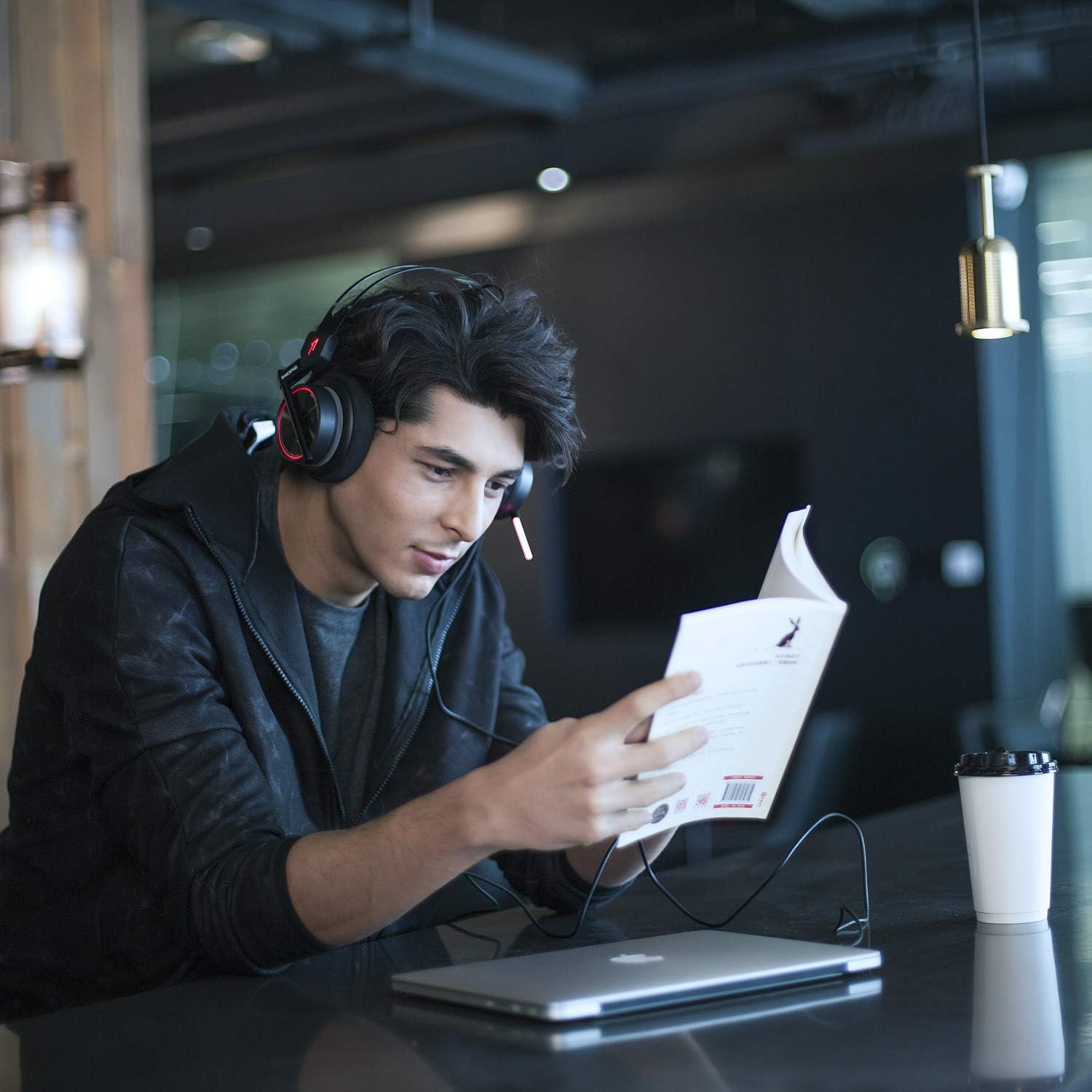
слика: A person wearing the 1MORE H1005 VR Gaming Headset, demonstrating its comfortable fit during use.
2. Аудио контроле
- Контрола јачине звука: Locate the volume wheel or buttons on the headset or inline control (if applicable) to adjust the audio output level.
- Искључивање микрофона: A dedicated button or switch on the headset allows you to mute or unmute the microphone.
3. Употреба микрофона
- The headset features a retractable microphone with dual-mic noise cancellation. Extend the microphone boom when speaking.
- Position the microphone approximately 1-2 inches from your mouth for clear voice pickup.
- Уверите се да микрофон није искључен.
4. LED Lighting Customization
- When connected via USB to a PC, the LED lights can be customized using the 1MORE gaming software.
- The software allows you to select colors and twinkling modes to personalize your headset's appearance.
Одржавање
- Чишћење: Use a soft, dry cloth to wipe the headset. For ear pads, a slightly damp Може се користити крпа, али се уверите да је потпуно сува пре употребе. Не користите јаке хемикалије или абразивна средства за чишћење.
- Складиштење: Store the headset in the provided soft carry bag or a clean, dry place away from extreme temperatures and direct sunlight. Avoid placing heavy objects on the headset.
- Нега каблова: Избегавајте оштре кривине или прекомерно повлачење каблова како бисте спречили оштећења.
Решавање проблема
| Проблем | Могући узрок | Решење |
|---|---|---|
| Нема звука из слушалица |
|
|
| Микрофон не ради |
|
|
| LED lights not working/customizing |
|
|
If you encounter issues not listed here or if the suggested solutions do not resolve your problem, please contact 1MORE customer support for further assistance.
Спецификације
| Назив модела | Х1005 |
| Технологија повезивања | Жично (USB, 3.5 mm прикључак) |
| Контрола буке | Active Noise Cancellation (Dual-Mic) |
| Фреквенцијски одзив | 20Hz - 20kHz |
| Импеданса | 32 Охм |
| Јацк за слушалице | 3.5 мм прикључак |
| Компатибилни уређаји | PC, PS4, XBOX, Smartphones |
| Материјал | Stainless Steel (frame) |
| Тежина артикла | 16 унце (приближно 453 грама) |
| Димензије производа (ДкШкВ) | 54 x 6 x 8 inches (Note: These dimensions may refer to packaging.) |
Напомена: Спецификације се могу променити без најаве.
Гаранција и подршка
Your 1MORE H1005 VR Gaming Headset is covered by a limited warranty. For specific warranty terms and conditions, please refer to the warranty card included in your product packaging or visit the official 1MORE webсајту.
For technical support, troubleshooting assistance, or to inquire about warranty service, please contact 1MORE customer support through their official webсајт или контакт информације наведене у документацији вашег производа.
Онлине ресурси: Visit the 1MORE Store on Amazon