
Увод
Хвала вам на куповиниasing the Klip Xtreme BluWave II KWS-616 2.1 Channel Stereo System. This system is designed to provide a rich audio experience for music, games, and movies. It features Bluetooth connectivity, USB and SD card playback, and an auxiliary input for versatile audio sources. Please read this manual thoroughly before operating the device to ensure proper use and to maximize your listening experience.
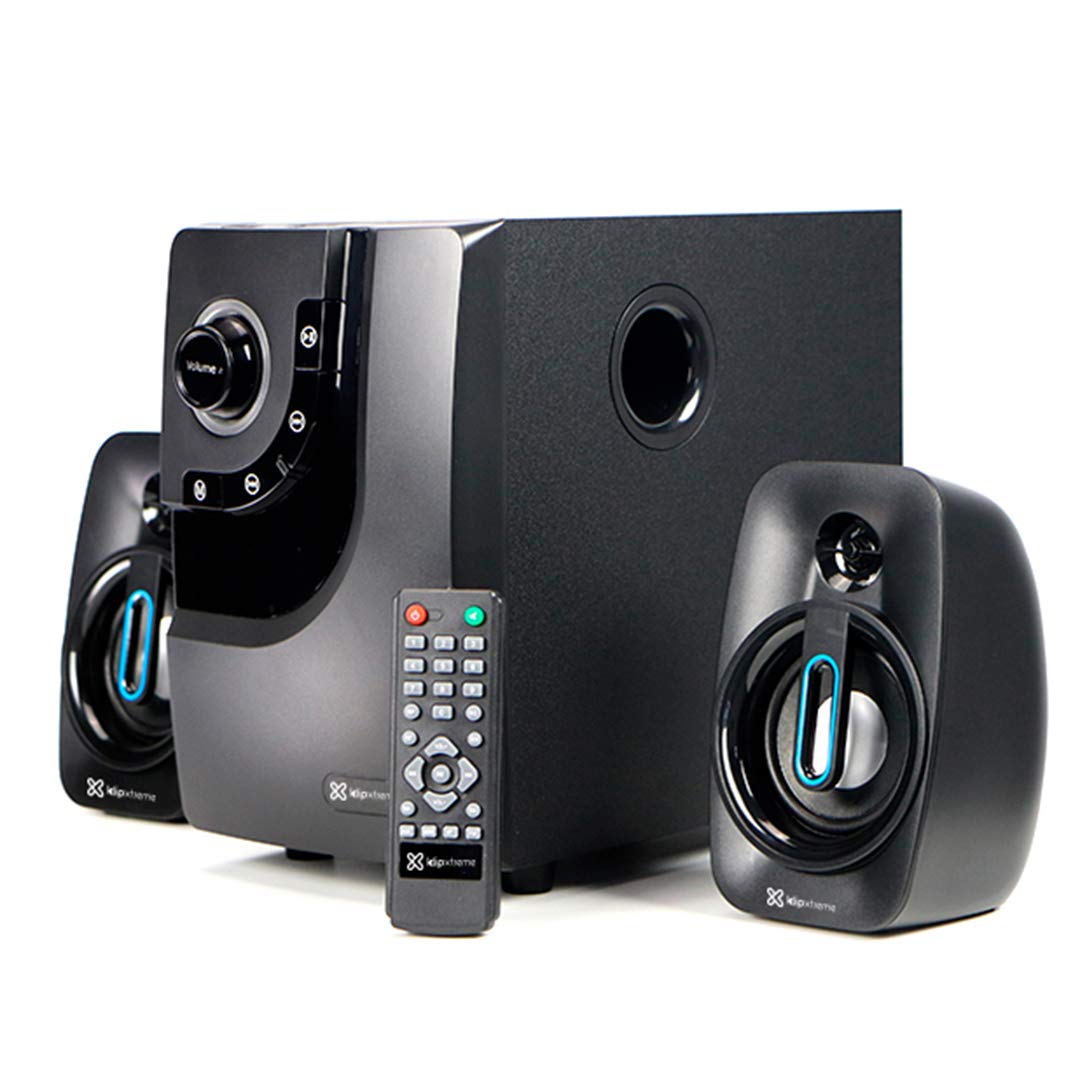
Image: The Klip Xtreme BluWave II KWS-616 system, including the subwoofer, two satellite speakers, and remote control, shown with its packaging and connecting cables.
Садржај пакета
Молимо вас да се уверите да су све ставке присутне у пакету:
- Јединица сабвуфера
- Сателитски звучници (x2)
- Ремоте Цонтрол
- 3.5 мм аудио кабл
- Кориснички приручник (овај документ)

Image: The Klip Xtreme BluWave II KWS-616 system components, including the subwoofer, satellite speakers, remote, and cables, displayed alongside its retail packaging.
Производ је завршенview
Контроле на предњој плочи сабвуфера

Слика: Детаљна view of the subwoofer's front panel, showing the volume knob with blue LED illumination, mode button, playback controls, and digital display.
- Дугме за јачину звука: Rotate to adjust the master volume. Press to change input mode (Bluetooth, USB, SD, AUX).
- Бас дугме: Подешава ниво баса.
- Контроле репродукције: Репродукција/пауза, претходна нумера, следећа нумера.
- Дигитални екран: Shows current mode, track number, or volume level.
Прикључци на задњој плочи сабвуфера

Image: The rear panel of the subwoofer, displaying input and output ports, power switch, and AC power input.
- Input (R/L): РЦА стерео улаз за повезивање екстерних аудио извора.
- Output (R/L): Connects to the satellite speakers.
- УСБ порт: За УСБ флеш дискове.
- Слот за СД картицу: За СД меморијске картице.
- Прекидач: Turns the system ON or OFF.
- АЦ улаз: Повезује се са каблом за напајање.
Сетуп
1. Повезивање звучника
- Connect the cables from the satellite speakers to the "Output (R/L)" ports on the rear panel of the subwoofer. Ensure correct polarity.
- Position the satellite speakers to the left and right of your listening area for optimal stereo separation. The subwoofer can be placed on the floor or a sturdy surface.
2. Прикључак за напајање
- Ensure the power switch on the rear of the subwoofer is in the OFF position.
- Connect the AC power cord to the "AC Input" on the subwoofer's rear panel.
- Plug the other end of the power cord into a standard wall outlet (110V/220V 60Hz/50Hz auto-sensing).
Упутство за употребу
Укључивање/искључивање
Flip the power switch on the rear panel of the subwoofer to the ON position to power on the system. Flip it to the OFF position to power off.
Volume and Bass Control
- Волумен: Rotate the large knob on the front of the subwoofer or use the volume buttons on the remote control to adjust the overall volume.
- бас: Use the dedicated bass knob on the front of the subwoofer or the bass control buttons on the remote to adjust the bass intensity.
Режими уноса
Press the Volume knob on the front panel or the "Mode" button on the remote control to cycle through available input modes: Bluetooth, USB, SD, and AUX.
Блуетоотх упаривање
- Switch the system to Bluetooth mode. The digital display will show "BT" and an indicator light may flash, indicating it's in pairing mode.
- On your Bluetooth-enabled device (smartphone, tablet, computer), enable Bluetooth and search for available devices.
- Select "Klip Xtreme KWS-616" (or similar name) from the list of devices.
- Once paired, the system will confirm the connection, and you can begin playing audio from your device. The effective wireless range is approximately 33 feet (10 meters).
УСБ/СД репродукција
- Insert a USB flash drive or an SD card containing audio files into the respective port on the subwoofer's rear panel.
- Switch the system to USB or SD mode. The system will automatically detect and begin playing audio files.
- Use the playback controls on the front panel or remote control to play, pause, skip tracks, or adjust volume.
АУКС Цоннецтион
- Connect one end of the provided 3.5mm audio cable to the "Input (R/L)" RCA ports on the subwoofer (using an adapter if necessary).
- Connect the other end of the 3.5mm audio cable to the headphone jack or audio output of your external audio device (e.g., TV, DVD player, gaming console, MP3 player).
- Switch the system to AUX mode.
- Репродукујте звук са повезаног уређаја.
Функције даљинског управљача
The included remote control provides convenient access to all major functions:
- Снага: Turns the system on/off (standby).
- Режим: Cycles through input sources (Bluetooth, USB, SD, AUX).
- Волуме +/-: Подешава главну јачину звука.
- Бас +/-: Подешава ниво баса.
- Искључи звук: Искључује/укључује звук.
- Пусти/паузирај: Controls playback for USB/SD/Bluetooth.
- Претходна Следећа: Skips tracks for USB/SD/Bluetooth.
Одржавање
- Keep the system away from direct sunlight, heat sources, and moisture.
- Clean the exterior surfaces with a soft, dry cloth. Do not use abrasive cleaners or solvents.
- Обезбедите одговарајућу вентилацију око сабвуфера како бисте спречили прегревање.
- Do not block the subwoofer's bass port.
Решавање проблема
| Проблем | Могуће решење |
|---|---|
| Нема струје |
|
| Нема звука |
|
| Блуетоотх упаривање није успело |
|
| Изобличен звук |
|
Спецификације

Image: The Klip Xtreme BluWave II KWS-616 subwoofer and satellite speakers displayed with rulers to indicate their physical dimensions.
| Тип уређаја | 2.1 speaker system with Bluetooth technology |
| Максимална излазна снага (РМС) | 40W (80W Peak Power) |
| АЦ Инпут | 110V/220V 60Hz/50Hz (autosensing) |
| Satellite Driver Unit | 3 инча (76 мм) |
| RMS снага сателита | 10W each (20W total) |
| Satellite Frequency Response | 120Хз-18кХз |
| Satellite Impedance | 8Ω |
| Subwoofer Driver Unit | 4 инча (102 мм) |
| RMS снага сабвуфера | 20В |
| Фреквентни одзив сабвуфера | 20Хз-150Хз |
| Импеданса сабвуфера | 4Ω |
| Однос сигнала и шума | 60дБ |
| Повезивање | Bluetooth, SD, USB, 3.5mm (via RCA input) |
| Домет | До 33 стопе (10 метара) |
| Димензије сабвуфера (ШкВкД) | 6.1 к 9.8 к 10.8 инча (15.5 к 24.9 к 27.4 цм) |
| Satellite Dimensions (WxHxD) | 3.9 к 6.3 к 3.8 инча (9.9 к 16.0 к 9.7 цм) |
| Тежина производа | 6.8 фунти (3.08 кг) |
| Цабле Ленгтх | 4.9 стопа (1.5 метра) |
| Број модела | КВС-616 |
Гаранција и подршка
The Klip Xtreme BluWave II KWS-616 system comes with a једногодишња ограничена гаранција од датума куповине. Ова гаранција покрива недостатке у материјалу и изради при нормалној употреби. Не покрива штету насталу услед злоупотребе, несреће, неовлашћене модификације или спољних узрока.
For technical support or warranty claims, please contact your local Klip Xtreme authorized dealer or visit the official Klip Xtreme webсајт за контакт информације.