
1. Производ је готовview
The EJEAS V6 Bluetooth Intercom Headset is designed for clear communication among riders. It supports up to 6 rider connections with real-time intercom for 2 riders, offering a maximum range of 800m (600-800m in environments with interference). This device is suitable for most motorcycle helmets and features Bluetooth 5.1 connectivity, CVC noise reduction, and a large capacity battery.

Image: The EJEAS V6 Bluetooth Intercom unit, showing its compact design and control buttons.
2. Садржај пакета
Пакет укључује следеће ставке:
- 1 x Bluetooth Motorcycle Intercom Unit
- 1 x Ear Speaker and Microphone Headset
- 1 к УСБ кабл
- 2 x Self-adhesive Headphone Felt Pads
- 1 к одвијач
- 1 x Headphone Clamp and Mounting Screws
- 1 к Упутство за употребу

Image: All components included in the EJEAS V6 Bluetooth Intercom package, laid out neatly, including the intercom unit, headset, cables, and mounting accessories.
3. Распоред и контроле уређаја
Familiarize yourself with the buttons and ports on your EJEAS V6 intercom unit.

Image: Detailed diagram showing the antenna, power on/off, phone/play, volume controls, and headphone jack on the EJEAS V6 intercom unit. Dimensions of the unit and cables are also shown.
- Антена: За пренос сигнала.
- Rider E / Power On/Off / Rider A: Multi-function buttons for power and intercom connections.
- Phone / Play: Button for call management and music playback.
- Rider B / Rider C / Rider D: Buttons for connecting to other intercom units.
- Волуме +/-: Подешава јачину звука.
- Слушалице: Connects the ear speaker and microphone headset.
4. Подешавање и инсталација
4.1. Пуњење уређаја
Before first use, fully charge the intercom unit. The device features a Type-C interface for charging.

Image: The EJEAS V6 intercom unit connected to a power adapter via a USB-C cable for charging, also showing the Type-C interface for headphones and software upgrades.
The charging cable provided is for charging only and does not support data transmission. For software upgrades, use a Type-C data cable with data transmission functionality.
4.2. Pairing Two V6 Intercoms
Follow these steps to pair two EJEAS V6 intercom units for communication:
- Укључено: Short-press the intercom button on both devices to turn them on. The indicator light will flash blue.
- Уђите у режим упаривања: Long-press the intercom button on both devices until the indicator lights flash red and blue alternately.
- Select Master: Choose one device as the master. Click the intercom button on the master device to start searching for the other unit.
- Упаривање завршено: When both devices flash blue at the same rate, pairing is complete.
- Enter Intercom Mode: Click the intercom button on the master device to enter intercom mode.
Video: A visual guide demonstrating the steps to pair two EJEAS V6 intercom units.
4.3. Reconnecting Two V6 Intercoms
To reconnect two V6 intercoms after initial pairing:
- Boot Devices: Short-press the intercom button on both V6 intercoms to turn them on.
- Покрени везу: Click the intercom button on either device (master or slave) to initiate the connection.
Video: A visual guide demonstrating how to pair and reconnect EJEAS V6 intercom units.
5. Упутство за употребу
5.1. Интерфонска комуникација
The V6 system supports up to 6 rider connections and real-time intercom for 2 riders. The maximum effective distance is 800 meters.

Image: An illustration depicting six motorcycle riders connected via the EJEAS V6 intercom system, highlighting the 1200m ideal distance.
5.2. Блуетоотх повезивање
The intercom connects to mobile phones and GPS devices via Bluetooth 5.1. Key functions include:
- Слушање музике
- Receiving voice commands from GPS
- Activating Siri and other mobile assistants
- Automatic call answering within 5 seconds
- Ending calls with a single button
- Поновно бирање последњег позива
5.3. Смањење буке
The V6 features advanced DSP noise reduction technology, which effectively reduces background noise by over 90%. This ensures clear voice quality even at speeds up to 120 km/h.
6. Battery and Durability
The EJEAS V6 intercom is equipped with an 850 mAh large capacity battery.
- Време употребе: До 18 сати
- Време приправности: До 260 сати
The device is IP67 waterproof, making it suitable for various applications and weather conditions.
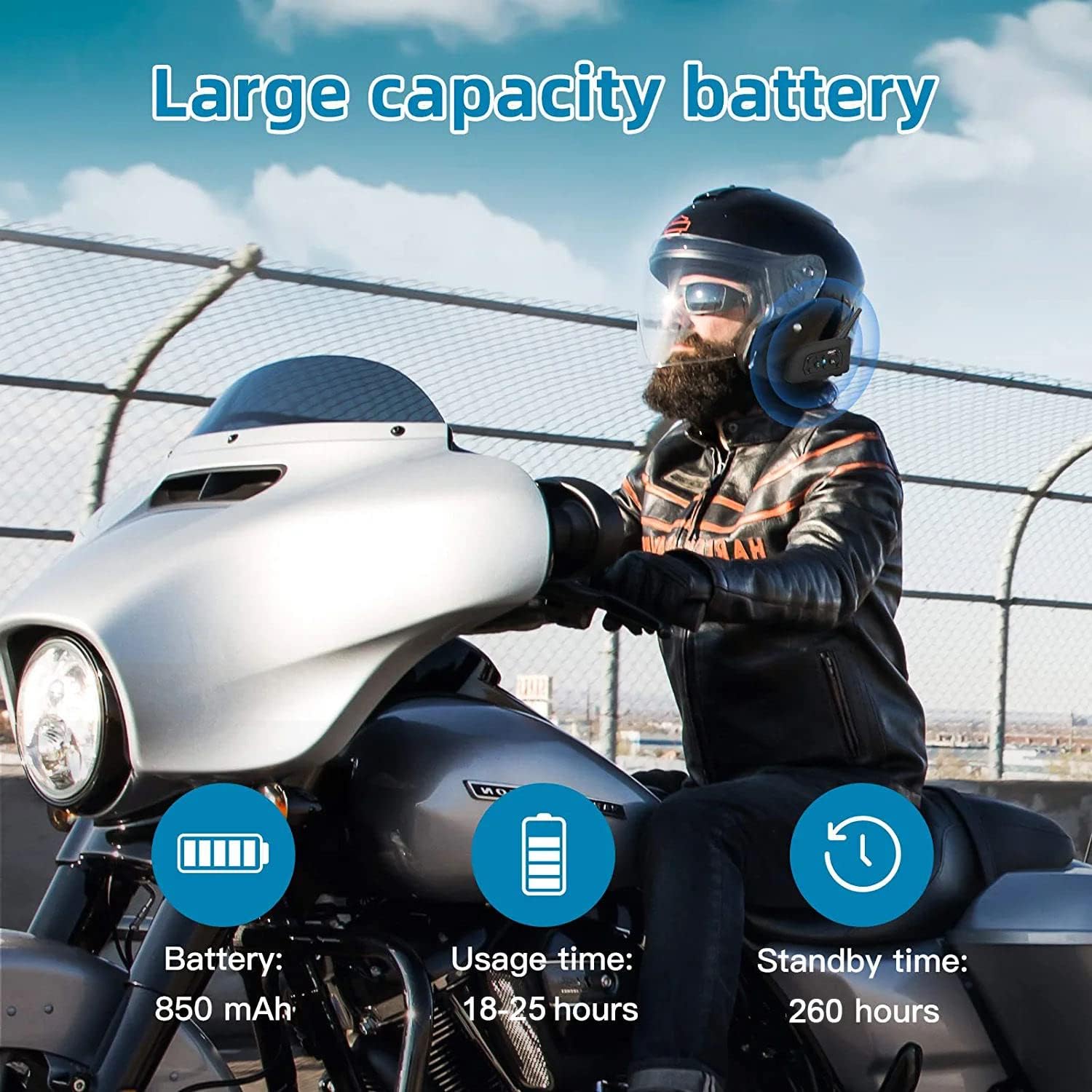
Image: An illustration highlighting the large battery capacity (850mAh), usage time (18-25 hours), standby time (260 hours), Bluetooth 5.1 chip, IP65 waterproof rating, GPS support, DSP noise reduction, 2-person real-time chat, call function, and music playback.
7. Пријаве
The EJEAS V6 Bluetooth headset is versatile and can be used in various scenarios, including:
- Вожња мотоцикла
- Скијање
- Градилишта
- Referee communication

Image: A collage showing the EJEAS V6 intercom being used for motorcycle riding, skiing, referee communication, and on a construction site.
8. Спецификације
| Феатуре | Детаљ |
|---|---|
| Бранд | ЕЈЕАС |
| Назив модела | V6 |
| Технологија повезивања | бежични (Блуетоотх) |
| Блуетоотх верзија | 3.0 |
| Постављање уха | Преко уха |
| Форм Фацтор | Ин-еар |
| Контрола буке | Активно поништавање буке |
| Конектор за слушалице | УСБ-Ц |
| Импеданса | 50 Охм |
| Фреквенцијски опсег | 20 Хз – 20,000 Хз |
| Капацитет батерије | 850 мАх |
| Време пуњења батерије | 3 сата |
| Трајање батерије (приправност) | 260 сата |
| Ниво отпорности на воду | Водоотпоран |
| Материјал | Пластика |
| Тип контроле | Контрола јачине звука |
| Контролни метод | Voice-controlled, Touch |
| Компатибилни уређаји | Мотоцикли |
КСНУМКС. Решавање проблема
If you encounter any issues with your EJEAS V6 intercom, please consider the following:
- Нема напајања: Ensure the device is fully charged. Connect it to a power source using the provided USB-C cable.
- Проблеми упаривања: Repeat the pairing steps carefully. Ensure both devices are in pairing mode (flashing red and blue) before initiating the search from the master unit.
- Искључење интерфона: If the intercom disconnects, try re-initiating the connection by pressing the intercom button on either unit. Ensure you are within the effective range (up to 800m).
- Лош квалитет звука: Check the microphone and speaker placement within your helmet. Ensure the CVC noise reduction is active.
- Bluetooth Connection to Phone: If your phone doesn't connect, ensure Bluetooth is enabled on your phone and the V6 is in pairing mode. Forget the device on your phone and try pairing again.
10. Гаранција и подршка
За информације о гаранцији и техничку подршку, обратите се званичном EJEAS-у webсајт или контактирајте продавца. Сачувајте рачун за куповину за потребе гаранције.