
Amazon B078NSDFSB
Упутство за употребу кућног робота Amazon Astro
Model: B078NSDFSB
Introduction to Amazon Astro
Amazon Astro is a household robot designed for home monitoring and integration with Alexa. It combines advanced navigation technology with intelligent features to help you stay connected to your home from anywhere.
Кључне карактеристике укључују:
- Праћење дома: Remotely check on rooms, people, or objects. Receive alerts for unrecognized persons or specific sounds.
- Intelligent Motion: Astro navigates your home autonomously, moving where needed and returning to a ready state when not in use.
- Custom Routines: Set up personalized routines for daily tasks, such as traffic news updates or pet feeding reminders.
- Контроле приватности: Easily disable microphones, cameras, and motion with a single button press. Define out-of-bounds zones via the Astro app.
- Алека интеграција: Astro can follow you while playing music or video from its high-quality speakers or deliver calls, messages, timers, alarms, and reminders.
- Компатибилност додатне опреме: Supports various accessories (sold separately) like a Ziploc container, OMRON blood pressure monitor, and Furbo Dog Camera.
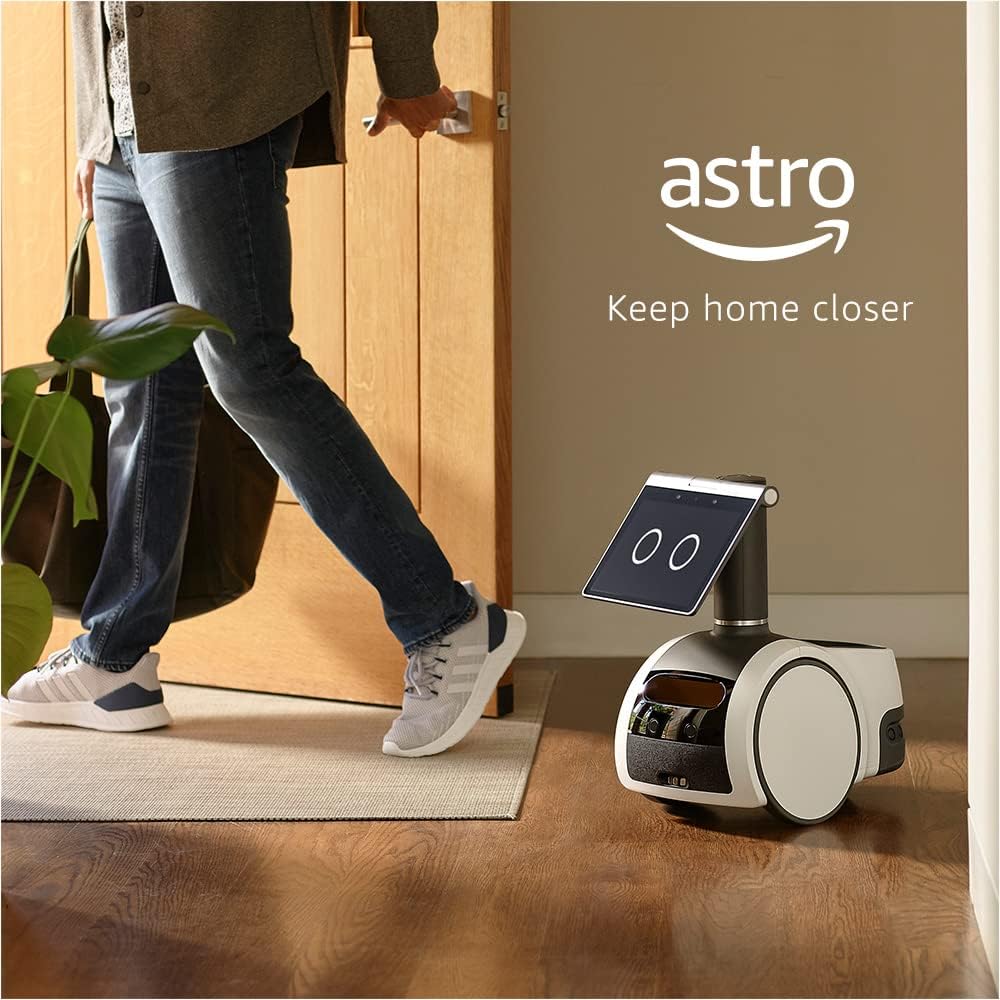
Figure 1: Amazon Astro, the household robot, designed to keep your home closer.
Водич за подешавање
Before operating your Amazon Astro, ensure all components are present and follow these setup steps.
Шта је у кутији
- Astro device
- Cargo bin liner
- Држач за чаше
- Charger and 6ft power cable
- Водич за брзи почетак
- Комплет добродошлице
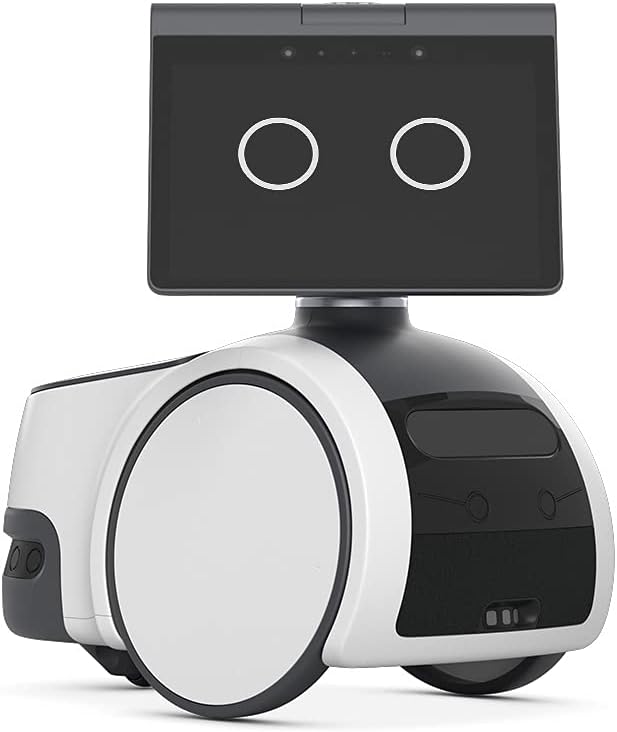
Figure 2: The Amazon Astro device, showcasing its display and main body.
Захтеви за рад
To operate Astro, you will need:
- An active Amazon.com account.
- A compatible mobile device running iOS 13+ or Android 8+.
- The Astro app installed on your mobile device.
Note: Fire OS and Android Tablets are currently not supported.
Почетни кораци подешавања
- Unpack Astro: Carefully remove Astro and all accessories from the packaging.
- Charge Astro: Connect the charger to Astro and plug it into a power outlet. The device charges in approximately 45 minutes.
- Download the Astro App: On your compatible mobile device, download and install the Amazon Astro app from your device's app store.
- Пратите упутства у апликацији: Open the Astro app and follow the on-screen prompts to connect Astro to your Wi-Fi network, set up your home map, and configure initial settings.
- Define Out-of-Bounds Zones: Use the Astro app to designate areas where Astro should not go, ensuring privacy and safety.
Operating Amazon Astro
Astro is designed for intuitive operation, allowing you to monitor your home and interact with Alexa features.
Remote Home Monitoring
With the Astro app, you can remotely send Astro to check on specific rooms or areas in your home. You can also receive alerts if Astro detects an unrecognized person or certain sounds when you are away.
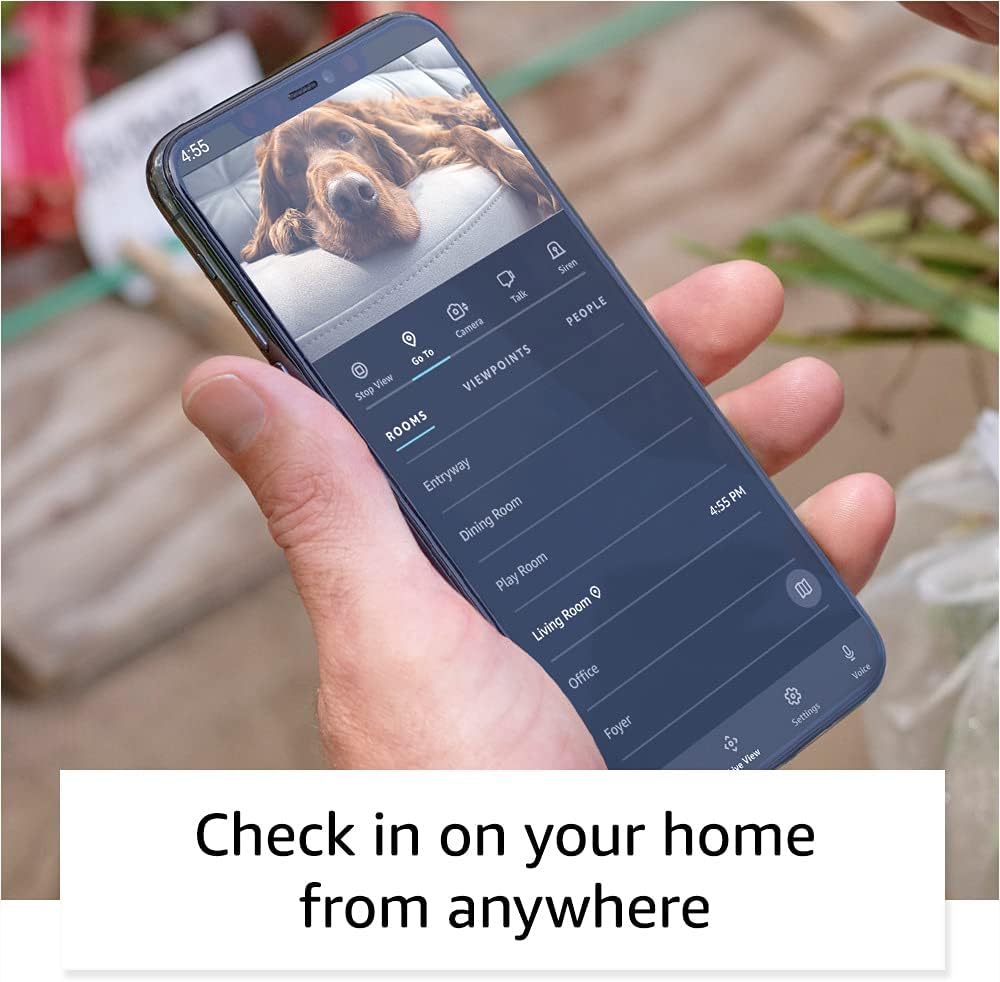
Figure 3: The Astro app interface, enabling remote monitoring and control.
Intelligent Motion and Navigation
Astro utilizes advanced navigation technology to move around your home efficiently. It learns your home layout and can navigate to specific locations as commanded. When not actively in use, Astro will position itself in a convenient location, ready for your next command.
Алека Интегратион
Astro brings Alexa's capabilities into motion. It can follow you while playing music or video from its high-quality speakers. You can also use Astro to deliver calls, messages, set timers, alarms, and reminders throughout your home.
Контроле приватности
Astro is designed with privacy in mind. You can quickly turn off microphones, cameras, and motion with a single press of a button located on the device. Additionally, the Astro app allows you to set "out of bounds" zones, preventing Astro from entering specific areas of your home.

Figure 4: Privacy controls on Astro, allowing quick disabling of mics, cameras, and motion.
Ring Home Premium Integration
For enhanced home security, Astro can integrate with Ring Home Premium (subscription required or trial activation). This allows Astro to proactively patrol, investigate activity, and save videos in Ring's cloud storage for up to 180 days.

Figure 5: Astro with its periscope extended, performing home monitoring tasks, enhanced by Ring Home Premium.
Одржавање
Regular maintenance ensures the optimal performance and longevity of your Amazon Astro.
Пуњење
Astro uses a Lithium-Ion rechargeable battery. Ensure Astro is regularly charged using the included charger. A full charge takes approximately 45 minutes.
Чишћење
- Екстеријер: Wipe the exterior surfaces of Astro with a soft, dry, lint-free cloth. Avoid abrasive cleaners or solvents.
- Сензори и камере: Gently clean any visible sensors or camera lenses with a microfiber cloth to ensure clear vision and navigation.
- Точкови: Periodically check the wheels for any accumulated debris (hair, dust, etc.) and carefully remove it to prevent obstruction.
Ажурирања софтвера
Astro will automatically receive software updates over Wi-Fi. Ensure Astro is connected to the internet to receive the latest features and security enhancements.
Решавање проблема
If you encounter issues with your Amazon Astro, refer to the following common troubleshooting steps.
- Astro is unresponsive:
- Ensure Astro is charged. Connect it to the charger and wait for the charging indicator.
- Restart Astro by holding down the power button (if available) or by disconnecting and reconnecting the charger.
- Проблеми са навигацијом:
- Check for obstructions in Astro's path.
- Ensure Astro's sensors and cameras are clean and free of dust or smudges.
- Verify that your home map in the Astro app is accurate and up-to-date.
- Connectivity problems (Wi-Fi/App):
- Ensure your Wi-Fi network is active and Astro is within range.
- Рестартујте свој Wi-Fi рутер.
- Check if the Astro app on your mobile device is updated to the latest version.
- Try restarting your mobile device.
- Алекса не одговара:
- Ensure Astro's microphones are not muted (check the privacy button on top of Astro).
- Verify Astro has an active internet connection.
- Говорите јасно и нормалном јачином звука.
For persistent issues, consult the Amazon Astro app for further diagnostic tools or visit the Amazon support webсајту.
Спецификације
| Феатуре | Детаљ |
|---|---|
| Димензије (уређај) | 16.7" Д к 9.8" Ш к 17.3" В (424 мм к 250 мм к 440 мм) |
| Dimensions (Charger) | 11.0" Д к 10.4" Ш к 5.0" В (280 мм к 264 мм к 127 мм) |
| Тежина (уређај) | 20.6 фунти (9.35 кг) |
| Weight (Charger) | 3.9 фунти (1.75 кг) |
| Тип батерије | Литијум-јонска пуњива батерија |
| Време пуњења батерије | Отприлике 45 минута |
| Periscope Height | Extends from just above the display up to 42” from the floor |
| Дисплаи | 10.1” HD touchscreen display, 1280x800 resolution |
| камере | 5MP bezel camera, 1080p Periscope camera with 157.8° diagonal field of view |
| ВиФи конекција | Dual band 802.11a/b/g/n/ac |
| Блуетоотх повезивање | A2DP for audio streaming, AVRCP for voice control of mobile devices |
| Портс | УСБ-Ц |
| Аудио | 2.1 System: 2 x 55mm full range front-firing speakers and a passive bass radiator |
| Процесор | 2x Qualcomm QCS605, 1x Qualcomm SDA660, 1x processor with Amazon AZ1 Neural Edge |
| Приступачност | Alexa captioning, closed captioning, screen magnification, color inversion, color correction, VoiceView читач екрана |
| Користите окружење | Indoor use only. Not suitable for children under 3 years or small pets. |
Гаранција и подршка
Информације о гаранцији
Amazon Astro comes with a 1-годишња ограничена гаранција. For detailed terms and conditions, please refer to Amazon’s Conditions of Use, which can be found овде.
Optional extended warranty from SquareTrade is available for US customers and sold separately.
Корисничка подршка
For further assistance, technical support, or warranty claims, please visit the Amazon support website or contact Amazon customer service through the Astro app.
Ask a question about this manual
Ask about setup, troubleshooting, compatibility, parts, safety, or missing instructions. Manuals+ will review the question and use this page’s manual context to help answer it.