
1. Производ је готовview
The CHACON 54661 Set provides a convenient solution for wirelessly controlling your electrical appliances and lighting. This set includes two remote-controlled sockets and one remote control, allowing you to switch devices on or off from a distance within your home.
- Бежична контрола: Operate devices without direct access to the wall socket.
- Једноставна инсталација: Једноставно „plug-and-play“ подешавање.
- Широка компатибилност: Suitable for various household appliances.
- Радна фреквенција: 433.92 МХз.
- Максимална снага: 2000 Ваттс.
- Опсег преноса: Up to 25 meters in open field conditions.

Image: CHACON remote control and a socket in a typical home environment, demonstrating wireless control.
2. Безбедносне информације
Молимо вас да прочитате и разумете сва безбедносна упутства пре употребе овог производа. Непоштовање ових упутстава може довести до струјног удара, пожара или озбиљних повреда.
- Само за унутрашњу употребу: This product is designed for indoor use in dry locations. Do not expose to rain or moisture.
- Максимално оптерећење: Do not exceed the maximum load of 2000 Watts. Overloading can cause overheating and fire.
- вентилација: Ensure adequate ventilation around the sockets. Do not cover them.
- Деца и кућни љубимци: Чувати ван домашаја деце и кућних љубимаца.
- Растављање: Не покушавајте да отворите, модификујете или поправите уређај. Сва сервисирања препустите квалификованом особљу.
- Чишћење: Disconnect from power before cleaning. Use a dry, soft cloth. Do not use liquid cleaners.
- одлагање: Dispose of batteries and the product according to local regulations.
3. Садржај пакета
Проверите да ли су све ставке присутне у пакету:
- 2 x CHACON Remote Controlled Sockets
- 1 x CHACON Remote Control
- 1 x Lithium-ion Battery (pre-installed in remote or supplied separately)
- 1 x Упутство за употребу (овај документ)
4. Подешавање
4.1. Инсталација батерије даљинског управљача
The remote control requires one Lithium-ion battery. If not pre-installed, follow these steps:
- Пронађите одељак за батерије на полеђини даљинског управљача.
- Отворите поклопац одељка за батерије.
- Insert the Lithium-ion battery, ensuring correct polarity (+ and -).
- Добро затворите поклопац одељка за батерије.

Слика: Крупни план view of the CHACON remote control, showing the ON/OFF buttons and channel selectors (1, 2, 3, 4).
4.2. Pairing Sockets with Remote Control
Each socket needs to be paired with the remote control to establish communication. The remote control has four channels (1, 2, 3, 4) which can be used to control individual sockets or groups of sockets.
- Plug one CHACON remote controlled socket into a standard wall outlet. The LED indicator on the socket may flash.
- Within 5 seconds of plugging in the socket, press and hold the small pairing button located on the side or front of the socket until the LED indicator starts flashing rapidly.
- While the socket's LED is flashing, press the desired "ON" button (e.g., "1 ON") on the remote control.
- The socket's LED indicator will stop flashing and remain solid for a moment, then turn off, indicating successful pairing.
- Repeat this process for the second socket, assigning it to a different channel (e.g., "2 ON") or the same channel if you wish to control both simultaneously.
- To unpair a socket, plug it in, then press and hold the pairing button until the LED flashes rapidly. Then, press the corresponding "OFF" button on the remote control.

Image: A CHACON remote controlled socket plugged into a wall outlet, ready for pairing.
5. Упутство за употребу
Once your sockets are paired, you can easily control your connected devices.
- Plug the appliance you wish to control into the CHACON remote controlled socket.
- Ensure the appliance's own power switch is in the "ON" position (if applicable).
- To turn the appliance ON, press the corresponding "ON" button (1, 2, 3, or 4) on your remote control.
- To turn the appliance OFF, press the corresponding "OFF" button (1, 2, 3, or 4) on your remote control.
You can control devices individually or, if multiple sockets are paired to the same channel, control them simultaneously.
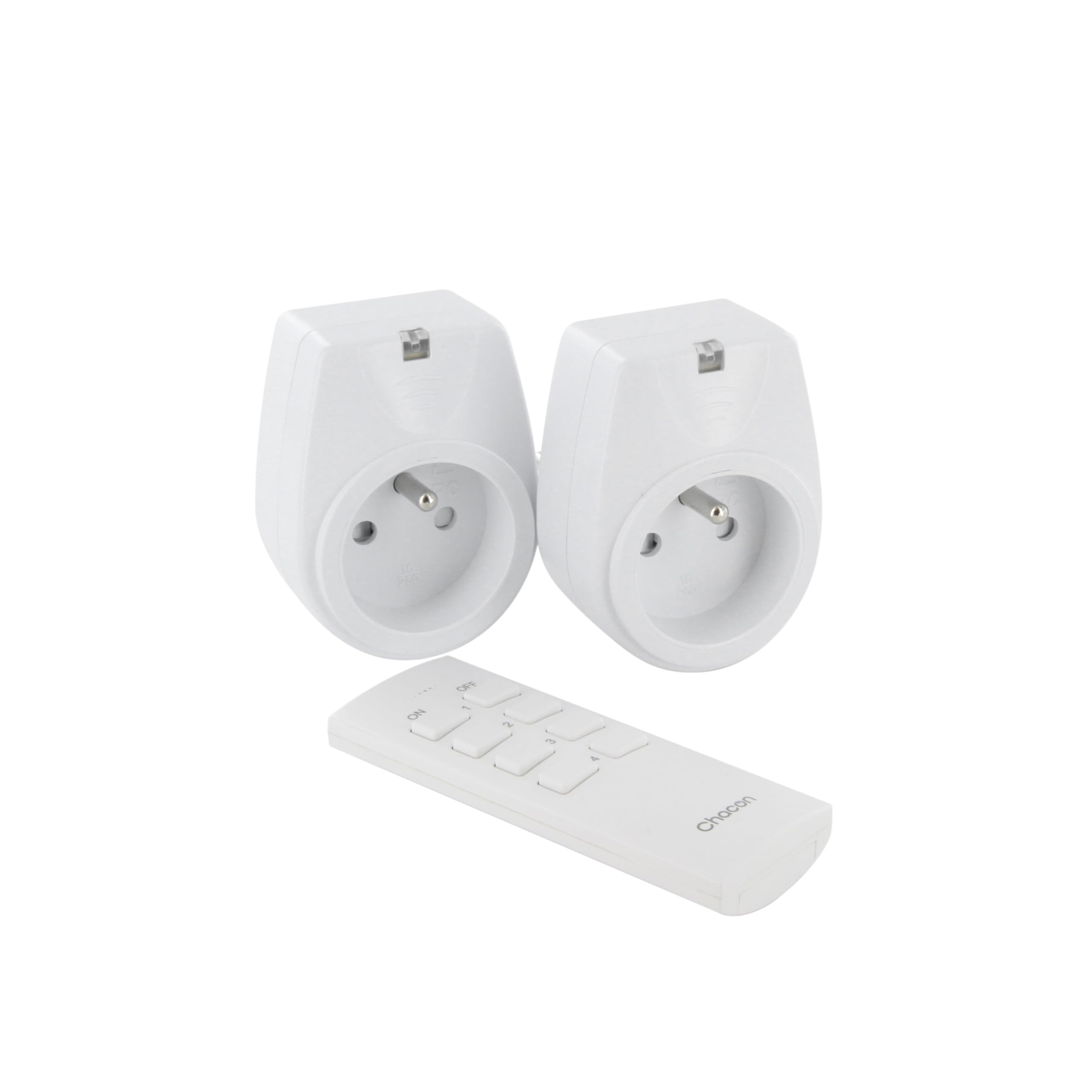
Image: A hand holding the CHACON remote control, demonstrating its use to switch on a lamp.
6. Одржавање
6.1. Чишћење
To clean the sockets and remote control, ensure they are disconnected from power. Use a soft, dry cloth. Do not use abrasive cleaners, solvents, or immerse in water.
6.2. Замена батерије даљинског управљача
If the remote control's range decreases or it stops responding, the battery may need replacement. Follow the steps in Section 4.1 to replace the Lithium-ion battery with a new one of the same type.
КСНУМКС. Решавање проблема
| Проблем | Могући узрок | Решење |
|---|---|---|
| Socket does not respond to remote control. |
|
|
| Connected appliance does not turn on/off. |
|
|
| Reduced transmission range. |
|
|
8. Спецификације
| Бранд | ШАКОН |
| Број модела | 54661 |
| Боја | Бела |
| Посебне карактеристике | Бежични |
| Компатибилни уређаји | Air conditioner, Game console, Iron, Speaker, Lamp, DVD player, MP3 player, E-reader, Coffee machine, Modem, Laptop, Heater, Router, Refrigerator, Set-top box, Smartphone, Smartwatch, Audio system, Hair dryer, Tablet, Television |
| Тип батерије за даљинско управљање | Литијум-јонски (1 укључен) |
| Мак Повер | 2000 Ваттс |
| Трансмиссион Дистанце | 25м (отворено поље) |
| Фреквенција | 433.92 МХз |
| Волtage | 230В |
| Број утичница | 2 |
| Плуг Типе | FR (Type E/F) |
| Материјал | поливинил хлорид (ПВЦ) |
| Земља порекла | Кина |
9. Гаранција
This CHACON product is covered by a 2 година гаранције from the date of purchase. This warranty covers manufacturing defects and material faults under normal use. It does not cover damage caused by misuse, accident, unauthorized modification, or improper installation.
Сачувајте доказ о куповини за гаранцијске захтеве.
10. Подршка
For technical assistance, troubleshooting not covered in this manual, or warranty inquiries, please contact CHACON customer support.
Visit the official CHACON webсајт за најновије информације о подршци и контакт податке.
Note: Specific contact information may vary by region.