
Everest SMW-242
Упутство за употребу бежичног миша Everest SMW-242
Model: SMW-242
Увод
This manual provides detailed instructions for the setup, operation, maintenance, and troubleshooting of your Everest SMW-242 Wireless Mouse. Please read this manual thoroughly before using the product to ensure proper functionality and to prevent damage.
Садржај пакета
- Everest SMW-242 Wireless Mouse
- УСБ нано пријемник
- 1 к АА алкалне батерије
- Кориснички приручник (овај документ)
Сетуп
1. Уметање батерије
- Пронађите одељак за батерију на доњој страни миша.
- Пажљиво отворите поклопац одељка за батерије.
- Insert one AA alkaline battery, ensuring the positive (+) and negative (-) terminals align correctly with the markings inside the compartment.
- Затворите поклопац одељка за батерију док не кликне чврсто на своје место.

Image: Underside of the mouse showing the battery compartment and an AA battery for installation.
2. Повезивање USB Nano пријемника
- Locate the USB nano receiver, usually stored within the battery compartment or packaged separately.
- Прикључите USB nano пријемник у слободан USB порт на рачунару.
- Ваш оперативни систем би требало аутоматски да детектује и инсталира потребне драјвере. Ово може потрајати неколико тренутака.
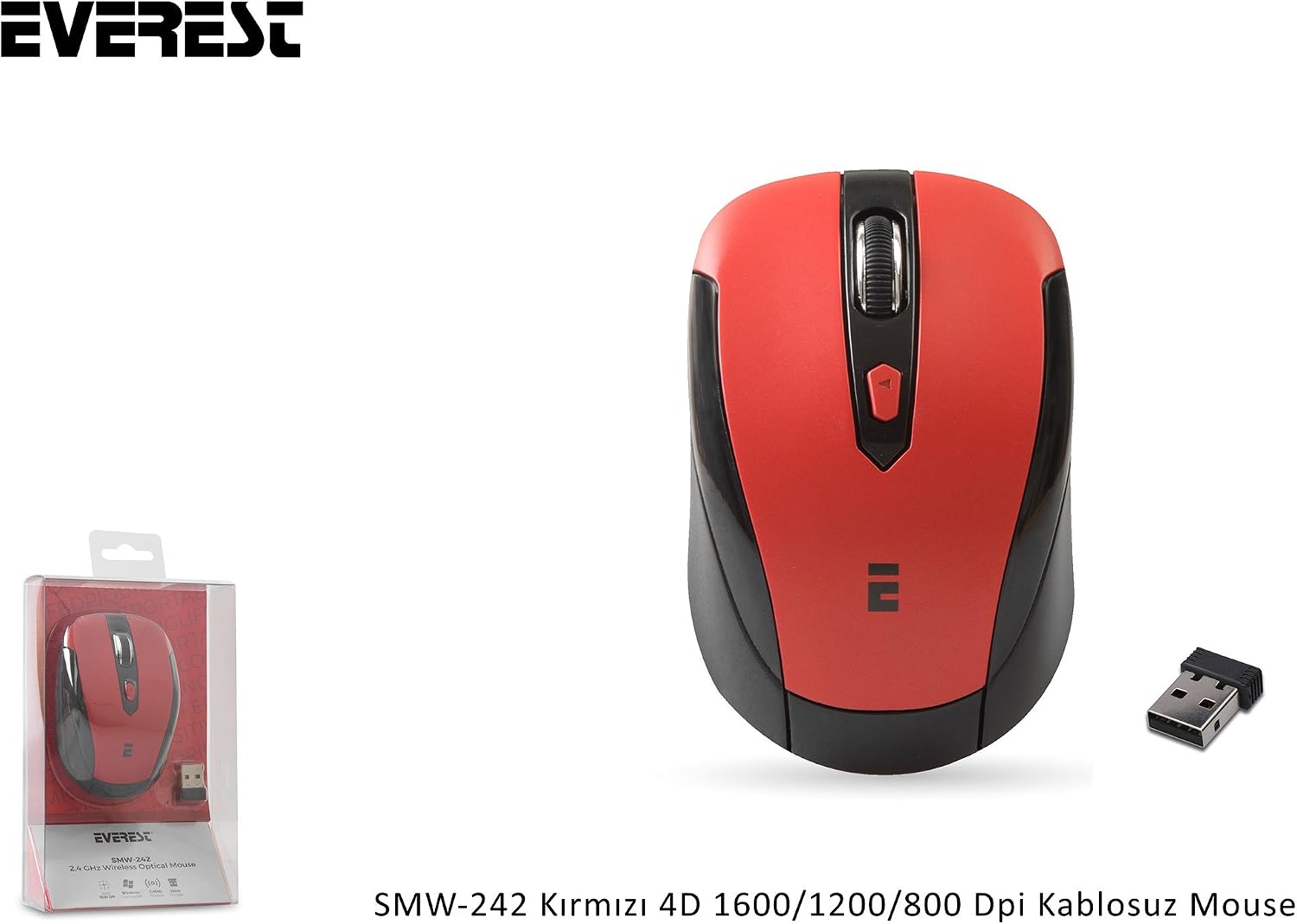
Image: The Everest SMW-242 mouse displayed with its compact USB nano receiver.
3. Укључивање миша
Most wireless mice have an On/Off switch on the underside. Slide the switch to the "ON" position. The mouse should now be ready for use.
Упутство за употребу
Основне функције
- Леви клик: Примарни избор и активација.
- Десни клик: Отвара контекстуалне меније.
- Точак за померање: Скролује документе и web pages vertically. Can also be clicked for middle-click functionality (application dependent).
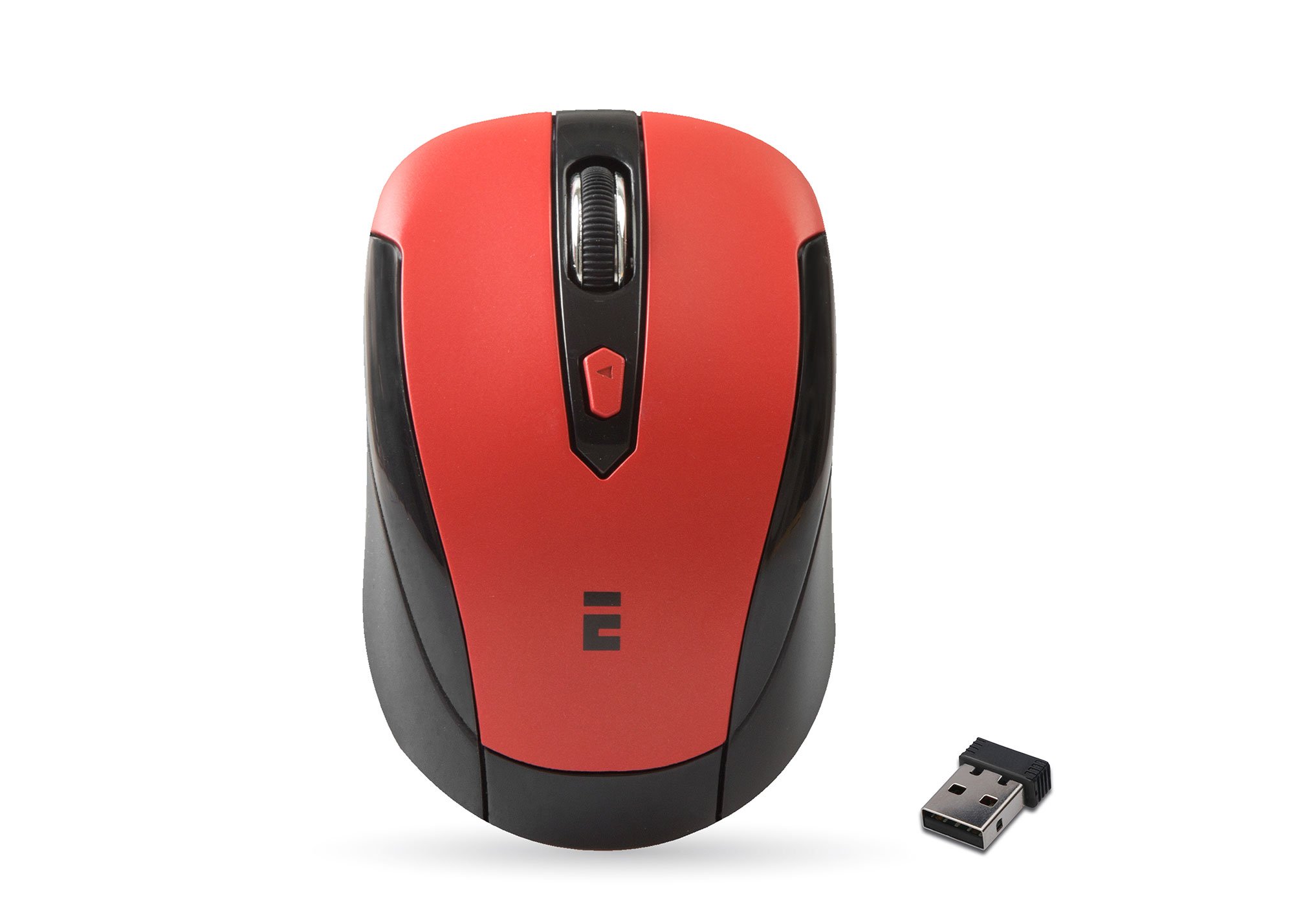
Слика: Врх view of the Everest SMW-242 mouse, showing the left/right click buttons, scroll wheel, and DPI adjustment button.
DPI Adjustment (Sensitivity)
The Everest SMW-242 mouse features adjustable DPI settings, allowing you to change the cursor sensitivity to suit your preference or task. The available DPI settings are 800, 1200, and 1600 DPI.
- Locate the DPI button, typically positioned behind the scroll wheel.
- Press the DPI button to cycle through the available sensitivity settings (800 → 1200 → 1600 → 800 DPI).
- Observe the change in cursor speed on your screen to select your desired sensitivity.
4Д функционалност
The "4D" designation typically refers to additional functionality beyond standard 2-axis movement and basic clicks. For this mouse, it implies the adjustable DPI settings and potentially the scroll wheel's ability to function as a middle click or other programmable actions depending on the operating system or software. The primary 4D feature highlighted is the adjustable DPI.
Одржавање
Чишћење миша
- Disconnect the mouse from your computer by removing the USB receiver.
- Лагано користите меку крпу која не оставља длачице дampводом или благим раствором за чишћење обришите површину миша.
- Avoid using harsh chemicals, abrasive cleaners, or excessive moisture, as these can damage the mouse.
- For optical sensor cleaning, use a cotton swab lightly dampened with isopropyl alcohol to gently clean the sensor opening on the underside.
Замена батерије
When the mouse performance degrades or it stops responding, it is likely time to replace the battery. Follow the steps outlined in the "Inserting the Battery" section under Setup.
Складиштење
When not in use for extended periods, it is recommended to turn off the mouse using the On/Off switch and remove the battery to prevent leakage and prolong battery life. Store the USB receiver in its dedicated slot within the mouse or in a safe place to prevent loss.
Решавање проблема
| Проблем | Решење |
|---|---|
| Mouse not responding or erratic movement. |
|
| Cursor moves too fast or too slow. |
|
| Проблеми са бежичном везом. |
|
Спецификације
| Феатуре | Детаљ |
|---|---|
| Модел | СМВ-242 |
| Повезивање | 2.4 GHz бежични (USB нано пријемник) |
| ДПИ подешавања | 800 / 1200 / 1600 DPI (подесиво) |
| Тип сензора | Оптицал |
| Дугмад | 4D (Left, Right, Scroll Wheel Click, DPI Button) |
| Извор напајања | 1 к АА батерија |
| Домет | Up to 10 meters (approx. 33 feet) |
| Тежина | 0.12 килограма (приближно 0.26 лбс) |
| Компатибилност | Windows, Android (with OTG support) |
Информације о гаранцији
The Everest SMW-242 Wireless Mouse comes with a Двогодишња гаранција произвођача from the date of purchase. This warranty covers defects in materials and workmanship under normal use. It does not cover damage caused by accident, misuse, abuse, unauthorized modification, or external causes such as liquid damage.
Please retain your proof of purchase for warranty claims. For warranty service, contact your retailer or the manufacturer's customer support.
Подршка
If you encounter any issues not covered in this manual or require further assistance, please refer to the following resources:
- Мануфацтурер'с Webсајт: Visit the official Everest website for FAQs, driver downloads (if applicable), and additional support information.
- Подршка продавца: Contact the retailer from whom you purchased the product for assistance.
For general inquiries or technical support, please have your product model number (SMW-242) and proof of purchase ready.
Ask a question about this manual
Ask about setup, troubleshooting, compatibility, parts, safety, or missing instructions. Manuals+ will review the question and use this page’s manual context to help answer it.