
Youshiko YC8061-B
Youshiko YC8061-B Jumbo Radio Controlled Wall Clock
Упутство за употребу корисника
1. Увод
Thank you for choosing the Youshiko YC8061-B Jumbo Radio Controlled Wall Clock. This clock is designed to provide precise timekeeping, automatically synchronizing with the MSF radio signal for the UK and Ireland. It features a large, clear LCD display that shows time, date, day of the week, indoor temperature, and humidity. This manual will guide you through the setup, operation, and maintenance of your new clock.
Слика 1.1: Предња страна view of the Youshiko YC8061-B Jumbo Radio Controlled Wall Clock, displaying time, date, day, temperature, and humidity.
2. Садржај пакета
- Youshiko YC8061-B Jumbo Radio Controlled Wall Clock
- Упутство за употребу
Напомена: 4 x AA batteries are required for operation and are not included in the package.
3. Производ је готовview
Familiarize yourself with the main components and controls of your clock.
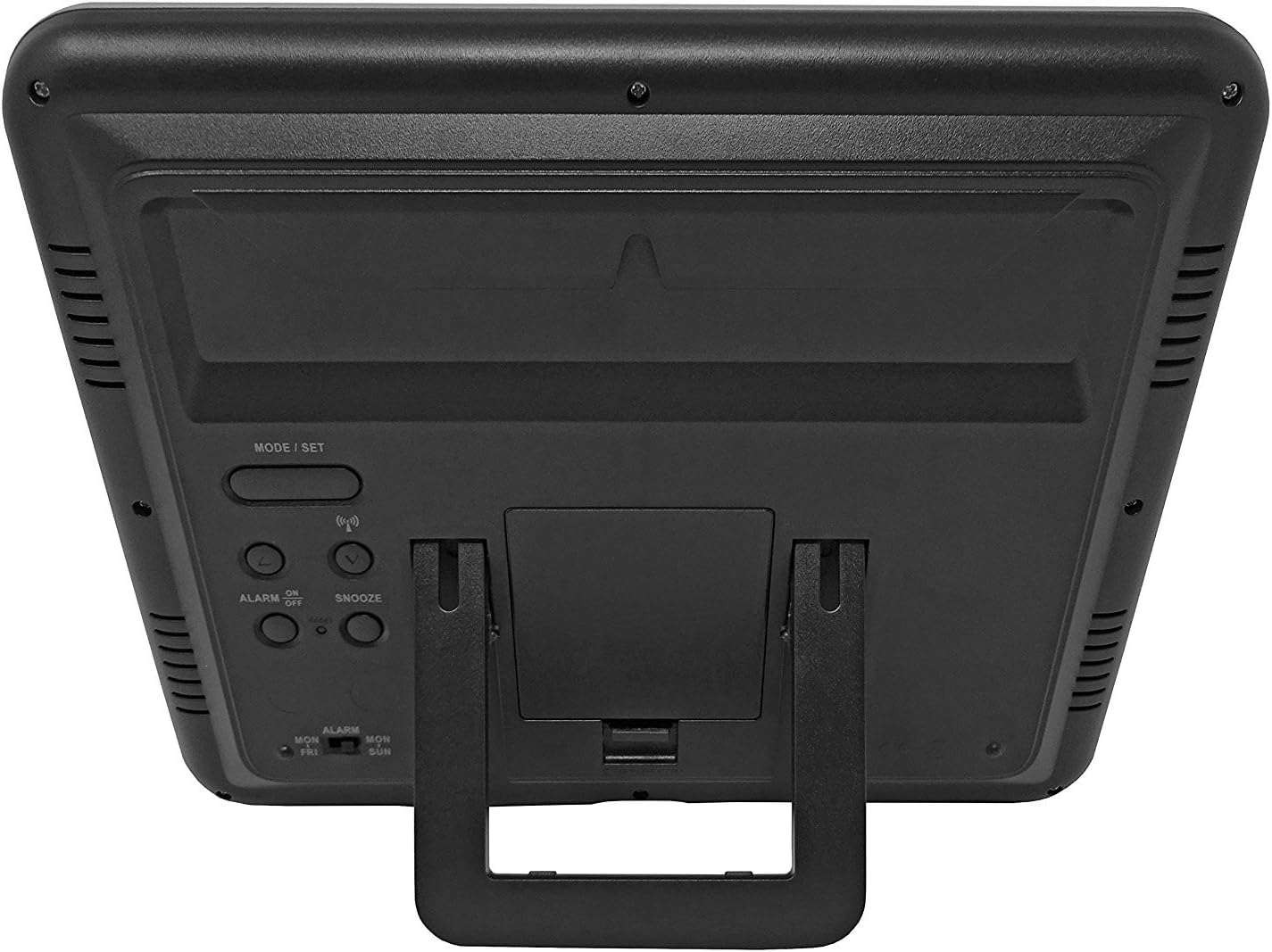
Слика 3.1: Позади view of the clock, highlighting the battery compartment and control buttons.
Контролна дугмад:
- MODE / SET: Used to switch between display modes and enter setting mode.
- ГОРЕ ДОЛЕ: Used to adjust values during setting mode.
- WAVE / RCC: Manually initiates or stops radio control signal reception.
- ALARM ON / OFF: Активира или деактивира аларм.
- СНООЗЕ: Activates the snooze function when the alarm sounds.
4. Инсталација батерије
- Пронађите поклопац одељка за батерије на задњој страни сата.
- Remove the cover by sliding it down or lifting it off.
- Insert 4 new AA batteries, ensuring the correct polarity (+ and -) as indicated inside the compartment.
- Вратите поклопац одељка за батерије.
The clock will power on and begin searching for the radio control signal automatically.
5. Initial Setup & Time Synchronization
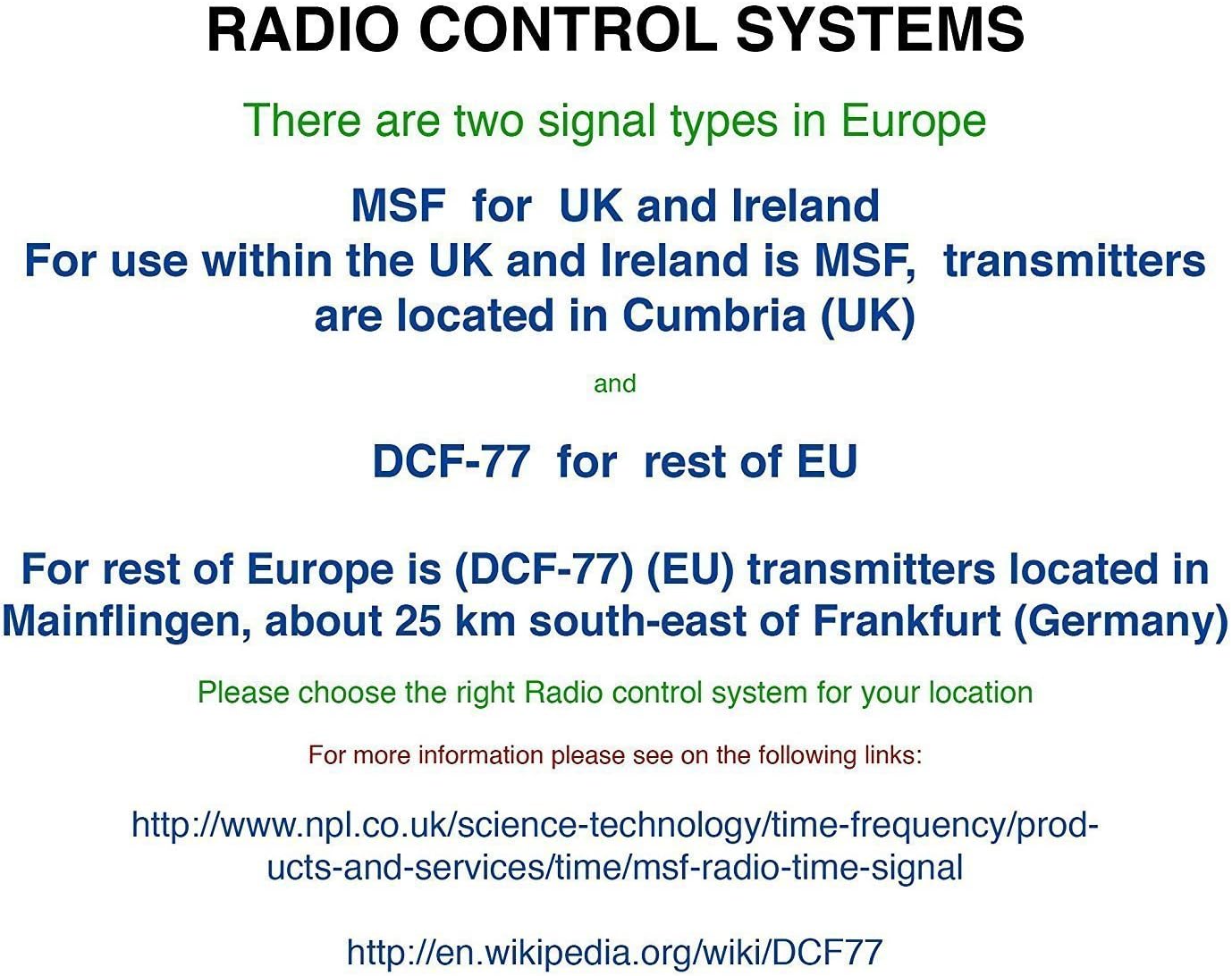
The Youshiko YC8061-B clock is designed to automatically set its time and date via the MSF radio signal broadcast from Cumbria, UK. This signal is specifically for use within the UK and Ireland.

Figure 5.1: Explanation of radio control systems (MSF for UK/Ireland, DCF-77 for rest of EU).
Аутоматска синхронизација:
- After battery installation, the clock will automatically start searching for the MSF signal. A radio wave icon will flash on the display.
- Place the clock near a window, away from electronic devices that may cause interference.
- The initial synchronization process may take several minutes to a few hours, depending on your location and signal strength.
- Once the signal is successfully received, the radio wave icon will appear solid on the display, and the clock will show the correct time and date.
- The clock will automatically adjust for Daylight Saving Time (DST) and perform daily checks to maintain accuracy.
Ручна претрага сигнала:
If the clock does not synchronize automatically or if you wish to force a signal search, press and hold the WAVE / RCC button. The radio wave icon will flash, indicating it is searching for the signal.
Manual Time Setting (if radio signal is unavailable):
In areas where the radio signal cannot be received, you can manually set the time and date:
- Притисните и држите MODE / SET дугме док цифре времена не почну да трепћу.
- Користите UP or ДОВН buttons to adjust the flashing value (e.g., hour, minute).
- Притисните MODE / SET again to confirm the setting and move to the next adjustable item (e.g., minute, year, month, day, 12/24-hour format, temperature unit).
- Repeat steps 2 and 3 until all settings are configured.
- Притисните MODE / SET још једном да бисте изашли из режима подешавања.
6. Упутство за употребу
Режими приказа:
The clock displays time (hours, minutes, seconds), date (day, month, year), day of the week, indoor temperature, and humidity. The time digits are large (8.3 cm) for easy readability.
Функција аларма:
- Да бисте подесили време аларма, притисните дугме MODE / SET више пута док се не прикаже време аларма.
- Притисните и држите MODE / SET until the alarm hour flashes. Use UP or ДОВН прилагодити.
- Притисните MODE / SET to confirm the hour and move to minutes. Use UP or ДОВН прилагодити.
- Притисните MODE / SET да бисте изашли из подешавања аларма.
- Да бисте активирали или деактивирали аларм, притисните дугме АЛАРМ УКЉУЧЕН / ИСКЉУЧЕН дугме. Икона аларма ће се појавити на екрану када се активира.
Одгода функција:
Када се огласи аларм, притисните СНООЗЕ дугме да бисте привремено искључили аларм. Аларм ће се поново огласити након отприлике 5 минута.
Избор јединице температуре:
To switch between Celsius (°C) and Fahrenheit (°F) for temperature display, press the UP button during normal time display.
7. Опције монтаже
The Youshiko YC8061-B clock offers versatile placement options:
Монтажа на зид:
The clock features a keyhole slot on the back for easy wall mounting. Use a suitable screw (not included) in your desired location.

Figure 7.1: The clock displayed on a wall, showcasinг његову погодност за монтажу на зид.
Сталак за сто:
An integrated foldable stand on the back allows the clock to be placed on any flat surface, such as a desk, shelf, or bedside table.

Figure 7.2: The clock positioned on a table using its integrated stand.
8. Одржавање
Чишћење:
Wipe the clock with a soft, dry cloth. Do not use abrasive cleaners or solvents, as these may damage the display or casing.
Замена батерије:
When the display dims or the clock stops functioning correctly, replace all 4 AA batteries simultaneously. Do not mix old and new batteries or different types of batteries.
КСНУМКС. Решавање проблема
| Проблем | Могући узрок | Решење |
|---|---|---|
| Clock does not display anything. | Батерије су празне или су неправилно уметнуте. | Замените батерије новим, водећи рачуна о исправном поларитету. |
| Radio wave icon is flashing, or time is incorrect. | Poor radio signal reception. | Move the clock to a location with better signal reception (e.g., near a window, away from electronics). Manually initiate signal search using the WAVE / RCC button. |
| Аларм се не оглашава. | Аларм није активиран. | Press the ALARM ON / OFF button to activate the alarm (alarm icon should appear). |
| Очитавања температуре/влажности изгледају нетачно. | Clock is placed in an area with extreme temperature fluctuations or direct sunlight. | Relocate the clock to a stable indoor environment. Allow time for readings to stabilize. |
10. Спецификације

Figure 10.1: Dimensions of the Youshiko YC8061-B Jumbo Radio Controlled Wall Clock.
| Феатуре | Детаљ |
|---|---|
| Број модела | YC8061-B |
| Димензије (Д к Ш к В) | КСНУМКС к КСНУМКС к КСНУМКС цм (КСНУМКС к КСНУМКС к КСНУМКС инча) |
| Тежина | 600 грама |
| Извор напајања | 4 к АА батерије (нису укључене) |
| Дисплаи Типе | Дигитални ЛЦД |
| Временски сигнал | MSF (UK & Ireland version) |
| Посебне карактеристике | Radio-controlled, Automatic DST adjustment, Indoor Temperature Display, Indoor Humidity Display, Calendar (Day, Month, Year), Alarm with Snooze, Wall Mountable / Table Stand |
| Боја | Црно |
11. Информације о гаранцији
Youshiko products are manufactured to high-quality standards. This product is covered by a standard manufacturer's warranty against defects in materials and workmanship. Please retain your proof of purchase for warranty claims. Specific warranty terms and duration may vary by region. For detailed warranty information, please refer to the documentation provided at the time of purchase or contact Youshiko customer support.
12. Подршка
Should you encounter any issues or have questions regarding your Youshiko YC8061-B Jumbo Radio Controlled Wall Clock that are not addressed in this manual, please contact Youshiko customer support. Contact details can typically be found on the product packaging or the official Youshiko webсајту.
Ask a question about this manual
Ask about setup, troubleshooting, compatibility, parts, safety, or missing instructions. Manuals+ will review the question and use this page’s manual context to help answer it.