
Ми-Хит Е51
Mi-Heat E51 Digital Room Thermostat User Manual
Модел: Е51
Brand: Mi-Heat
1. Увод
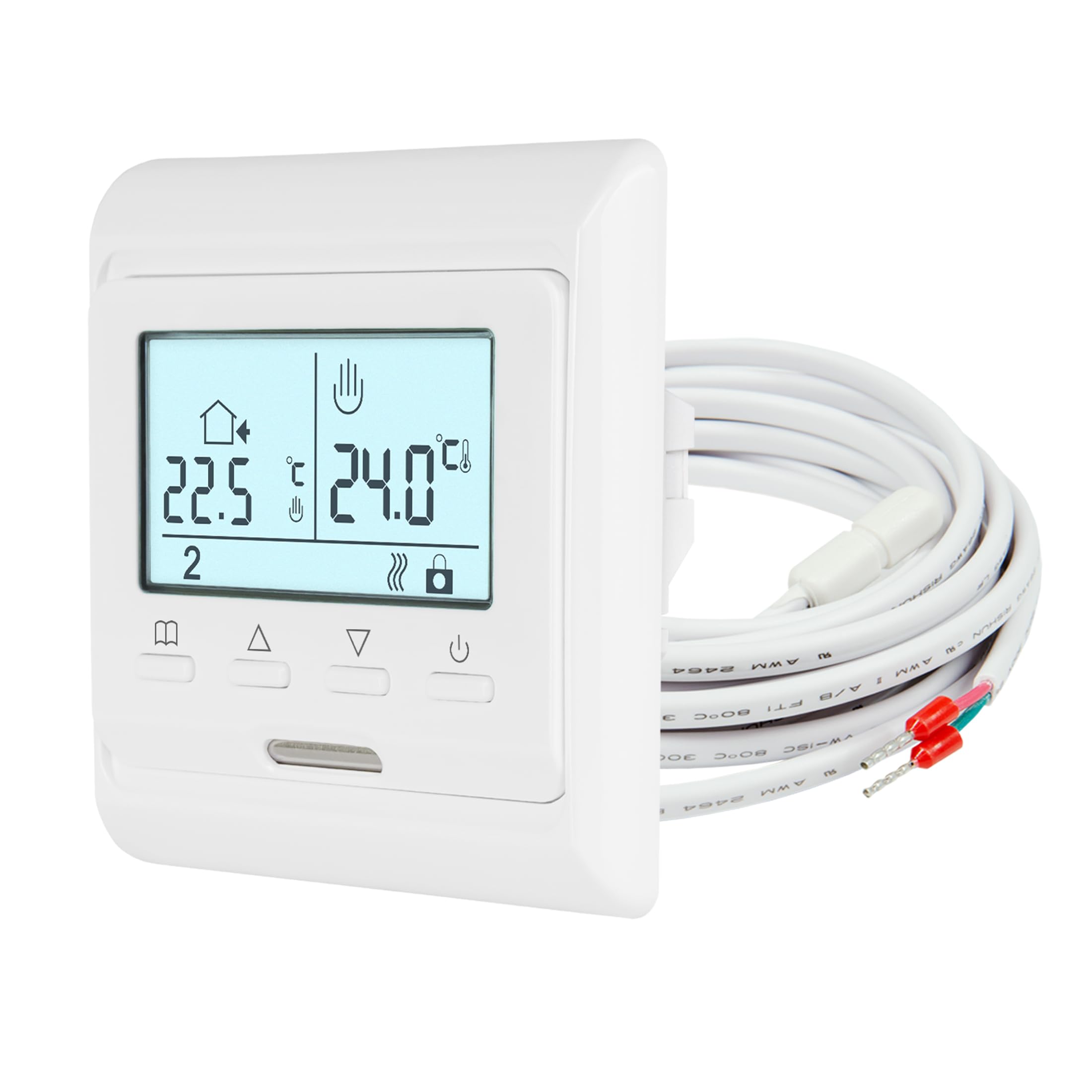
The Mi-Heat E51 digital room thermostat is designed for precise temperature control of electric and water-based underfloor heating systems. It features a backlit display, a 7-day weekly programming function, and frost protection. The thermostat utilizes both an internal room sensor and an external floor sensor to maintain your desired temperature, ensuring comfort and energy efficiency.
Кључне карактеристике:
- ЛЦД екран са позадинским осветљењем
- Weekly Programmable (5/2, 6/1, or 7-day modes)
- Integrated Room Sensor and External Floor Sensor
- Display Calibration/Offset Function
- Функција заштите од смрзавања
- Key Lock / Child Lock
2. Безбедносне информације
- Инсталацију мора обавити квалификовани електричар у складу са локалним прописима о ожичењу.
- Always disconnect power at the main circuit breaker before installation, maintenance, or removal of the thermostat.
- Do not expose the thermostat to moisture or extreme temperatures.
- Уверите се да су сви прикључци сигурни да бисте спречили опасности од струјног удара.
- Овај уређај је дизајниран само за употребу у затвореном простору.
3. Садржај пакета
Проверите да ли су све ставке присутне у пакету:
- Mi-Heat E51 Room Thermostat
- External Floor Sensor (NTC 10 kOhm with 2m lead)
- Монтажни завртњи
- Упутство за употребу
4. Техничке спецификације
| Феатуре | Спецификација |
|---|---|
| Тип монтаже | Уградна |
| Версион | Виред |
| Оператинг Волtage | 230 В |
| Макс. Свитцхинг Повер | 16А / 3680 В |
| Тип контроле | Two-point control ON/OFF |
| Радна температура | 5-50°Ц |
| Сензор | Internal and external, NTC with 2m lead |
| Опсег контроле температуре (унутрашњи) | 0-55°C (Room sensor) |
| Опсег контроле температуре (спољни) | 5-55°C (Floor sensor) |
| Заштита од смрзавања | Да |
| Floor Limit Range | 5-50°Ц |
| Дисплеј/позадинско осветљење | Да/Да |
| Protection Class IP | ИП21 |
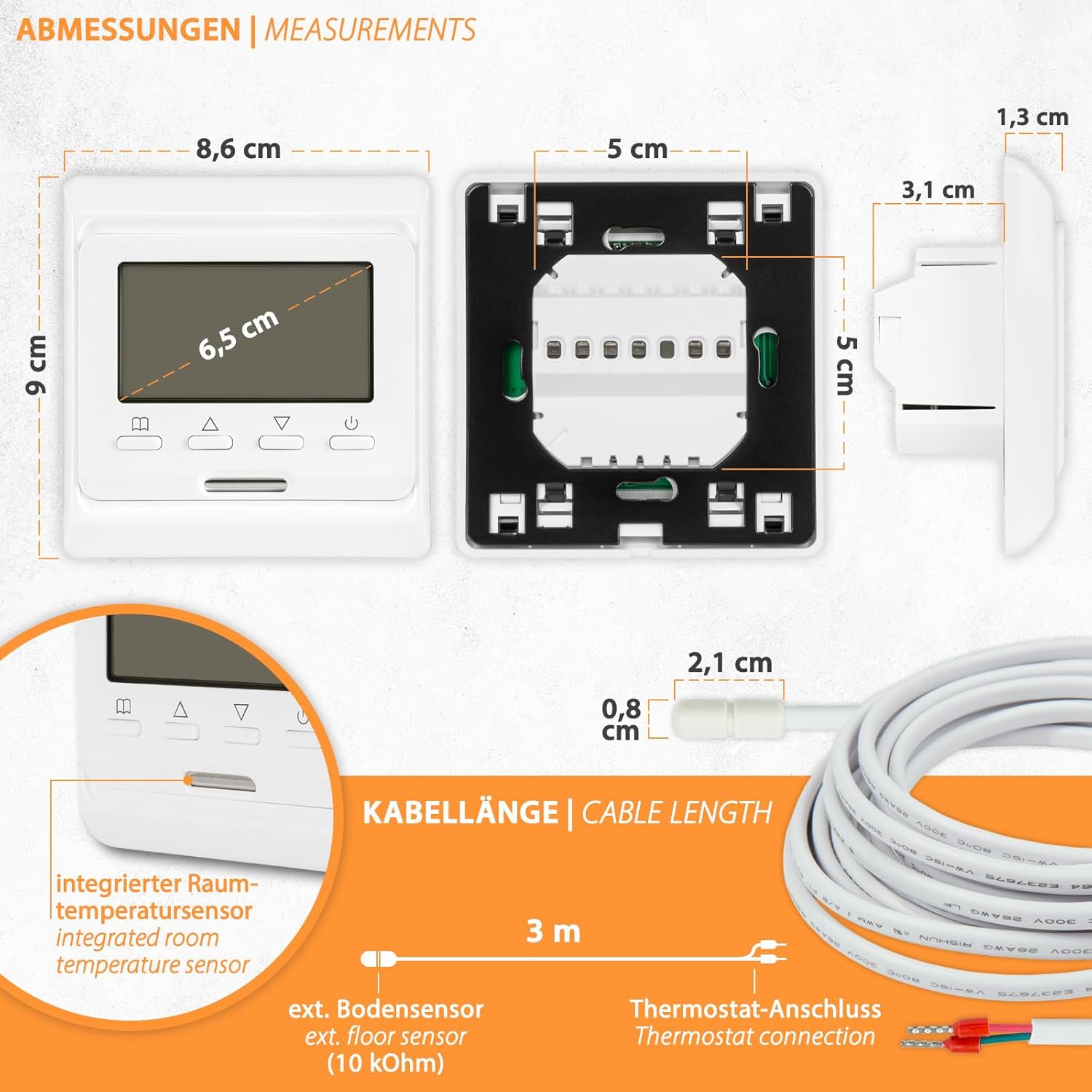
| Димензије (ШкВкД) | 80к90к13/43мм |
5. Инсталација
The Mi-Heat E51 thermostat is designed for flush-mounted installation in standard wall boxes. Ensure power is disconnected before proceeding.
5.1. Димензије
5.2. Ожичење
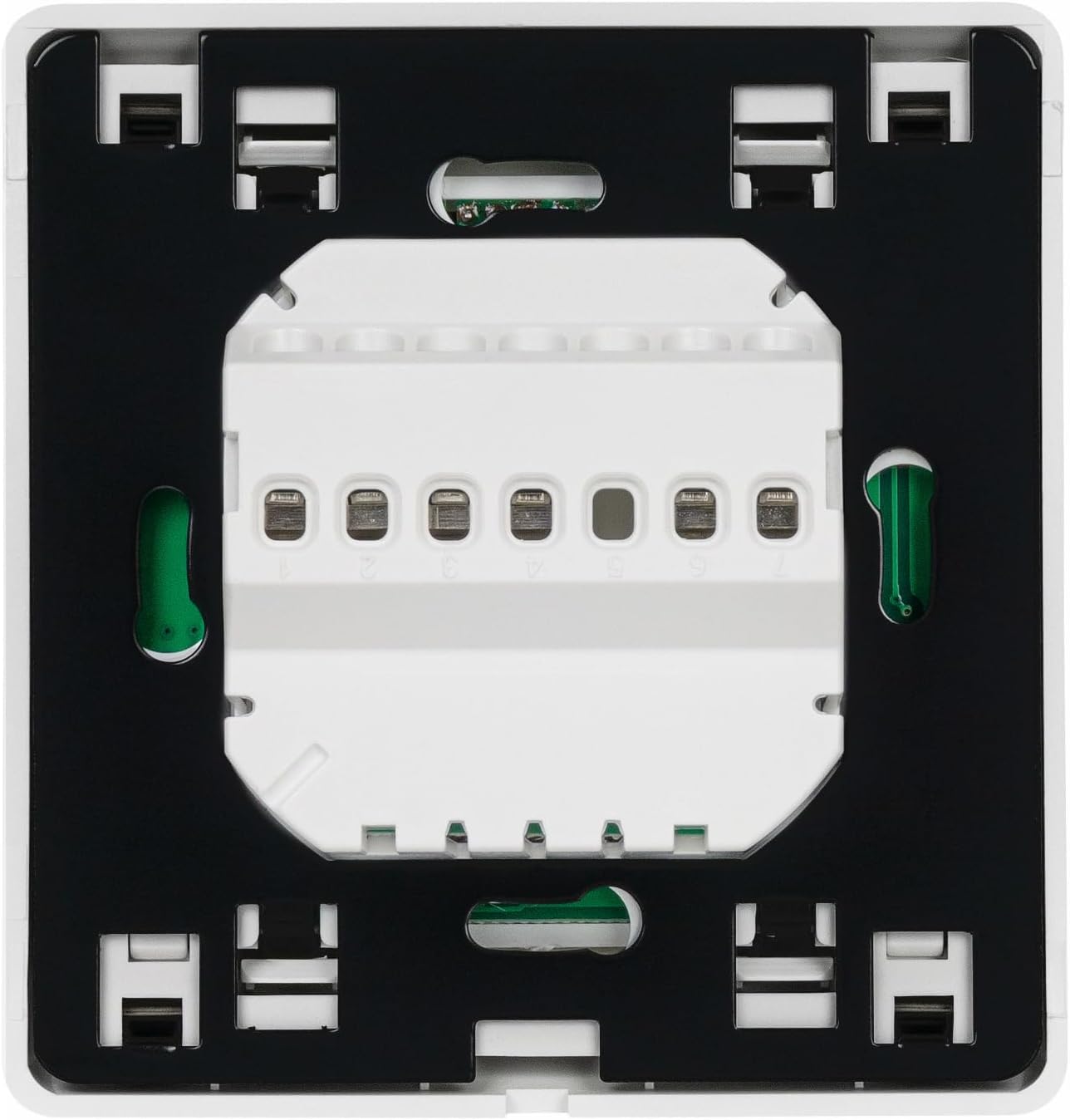
Refer to the wiring diagram below for proper connection. The thermostat supports both electric underfloor heating and water-based underfloor heating (via an actuator).

Кораци ожичења:
- Ensure power is OFF at the main circuit breaker.
- Connect the Live (L) and Neutral (N) power supply wires to the corresponding terminals on the thermostat.
- Connect the heating element or actuator wires to the designated output terminals.
- Connect the external floor sensor cable to the sensor terminals.
- Carefully place the thermostat into the wall box and secure it with the provided screws.
- Restore power and test the thermostat.
6. Операција
The Mi-Heat E51 thermostat features an intuitive interface with a backlit LCD display and several control buttons.
6.1. Display and Buttons Overview

Функције дугмета:
- Selection Button (Book icon): Used to enter menu, confirm settings, or switch modes.
- Increase Value Button (Up arrow): Used to increase temperature, time, or navigate menu options.
- Decrease Value Button (Down arrow): Used to decrease temperature, time, or navigate menu options.
- On/Off Button (Power icon): Укључује или искључује термостат.
6.2. Основна операција
- Укључивање/искључивање: Press the Power button to turn the thermostat on or off.
- Подешавање температуре: When the thermostat is on, use the Up/Down arrow buttons to adjust the desired set temperature.
- Key Lock / Child Lock: To activate or deactivate the key lock, press and hold the Selection button for a few seconds until the key icon appears/disappears on the display.
6.3. Недељни програм
The thermostat allows for 7-day weekly programming with options for 5/2 (weekday/weekend), 6/1 (6 days/1 day), or 7-day individual programming. This feature enables you to set different temperatures for various times of the day across the week.
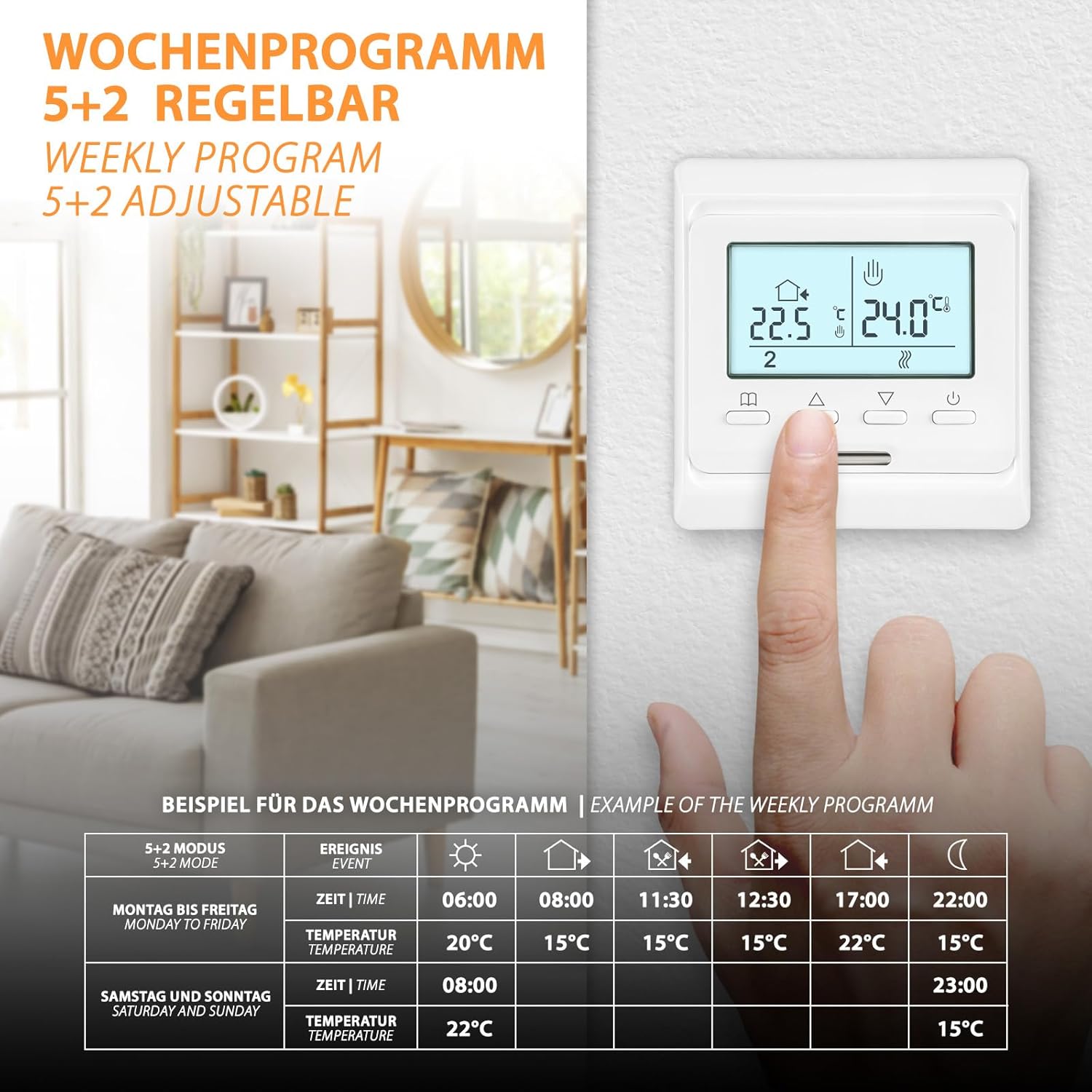
To set up weekly programming:
- Press and hold the Selection button to enter the programming menu.
- Use the Up/Down arrows to navigate through the programming options (e.g., 5/2, 6/1, 7-day mode, time settings, temperature settings for each event).
- Press the Selection button to confirm each setting and move to the next.
- Поновите за све жељене временске периоде и дане.
- Exit the menu by pressing the Selection button until the main display reappears, or wait for it to time out.
6.4. Frost Protection Function
The frost protection function prevents the temperature from dropping below a set minimum (typically 5°C) to protect pipes and the heating system from freezing. This function is active when the thermostat is in standby or when specifically enabled in the settings.

7. Одржавање
Термостат Mi-Heat E51 захтева минимално одржавање.
- Чишћење: Обришите екран и цasinОбришите меком, сувом крпом. Не користите абразивна средства за чишћење, раствараче или хемијске спрејеве, јер могу оштетити површину.
- инспекција: Periodically check the thermostat for any visible damage or loose connections. If any issues are found, disconnect power and consult a qualified technician.
КСНУМКС. Решавање проблема
| Проблем | Могући узрок | Решење |
|---|---|---|
| Термостат се не укључује | No power supply; Loose wiring; Blown fuse/tripped breaker | Check main power supply; Verify wiring connections; Check and reset circuit breaker/replace fuse. |
| Грејање се не укључује | Set temperature is below room/floor temperature; Thermostat in OFF mode; Wiring issue | Increase set temperature; Ensure thermostat is ON; Check wiring connections to heating system. |
| Нетачно очитавање температуре | Sensor malfunction; Incorrect sensor type selected; Thermostat placed near heat source/draft | Check sensor connection; Verify sensor type in settings; Relocate thermostat if possible or use calibration function. |
| Display not working or flickering | Power fluctuation; Internal fault | Cycle power to the thermostat; If problem persists, contact support. |
| Cannot change settings (Key Lock active) | Key Lock / Child Lock is enabled | Press and hold the Selection button until the key icon disappears to deactivate the lock. |
9. Гаранција и подршка
For support or inquiries regarding your Mi-Heat E51 thermostat, please contact us Monday - Friday from 09:00 to 16:00. We offer support and shipping directly from Germany.
Refer to your purchase documentation or retailer for specific warranty details and terms.