
1. Увод
This manual provides essential information for the safe and effective use of your Amcrest IP8M-2493EB Outdoor PoE Bullet Camera. Please read these instructions thoroughly before installation and operation to ensure optimal performance and to prevent damage to the device.
2. Производ је готовview
2.1 Кључне карактеристике
- 2MP IP PoE Bullet Camera
- 1920x1080p @30fps Video Resolution
- Nightvision up to 98 feet (30 meters)
- IP67 Weatherproof Rating for outdoor use
- Cloud Storage Capability
- Wall Mount Design
- 4K Video Capture Resolution (for recording)
- Motion Sensor Special Feature
2.2 Садржај пакета
Проверите да ли су све компоненте присутне у вашем пакету:
- Amcrest IP8M-2493EB Outdoor PoE Bullet Camera
- Монтажни прибор (вијци, анкери)
- Водич за брзи почетак (ово упутство)
2.3 Компоненте камере
Упознајте се са физичким компонентама камере:

Слика 1: Предња страна view of the Amcrest IP8M-2493EB Bullet Camera, showing the lens, IR LEDs, and housing.
3. Подешавање
3.1 Пре него што почнете
Ensure you have the following items and conditions:
- A Power over Ethernet (PoE) switch or PoE injector (802.3af/at compliant)
- Cat5e or Cat6 Ethernet cable
- A stable internet connection (recommended for remote viewing and cloud features)
- A drill and screwdriver for mounting
3.2 Физичка инсталација
- Изаберите локацију за монтажу: Select a suitable wall location that provides the desired viewing angle and is within reach of your Ethernet cable.
- Означите избушене рупе: Use the provided mounting template (if included) or the camera base to mark the positions for drilling.
- Избушене рупе: Drill pilot holes and insert wall anchors if mounting on drywall or masonry.
- Обезбедите камеру: Attach the camera base to the wall using the provided screws.
- Подесите угао: Loosen the adjustment screws on the camera body to position the camera for optimal coverage, then tighten them securely.
3.3 Мрежна веза
Connect one end of the Ethernet cable to the camera's Ethernet port and the other end to a PoE port on your PoE switch or injector. The camera will power on automatically.
3.4 Почетна конфигурација
For initial setup and configuration, download the Amcrest View Pro app on your mobile device or use the Amcrest web interface via a computer connected to the same network. Follow the on-screen instructions to discover and add your camera to your system.
4. Руковање камером
4.1 Приступ уживо View
Приступите видео преносу уживо путем Amcrest-а View Pro app or the web interface. This allows real-time monitoring of your surveillance area.
4.2 Снимање и складиштење
The camera supports various recording options:
- Локално складиште: If equipped with a microSD card slot (card sold separately), recordings can be stored directly on the camera.
- Мрежни видео рекордер (NVR): Connect the camera to a compatible Amcrest NVR for continuous recording and extended storage.
- Цлоуд Стораге: Utilize Amcrest Cloud services for off-site storage of event-triggered recordings. Refer to the Amcrest website for subscription details.
4.3 Детекција покрета
Configure motion detection settings via the camera's interface. You can define detection zones, sensitivity levels, and set up alerts (e.g., email notifications, push notifications to your phone) when motion is detected.
4.4 Ноћни вид
The camera features infrared (IR) LEDs for night vision, providing clear surveillance footage in low-light or no-light conditions up to 98 feet. The camera automatically switches between day and night modes.
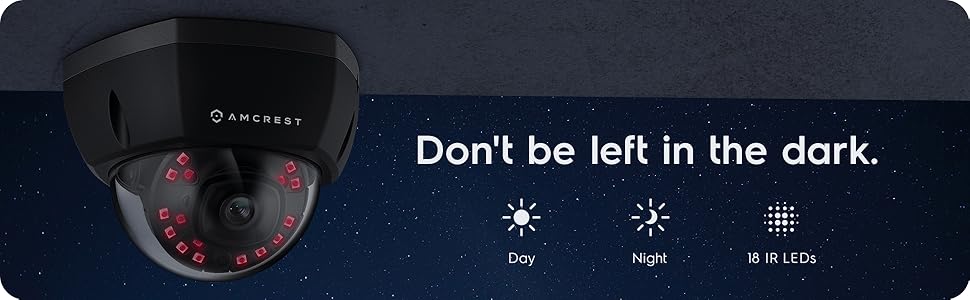
Слика 2: Прample of night vision capability, illustrating clear image capture in dark conditions.
5. Одржавање
5.1 Чишћење
Периодично чистите сочиво и кућиште камере меком крпомamp cloth. Avoid using harsh chemicals or abrasive materials that could scratch the lens or damage the finish.
5.2 Ажурирања фирмвера
Regularly check for and install firmware updates from the Amcrest website. Firmware updates often include performance improvements, new features, and security enhancements.
5.3 Заштита од временских прилика
The IP8M-2493EB camera has an IP67 weatherproof rating, meaning it is protected against dust ingress and can withstand immersion in water up to 1 meter for 30 minutes. While designed for outdoor use, ensure all cable connections are properly sealed to maintain water resistance.
КСНУМКС. Решавање проблема
6.1 Уобичајена питања и решења
- Нема напајања/Нема видеа: Ensure the Ethernet cable is securely connected to both the camera and a functioning PoE port. Check the PoE switch/injector for power.
- Лош квалитет слике: Clean the camera lens. Check network bandwidth. Adjust resolution and compression settings in the camera interface. Ensure sufficient lighting for optimal image clarity.
- Night Vision Halo Effect: This can occur if the IR light reflects off nearby surfaces or the camera housing. Ensure there are no obstructions close to the lens.
6.2 Video Support
For visual guidance on resolving common issues, including potential IR reflection, please refer to the following video:
Video 1: This video from Amcrest Direct provides instructions on resolving IR reflection issues that can affect night vision clarity in Amcrest cameras.
7. Спецификације
| Феатуре | Спецификација |
|---|---|
| Назив модела | ИП8М-2493ЕБ |
| Унутрашња/спољна употреба | Оутдоор |
| Извор напајања | AC/DC (via PoE) |
| Цоннецтивити Протоцол | Етхернет |
| Тип монтаже | Валл Моунт |
| Резолуција снимања видео записа | 4K |
| Боја | Црно |
| Број ставки | 1 |
| Број канала | 1 |
| Бежична комуникациона технологија | ПОЕ (напајање преко етернета) |
| Форм Фацтор | Буллет |
| Ноћни вид | 98 стопа (30 метара) |
| Фраме Рате | 30 фпс |
| Димензије артикла (Д к Ш к В) | 6.1 к 6.1 к 5.4 инча |
| Тежина артикла | 1.3 фунти |
| Батерије су потребне? | бр |
| Лов Лигхт Тецхнологи | Нигхт Цолор |
| Оцена међународне заштите | ИП67 |
| Максимум Webцам Резолуција слике | 2 МП |
| Контролни метод | Апп |
| Препоручена употреба за производ | Оутдоор Сецурити |
| Технологија повезивања | Виред |
| Посебна карактеристика | Сензор покрета |
8. Гаранција и подршка
Amcrest products typically come with a limited warranty. For specific warranty terms, registration, and technical support, please visit the official Amcrest website or contact Amcrest customer service directly. Keep your purchase receipt for warranty claims.
Amcrest Support: https://amcrest.com/support