
Увод
The Laney MINI-SUPERG is a compact, battery-powered guitar amplifier designed for portability and versatile use. It features a clean and drive channel, essential tone controls, and a unique Laney Smartphone Insert (LSI) for integrating with guitar tone-generating applications. This manual provides detailed instructions for the proper setup, operation, and maintenance of your MINI-SUPERG ampлифиер.
Важне информације о безбедности
- Пажљиво прочитајте ова упутства пре него што покренете уређај.
- Сачувајте ова упутства за будућу употребу.
- Обратите пажњу на сва упозорења и пратите сва упутства.
- Не користите овај апарат у близини воде.
- Чистите само сувом крпом.
- Не блокирајте отворе за вентилацију. Инсталирајте у складу са упутствима произвођача.
- Не постављајте у близини извора топлоте као што су радијатори, грејни регистри, пећи или други уређаји (укључујући ampлифиерс) који производе топлоту.
- Користите само додатке/прибор које је навео произвођач.
- Упућивање свих сервиса квалификованом сервисном особљу. Сервисирање је потребно ако је апарат на било који начин оштећен.
- Безбедност батерије: Use only the specified battery type (6 x AA). Ensure correct polarity when installing. Do not mix old and new batteries, or different types of batteries. Remove batteries if the unit is not used for extended periods.
Садржај пакета
Please check the contents of your product packaging carefully. If any items are missing or damaged, contact your retailer immediately.
- Laney MINI-SUPERG Ampлифиер
- Упутство за употребу
- LSI Cable (if included with your model)
Контроле и карактеристике
Контроле предњег панела
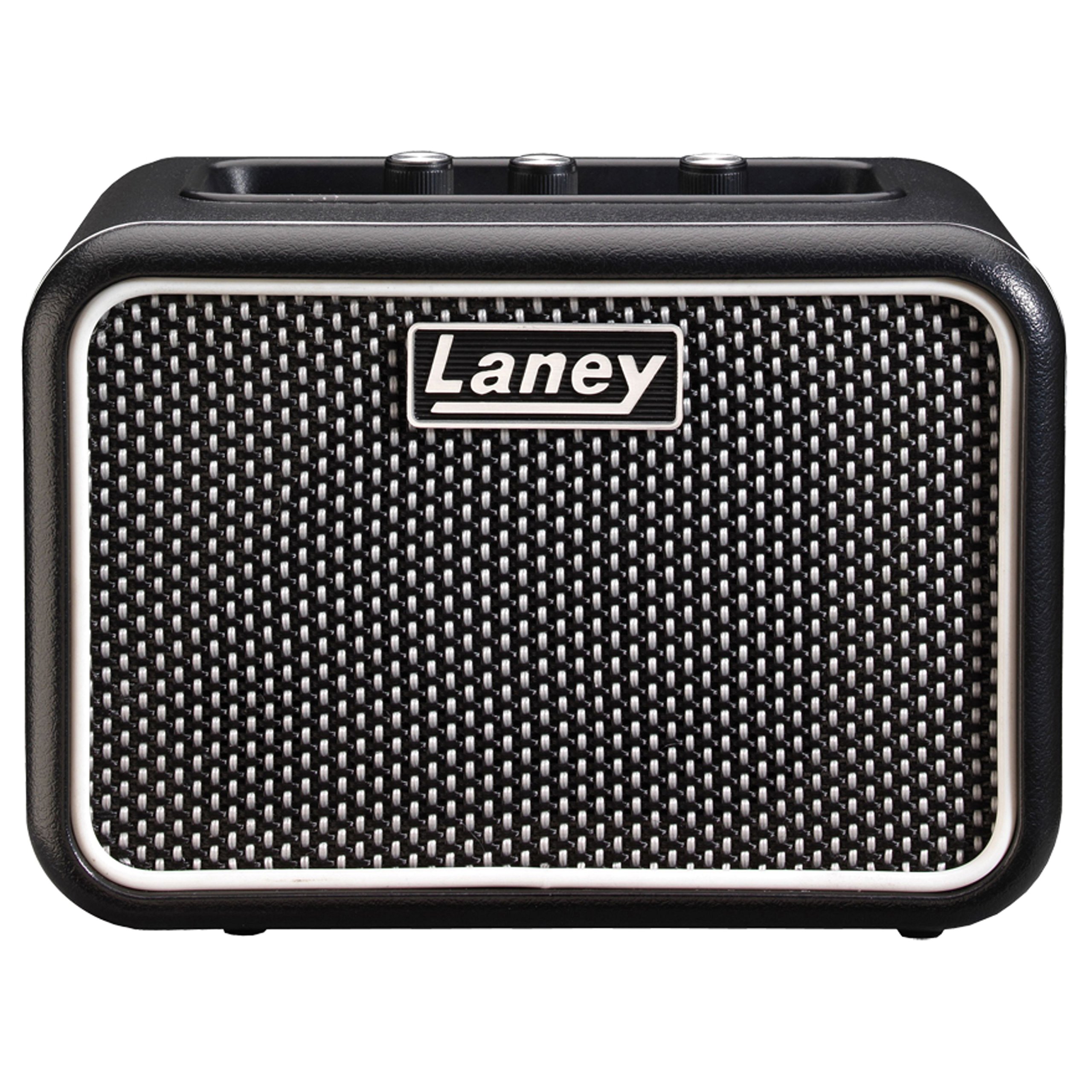
слика: Front panel of the Laney MINI-SUPERG amplifier, showing the input jack, gain, tone, and volume knobs, drive switch, AUX IN, LSI port, power button, and headphone jack.
- УЛАЗНИ: 1/4-inch jack for connecting your guitar.
- ДРИВЕ прекидач: Engages the overdrive channel for a distorted guitar tone.
- ДОБИТАК: Controls the amount of input signal and overdrive when the DRIVE switch is engaged.
- ТОН: Adjusts the overall tonal character, from darker to brighter.
- АУКС ИН: 3.5mm stereo input for connecting external audio sources like MP3 players or smartphones for backing tracks.
- LSI (Laney Smartphone Insert): 3.5mm TRRS jack for connecting your smartphone or tablet to use with tone-generating apps.
- ВОЛУМЕ: Контролише укупни излазни ниво ampлифиер.
- СНАГА: On/Off button for the amplifier. An indicator light will illuminate when on.
- СЛУШАЛИЦЕ: 3.5mm stereo output for private practice. Connecting headphones mutes the internal speaker.
Карактеристике задњег панела

слика: Rear panel of the Laney MINI-SUPERG amplifier, showing the battery compartment cover and product information label.
- Одељак за батерије: Houses 6 x AA batteries for portable power.
- Product Information Label: Contains model number, serial number, and compliance markings.
Сетуп
1. Инсталација батерије
- Осигурајте ampЛифиер је искључен.
- Locate the battery compartment on the rear of the unit.
- Померите поклопац одељка за батерије надоле да бисте га отворили.
- Insert 6 x AA batteries, observing the correct polarity (+/-) as indicated inside the compartment.
- Вратите поклопац одељка за батерију, водећи рачуна да се сигурно уклопи на своје место.
2. Повезивање гитаре
- Connect one end of a standard 1/4-inch instrument cable to your guitar's output jack.
- Connect the other end of the instrument cable to the ИНПУТ jack on the front panel of the MINI-SUPERG.
3. Connecting an Auxiliary Audio Source
- Use a 3.5mm stereo audio cable.
- Connect one end to the headphone output or line output of your audio device (e.g., smartphone, MP3 player).
- Connect the other end to the АУКС ИН jack on the front panel of the MINI-SUPERG.
4. Using the LSI (Laney Smartphone Insert)
- The LSI allows you to connect your smartphone or tablet to the amplifier for use with digital guitar tone apps.
- Use the supplied LSI cable (or a compatible 3.5mm TRRS cable).
- Connect one end of the LSI cable to the LSI jack on the MINI-SUPERG.
- Connect the other end to the headphone/microphone jack of your smartphone or tablet.
- Launch your preferred guitar tone app on your device. The app will process your guitar signal and send the output back to the MINI-SUPERG.
Операција
1. Укључивање/искључивање
- Притисните тастер ПОВЕР дугме за окретање amplifier on. The power indicator light will illuminate.
- Притисните тастер ПОВЕР button again to turn the amplifier off. The indicator light will extinguish.
2. Подешавање јачине звука и тона
- Почните са ВОЛУМЕ knob set to a low level.
- Play your guitar and slowly increase the ВОЛУМЕ до жељеног нивоа слушања.
- Подесите ТОНЕ knob to shape your sound. Turning it clockwise increases treble (brightness), and counter-clockwise increases bass (warmth).
3. Using the Drive Channel
- To engage the overdrive sound, press the ДРИВЕ switch. The indicator light next to the switch will illuminate.
- Подесите ГАИН knob to control the amount of distortion. Higher gain settings produce more aggressive overdrive.
- Користите ТОНЕ и ВОЛУМЕ knobs to further refine your driven sound.
- To return to a clean sound, press the ДРИВЕ поново пребацити.
4. Коришћење слушалица
- Plug standard 3.5mm stereo headphones into the ХЕАДПХОНЕ Јацк.
- The internal speaker will automatically mute, allowing for silent practice.
- Подесите ВОЛУМЕ knob for your headphone listening level.
Одржавање
- Чишћење: Обришите amplifier with a soft, dry cloth. Do not use abrasive cleaners, solvents, or waxes.
- Одржавање батерије: Remove batteries if the unit will not be used for an extended period to prevent leakage. Dispose of used batteries responsibly according to local regulations.
- Складиштење: Чувајте ampЧувати на хладном и сувом месту, даље од директне сунчеве светлости и екстремних температура.
- транспорт: Приликом транспорта, уверите се да ampСпасилац је безбедно упакован како би се спречило физичко оштећење.
Решавање проблема
| Проблем | Могући узрок | Решење |
|---|---|---|
| Нема звука из звучника. |
|
|
| Изобличен или лош квалитет звука. |
|
|
| LSI connection not working. |
|
|
Спецификације
| Феатуре | Детаљ |
|---|---|
| Оутпут Ватtage | 3 Ваттс |
| Спеакер | 1 x 3-inch full range driver |
| Канали | Clean & Drive |
| Контроле | Gain, Tone, Volume, Drive Switch |
| Инпутс | 1/4-inch Guitar Input, 3.5mm AUX IN, 3.5mm LSI |
| Излази | 3.5 мм излаз за слушалице |
| Извор напајања | 6 к АА батерије |
| Димензије (В к Ш к Д) | Приближно 4.72 к 6.81 к 3.94 инча (12 к 17.3 к 10 цм) |
| Тежина | Приближно 1.83 фунте (0.83 кг) |
| Материјал | нерђајући челик |
Гаранција и подршка
For warranty information and technical support, please refer to the warranty card included with your product or visit the official Laney webсајт. Сачувајте доказ о куповини за евентуалне рекламације по гаранцији.