
Увод
This manual provides detailed instructions for the setup, operation, and maintenance of your Youshiko YK YC8025-B Radio Controlled Wall Clock. This clock is designed for precise timekeeping, automatically adjusting for seasonal changes and receiving time signals specific to the UK and Ireland (MSF).
The clock features a large LCD display showing time in 12/24 hour format, date, month, day of the week, indoor temperature (Celsius or Fahrenheit), and moon phase. It also includes an alarm with a snooze function.

Слика 1: Фронт view of the Youshiko YK YC8025-B Radio Controlled Wall Clock. The large LCD screen displays the current time, date, day of the week, indoor temperature, and moon phase.
Сетуп
1. Инсталација батерије
- Пронађите поклопац одељка за батерије на задњој страни сата.
- Скините поклопац.
- Insert the required batteries (not included) according to the polarity markings (+ and -) inside the compartment.
- Вратите поклопац одељка за батерије.

Слика 2: Позади view of the clock, showing the battery compartment and control buttons (SET, ALARM, UP, DOWN, SNOOZE, WAVE).
2. Почетни пријем сигнала
After battery installation, the clock will automatically begin searching for the radio time signal. This clock is designed for the UK and Ireland (MSF signal).
- Place the clock near a window or in an open area to optimize signal reception.
- The signal reception icon (often a tower with waves) on the display will flash during the search.
- Once the signal is successfully received, the clock will automatically set the correct time, date, and day, and the signal icon will become solid. This process may take several minutes.
Note: For optimal signal reception, avoid placing the clock near electronic devices that may cause interference.
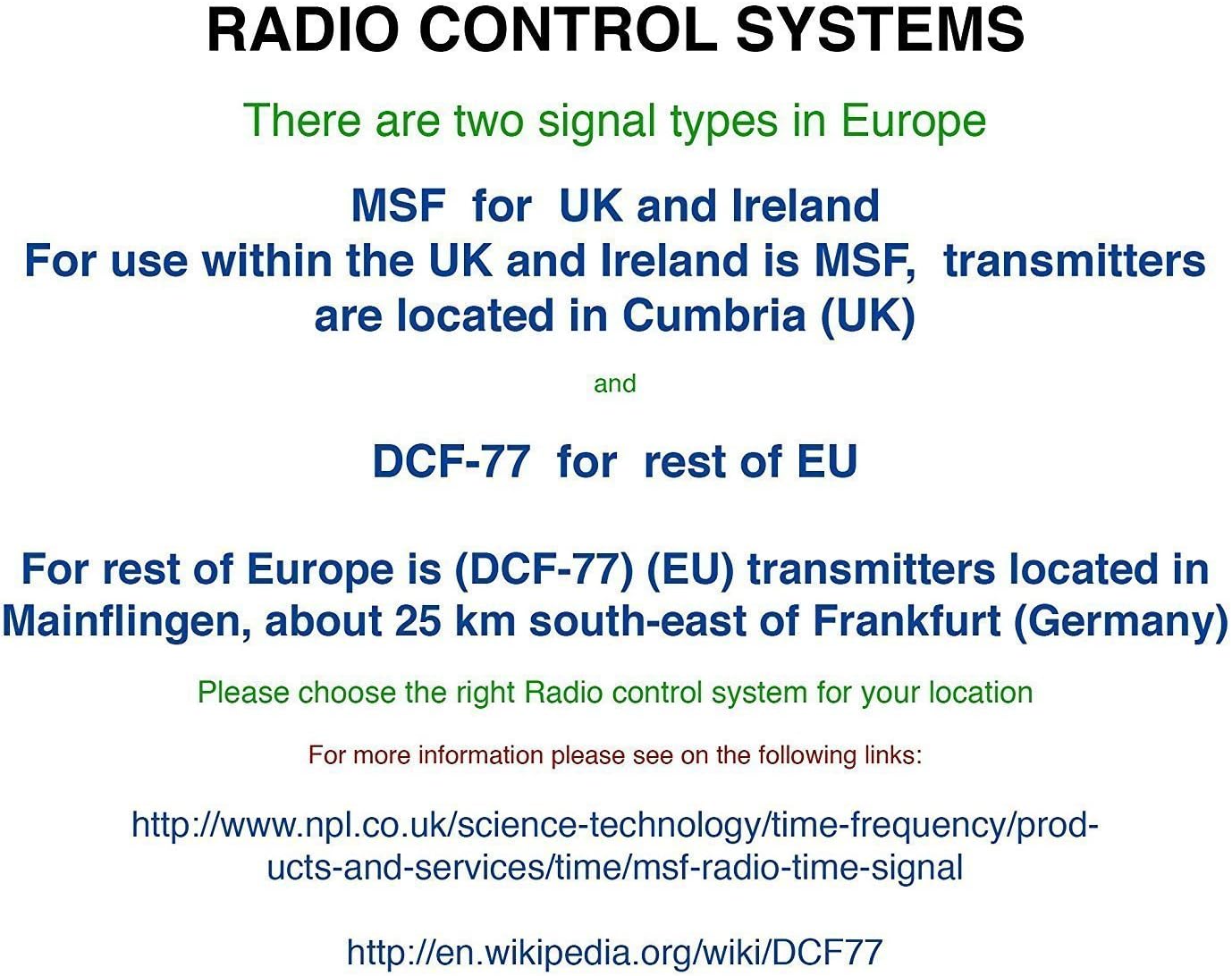
Слика 3: Explanation of radio control systems. The Youshiko YK YC8025-B uses the MSF signal for the UK and Ireland.
Упутство за употребу
1. Прикажи информације
The large LCD display provides the following information:
- време: Current time in 12-hour (with AM/PM indicator) or 24-hour format.
- Датум: Day and month.
- Дан у недељи: Abbreviated day name.
- Унутрашња температура: Measured in Celsius (°C) or Fahrenheit (°F).
- Месечева фаза: Graphical representation of the current moon phase.
- Икона сигнала: Indicates radio signal reception status.
- Икона аларма: Indicates if the alarm is active.
2. Setting Time and Date Manually (if needed)
While the clock is radio-controlled, manual adjustments may be necessary in certain situations (e.g., outside signal range).
- Притисните и држите СЕТ дугме док дисплеј не почне да трепери.
- Користите UP or ДОВН дугмад за подешавање трепћуће вредности (нпр. сат, минут, година, месец, дан).
- Притисните СЕТ again to confirm the setting and move to the next adjustable item.
- Repeat until all desired settings are configured. The clock will exit setup mode automatically after a period of inactivity or by pressing СЕТ repeatedly until the normal display returns.
3. 12/24 Hour Format and Temperature Unit
- To switch between 12-hour and 24-hour time format, press the UP button during normal time display.
- To switch between Celsius (°C) and Fahrenheit (°F) for temperature display, press the ДОВН button during normal time display.
4. Alarm Setting and Snooze
- Притисните тастер АЛАРМ button once to display the current alarm time.
- Притисните и држите АЛАРМ дугме док време аларма не почне да трепери.
- Користите UP or ДОВН buttons to adjust the alarm hour and then the alarm minute.
- Притисните АЛАРМ again to confirm and activate the alarm. The alarm icon will appear on the display.
- Када се огласи аларм, притисните СНООЗЕ button to temporarily silence it. The alarm will sound again after a few minutes.
- To turn off the alarm completely, press any other button (e.g., АЛАРМ, СЕТ) when it is sounding or when the snooze is active.
5. Manual Signal Search
If the clock fails to receive the radio signal automatically, you can initiate a manual search.
- Притисните тастер ТАЛАС дугме.
- The signal icon will flash, indicating the clock is searching for the radio signal.
- Allow several minutes for the clock to attempt synchronization.
Одржавање
1. Замена батерије
When the display becomes dim or the clock stops functioning, it is time to replace the batteries.
- Отворите одељак за батерије на полеђини сата.
- Уклоните старе батерије.
- Уметните нове батерије, водећи рачуна о исправном поларитету.
- Close the battery compartment. The clock will then attempt to re-synchronize with the radio signal.
2. Чишћење
- Обришите површину сата меком, сувом крпом.
- Do not use abrasive cleaners or chemical solvents, as these can damage the display or casing.
Решавање проблема
- No Time Display / Incorrect Time:
- Уверите се да су батерије правилно инсталиране и да нису истрошене. Замените их ако је потребно.
- Check signal reception. Move the clock to a location with better reception, away from electronic interference.
- Initiate a manual signal search by pressing the ТАЛАС дугме.
- Verify that you are within the MSF signal range (UK and Ireland).
- Затамњен екран:
- Замените батерије новим.
- Аларм се не оглашава:
- Ensure the alarm is activated (alarm icon visible on display).
- Проверите да ли је време аларма правилно подешено.
Спецификације
| Бранд | Иоусхико |
| Број модела | YK YC8025-B |
| Боја | Црно |
| Димензије (Д к Ш к В) | 23 к 16 к 3 цм |
| Тежина | 30 грама |
| Материјал | Пластика, стакло |
| Дисплаи Типе | Дигитал |
| Посебне карактеристике | Temperature Display, Alarm, Moon Phase, Radio Controlled |
| Извор напајања | Напајање батеријама (батерије нису укључене) |

Слика 4: Dimensions of the Youshiko YK YC8025-B Radio Controlled Wall Clock.