
1. Увод
This manual provides essential information for the installation, operation, and maintenance of the Hirschmann RS20-0800T1T1SDAUHH Ethernet Rail Switch. This unmanaged Fast Ethernet switch is designed for industrial applications, offering reliable network connectivity with 8 ports and DIN rail mounting capabilities. Please read this manual thoroughly before operating the device.
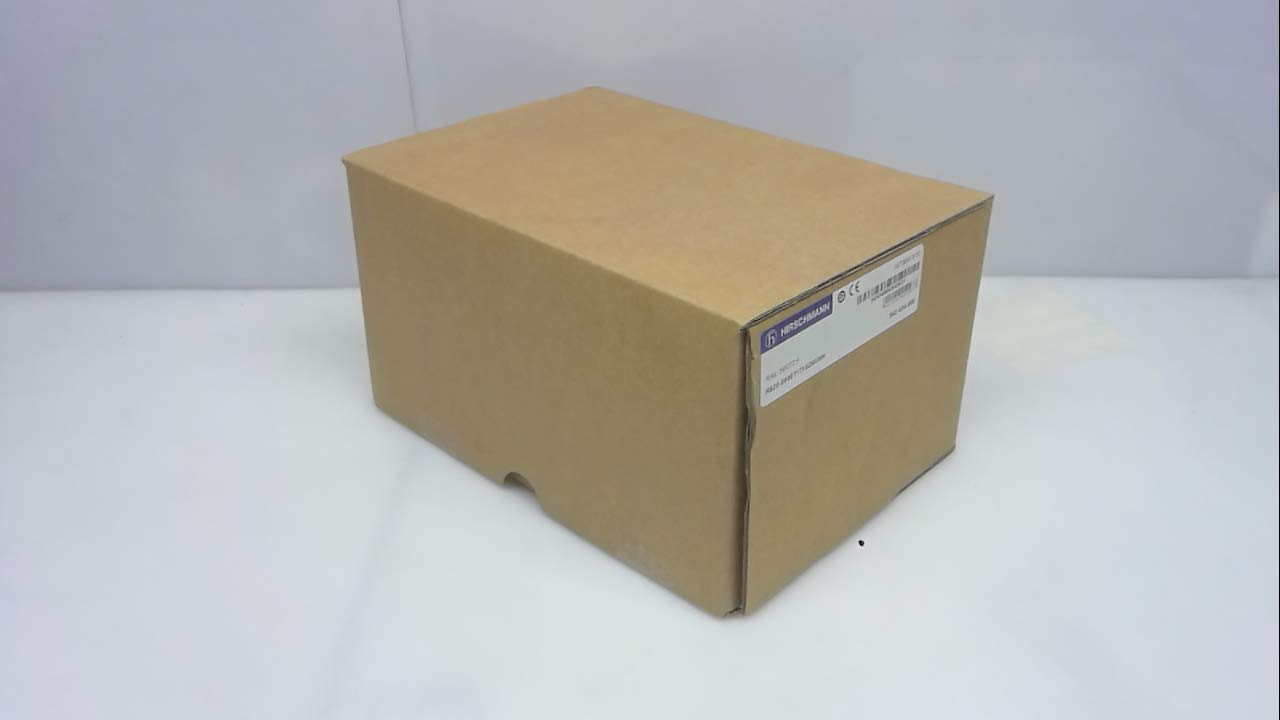
Слика 1: Hirschmann RS20-0800T1T1SDAUHH Ethernet Rail Switch in its original packaging. The packaging indicates the model number and brand for verification.
2. Подешавање и инсталација
Follow these steps for proper installation of your Hirschmann RS20-0800T1T1SDAUHH switch.
2.1 Распакивање
- Пажљиво извадите прекидач из амбалаже.
- Verify that all components are present and undamaged. The package should contain the switch and any included hardware.
2.2 Монтажа
The RS20-0800T1T1SDAUHH is designed for DIN rail mounting.
- Attach the switch securely to a standard DIN rail in an industrial enclosure.
- Обезбедите одговарајућу вентилацију око уређаја како бисте спречили прегревање.
2.3 Прикључак за напајање
Повежите напајање са прекидачем.
- The switch operates on 24V AC or 24-48V DC.
- Уверите се да извор напајања одговара наведеној јачини звукаtagе ранге.
- Connect the power cables to the designated power input terminals on the switch.
2.4 Мрежне везе
Connect Ethernet devices to the switch ports.
- The switch features 8 Fast Ethernet ports.
- Use standard Ethernet cables (e.g., Cat5e or Cat6) to connect your network devices (e.g., PLCs, industrial PCs, sensors) to any of the 8 ports.
- The switch automatically detects link speed and duplex mode.

Слика 2: The Hirschmann RS20-0800T1T1SDAUHH switch, illustrating the 8 Ethernet ports and the power input terminal block for connection.
3. Упутство за употребу
The Hirschmann RS20-0800T1T1SDAUHH is an unmanaged switch, designed for simple plug-and-play operation.
3.1 Укључивање
Once the power supply is connected, the switch will power on automatically. There is no power button.
3.2 Мрежна повезаност
Upon connecting Ethernet devices to the switch ports, the switch will automatically establish network links. Data transmission will commence without further configuration.
3.3 ЛЕД индикатори
Observe the LED indicators on the switch for status information:
- ЛЕД за напајање: Indicates the power status of the device. Typically green when powered on.
- ЛЕД индикатори за везу/активност (по порту):
- Стално зелено: Indicates a successful network link.
- Трепери зелено: Indicates data activity on the port.
- Искључено: No link detected or device is not connected.
4. Одржавање
The Hirschmann RS20-0800T1T1SDAUHH switch requires minimal maintenance.
4.1 Чишћење
- Уверите се да је уређај искључен пре чишћења.
- Користите меку, суву крпу да обришете спољашњост прекидача.
- Не користите течна средства за чишћење или раствараче, јер могу оштетити уређај.
4.2 Разматрања животне средине
The switch has an IP00 rating, meaning it is not protected against dust or water ingress. It must be installed in an appropriate enclosure that provides protection from environmental factors.
КСНУМКС. Решавање проблема
This section provides solutions to common issues.
5.1 Нема напајања
- Симптом: ЛЕД за напајање је искључен.
- Акција:
- Check the power cable connection to the switch.
- Verify the power source is active and providing the correct voltage (24V AC / 24-48V DC).
- Inspect the power terminals for secure contact.
5.2 Нема мрежне везе
- Симптом: Link/Activity LED for a port is off, or devices cannot communicate.
- Акција:
- Ensure the Ethernet cable is securely connected to both the switch port and the connected device.
- Пробајте други Етернет кабл.
- Проверите да ли је повезани уређај укључен и да ли исправно функционише.
- Покушајте да повежете уређај са другим портом на прекидачу.
6. Спецификације
Technical specifications for the Hirschmann RS20-0800T1T1SDAUHH Ethernet Rail Switch.
| Феатуре | Спецификација |
|---|---|
| Број модела | RS20-0800T1T1SDAUHH |
| Бранд | Хирсцхманн |
| Тип прекидача | Неуправљани брзи етернет прекидач |
| Број портова | 8 |
| Тип монтаже | ДИН шина |
| Оператинг Волtage | 24V AC / 24-48V DC |
| Цоннецтивити Протоцол | Етхернет |
| Димензије производа (Д к Ш к В) | 0.31 к 0.31 к 0.28 инча |
| Тежина | 5.67 фунти |
| Оцена међународне заштите | ИП00 |
| Контакт материјал | Бакар |
| Датум првог доступног | 11. маја 2018. године |

Слика 3: Product label for the Hirschmann RS20-0800T1T1SDAUHH, displaying key identification numbers such as UPC 4002044252977 and Alt ID 943 434-999.
7. Гаранција и подршка
7.1 Информације о гаранцији
For specific warranty details regarding your Hirschmann RS20-0800T1T1SDAUHH switch, please refer to the warranty documentation provided with your purchase or contact Hirschmann directly. Warranty terms typically cover manufacturing defects for a specified period from the date of purchase.
7.2 Техничка подршка
If you encounter issues that cannot be resolved using the troubleshooting guide, or require further technical assistance, please contact Hirschmann customer support or your authorized distributor. Have your product model number (RS20-0800T1T1SDAUHH) and serial number ready when contacting support.