
UHURU WM-02Z
UHURU WM-02Z Wireless Gaming Mouse User Manual
Model: WM-02Z
Увод
The UHURU WM-02Z is a 2.4G wireless rechargeable gaming mouse designed for enhanced performance and comfort. It features 6 programmable buttons, 5 adjustable DPI levels up to 4800 DPI, and 7 colorful LED lights, making it suitable for various gaming and work environments. This manual provides detailed instructions for setting up, operating, and maintaining your mouse to ensure optimal performance and longevity.
Безбедносне информације
- Не излажите миш екстремним температурама или влажности.
- Избегавајте испуштање или излагање миша јаким ударима.
- Држите миша даље од воде и других течности.
- Do not attempt to disassemble or repair the mouse yourself. Contact customer support for assistance.
- Батерију одложите у складу са локалним прописима.
Садржај пакета
- 1 x UHURU WM-02Z Wireless Gaming Mouse
- 1 x USB Charging Cable (59-inch)
- 1 к УСБ нано пријемник
- 1 к Упутство за употребу
Производ је завршенview
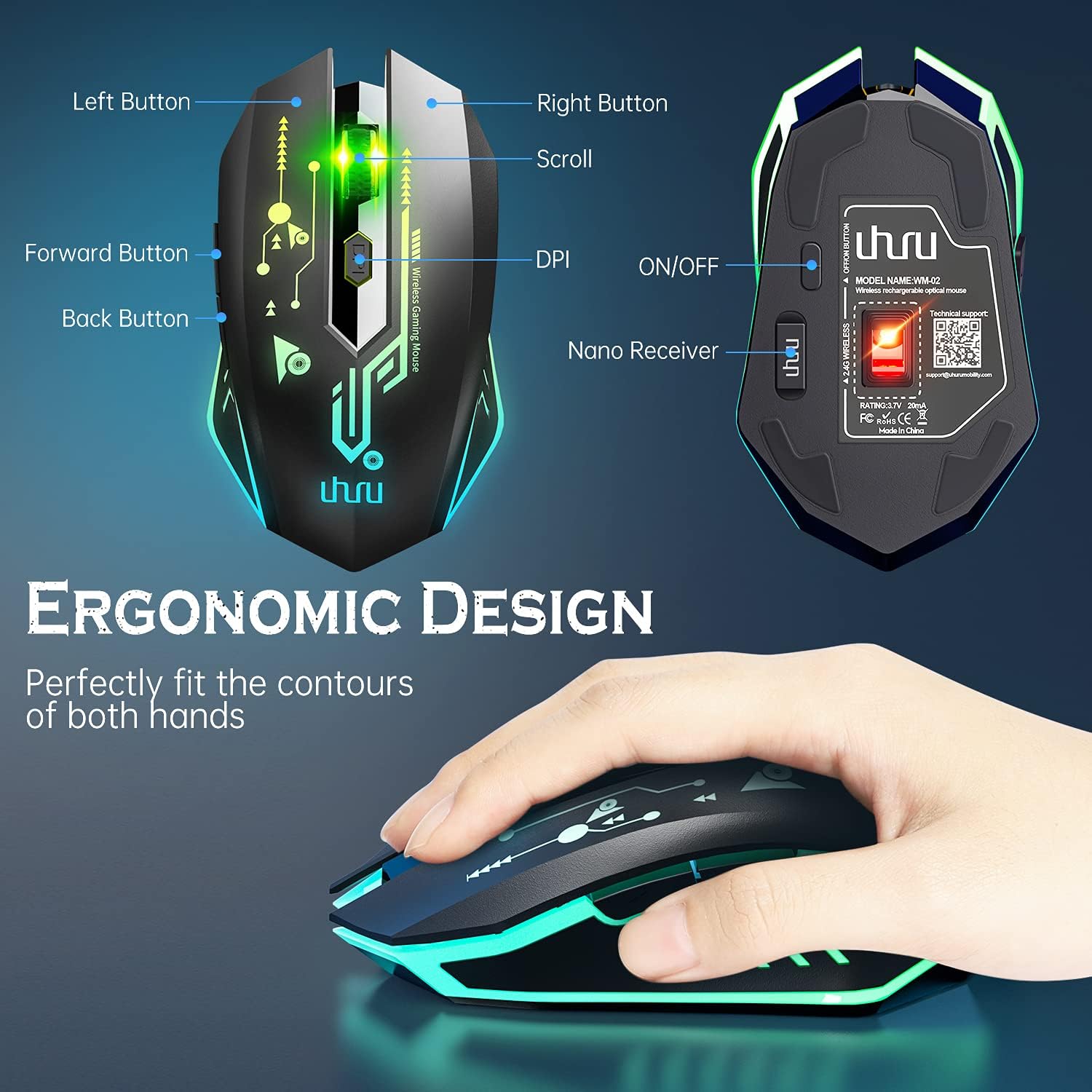
Figure 1: UHURU WM-02Z Wireless Gaming Mouse with labeled components.
The UHURU WM-02Z mouse features an ergonomic design for comfortable use. Key components include:
- Лево дугме: Стандардна функција левог клика.
- Десно дугме: Стандардна функција десног клика.
- Точак за померање: За скроловање и функцију клика средњим тастером миша.
- Дугме ДПИ: Подешава осетљивост миша (DPI).
- Дугме за напред: Навигација напред у web прегледачи или апликације.
- Дугме за назад: Навигација уназад web прегледачи или апликације.
- ОН/ОФФ прекидач: Located on the bottom of the mouse to power on or off.
- Nano Receiver Storage: A compartment on the bottom of the mouse to store the USB nano receiver when not in use.
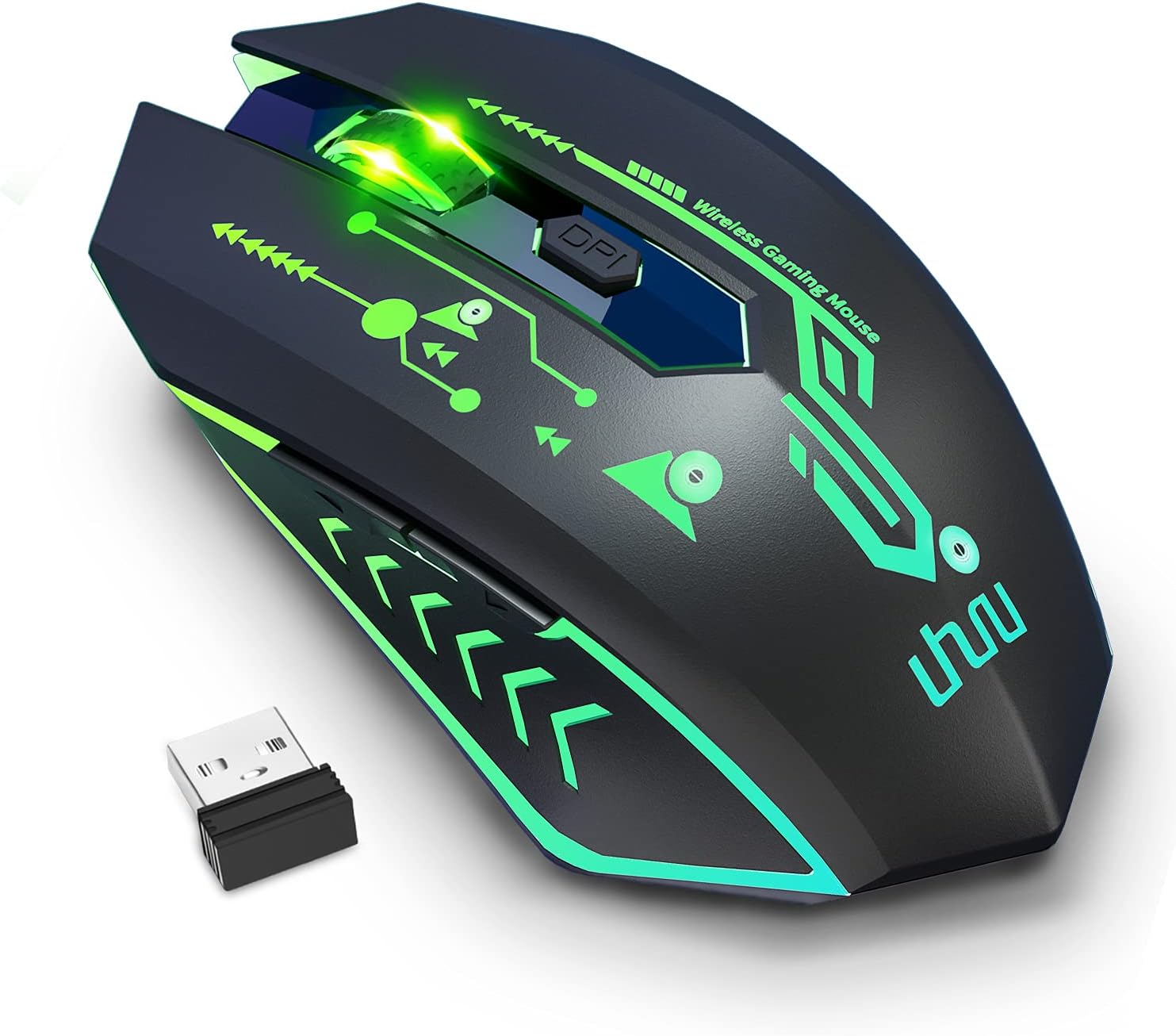
Figure 2: The UHURU WM-02Z Wireless Gaming Mouse and its compact USB nano receiver.
Сетуп
1. Пуњење миша
Before first use, it is recommended to fully charge the mouse. Connect the provided USB charging cable to the charging port on the front of the mouse and the other end to a USB power source (e.g., computer USB port, USB wall adapter). The mouse features a built-in rechargeable battery, eliminating the need for disposable batteries.

Figure 3: Charging the UHURU WM-02Z Wireless Gaming Mouse.
2. Повезивање USB Nano пријемника
Locate the USB nano receiver stored in the compartment on the bottom of the mouse. Remove the receiver and plug it into an available USB port on your computer (Notebook, PC, Mac). The mouse will automatically connect to the receiver.
3. Укључивање/искључивање
Slide the ON/OFF switch on the bottom of the mouse to the 'ON' position to power it on. To conserve battery life, slide the switch to the 'OFF' position when the mouse is not in use for an extended period.
4. Driver Installation (Windows Only)
For full functionality, including programming the 6 buttons and accessing the 4800 DPI level, driver software is required. This software is compatible with Windows operating systems only. Please refer to the included mini-CD or the manufacturer's webсајт за преузимање и упутства за инсталацију драјвера.
Упутство за употребу
1. Подешавање DPI-ја
The mouse offers 5 adjustable DPI levels: 800, 1200, 1600, 2400, and 4800 DPI. Press the DPI button located behind the scroll wheel to cycle through these sensitivity levels. The current DPI setting affects the mouse's moving speed on the screen.

Figure 4: Adjustable DPI levels for precise control.
2. Програмабилни тастери
The UHURU WM-02Z features 6 programmable buttons. By installing the dedicated driver software (Windows only), you can customize the function of each button to suit your gaming or productivity needs. This allows for personalized control and macro assignments.

Figure 5: Software interface for programming mouse buttons.
3. RGB режими осветљења
The mouse features 7 colorful LED lights that change automatically, providing a dynamic and immersive gaming atmosphere. These lights are an integral part of the mouse's design and enhance its aesthetic appeal.

Figure 6: The mouse displaying its vibrant RGB lighting.
4. Режим уштеде енергије
To optimize battery life, the gaming mouse will automatically enter sleep mode if it remains inactive for 8 minutes. To wake the mouse, simply move it or click any button.
Одржавање
- Чишћење: Користите меку, суву крпу за чишћење површине миша. За тврдокорну прљавштину, благо дamp Може се користити тканина, али водите рачуна да влага не уђе у миш.
- Одржавање батерије: While the mouse has a built-in rechargeable battery, avoid completely draining it frequently. Charge the mouse when the battery indicator suggests low power.
- Складиштење: When not in use for extended periods, store the mouse in a cool, dry place. Ensure the ON/OFF switch is in the 'OFF' position.
Решавање проблема
| Проблем | Могући узрок | Решење |
|---|---|---|
| Миш не реагује | Слаба батерија; Пријемник није повезан; Миш је искључен; Проблем са драјвером. | Charge the mouse; Ensure USB nano receiver is securely plugged in; Turn the mouse ON; Reinstall drivers (Windows). |
| Подешавање DPI-ја не ради | Сукоб софтвера; Проблем са хардвером. | Ensure no conflicting mouse software is running; Try on a different computer. |
| Програмабилни тастери не раде | Driver not installed or corrupted; Not compatible with Mac/Linux. | Install or reinstall the driver software (Windows only); Ensure you are using a Windows OS for programming. |
| Светла не раде | Mouse is off or in sleep mode; Hardware issue. | Turn the mouse on or wake it from sleep; Contact support if issue persists. |
| Poor tracking performance | Dirty sensor; Unsuitable surface. | Clean the optical sensor on the bottom of the mouse; Use on a clean, non-reflective surface. |
Спецификације
- Модел: ВМ-02З
- Повезивање: 2.4 GHz бежични (USB нано пријемник)
- Нивои ДПИ: 800/1200/1600/2400/4800 DPI
- Дугмад: 6 Програмабилна дугмад
- Осветљење: 7 Colorful LED Lights (Automatic Changing)
- батерија: Уграђена пуњива литијум-полимерска батерија
- Дужина кабла за пуњење: 59 инча (приближно 1.5 метара)
- Компатибилност: Windows 7 / 8 / 10 / XP, Vista 7 / 8, Mac, Linux (Note: Driver software for programming is Windows only)
- Димензије производа: 4.92 к 2.75 к 0.04 инча
- Тежина артикла: 6.7 унци
Гаранција и подршка
Your UHURU WM-02Z Wireless Gaming Mouse comes with a manufacturer's warranty. For specific warranty terms and conditions, please refer to the product packaging or contact UHURU customer support directly. If you encounter any issues or have questions regarding your product, please reach out to our support team for assistance. Contact information can typically be found on the product packaging or the official UHURU webсајту.
Ask a question about this manual
Ask about setup, troubleshooting, compatibility, parts, safety, or missing instructions. Manuals+ will review the question and use this page’s manual context to help answer it.